If your organization work in Jira and management requires time management log reports from all employees, then you probably have seen how hard it is to build this straightforward process. It seems quite easy: if you work on some issue, please log your time. However, every manager who has ever been responsible for such activity tells you that even after lots of effort people do it carefully only some days. Then, they ignore it, adding 8 hours to some general issues or forgetting to do it at all. Especially. if your company uses not automated time log sheet.

Make Jira online time log without gaps
People often forget something, and that’s ok, especially while working in a multitasking environment. We just need some kind reminder. We here at SaaSJet have decided to utilize our tool – Business Process Manager (BPM), to organize this process. Hope this case will be helpful for other teams.
Who will find it handy?
- Every employee who needs to log the time on tasks’ completion continuously
- Managers and analytics who need to monitor and optimize time allocation.
- Every Jira user who wants to be sure every process is on the list and meeting deadlines.
Jira log time guide with BPM
- We build a template with confirmation forms inside.
Every department has its own Step with only one question: Is your time log relevant?
The idea is that BPM will create a separate issue for every assignee (members of Departments).
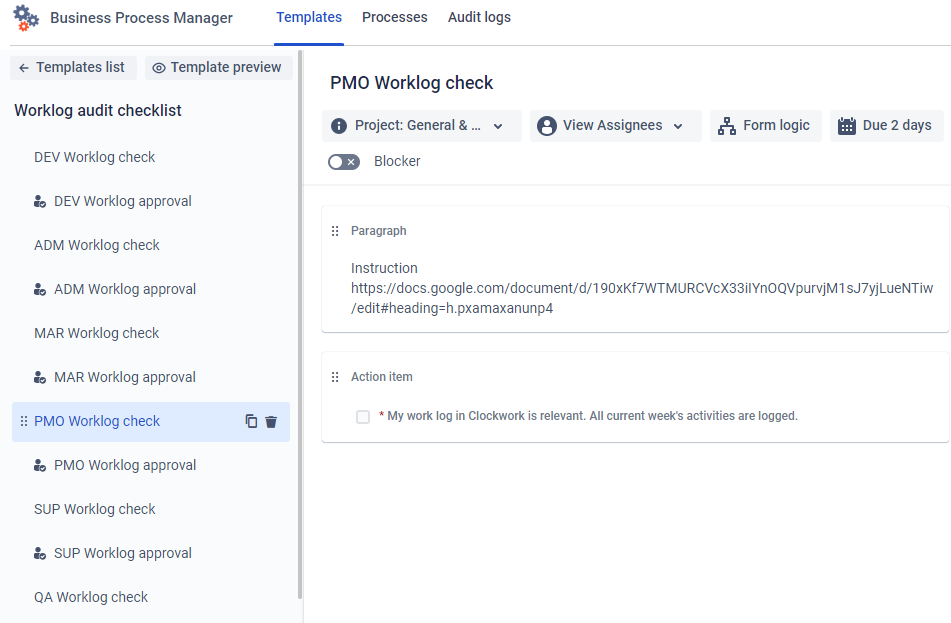
- We expect all the people to submit the form in 2 days. So, we set the due date.
As for the schedule, we set the system to create the confirmation tasks with this form every Friday:
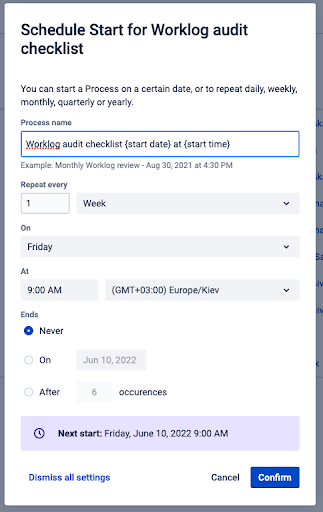
- Once a person has submitted the form, the issue would be reassigned to the head of the department. We utilize the Approval step for this purpose.

This is how it looks for the employee when the issue is assigned.
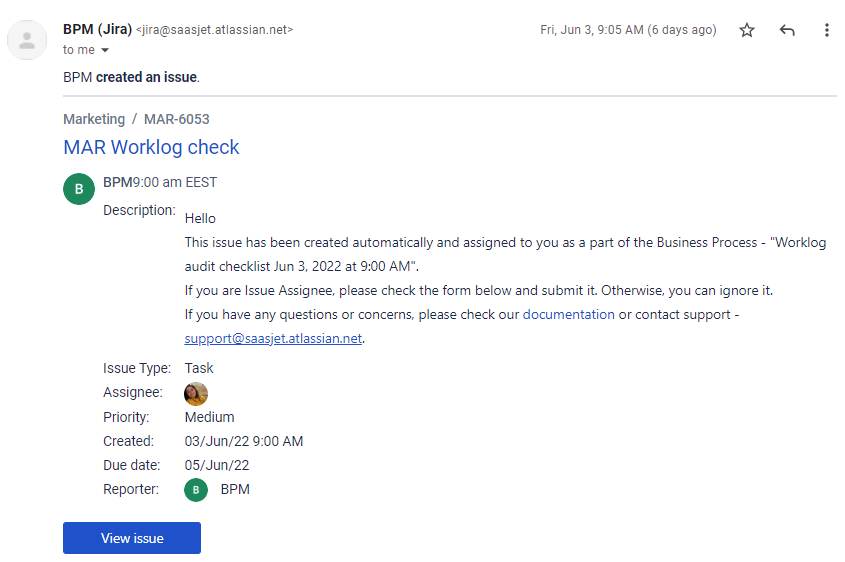
–
This is how it looks for the Head of DEP.
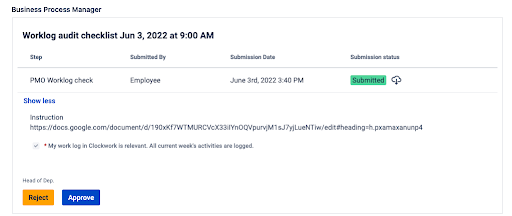
—
A company manager has a helicopter view of the whole process like in the report below.

Using the Business Process Manager plugin, our organization has built a clear process and improved the time log discipline. Every Monday, we have a 100% relevant time log.
Takeaway
We hope you’ll find our use case handy. The work hours log is one of the resources worth monitoring and caring for. You can get a lot of insights about the team capacity and processes’ bottlenecks. Try it on your side and let us know about your experience.
