There are two steps to downgrade Jira Software from standard to free. The process will take about five minutes to complete.
1. Remove product access from users until you reach the free limit of 10 users.
2. Change your plan from standard to free.
If you still have questions, head to the FAQs at the bottom of this page.
Here’s how to downgrade:
Watch how-to video
STEP 1: REMOVE A USER
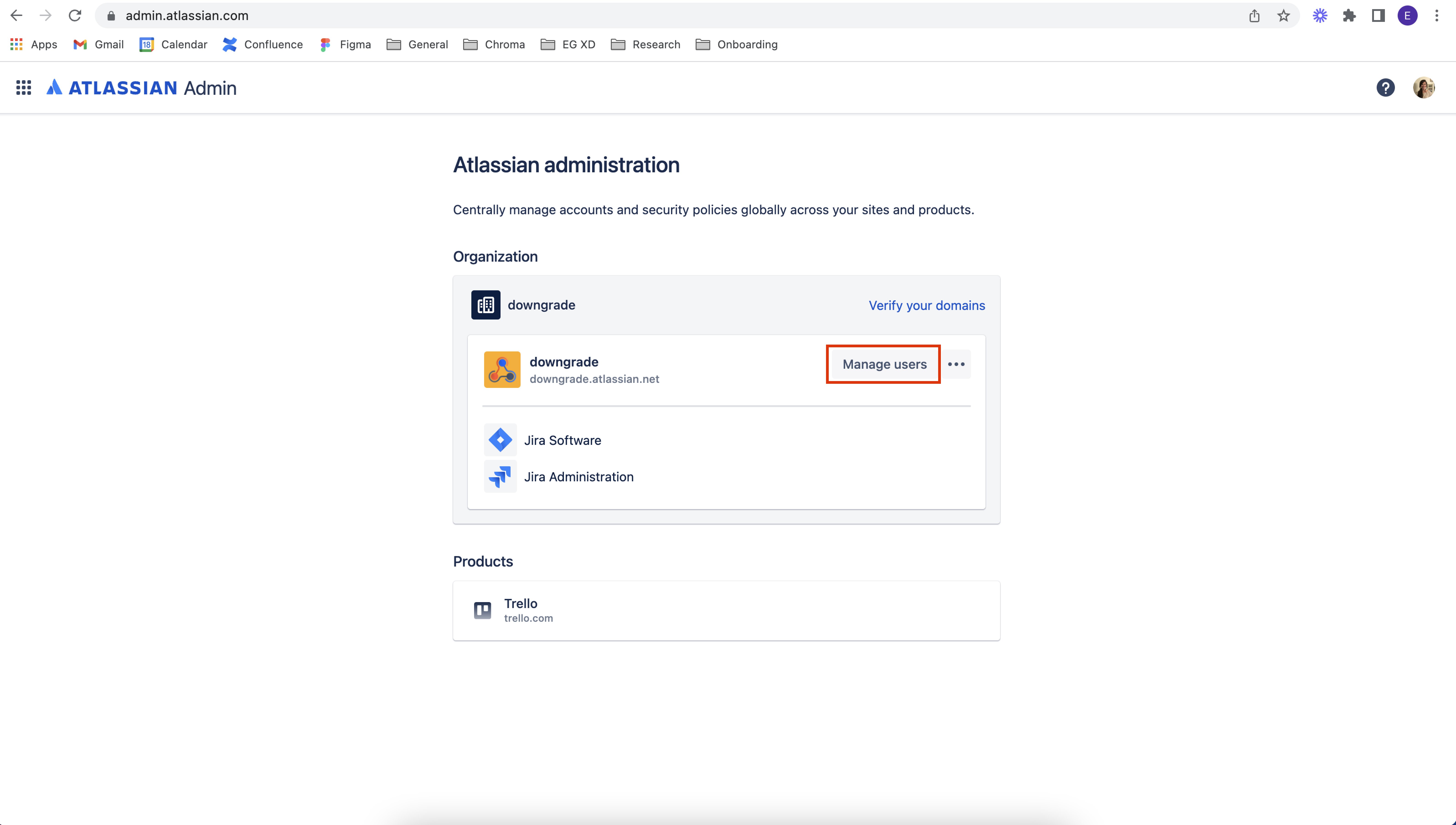
1. Go to admin.atlassian.com and click “Manage users” on the site that you’d like to remove users from.
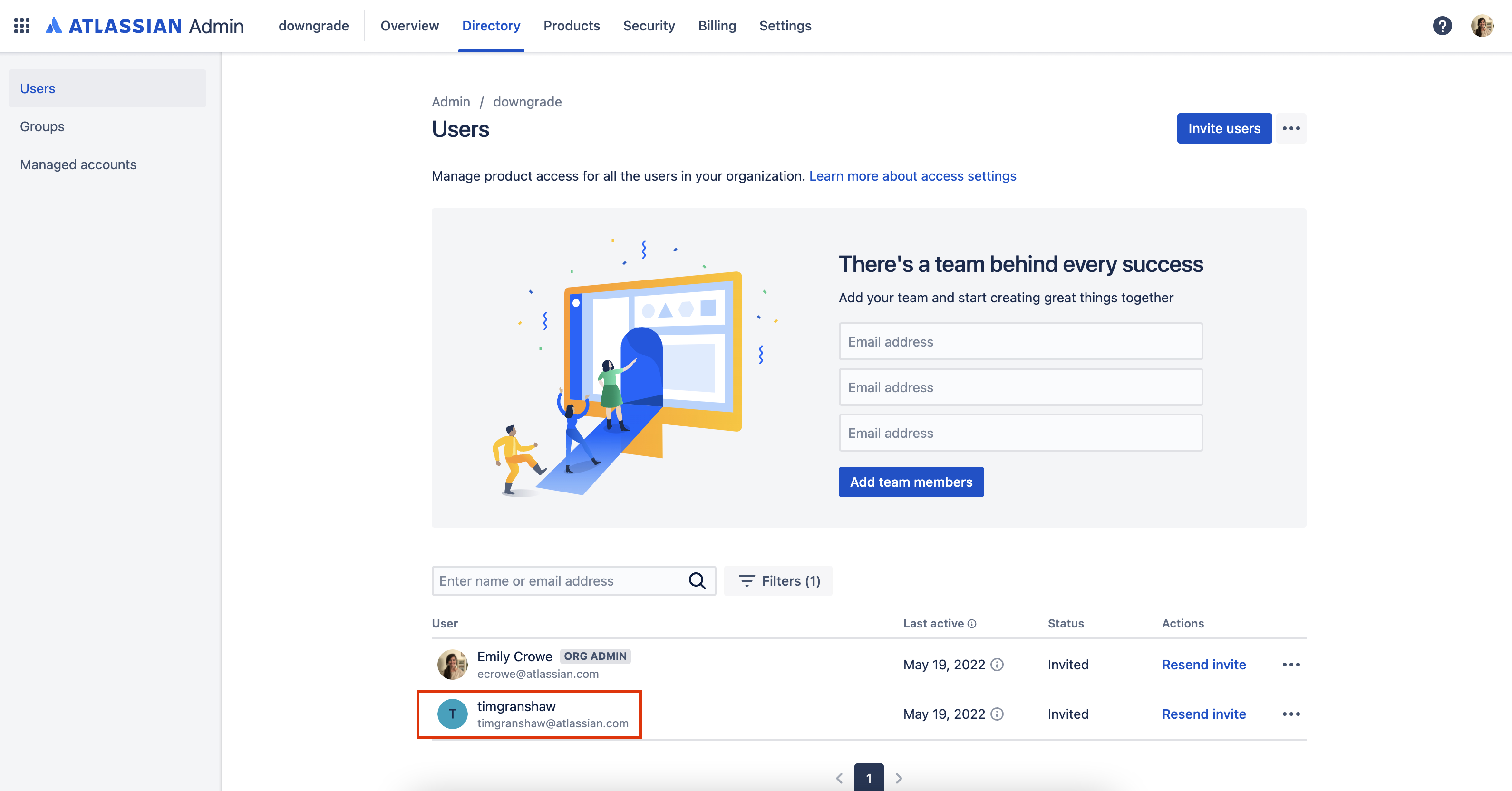
2. Select the user that you’d like to remove. Click on their name.
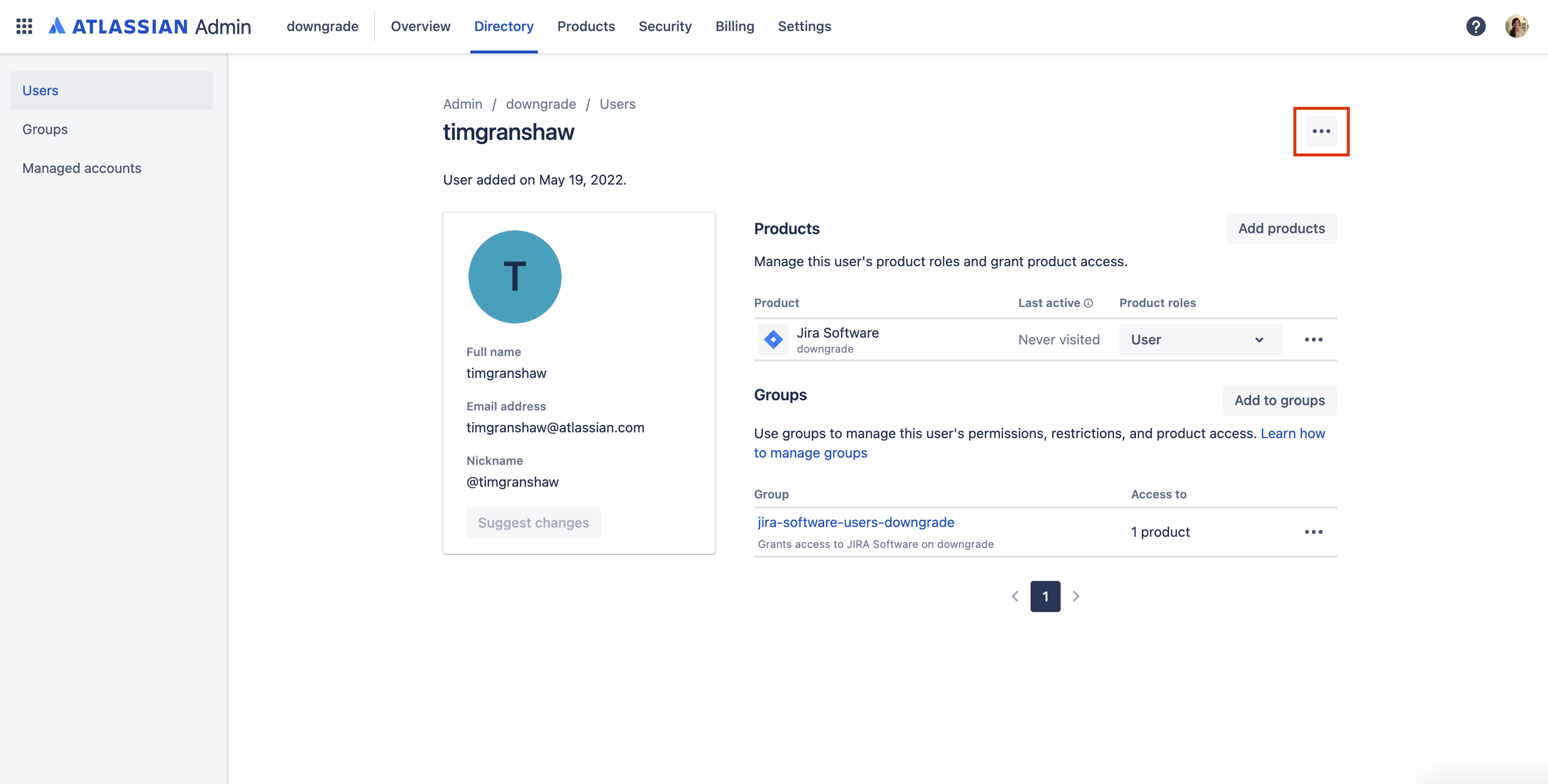
3. Select the 3 dot icon in the top right corner of the page.
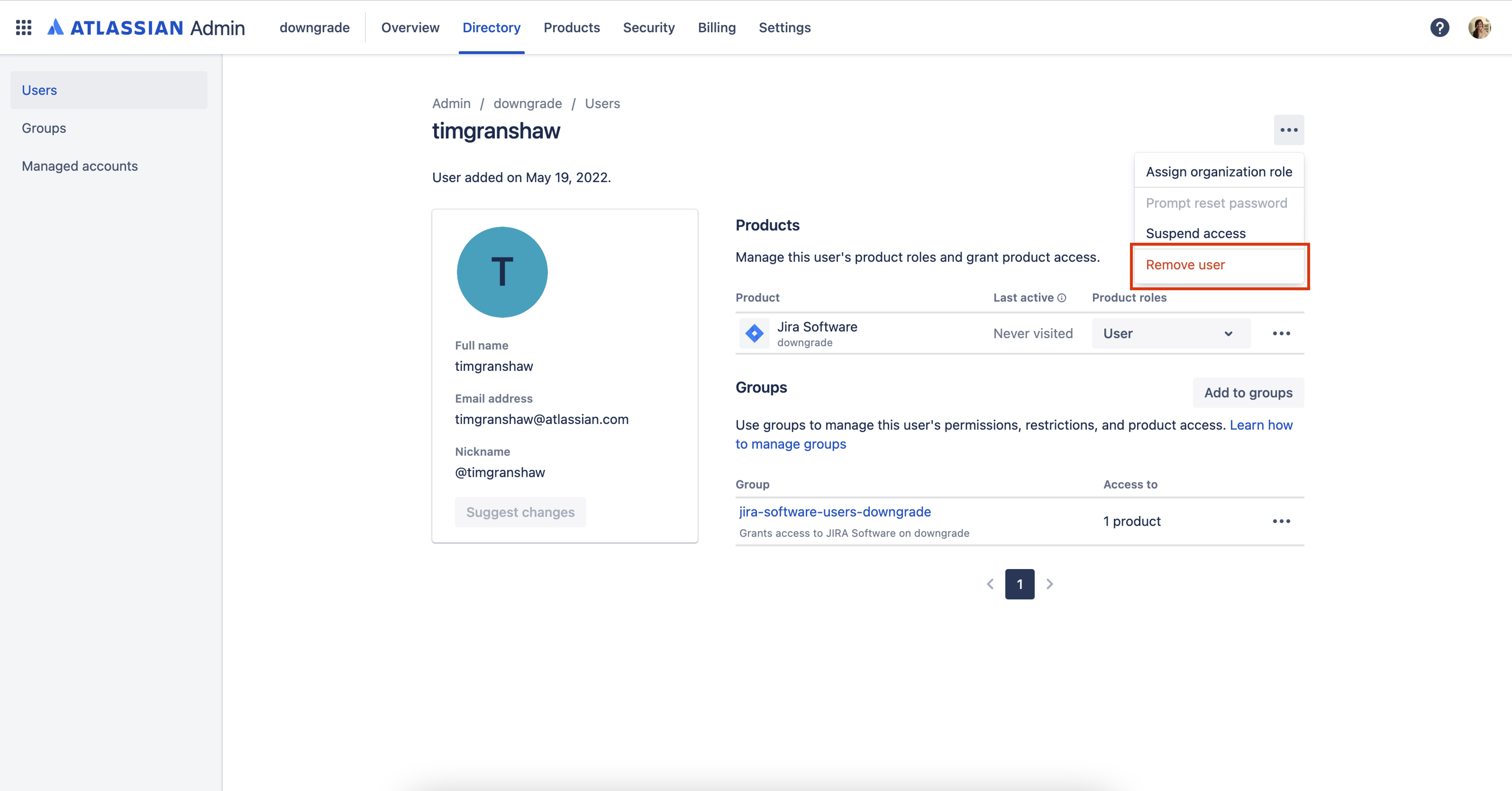
4. On the dropdown, select “Remove user.”
5. Confirm that you want to remove this user.
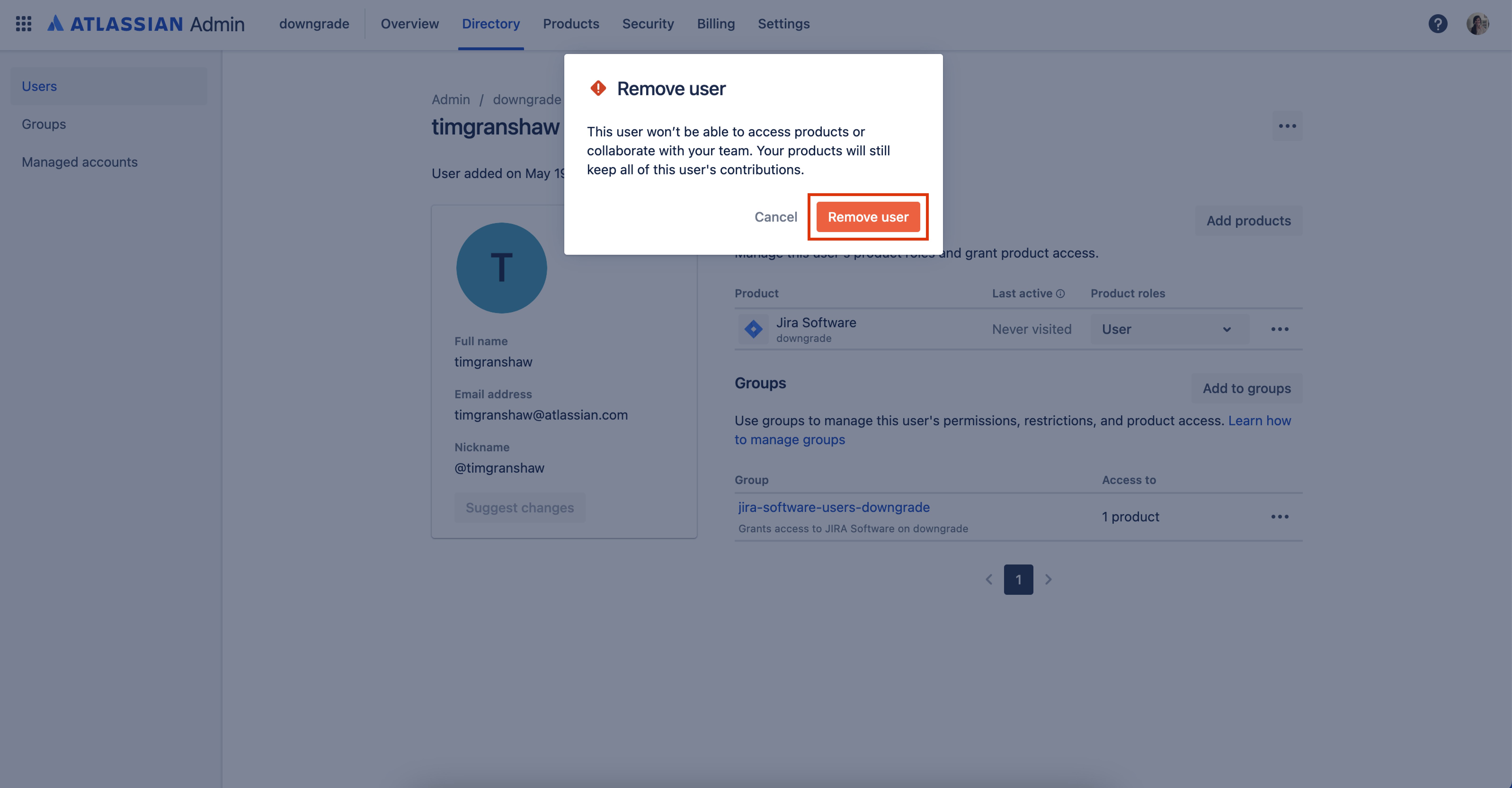
6. Finally, you will see a confirmation pop up in the bottom left corner. Continue steps 1-6 until you have 10 users or less listed for the product.

STEP 2: Downgrade to the Free plan
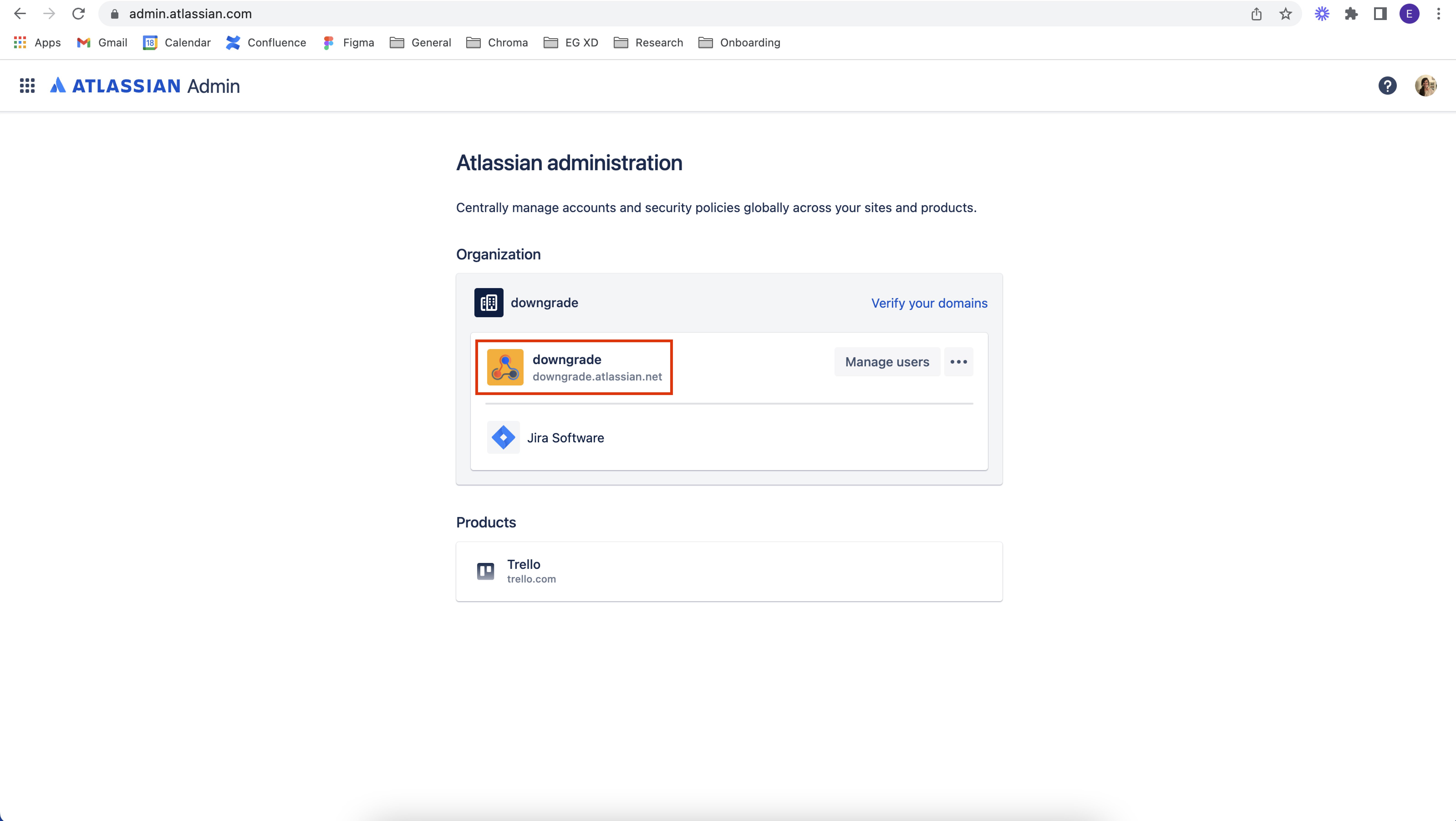
1. Go to admin.atlassian.com. Select the site’s name of the plan you’d like to change.
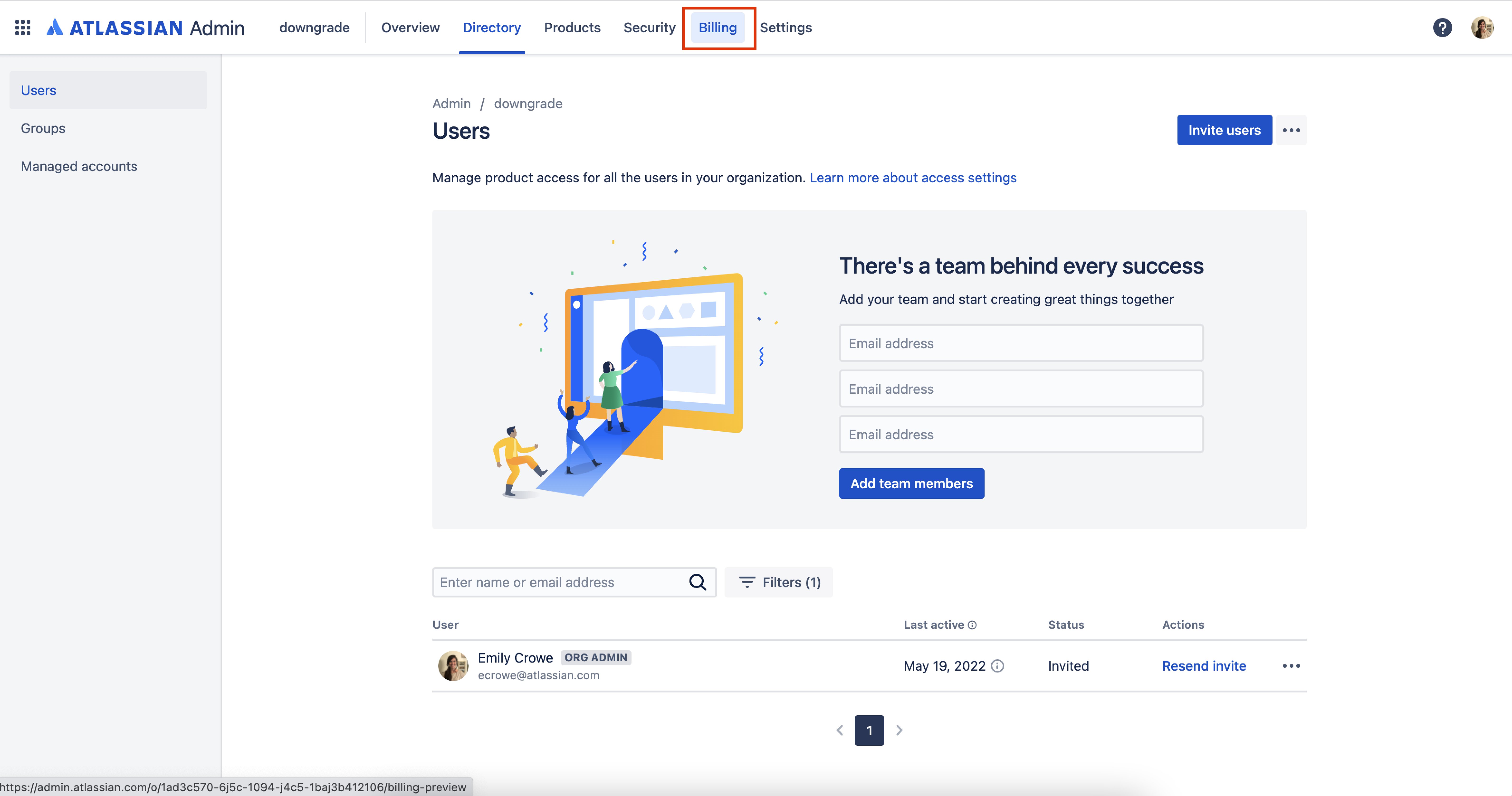
2. In the top navigation bar, go to “Billing.”
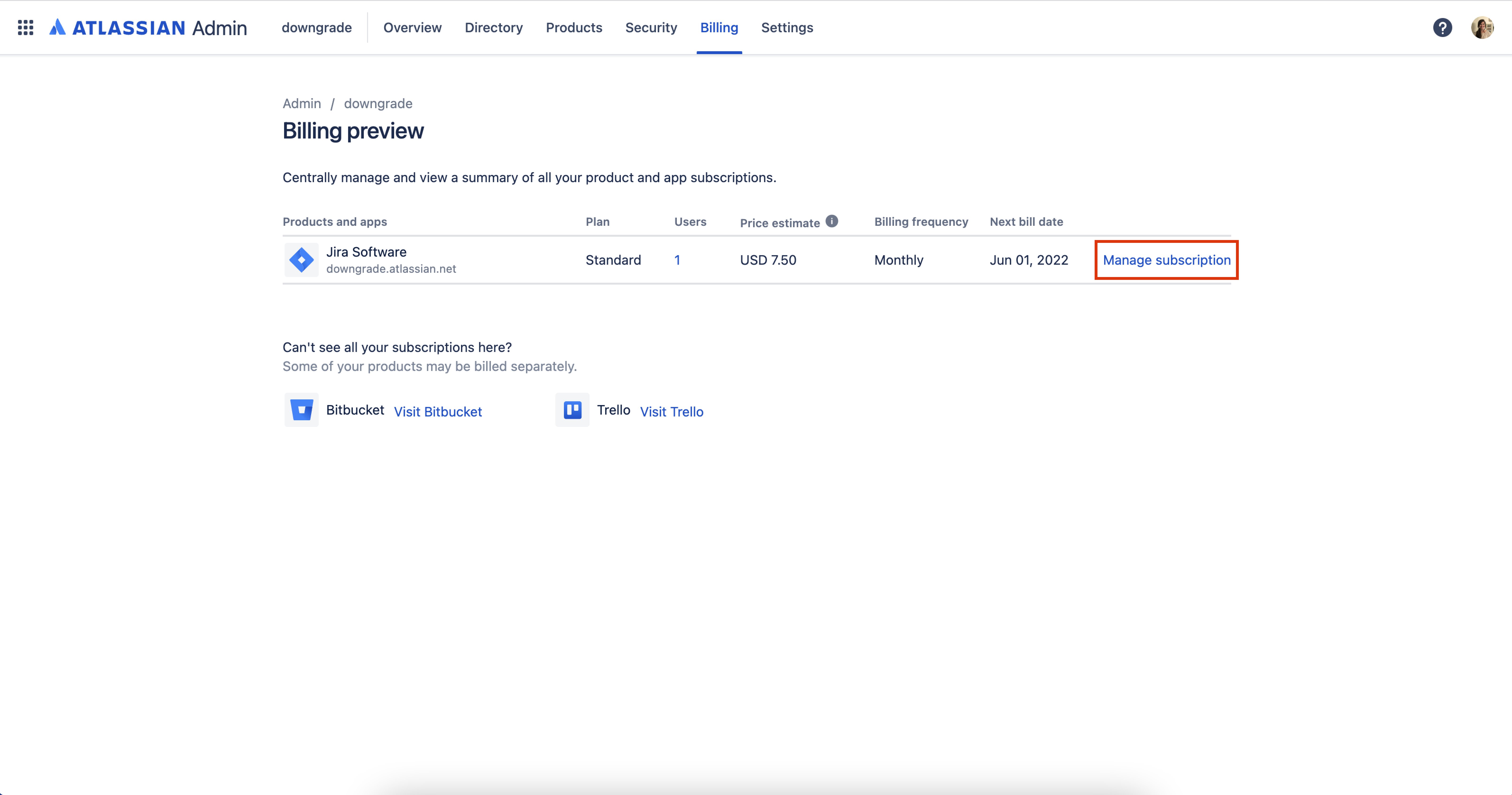
3. Click “Manage subscription.”
4. Click the “Change” link to change your plan type.
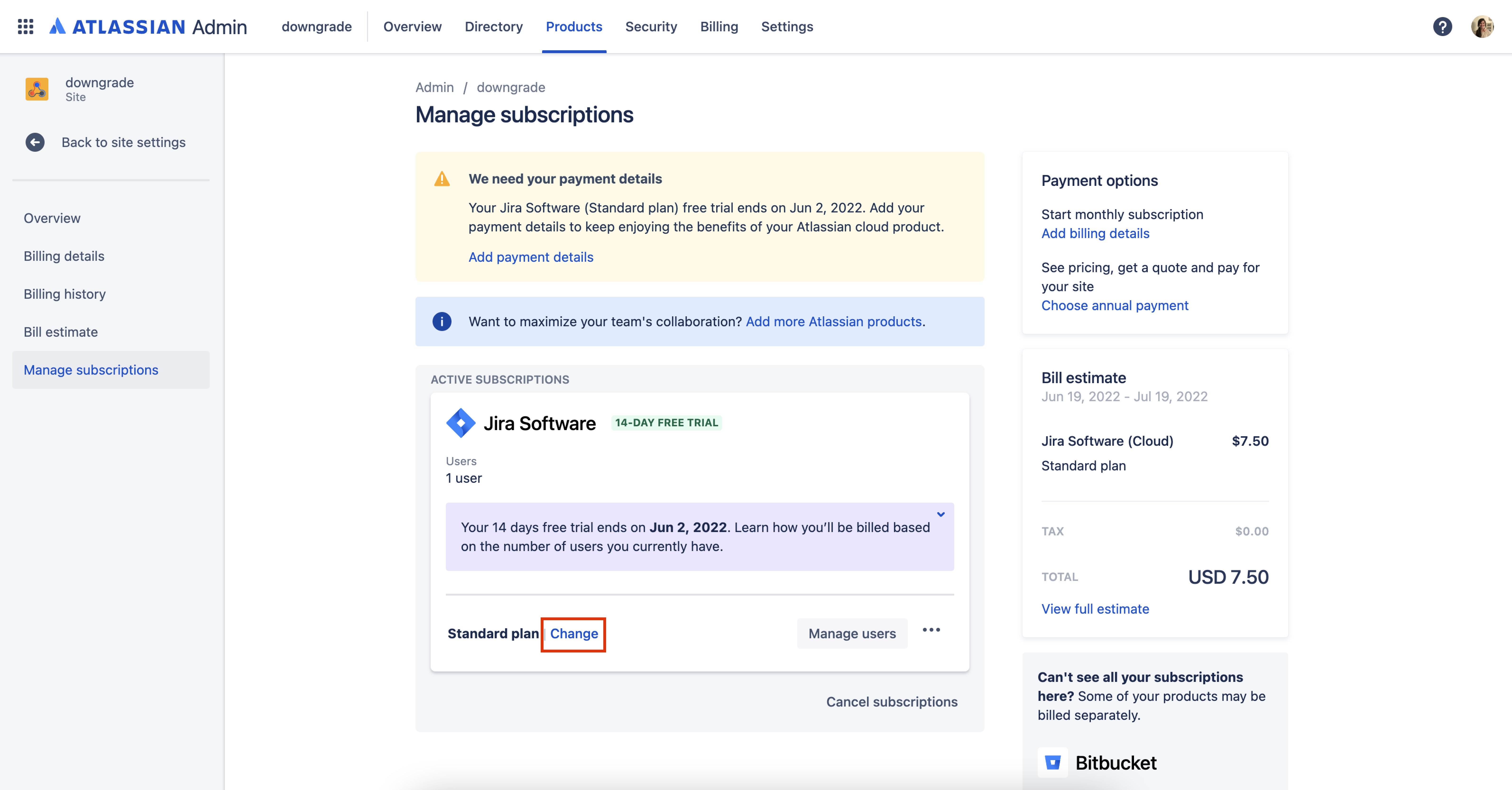
5. In the Manage subscriptions page, you will see the plan for each product under its subscription details. Click “Select Free.”
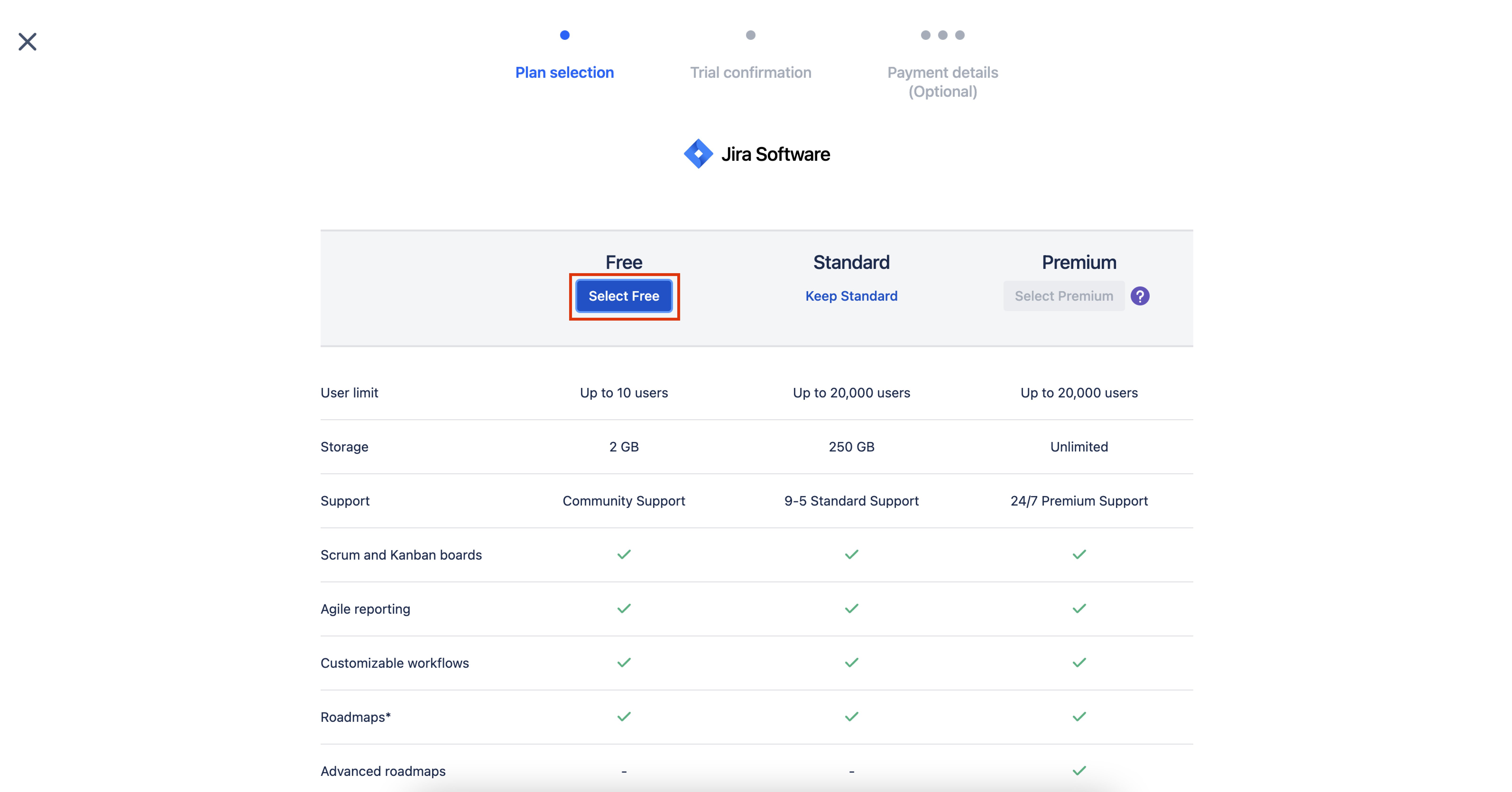
6. After you agree to the Atlassian Cloud Terms of Service and Privacy Policy, select “Confirm plan change.”
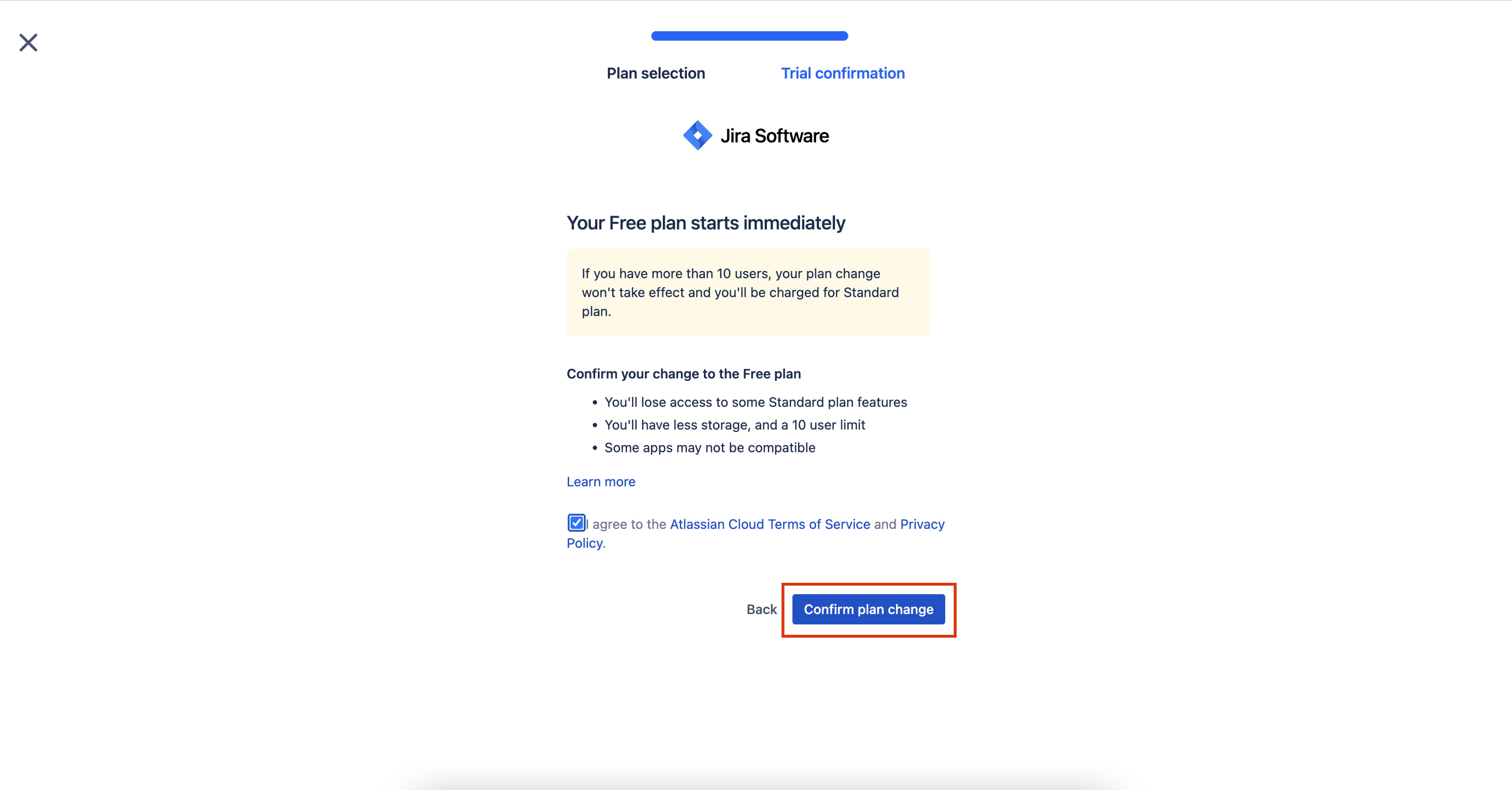
6. You’ll see a confirmation pop up in the bottom left window.
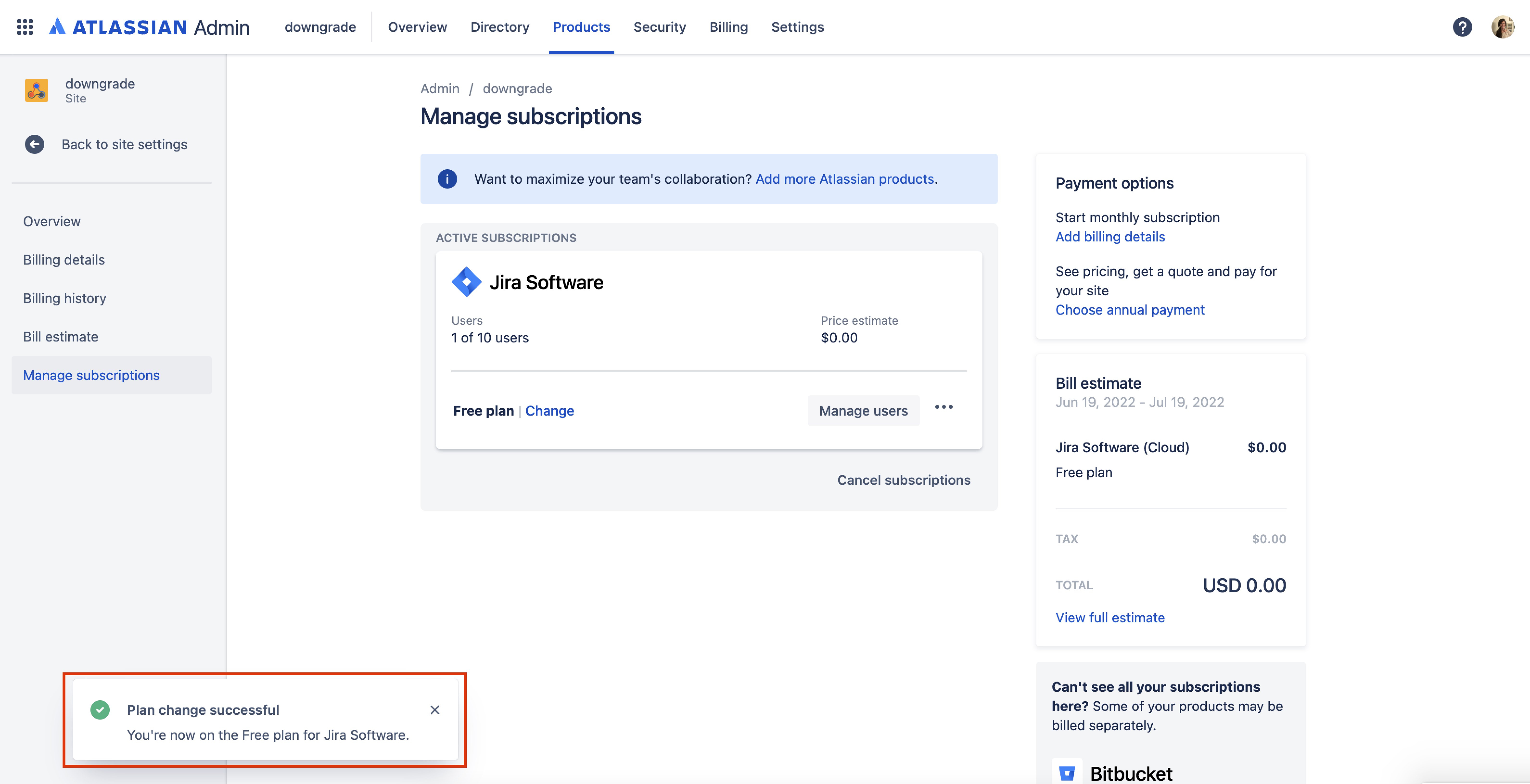
And that’s it, you have now completed the steps to downgrade your Jira Software plan from standard to free.
FAQs
- Why am I on a Standard plan? I thought I was using the Free version of Jira Software.
- If you have more than 10 users on your product, you will automatically be upgraded to Jira Software Standard because the user limit for Jira Software Free is 10 users.
- What are the differences between Jira Software Free and Standard?
- Feel free to check out this chart to see the differences between all of the Jira Software product plans.
- I don’t think the message that I got about downgrading to free applies to me. Why did I get it?
- If you have 10 users or less and are on the free version of Jira Software, you should be ok to not take any action to change your plan.


