Make description field in JSM Portal same as the filed when I create in project
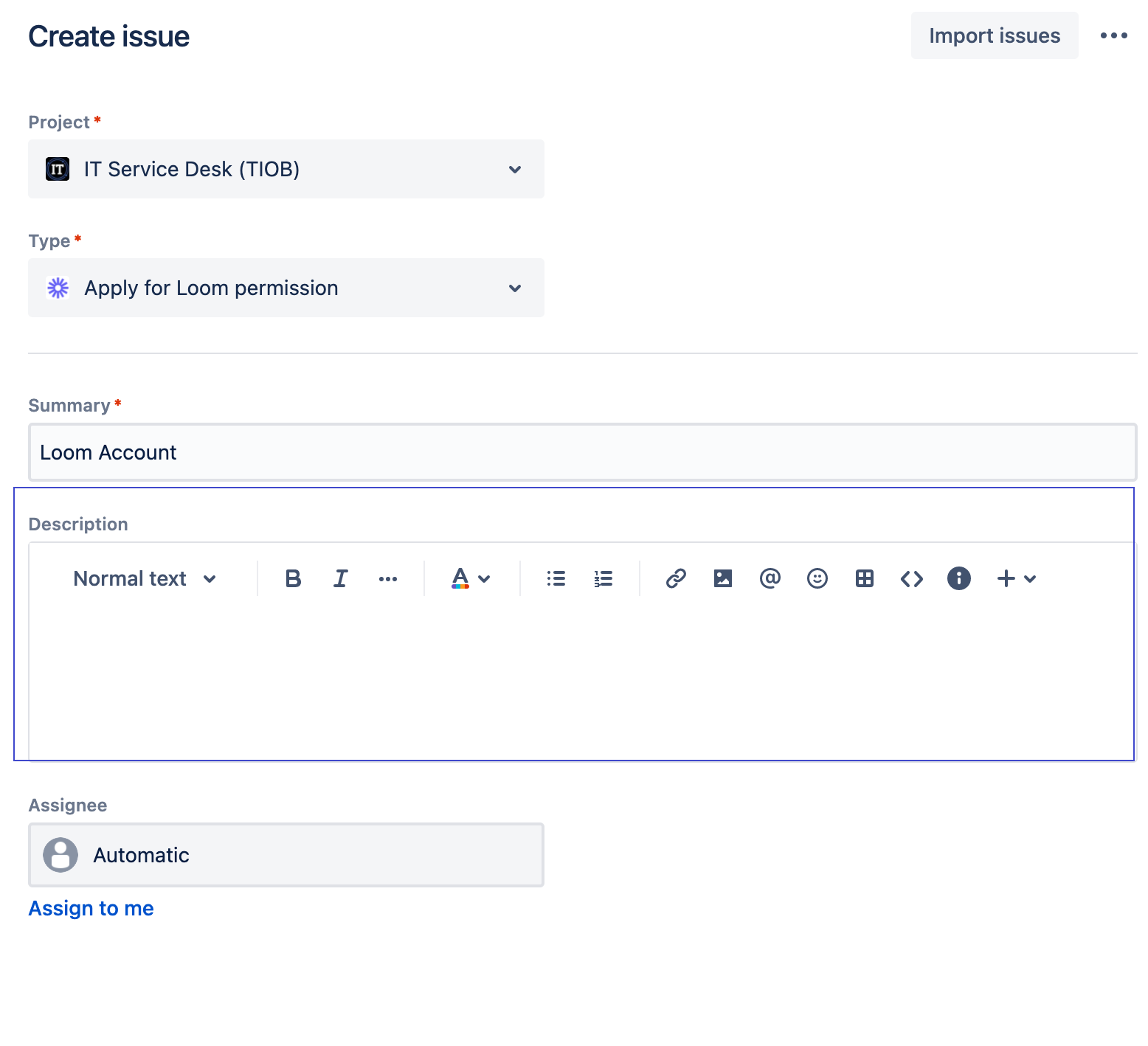
When I skip the portal and create an issue directly in the project page
At that time, like JIRA software, the description file can have many options, such as adjusting the font size and format, as well as directly pasting pictures with ctrl v, or attaching some attachments, which is very convenient for users.
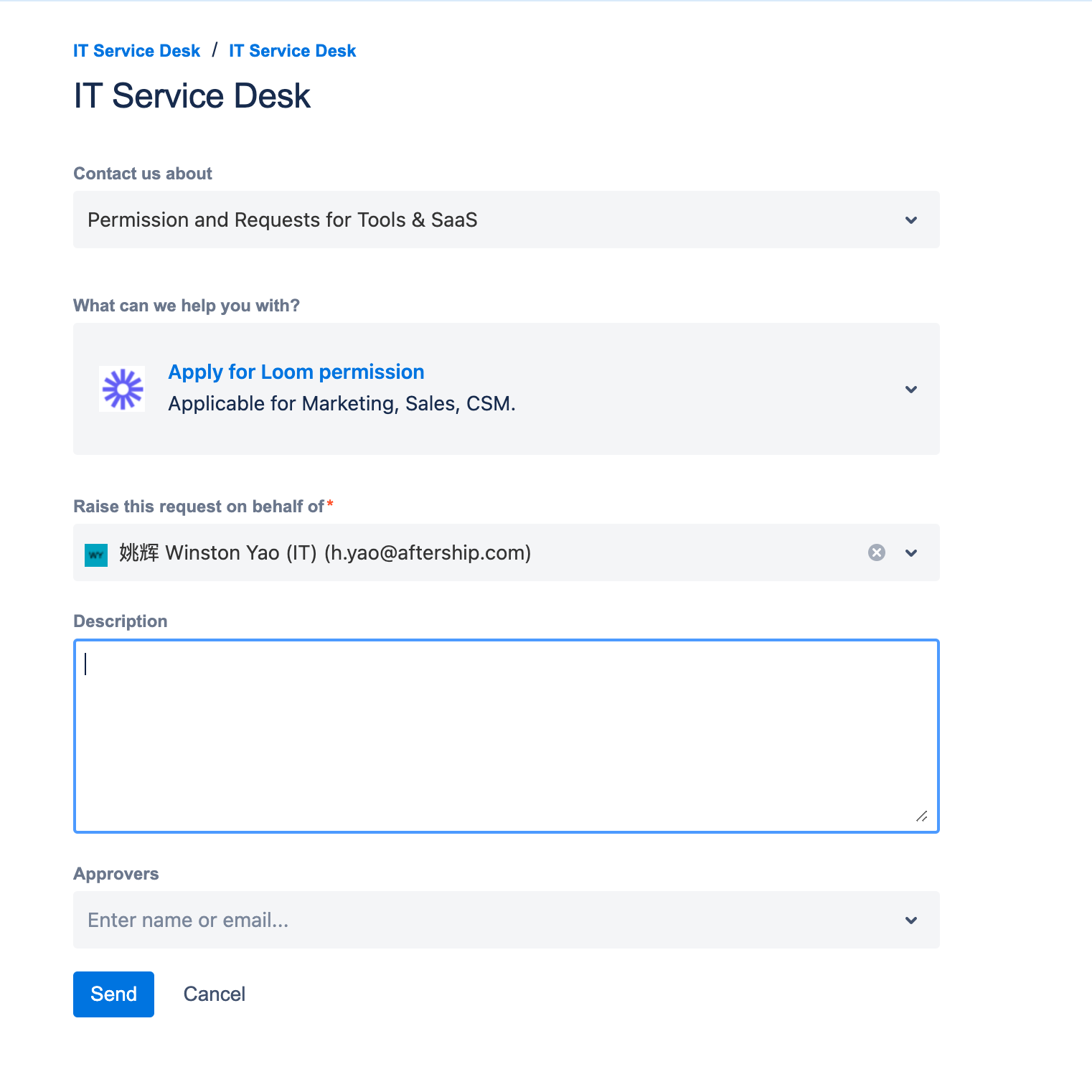
But in the interface of customer portal, I configured description field, there is only one box for us to fill in text information, it is very inconvenient to attach pictures and attachments, of course, I know that there is an attach field that can be configured.
However, is it possible to make the field in the customer portal the same as the field when the interface was created?