Hi Confluence Community,
Let’s talk about the fear of writing. For many, putting pen to paper is terrifying. Then having to share work with other people so that it can be critiqued or reviewed? CRINGE.
If you’re like me, there's nothing worse than someone leaving feedback on a page before it’s ready. As a Product Manager, it’s important that my teammates know what to expect and how to interact with one of my Confluence pages when it's shared across the organization.
I know many of our customers share similar frustrations, which is why I’m thrilled to introduce you to page status!
A page status sets expectations for viewers and collaborators when they come to a page. Users can choose out-of-the-box page statuses or customize them to best fit their teams' needs.
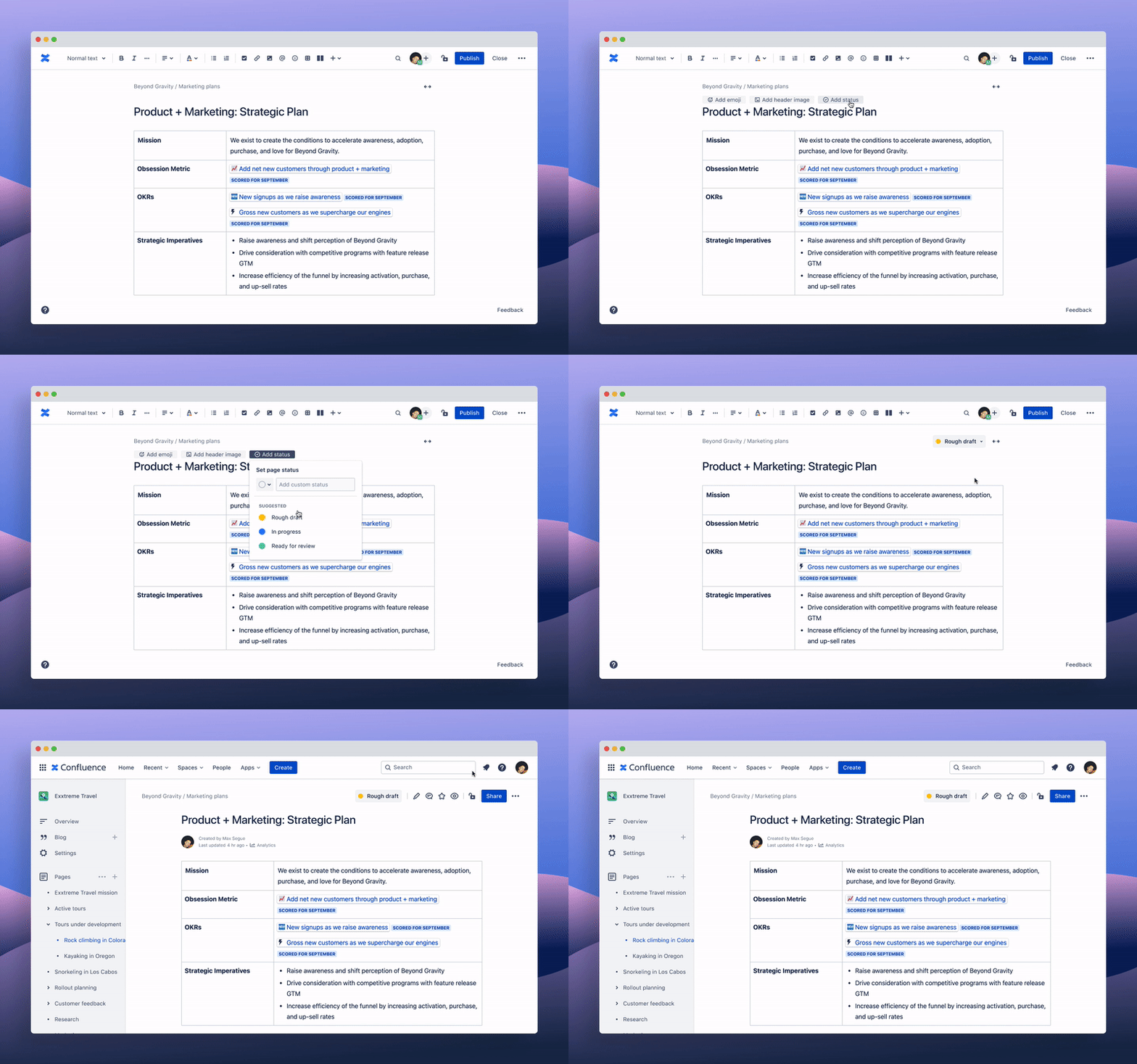
With this new functionality, you can add, remove, and change pages states by selecting Add page status in the hover menu when editing.
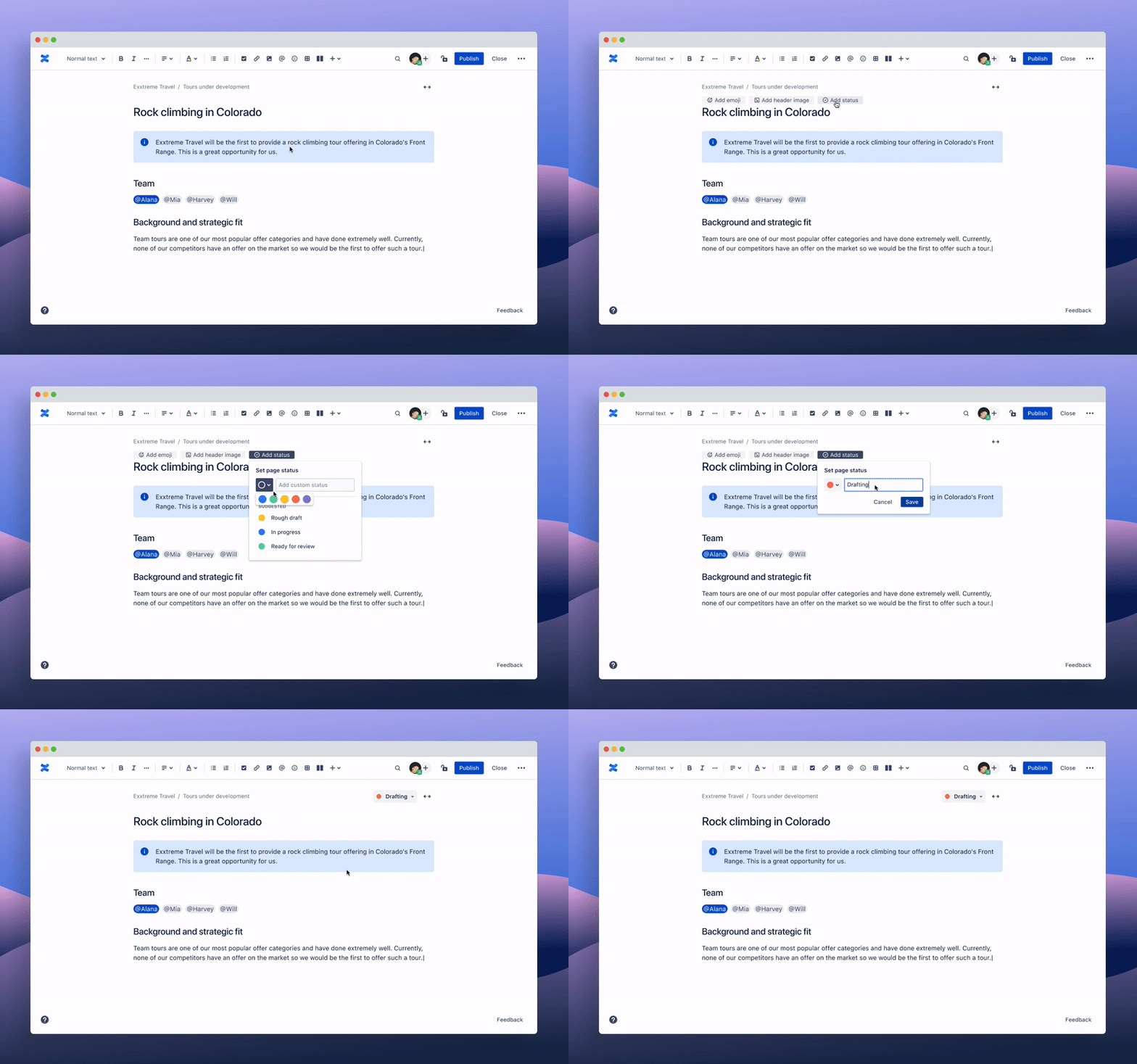
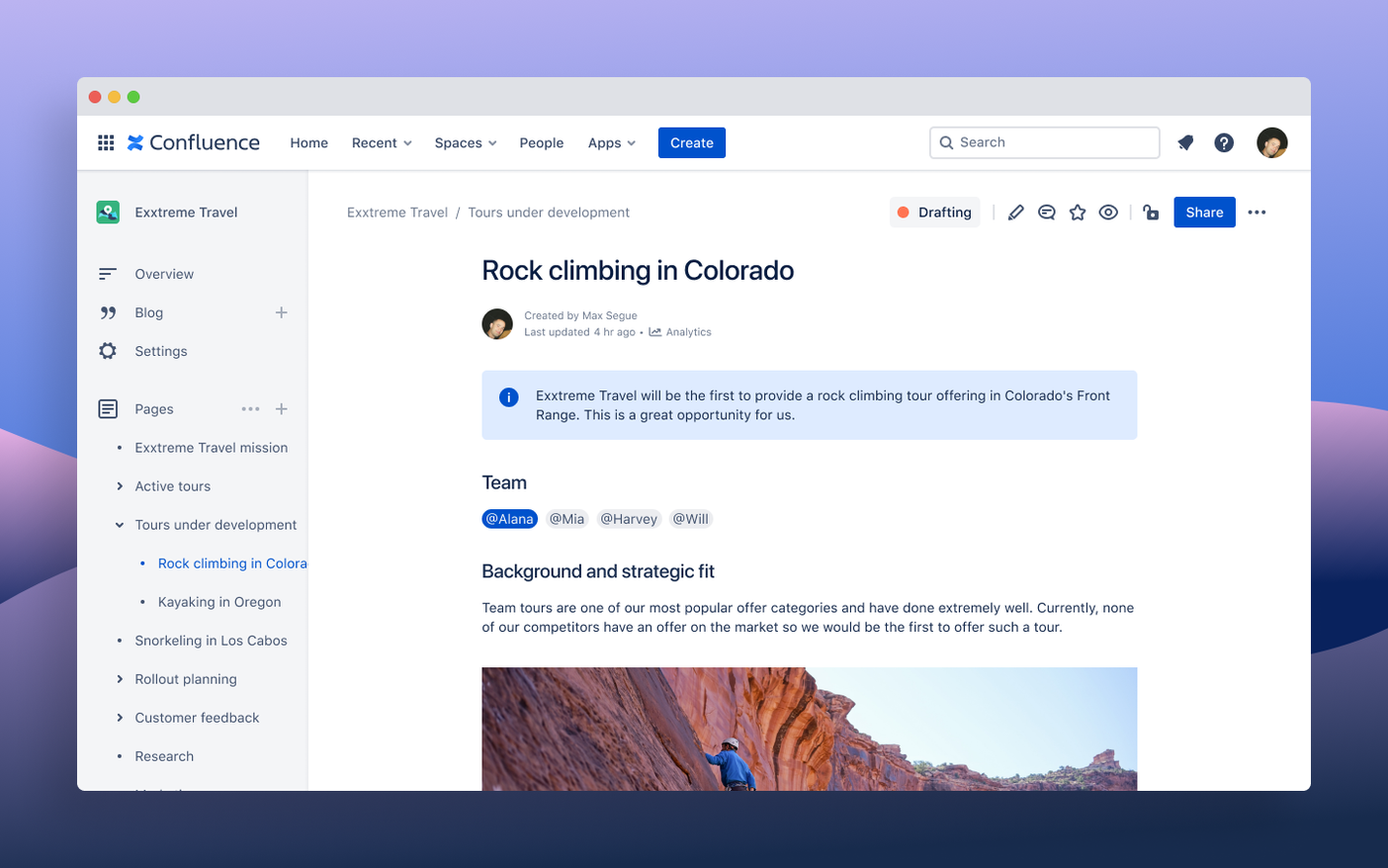
You can use page status to:
- Set page expectations for people viewing your pages. You can use page statuses independent of the lifecycle of the page. This help you communicate things like when a page is in-progress, ready for review, or out-of-date, allowing for more confidence in content creation, without needing to lock down in-progress pages.
- Help people share feedback at the right time. A status is eye-catching and guides collaborators and content consumers to know when and how to interact with a page right away.
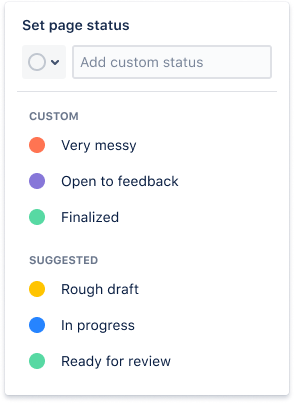
- Create and re-use personal workflows. You can see a list of up to three recently used page statuses to help you move quickly.
- Standardize workflows for a space. Space admins can guide creators through a specific content creation lifecycle by replacing default, out-of-the-box page statuses with custom statuses for the space. Admins can also turn off custom page statuses or turn off the feature all together.
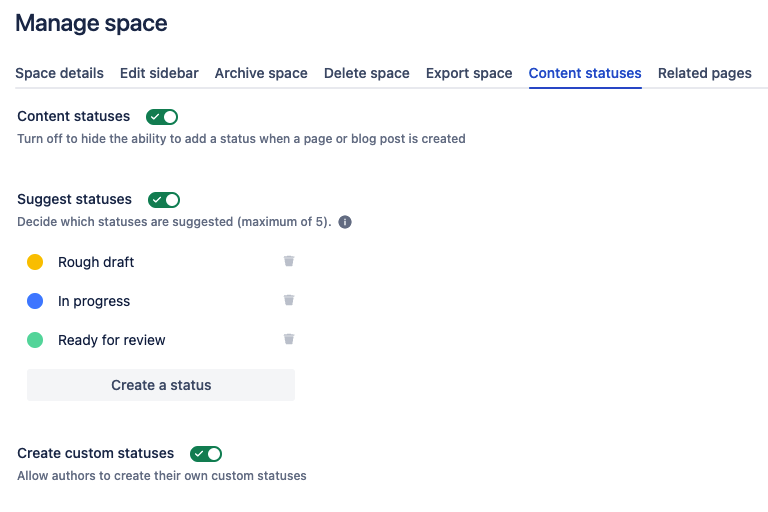
Page status is coming to Mobile soon!
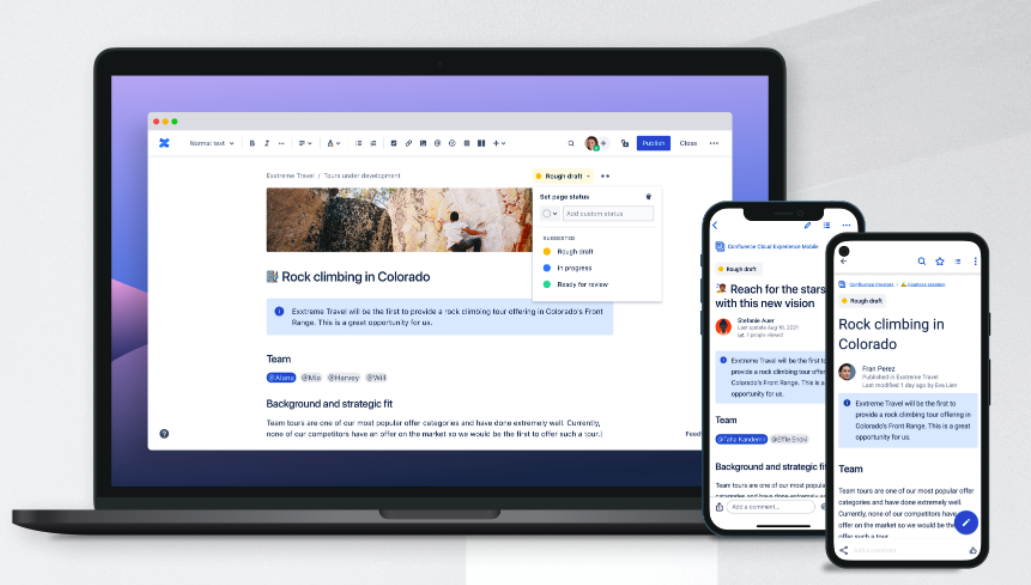
Page status is currently rolling out, so it should come to your site soon if you don’t see it on your Confluence Cloud instance today.
We want to hear from you! Please tell us what you think in the comments below. ⬇️


