This workaround is meant to help JSM customers/users that have projects that already have ProForma activated but would like to use JSM Forms instead.
For such scenario, I already have ProForma activated in a JSM project but I would like to use JSM Forms. If I have both installed I will be facing an expected behavior which is duplicate forms.
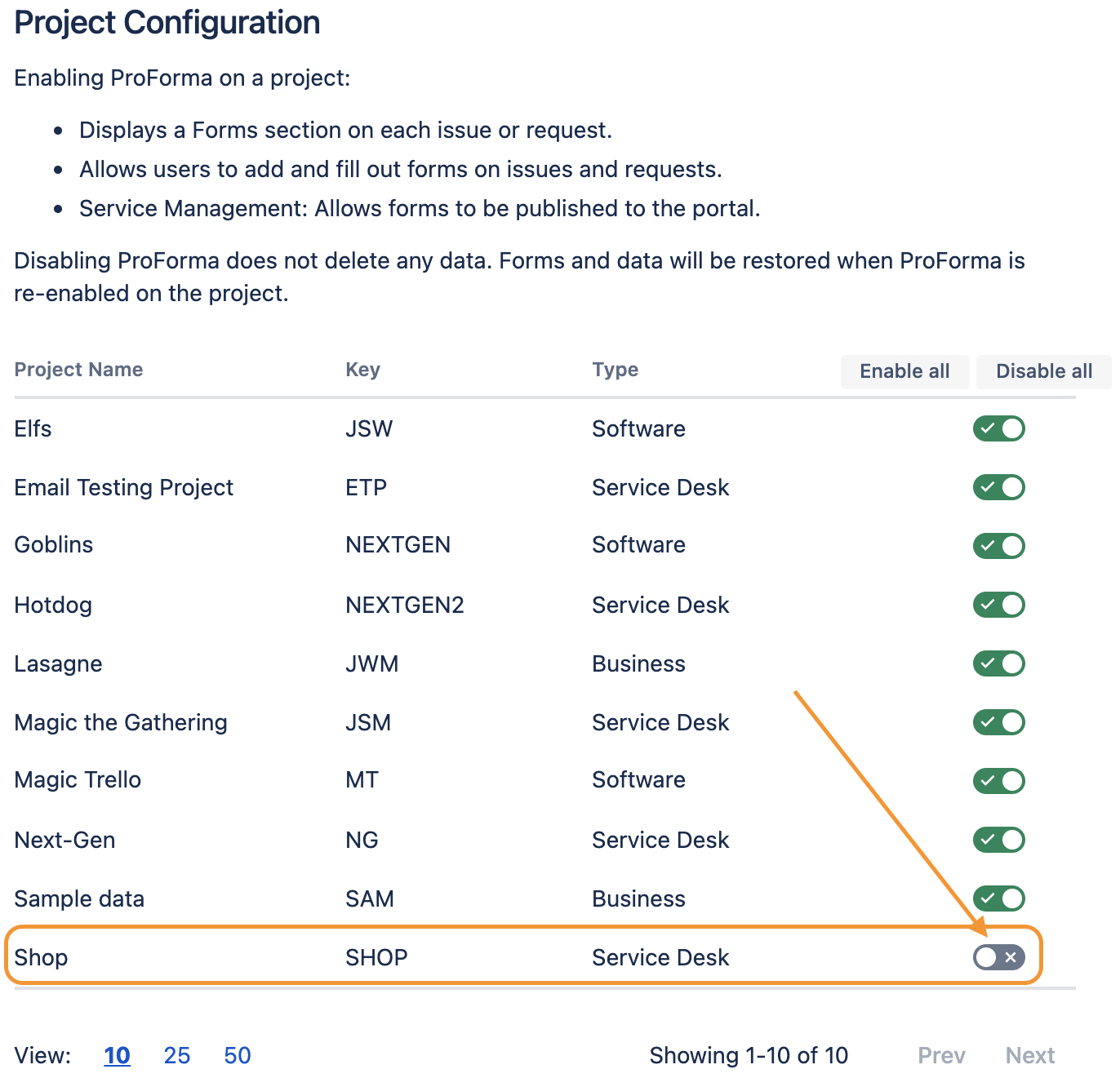
So for avoiding this issue without the need to uninstall ProForma we will need to disable ProForma only to this specific project.
Important related documentation:
Configure ProForma
Workaround steps:
- From the top navigation bar in your application, choose
 > Add-ons
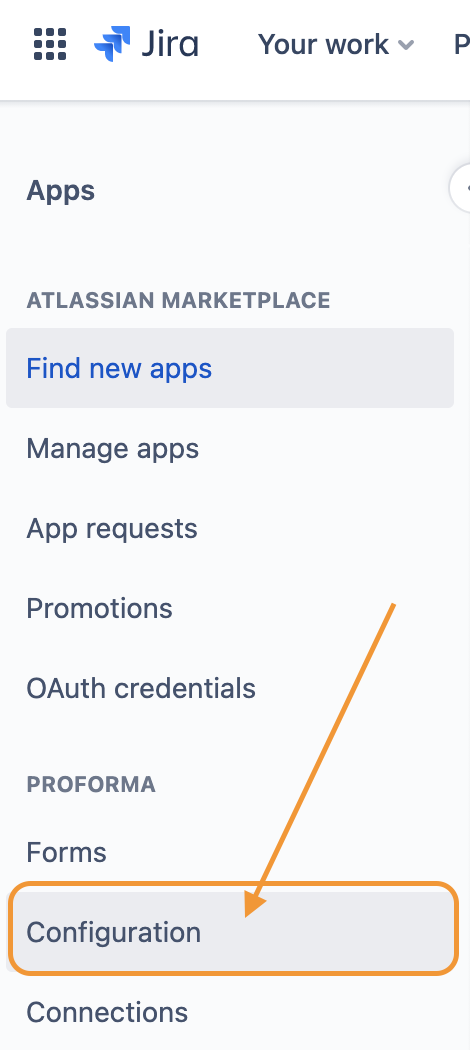
- Find the ProForma app by navigating the left list, choose Configuration:
- On the Project Configuration, just toggle the button to disable and ProForma will be disabled to this project:
- This workaround will work as shown in the screen recording below:
 https://www.youtube.com/watch?v=W6_9-09yOXE


