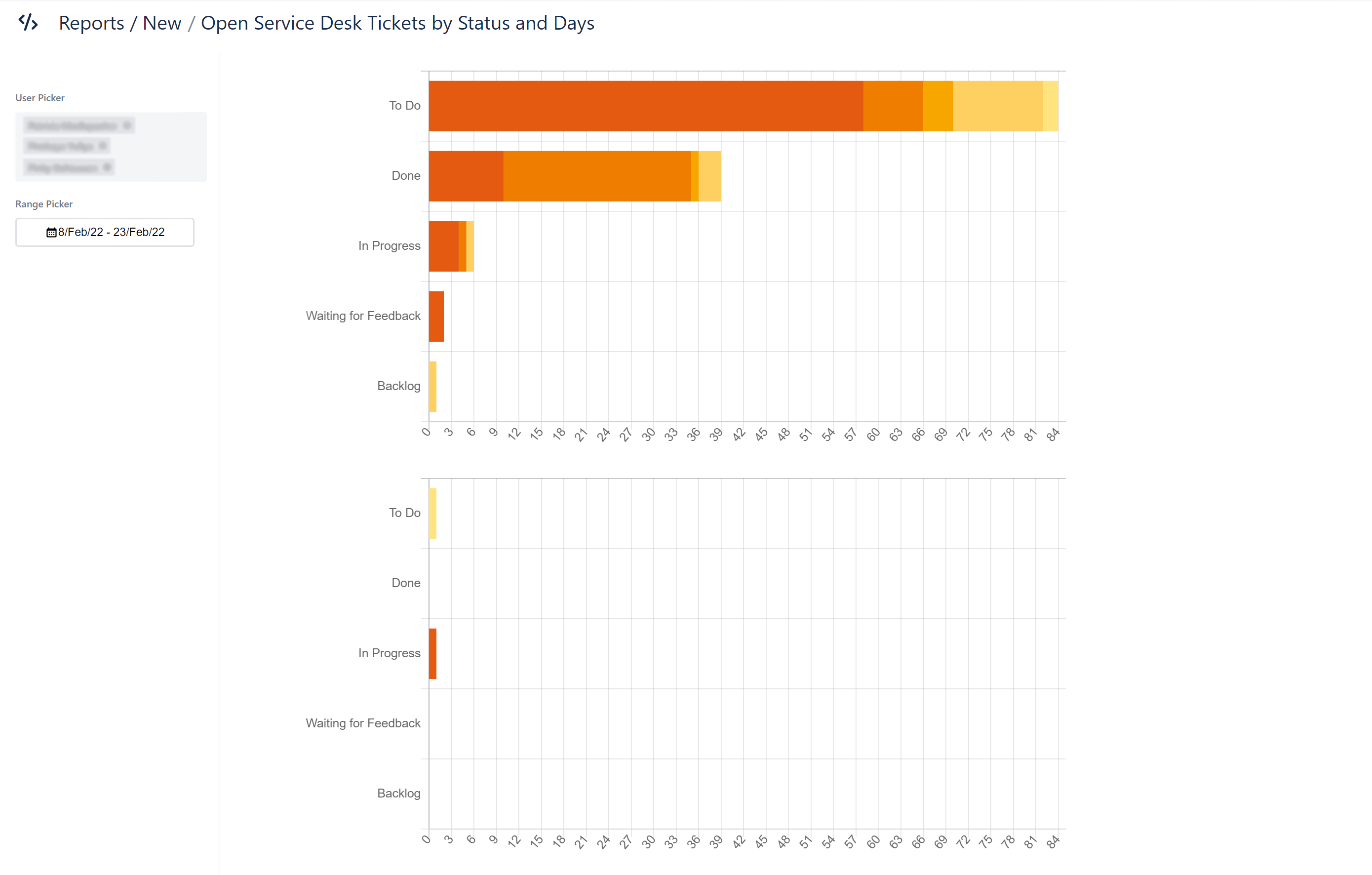
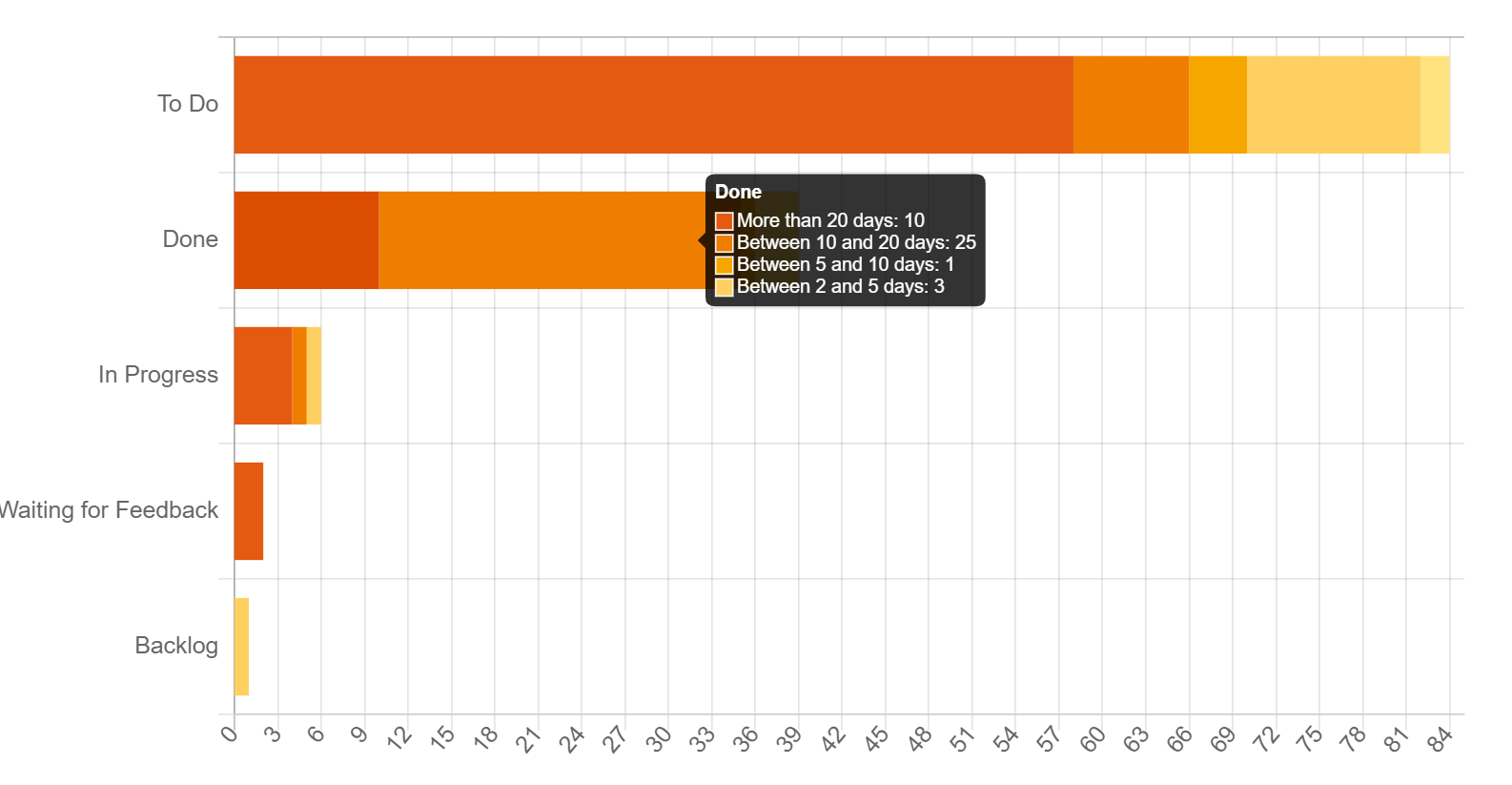
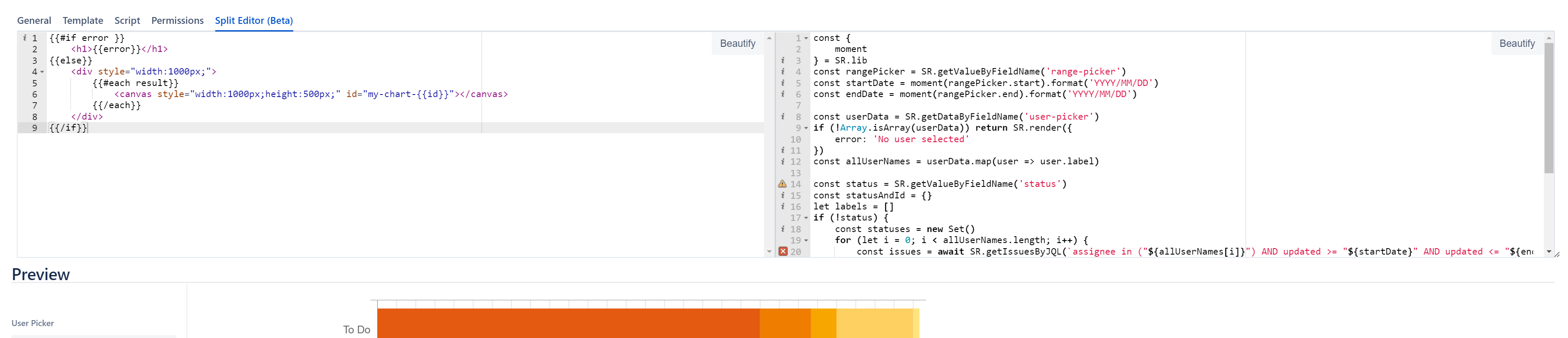
In this article, we will introduce you to one of these solutions, the report: “Open Service Desk Tickets by Status” by Report Builder.
How does the Jira IT ticketing system work?
Before we explain the report, let’s take a closer look at the basic IT ticketing system and how Jira can help with this work.
With an IT ticketing system in Jira, customers create issues in the form of Jira tickets, which are processed, escalated if necessary, and resolved by the support team. All interactions (including internal ones) are recorded in the Jira service ticket.
Service ticket software helps to log and sort the incoming tickets and quantify the processing time. That’s why there’s Jira Service Management (formerly Jira Service Desk). This efficient ITSM solution empowers teams worldwide to respond agilely to business changes and improve the service experience for all customers.
Track open Jira tickets
To keep your team ideally engaged and make measurable progress, it’s essential to track current performance. Only if you know where you currently are, you can decide where you want to go and what you need to do to get there.
A user-friendly, quick and visually appealing solution is the “Open Service Desk Tickets by Status” report.
How the “Open Service Desk Tickets by Status” report works
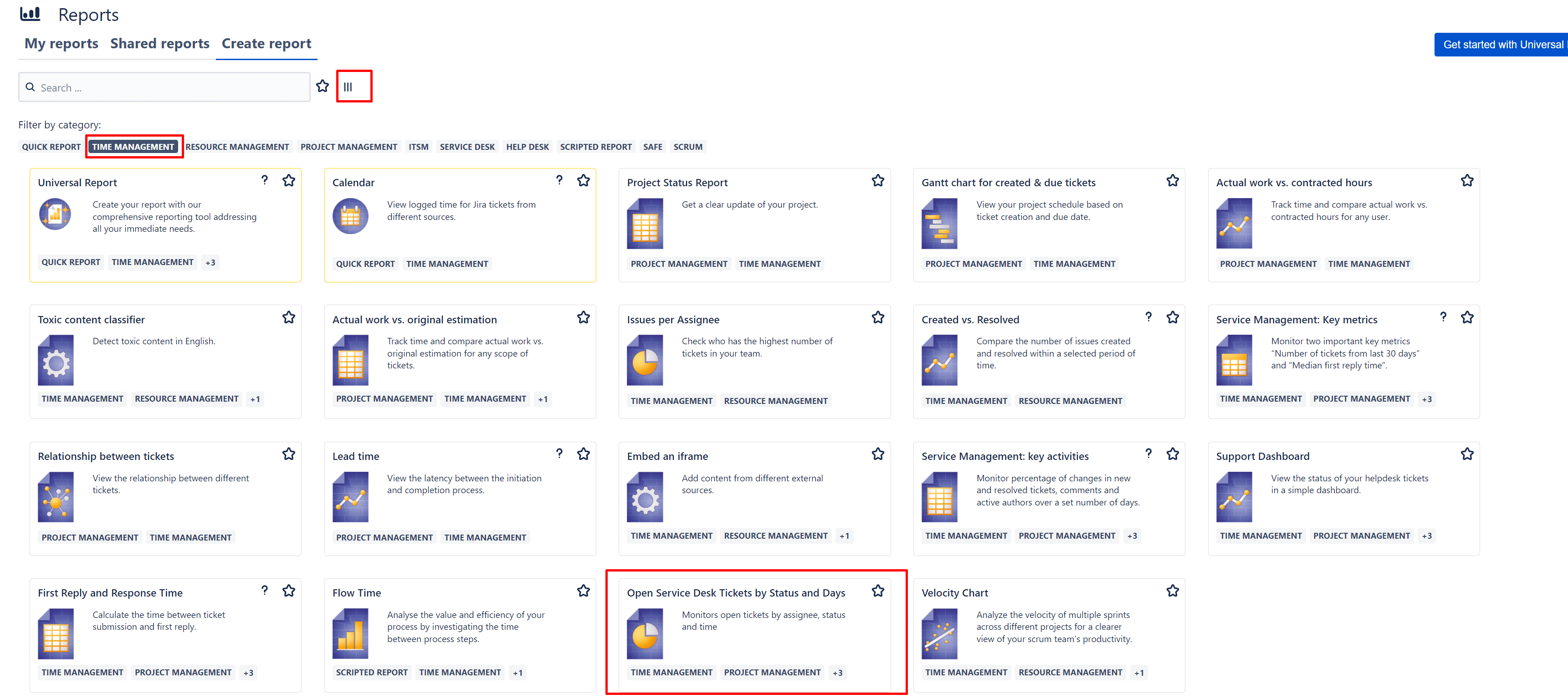
Step 1: To create the Report Builder “Open Service Desk Tickets by Status” report, first navigate to the homepage to create reports. Change the view, select the “Time Management” filter, and select the corresponding report.