
People remember 10% of what they hear and 80% of what they see. When working, you can’t keep everything in mind, which isn’t bad – that’s our nature to forget. Besides, there are a lot of distractions. That’s why a checklist is one more thing to stay focused on and avoid missing essential workflow steps. Let’s try to enhance your Jira issues by creating checklists automatically.
What is a Jira checklist, and why do we need it?
A checklist is a set of instructions designed to help you manage recurring tasks and processes. We can use it for everything, as it’s easy to forget some things which might be necessary to perform tasks. Checklists in Jira help teams to structure work, break large activities into smaller steps, ensure everything is done correctly and in time.
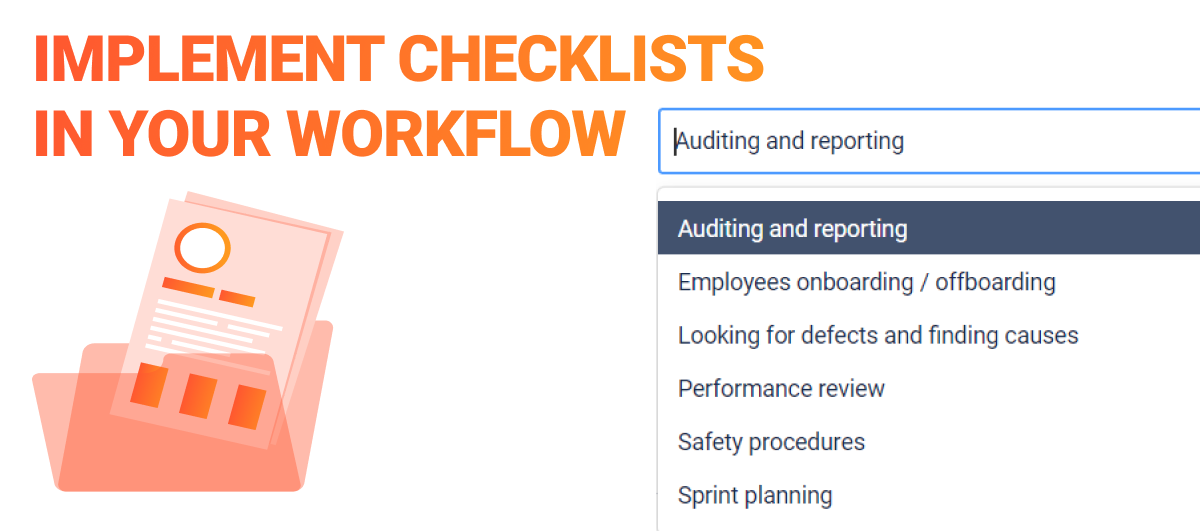
You can use Jira checklists for your Business Process Management and Standard operating procedures (SOPs). For example:
- Employees onboarding / offboarding
- Sprint planning
- Performance review
- Looking for defects and finding causes
- Auditing and reporting
- Safety procedures
- Any activity that requires a set of steps
They serve as a guide to ensure that everything is performed flawlessly every time. Imagine the feeling when you’re ticking a checkmark when every piece of task is done. It’s great to complete the work and know you haven’t missed anything.
How to create a checklist in the Jira issue
If your team has a lot of processes that can be transformed into checklists, think about some automation. Try the thirty-party applications from Atlassian Marketplace to create guide lists in the Jira issue.
The choice of application will depend on the set of functionality you need. Therefore, we recommend that you think about what initial goal you would like to solve with the help of a check letter.
In this guide, we will show you how to implement checklists in your workflow at a simpler and more advanced level using add-ons:
- Smart Jira Forms
- Business Process Manager
How to automatically add checklists to your Jira workflow [simple way]
The Smart Jira Forms plugin allows you to track your ToDo, Acceptance Criteria, or Definition of Done. Split complicated issues into clear and smaller steps.
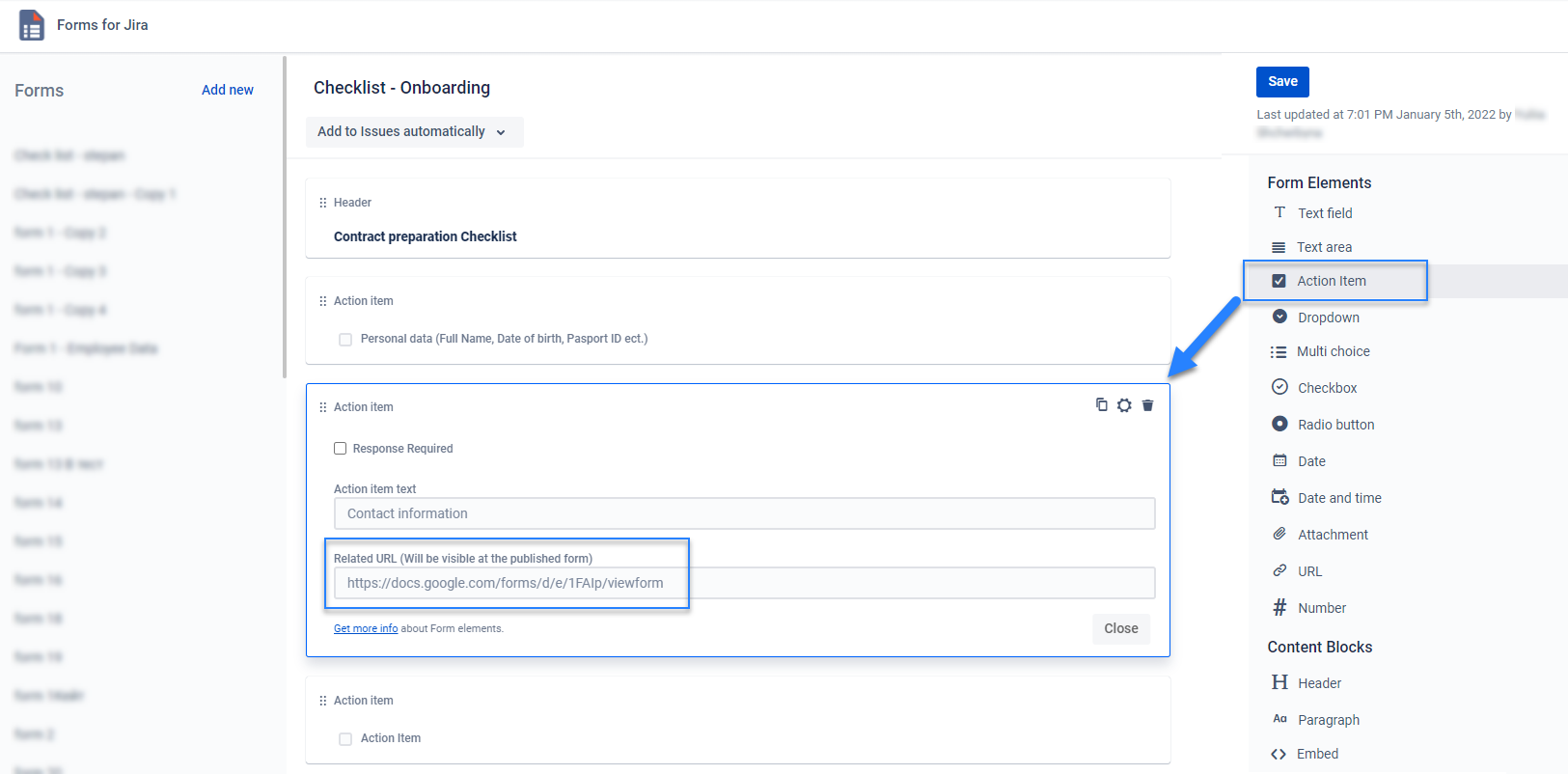
- Create a Checklist Template. Add Action item to add fields that will be a checklist:
- Set up adding to issue automatically. Select Project and issue type:
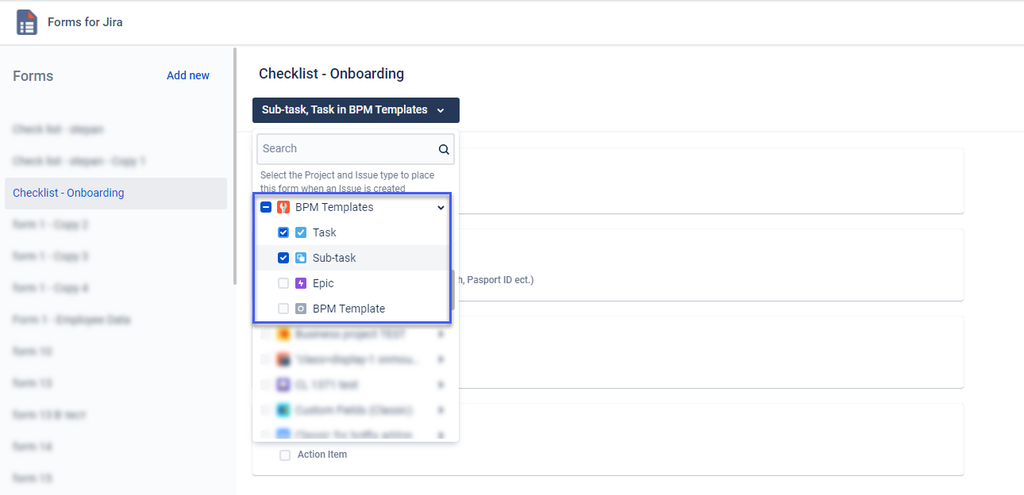
- Once the task is created at the selected project, the checklist will be displayed in the task.
Just a little effort, and now your template will automatically be added to the desired items.
How to add checklists in the Jira processes [advanced way]
If you’re looking for a solution with wider abilities to organize your Jira workflow, consider Business Process Manager (BPM). It allows not only creating checklists but also implementing them inside the business process. So you can collaborate team around processes, minimize routine tasks, and automize approval steps.
The logic of creating a checklist in BPM is similar to the one in Jira Forms and Checklists, but it can be used inside the process without separating it from the workflow.
Include the Action Item field in your custom form to get a checklist in the issue.
Find details in the step-by-step guide.
Business Process Manager’s extra options
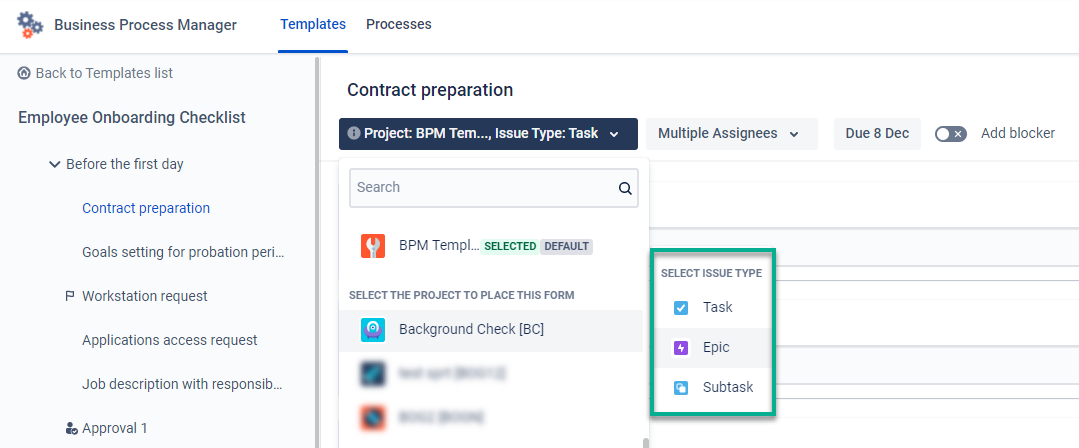
The difference of Business Process Manager is the system automatically generates an issue with a checklist inside (while with Forms and Checklists for Jira, we should create an issue before). In BPM, you also select which issue type must be created in which project.
- Using BPM, you can set up schedules to check team members regularly.
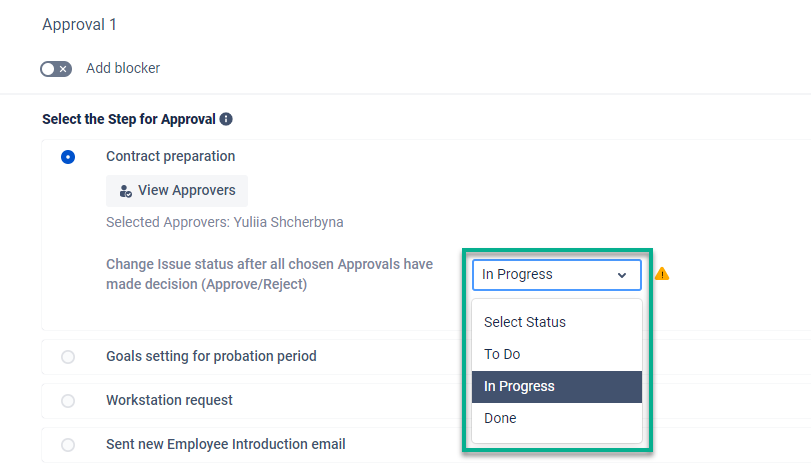
- Add Approvers to step with a checklist. Once somebody submits a list, the approver could approve or reject it. You also can set up a change issue status after approval.
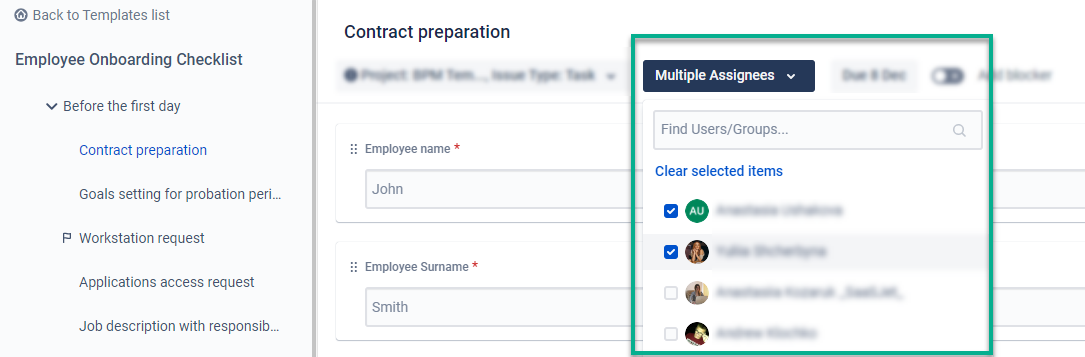
- Set up assignee for the Checklist. It could be one person or multi-assignees. If multi-assignees are selected, all the users will have their own tasks.
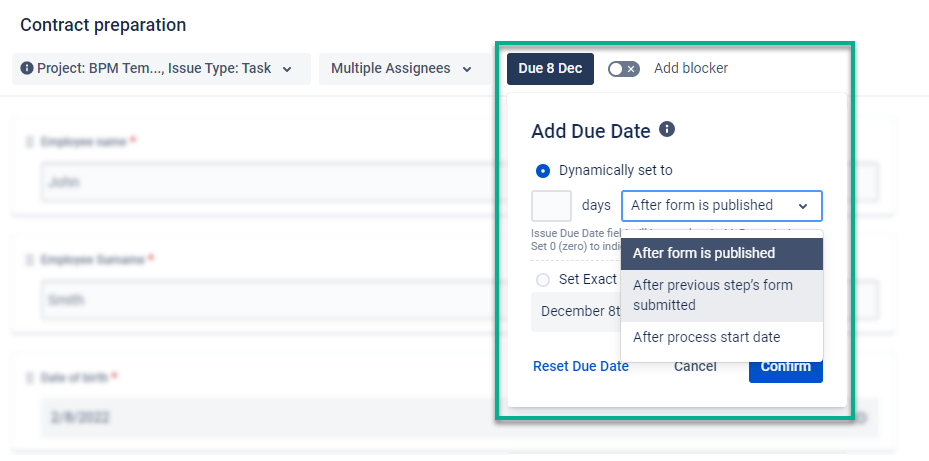
- Set up dynamic due date, if assignee should check it in time.
- Also, you can add Process Blocker in any process step. It means the next steps of the process won’t be created until the previous ones aren’t submitted. It could be added for the approval step too. For example, you want to approve an assignee’s checklist before they have started the next tasks.

To sum up
The checklist is a powerful tool to standardize processes and implement self-control. Third-party tools provide a broad spectrum of possibilities to size your time and costs for recurring business processes.
Try out the solutions to automate your workflow with a smart checklist for Jira:
- Smart Jira Forms – for simple creating guide templates and adding them to issues.
- Business Process Manager – create issues with checklists, and use additional opportunities, including approvers, multiple assignees, or process blockers.
Power up your business efforts to get things done faster and not miss out on the action items required to complete a task or project.

