This is a Jira Service Management Forms Use Case. We’re publishing a series of these use cases here on Community to share how teams are using forms to deliver high velocity service. Click here to see all published forms use cases.
Scenario
The ITSM team needs to make changes to their firewall in order to whitelist a new app.
NOTE: This use case demonstrates a Standard Change. Click here to see the Normal Change use case.
Standard changes are low-risk, commonly repeated, and pre-approved. Normal changes are non-emergency changes without a defined, pre-approved process. Click here for more information on the different types of change management for ITSM teams.
Who’s involved?
-
IT team member(s)
-
Change Manager
Typical Issue Life Cycle
-
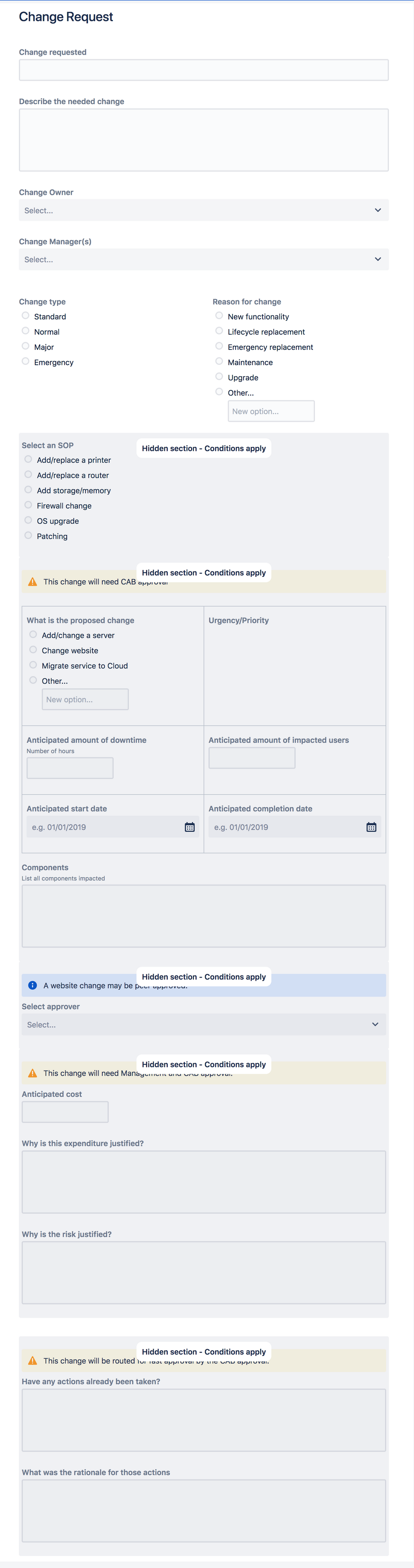
An internal IT team member completes a Change Request form from a Jira Service Management help desk that is only exposed to the IT team.
-
Since the change type is Standard and an SOP was selected on the change request form, the issue is automatically transitioned to AWAITING IMPLEMENTATION.
-
When ready, the Change Manager changes the issue status to IMPLEMENTING and work begins.
-
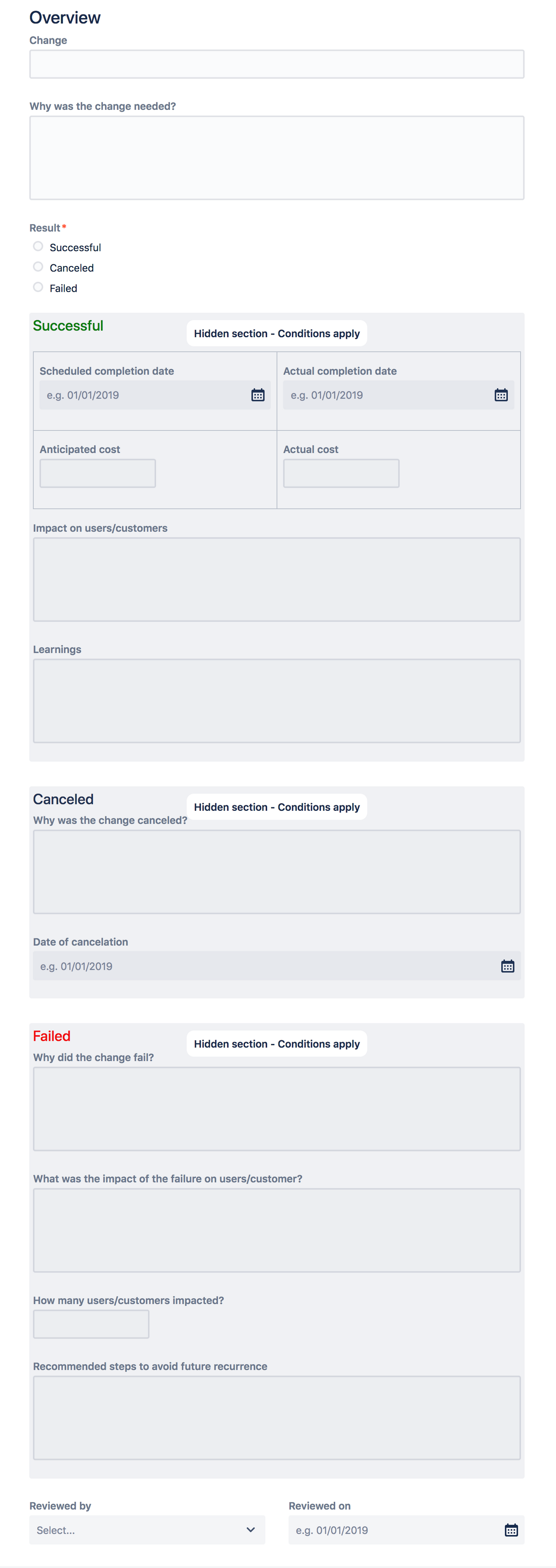
Upon completion, a team member transitions the issue to POST IMPLEMENTATION REVEIW. A Post Implementation Review form is automatically added to the issue.
-
The Change Manager sees that the change has been completed successfully, fills out the form and changes the issue to CLOSED.
Set Up
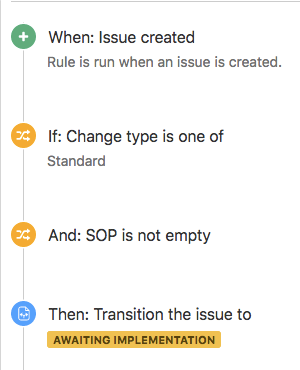
- This use case presumes that there are a series of pre-approved Standard Operating Procedures for standard changes.
- Use Project Automation for Cloud to automatically transition the issue to AWAITING IMPLEMENTATION for standard changes with an SOP selected.
- Use Forms automation to add an Implementation Review form when the issue is transitioned to the POST IMPLEMENTATION REVIEW status.
A note on automation and forms
At the time of this post, form automation has not been released. We are working on an integration of forms with Automation for Jira that will enable you to recreate this use case and other similar workflows. We’re sharing this now so you can see what’s possible when the ability to leverage automation and forms is available.
Workflow
Forms
All forms listed below are available as a Jira Service Management form template. Learn more about creating and editing forms here.
|
Change Request
|
Post Implementation Review
|


