Hello, I recently joined a development team who use BitBucket as their git storage of choice. I created a new SSH key pair to be able to handle repository access without the need for constant password input, just like I was used to from GitHub in the past.
Having followed the BitBucket tutorial for the addition, the initial pull succeeded, and I was able to get the project up and running.
The next day, however, I noticed that the subsequent pull failed with the following error: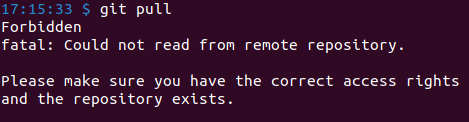
I was reassured from the team's side that nothing had changed in my access from the previous day, and so I started looking into this issue. The key was definitely present in the BitBucket UI logged in under the correct account, and the private counterpart existed on the laptop in the ssh folder.
I tried re-doing the SSH addition flow, this time using the GitHub tutorial I was used to from the past, which adds an ED25519 key, as opposed to a RSA one. Once again, the repository access operations worked without any issues, until today. I once again found out that the above mentioned error is present when attempting any pull or push operation.
I found your SSH troubleshooting page (https://support.atlassian.com/bitbucket-cloud/docs/troubleshoot-ssh-issues/), where, having gone through the steps, I haven't been able to notice anything out of the ordinary on my side compared to the examples. The SSH agent is running and has the work email key loaded inside. I tried killing and restarting the SSH agent without any effect on the issue.
Below is the current state as shown in the BitBucket UI, as well as the output of the verbose troubleshooting command.

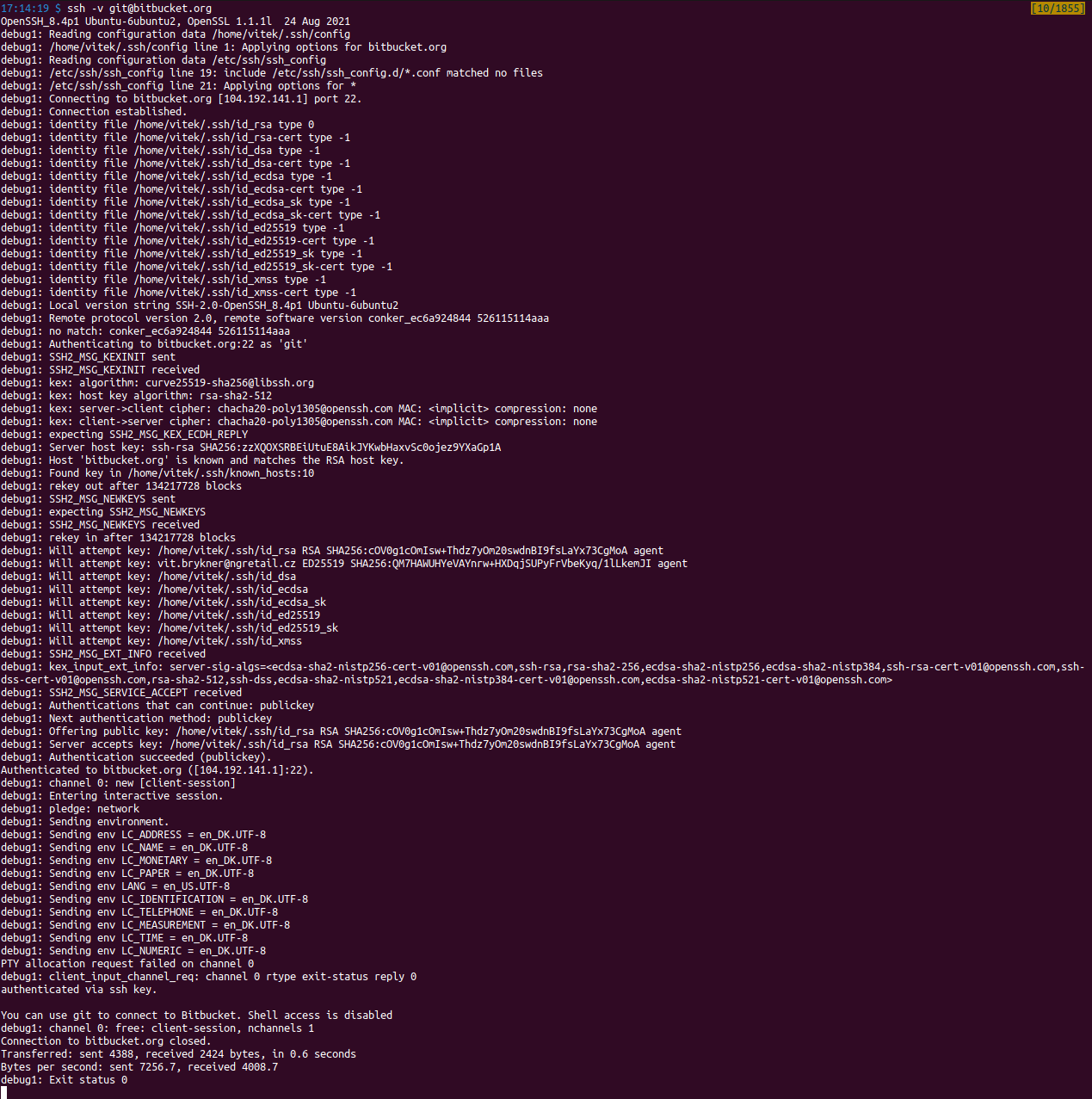
Would you be able to identify where the problem lies knowing that on the day of creation the key works as expected, but not anymore the following day?
Thank you in advance for you assistance!
V.

