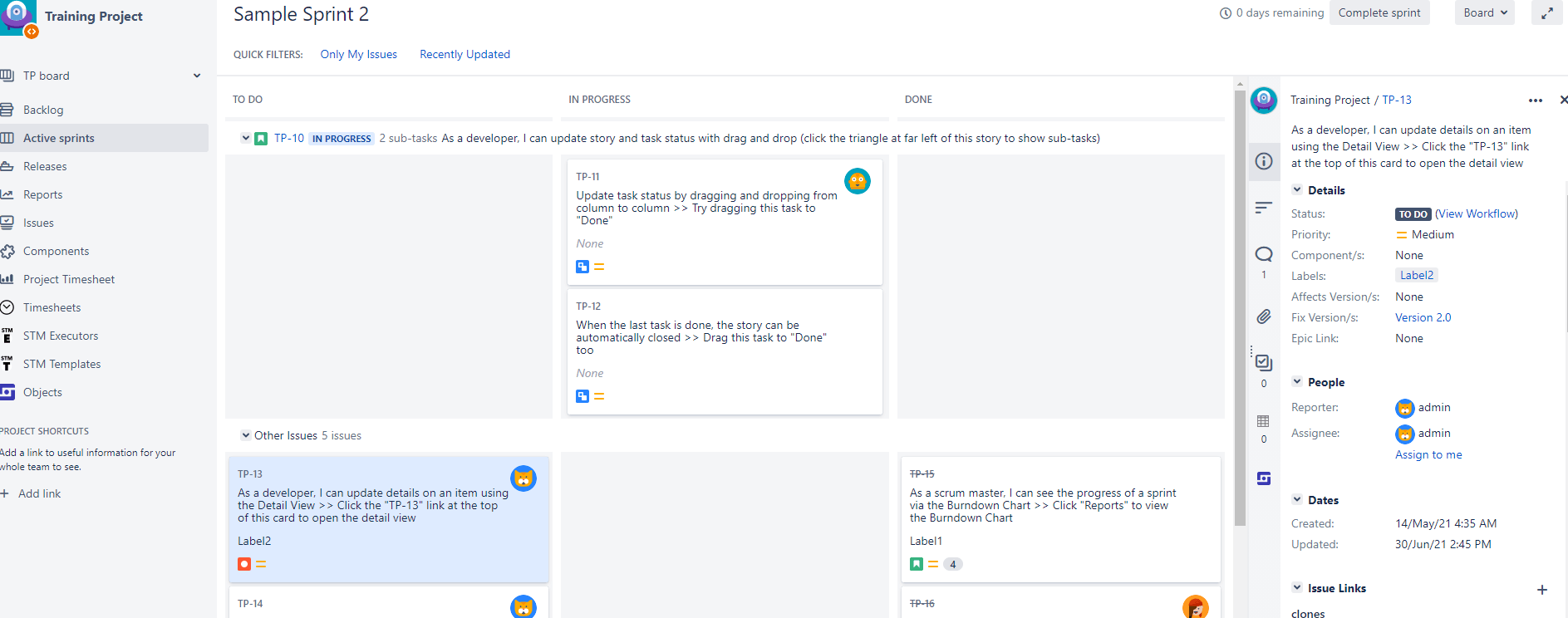
Atlassian’s Jira enables structured project management and facilitates the organization of tasks. In addition, Jira offers you a range of functions that save time and effort. These functions also include labels.
Labels can be created and assigned to a task or a story so that the respective tasks can be found more easily using the filter. For example, you can create a label “Marketing” and assign this label to all issues that are related to it. Afterwards, you can filter all the marketing-relevant tasks and get an overview of which issues are currently in the marketing team. Since anyone can create a label, it is best to think of a system beforehand so that there is a structure and clear overview.
You have already created some labels, but you don’t know how to display these in your project? Let us show you how!
To display labels in the card layout of agile boards, proceed as follows:
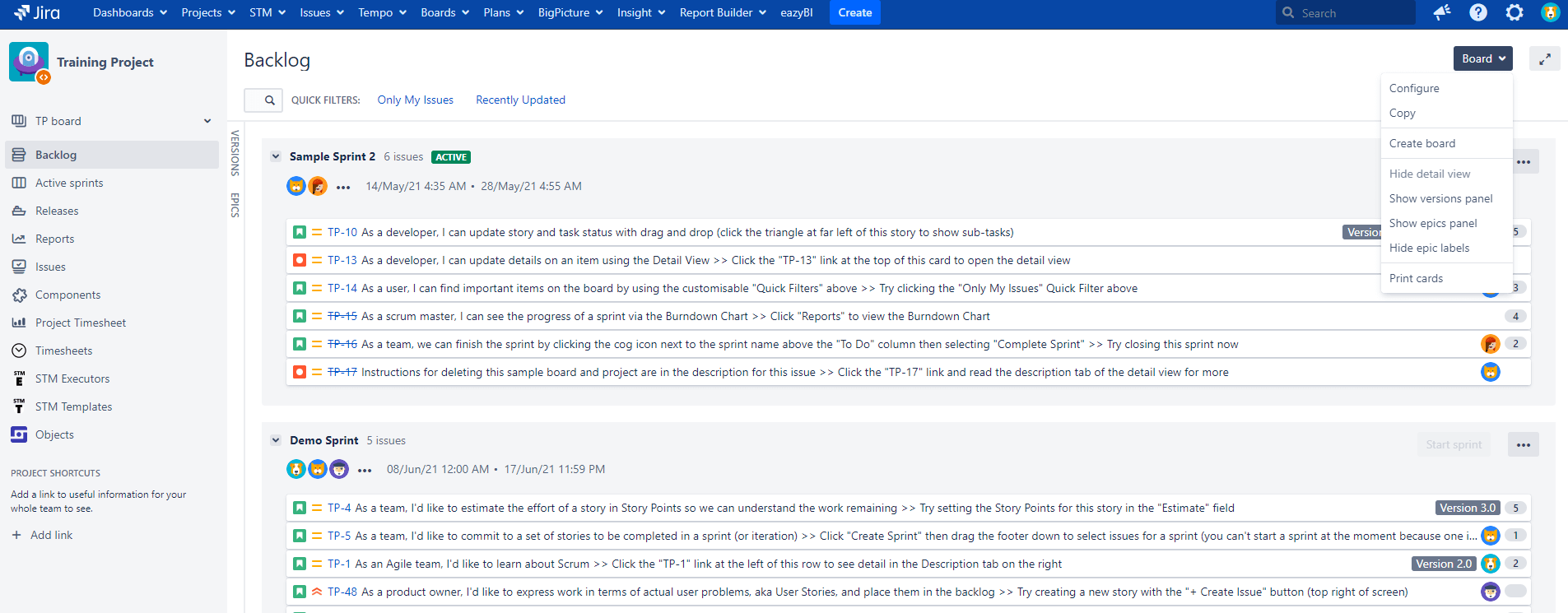
In the agile board in which you want to display labels, click in the top right corner on “Board” and in the pop-up menu on “Configure”.
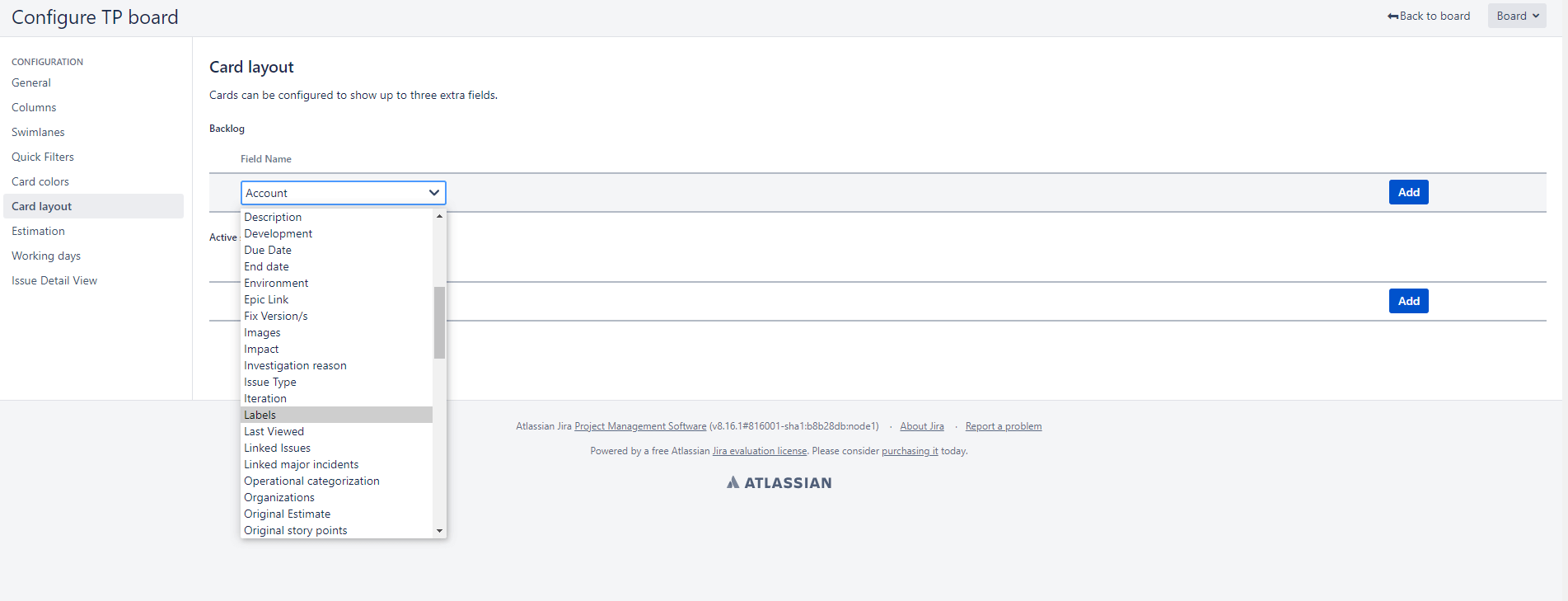
2. When you are in the configuration menu, select “Card layout” on the left side. Here you can select labels and then click on the blue Add button to add them.
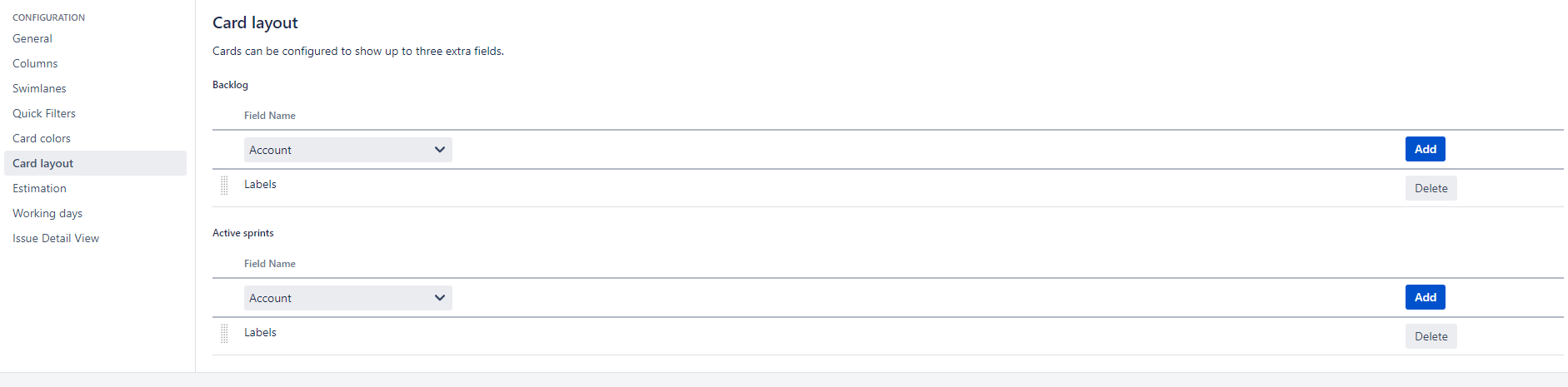
3. You are also able to configure your labels for your active sprint at this point.
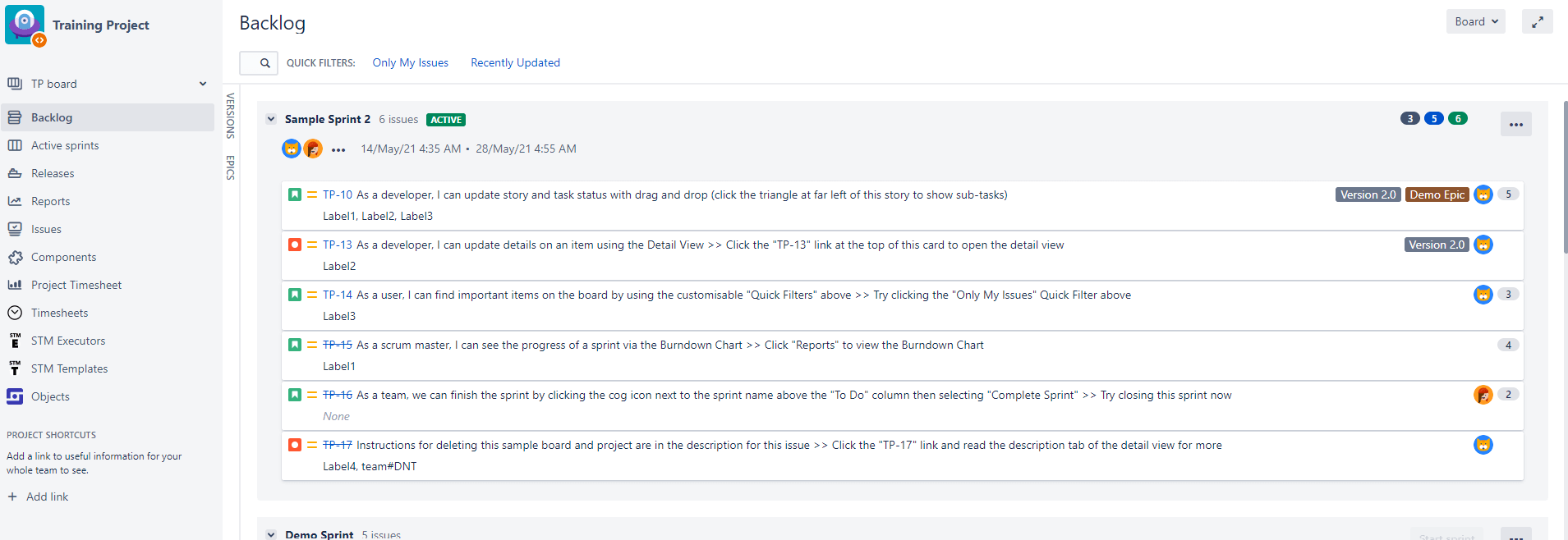
After you have clicked on “Add”, your labels will be displayed in your backlog and your active sprint.
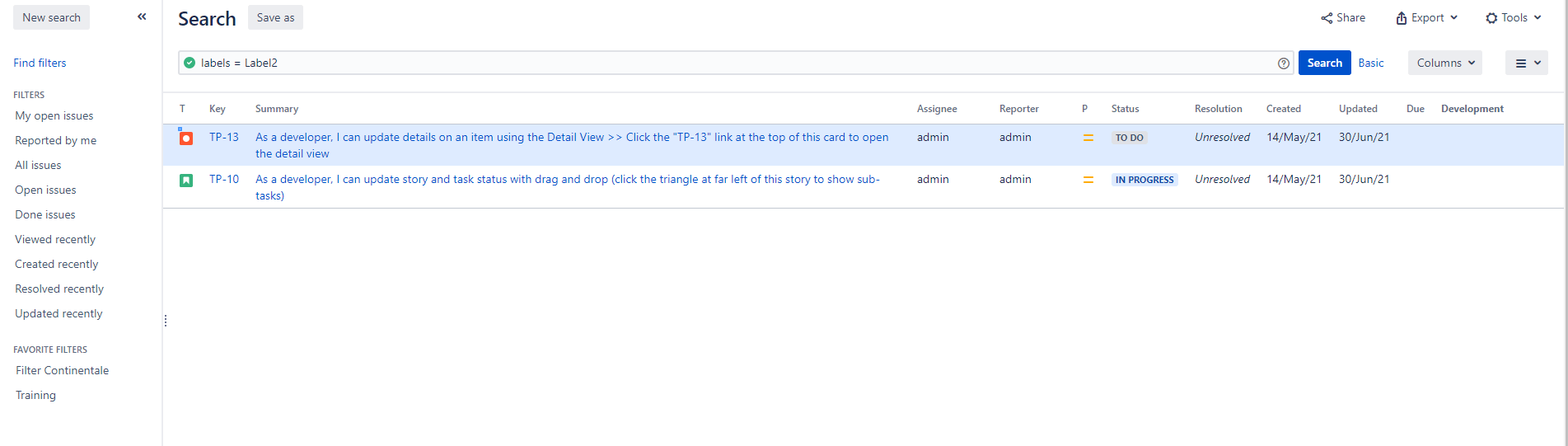
4. If you now select an issue in your active sprint and click on the label, you will be shown all issues that have been assigned to this label.
You can use the same procedure for Kanban boards in Jira as well.
Did our quick start guide help you, or do you have any further questions about using labels in Jira?Feel free to reach out to me!
Hello Andreas, Is there any way to see the labels on the left side of the board, rather than the right side?
Hi Andreas, somehow I'm unable to find label settings or configurations. Please see the attached picture:
Kindly help me with this. I need to add labels.
Regards,
Amna
Hi @Amna Fayyaz !
You are in a "Team-managed" project. In this kind of projects templates, the labels field should be already visible on the Create/Edit/View Screens. If in your case, "labels" field is not visible, you need to check if the field is on the right issue types screen. Go to Project settings -> Issue types and check carefully if the field is added on the issue type screen. If not, the field is hidden or wasn't added on the screen.
Best regards,
Mihai
How can I make the label field appear empty on the Board view when there are no labels defined ? Currently they display a greyed out "None" instead of just being blank when empty... which seems confusing, since I may have a label called "None".
How can I query by label? I am marking some tickets with a label. Some tickets have multiple labels. How can I filter by one label?
You can query by Label by using the advanced issue filter search and start with the basic search. Choose the project, issue type(s), and label =
How to get the list of all labels in our Jira tenant?
How to create Labels, Categories, etc. when using the FREE version(s) of Jira?
Apologies for a newbie question but populating these fields with data (that can be subsequently selecting in drop-down lists) is a starting gate obstacle for my wish to customize my first project in Jira! Sorry.
Regards.
Es normal que al cambiar una etiqueta de una subtasks se cambien las etiquietas de sus hermanas?
It looks like you're new here. Sign in or register to get started.