Hello there,
I am trying to configure Jira DC in a test environment. I have followed all the instructions of mentioned in the Jira DC installation document. Following are the details and the issue I am facing
Configuration:
Node1: Windows Server 2016
Shared Home Folder: \\144.X.X.X\dcshared
Node2: Window Server 2016
Shared Home Folder: \\144.X.X.X\dcshared
Load Balancer:
Configured correctly without any issues
DCSHARED is an NFS shared folder (full read/write permissions) and accessible from both servers.
Issue:
Both the nodes get boot up without any issues with clustering showing both nodes are ACTIVE

But the TROUBLESHOOTING section shows problems with the
CLUSTERS SHARED Folder as follows
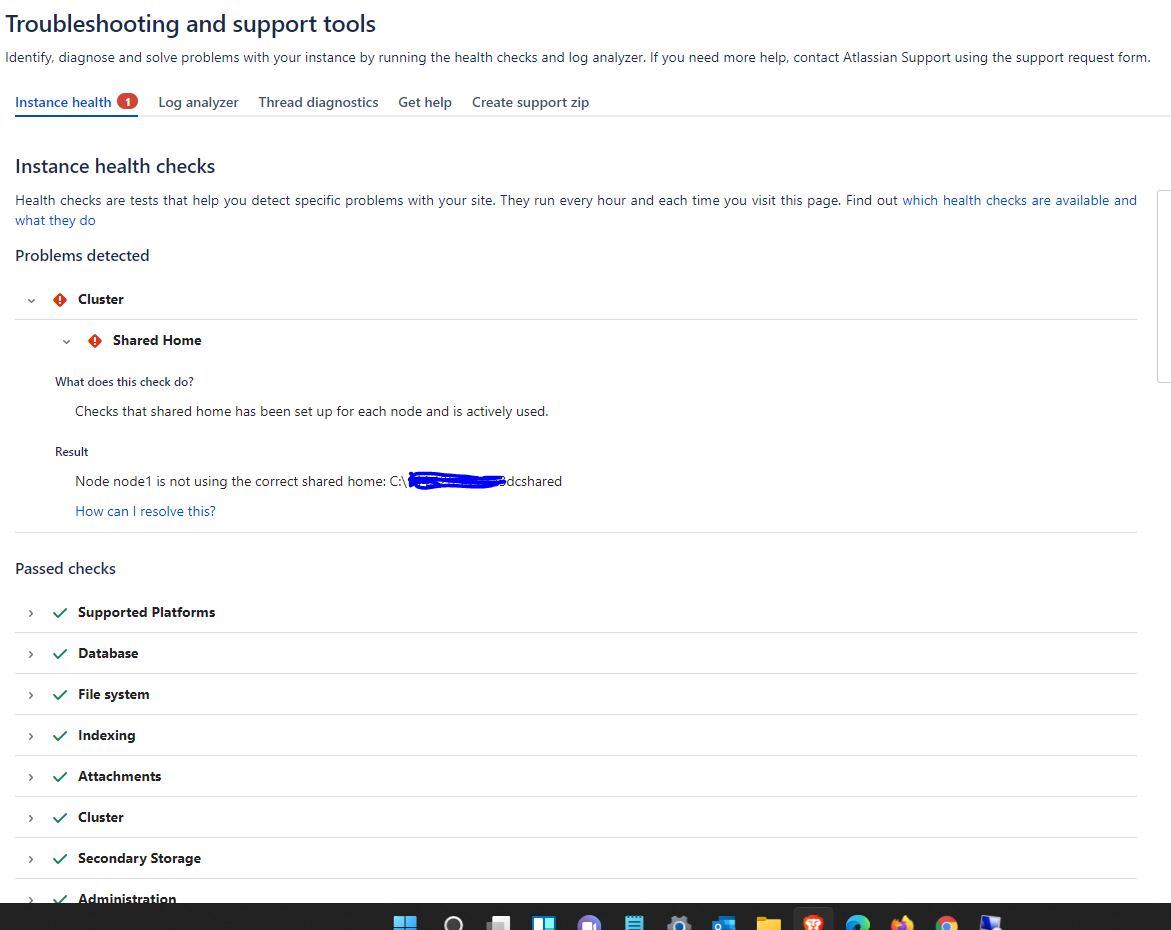
Even the moment when the Jira boots up, nodes create their own folder in a local drive with the shared folder name.
How to solve this issue?
Regards,
Sami Ahmed Shaik.


