Hi All!
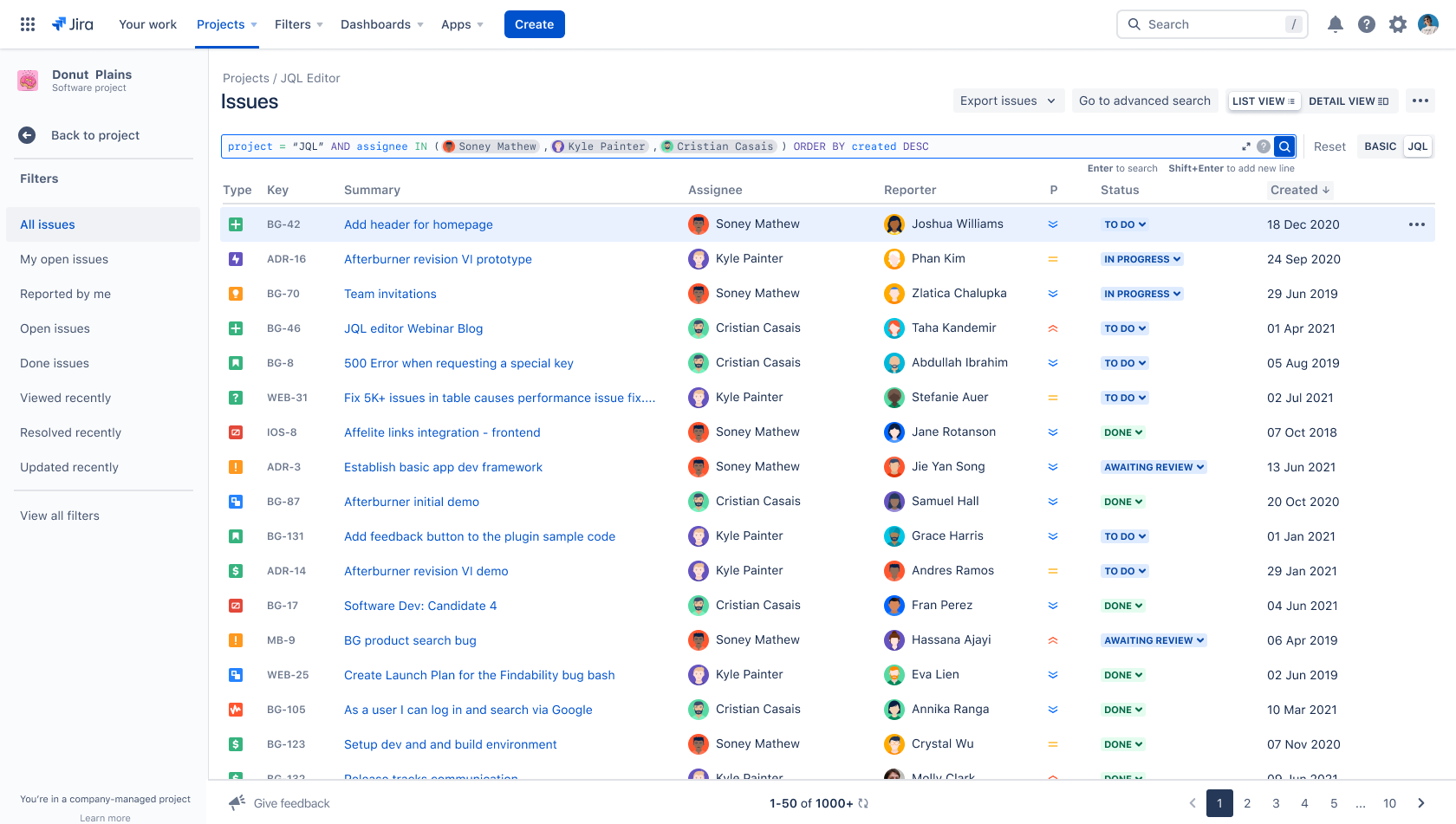
We’re excited to share the launch of a new issue search experience in Jira that makes pulling data more intuitive, effective, and faster for teams. Today, customers use Jira Query Language (JQL) to create tailored views of issues for dashboards, reporting, and more. Our recent updates to JQL editor make it easier for any team to dive deep into data, and build powerful searches.
🖍 Fix errors in real time
The new JQL editor is now faster, and can validate syntax on the fly. We also included messages that highlight errors in red, with detailed information on how to fix them!
🎨 Search with smart syntax highlighting
When writing JQL queries, users used to see long strings of text. The new JQL editor helps you build queries in real time by analyzing your query structure, identifying entity types, and highlighting them as you type. This makes queries more readable, and easier to edit as you write.
🤓 Build queries with enhanced autocomplete
We’ve improved the autocomplete experience to give more helpful feedback as you type. The editor shows keywords and functions at the top, while providing an indicator of the data loading in the background.
📖 Expand the editor for longer queries
Now you can expand and collapse the editor to allow space for editing multiline queries. New numbered lines make it easier to read the query, and find where potential errors are. Plus, we’ve included onscreen instructions to let you know to add a new line as you type (Shift+Enter).
👋🏼 See coworkers instead of user ids
Some time ago we had to change the way user names are shown in JQL to comply with GDPR, which resulted in users being represented as account identifiers. The new JQL editor can now recognize these entities and replace them with a more visual representation, while keeping the underlying JQL query untouched, and PII free! Now you can see usernames in search, and we even added icons!
🔎 Search across multiple projects
In addition to the new JQL editor, we’ve enhanced issue search at the project level with an improved project selector. Now you can stay within the project view to search outside your immediate project, across your whole Jira instance. This is especially helpful for people who work across multiple projects.
📺 Watch our demo!
Want a quick video run through of these updates? Look no further! See the tools in action from our very own Kyle Painter.
 https://www.youtube.com/watch?v=rqbY5YpRrb4
📬 Share your feedback
We are committed to improving the issue search experience, and would love to hear your feedback in comments section of the post below!
When will this feature come to "Advanced search"?
We are iteratively improving the issue navigator and it will replace Advanced search sometime in 2022, To stay updated on the latest, please watch this ticket.
Is this available in server or data center?
We are afraid this feature is being released to Jira cloud only
Where can I find the new JQL editor?
Company managed project (formerly classic projects)
You can find the new editor in the issue navigator under the Issues item in your project side bar.
Team managed project (formerly next-gen projects)
Enable the issue navigator via the features page under team-managed project settings. After you have enabled the issue navigator, Issues will appear in the project sidebar on the left.


