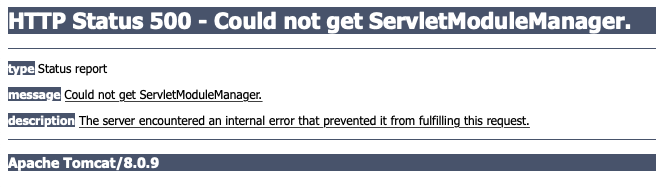
so I am trying to complete the confluence tutorial found here. I am on step 6. I type in atlas-run on my hello world macro which has 0 edits or anything done to it. when I type in atlas-run I get a massive wall of text. when I navigate to localhost:1990/confluence/plugins/servlet/upm/manage/all just like the tutorial says I get an error. I am not exactly sure what I did or what I need to do. I am using the exact same config seen here. my atlas version is 6.2.9 like in the tutorial and my AMPS version is 6.2.6 just like in the tutorial. I have no idea what this is error is and can't seem to find anything about it. I've been spending the better part of the last few days trying to get this working so any help would be appreciated
here's the output when checking in the terminal to make sure the java stuff is set correctly in my ~/.bash_profile
ameenmustafa@Ameens-MacBook-Pro myConfluenceMacro % echo $JAVA_HOME
/Library/Java/JavaVirtualMachines/jdk1.8.0_65.jdk/Contents/Home
ameenmustafa@Ameens-MacBook-Pro myConfluenceMacro % javac -version
javac 16
ameenmustafa@Ameens-MacBook-Pro myConfluenceMacro % java -version
openjdk version "16" 2021-03-16
OpenJDK Runtime Environment (build 16+36-2231)
OpenJDK 64-Bit Server VM (build 16+36-2231, mixed mode, sharing)