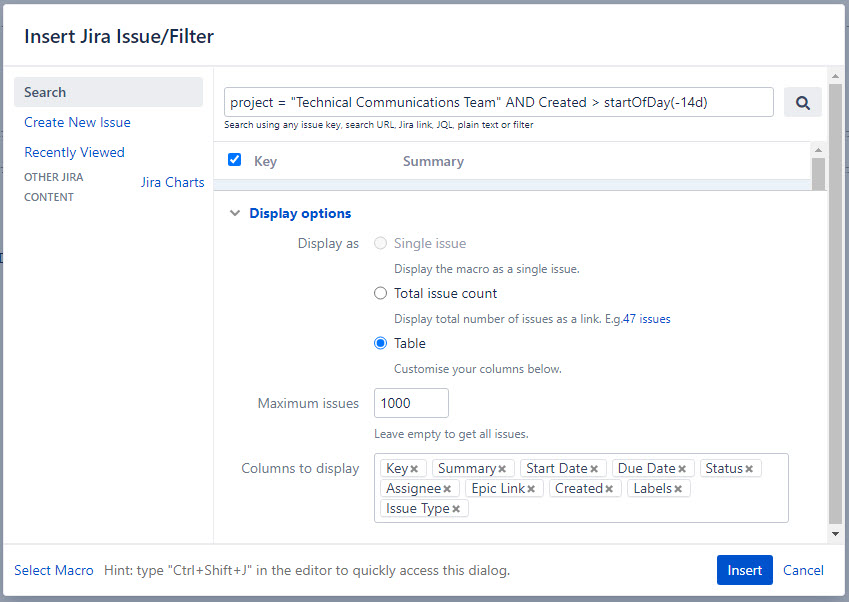
See the Columns to display settings below. These columns and data display correctly in the order shown. However, I need to reorder the columns. I tried dragging the column names and that didn't work so I decided to remove the columns and add them in the order I would like them. Sounds easy enough but when I type some of the column names, the macro does not recognize those names. For example, Status, Key, and Created are not found. Some of those are default columns when inserting the macro. How can I either reorder or add these columns? Does the search filter affect which columns are available?