I'm totally new to Insight. Is there a way for customers on the service desk/management portal to view assets assigned to them? When logged in as a licensed Jira user, I can look up my test customer account and view the "public profile" associated with it, as in the screenshot below, which shows a computer that references my user.
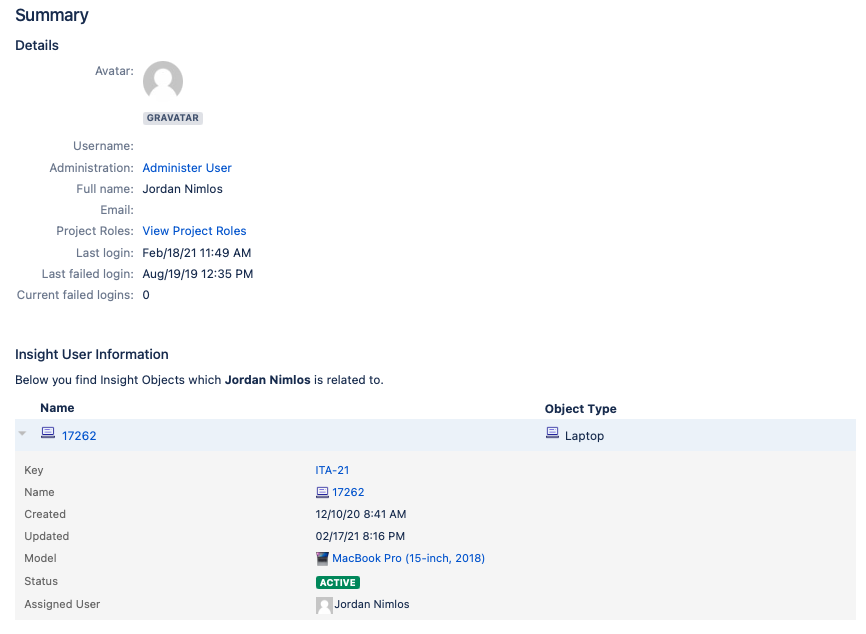
When logged in as that customer account, with no application access (portal-only), I also can click to view my user profile, but it does not show my Insight asset(s):
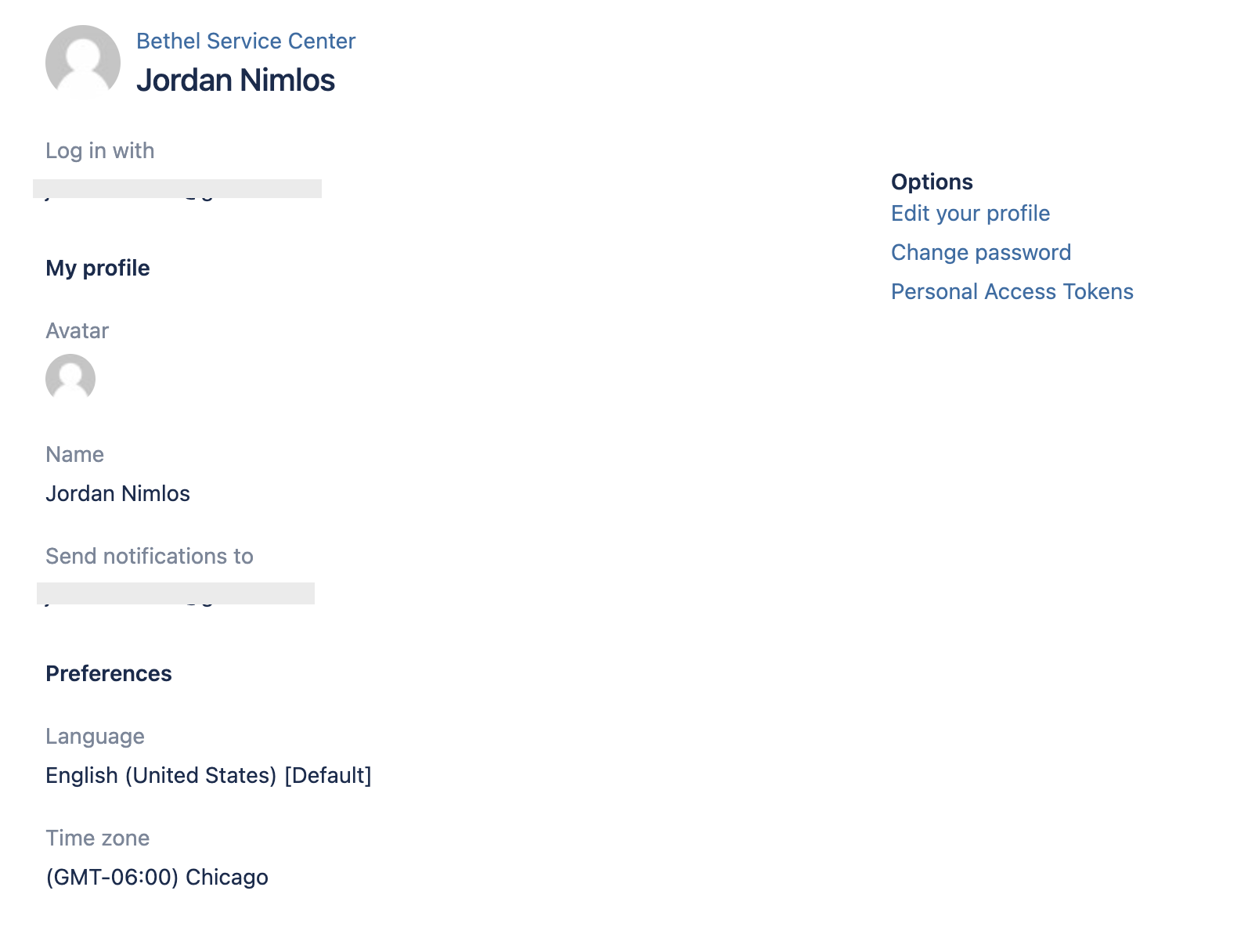
Is there a way to show customers any (or limited/filtered) objects associated with their user account, in the customer portal? I know you can make them visible in fields when they are submitting a request, which I would consider a minimum requirement, but it would be great if there is also a way for them to see their assigned assets, similar to how they can view requests where they are a customer.
For a while I was planning to do it by creating an "IT assets" project in Jira, similar to the example described here: http://atlassian.wpengine.netdna-cdn.com/wp-content/uploads/assetebook.pdf, which would allow me to show customer assets in their requests view. Now that Insight is included in JSD/JSM Data Center, I'm wondering if I'd be better off using something like Insight which is built for asset management and integration with Jira, but there are some things like this question that make me prefer to just use Jira and represent assets as issues. Thoughts?


