Jira admins set up tabs in their screen configurations to organise fields into logical groupings that enable their teams to quickly find what they are looking for. In the new issue view tabs used to be displayed in "glances" on the right hand side.
We are excited to announce that we have moved tabs back to the left hand side of Jira Cloud's new issue view. By moving tabs to the left admins are able to make better use of the space available on the issue view and create layouts that work for every member of their team.
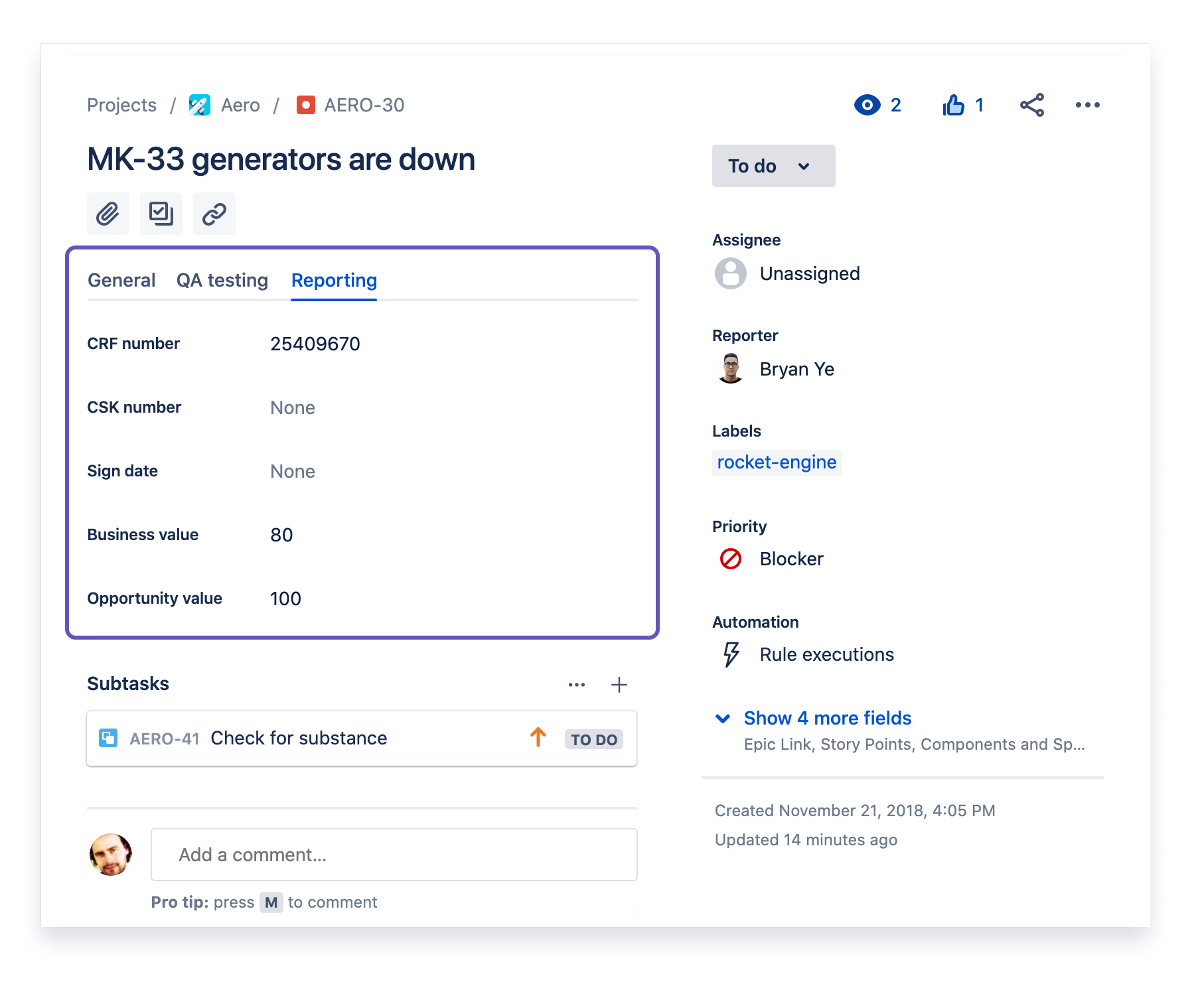
You can find out more information about how to create and modify tabs in our documentation. As you get a chance to use tabs on the left hand side please leave us feedback in the comments below.


![Photo of Italo Qualisoni [e-Core]](https://us.v-cdn.net/6038660/uploads/avatars/df/57/ndf5765755593f6e076c5e6100aa53164.png)
