We woke up today to the Jira UI being different. In the new UI on the right hand side, we used to see the current status and a dropdown that allowed us to transition the issue to the other available statuses.
Now we see one of the statuses that used to be in the drop down now show up next to the status:
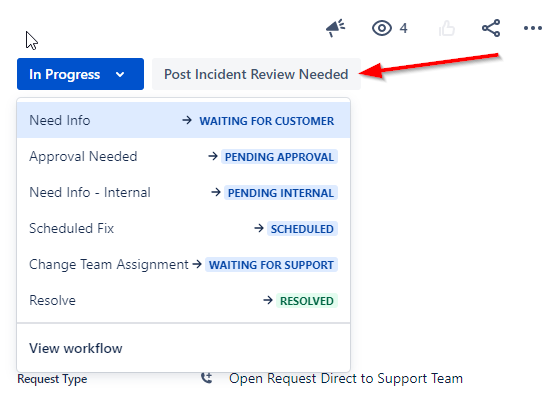
How do we configure this so that we can either:
1) Turn this off so that all transitions show up after we cluck the dropdown button
or
2) Configure which transition shows up next to the current status?
I've already looked at the "opsbar-sequence" property on the various transitions... some have the property, most don't, and I can't find any relation between the opsbar-sequence and what I see in the UI.
I also have noticed that some of my transitions are italicized:

But there diesn't seem to be any explanation (that I can find) for that.
So, I'm stumped. How can we configure the transition that shows up next to the current status?


