I have a particular issue type (i.e. Problem) which only internal users create, so there is no form on the portal to raise this issue type. These issues can be associated with customers (via the Organization field).
Some of these issues I want to show to the customers to which the issue is associated, but I want to hide other issues. I want to set this manually in the issue.
I created to Request Types, "Track Problem" and "Untrack Problem".
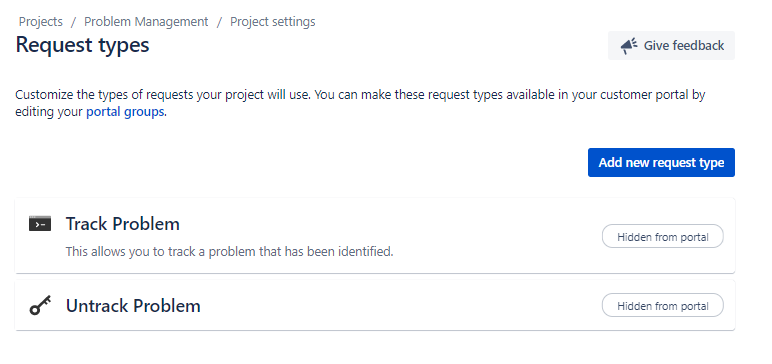
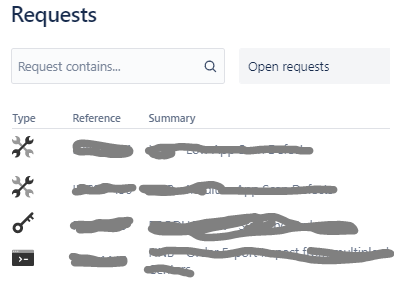
Neither request types have a submission form, which is good. However, both show in the list of Requests for a customer. What does the "Hidden from Portal" tag mean.
I only what the "Track Problem" request type to be listed. I created the "Untrack Problem" type so I can hide an issue previously set to "Track Problem" to remove it from the Portal.
How can I hide a request type from the view element of the Portal (i.e. Request list)?
Many thanks
Mark


