Hi All.... I stumbled into an Issue when I started to explore Create Issue rest API
Usecase : I need to create an Issue in with Request Type value
With lots of search over the internet, I was finally got to know that, to set the value for Request Type field, the value should be in the format Projectkey/requestTypename
In my case, the Request field Id is : customfield_10010 (First I tried create the Issue in UI by setting the Request value and then did a getIssue API call to find the customefield value)
I have created some testing Request types and mapped it to the proper Issue type which Im setting during create Issue.
Following is the request Im triggering from postman
{ "fields": { "summary": "Ticket With Request Type", "customfield_10039": "SUBS_001", "issuetype": { "id": "10001", "name":"Submit a request or incident" }, "customfield_10040": "TICKET_001", "customfield_10010":"ob/Custom_Req_Type_001", "project": { "id": "10000" }, "description": { "type": "doc", "version": 1, "content": [ { "type": "paragraph", "content": [ { "text": "We are Setting the request type while creating ticket", "type": "text" } ] } ] } }}
I have highlighted the custom field in the above request which is value for Request Type.
After I triggered the API, I got the Success response with id, Key and self
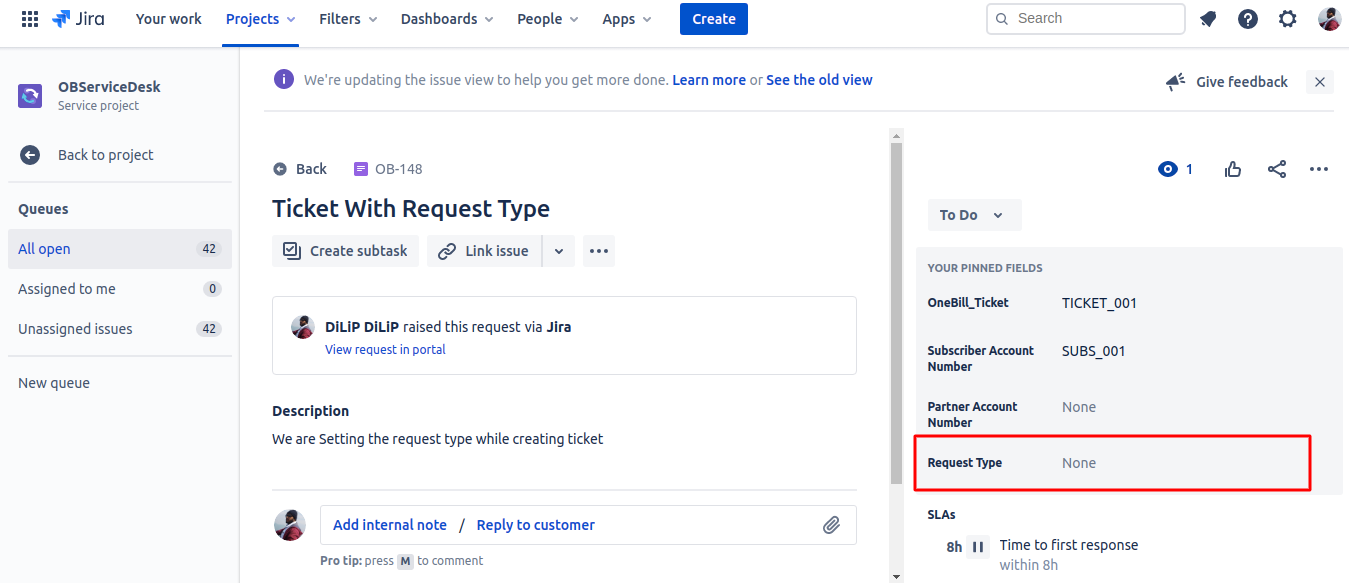
Now When Open the Issue in Jira, the field Request type is not set with any value. Please take a look at the following screenshot for highlighted section
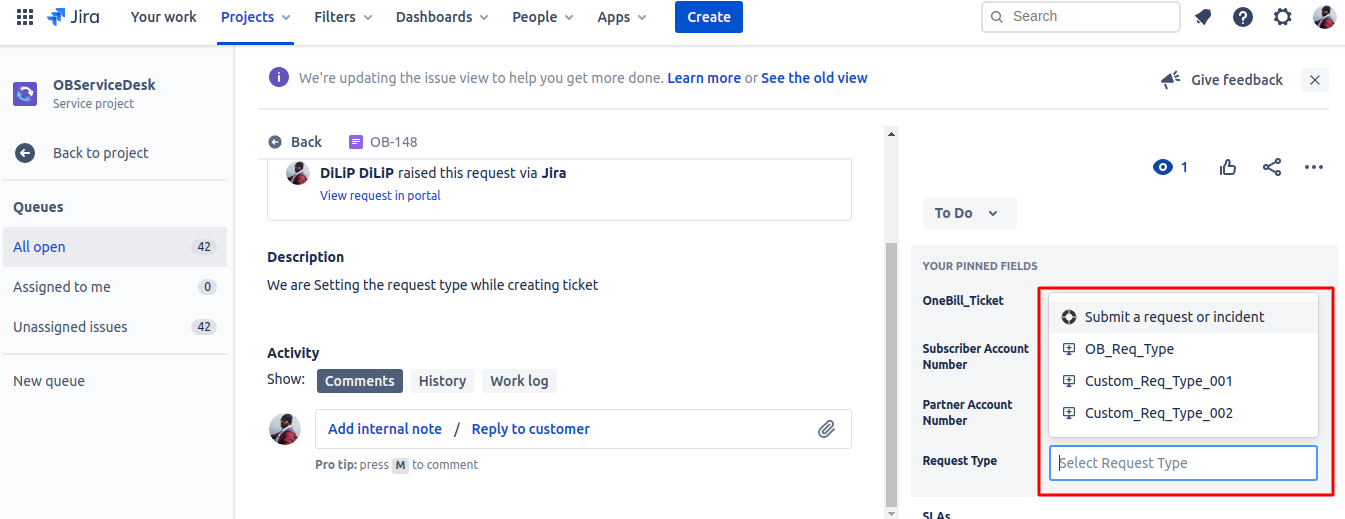
Now If I Edit the field Request Type then I'm able to see the drop-down values which is having the same which I sent in the request. Please take look at the following screenshot for highlighted section
Is there anything I'm missing here like any setting or permission or Is there any different way using which I can set the value for the field Request Type
Thanks In Advance


