-
Also, Orphan stories don’t contribute towards the progress of any Program feature and Portfolio Epic i.e. the burn-down charts thus, having many Orphan stories will lead to poor predictability in the longer run. This is important even if stories are created for BAU(Business As usual) maintenance work, it’s important to tie them with a long running BAU Portfolio Epics so that we can keep an track of how much effort is being spent
-
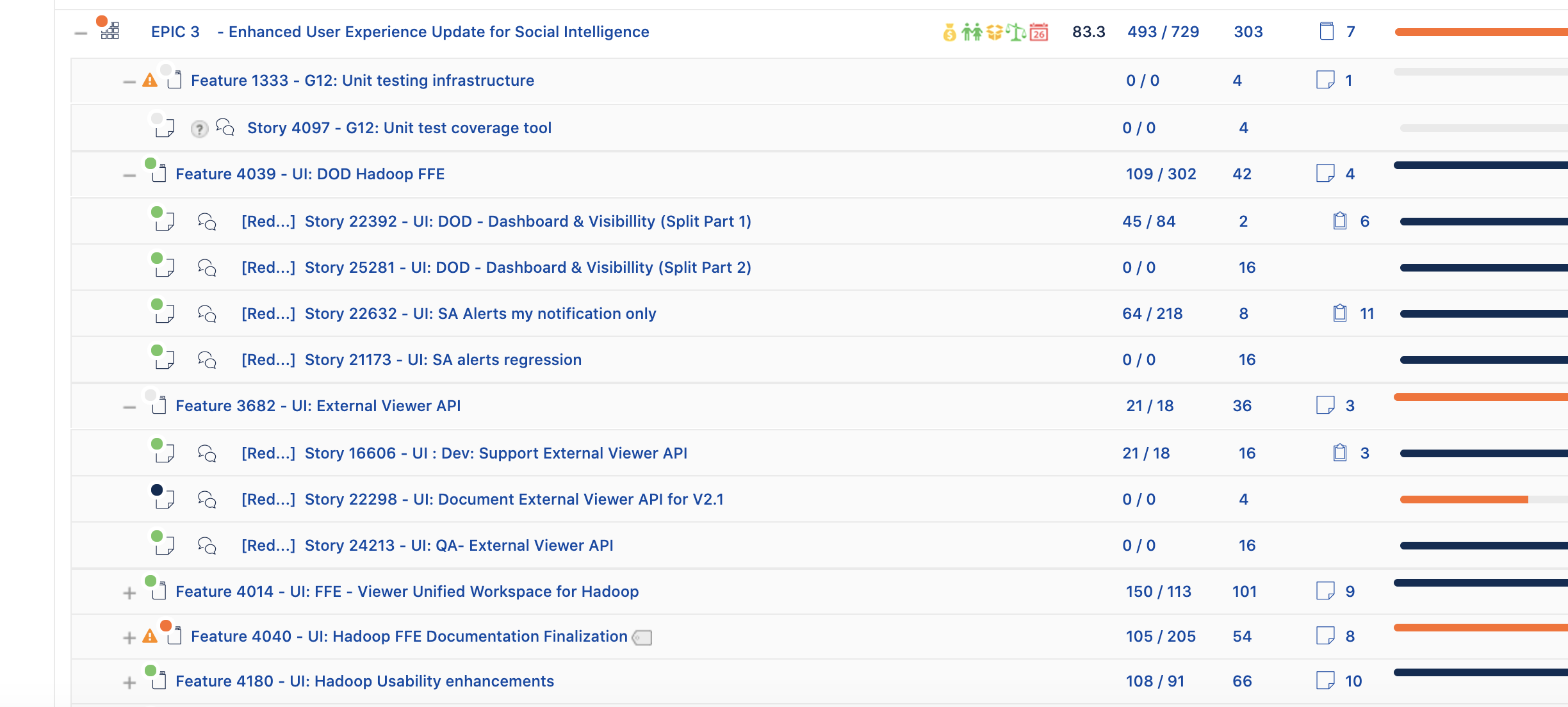
In the work tree view, you can drill-down and see the effort spent from the Portfolio epics down to the child story
For Check#2 , not having the following check will not break the connector, but its important to have stories estimated so we can measure all the work that’s being delivered
Check #2: Stories should have estimated story points.
Stories that have story points provide an accurate representation of your progress.
Action
Add estimates to your story points fields in your stories.
Following are the Implications with screenshots if the stories are without estimates
-
Stable teams and Estimate stories give way to stable Velocity which leads to predictability which helps us in building the rights stuff and making the right demand vs capacity considerations.
-
There are multiple views which help you in the demand vs capacity decisions and that are driven by the Estimated vs Actual points
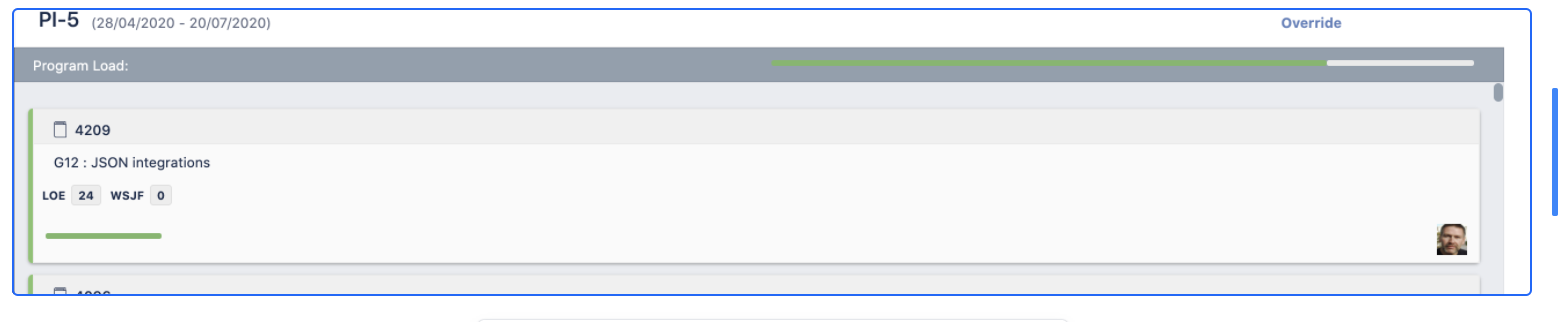
Here in the above screenshot program load is based on the loaded story points for that program
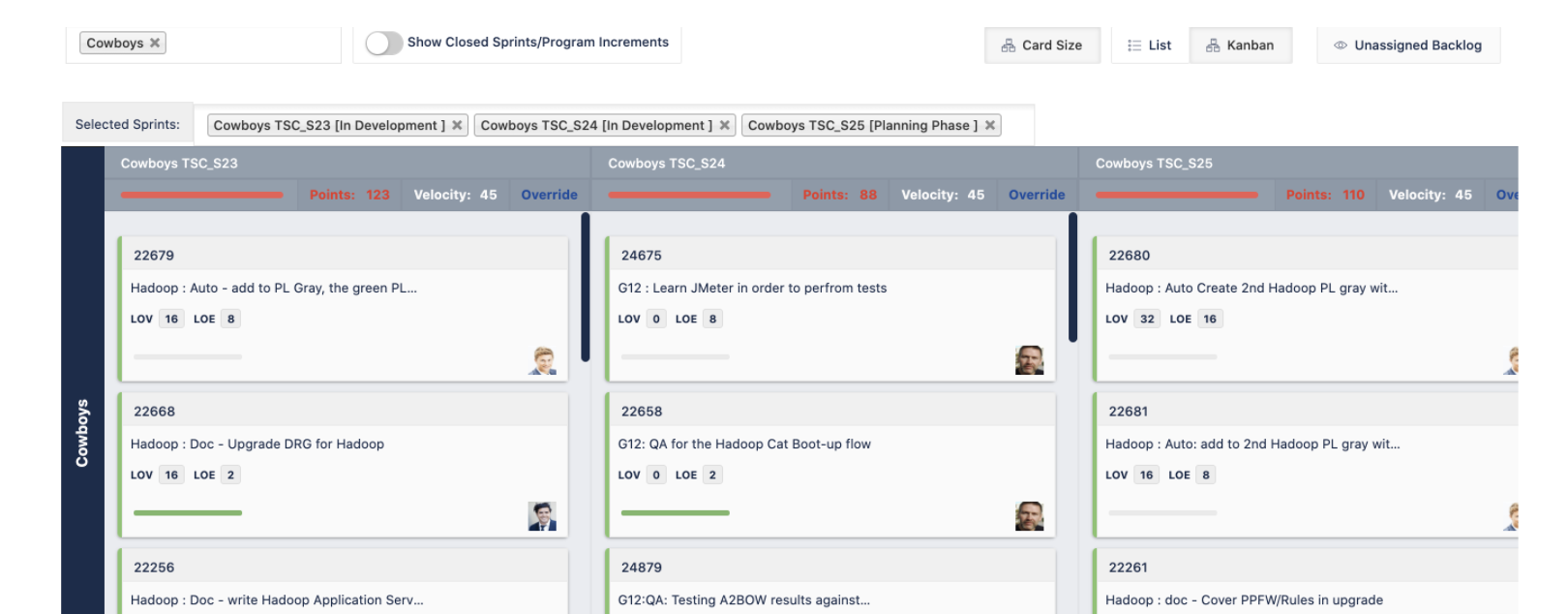
We can also see for each team what’s the velocity vs whats' the current load
 And in the following screenshot you can compare in real-time the load on the team vs the average velocity across multiple sprints
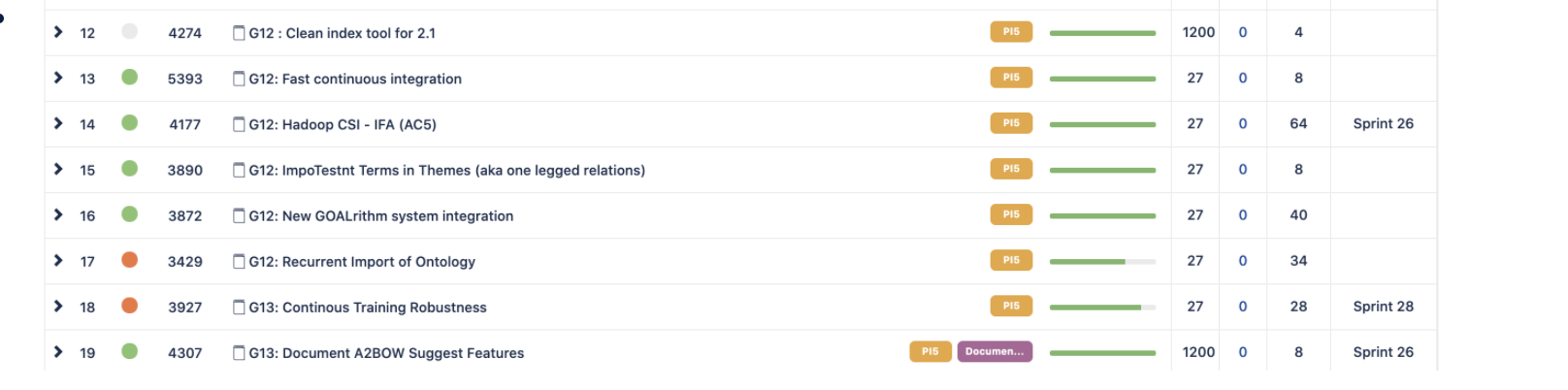
Also, in the Program feature (Jira Epics) backlog you can see the progress of the features by story point progress as Jira Align rolls-up the points estimated at story level
If you are using Strategic drivers across portfolio epics then based on the story points you can also see the actuals i.e. Points accepted across portfolio epics
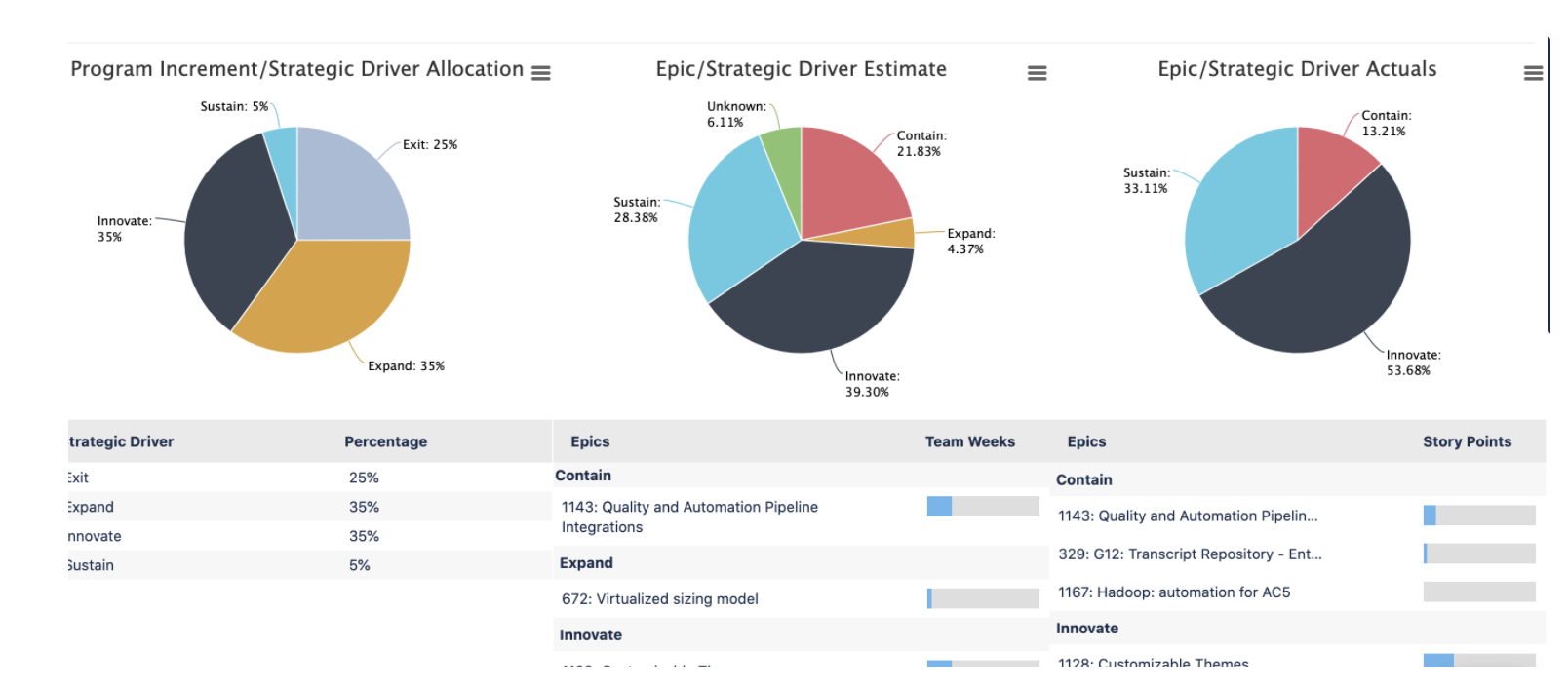
Please note, for the stories on the Jira board, they should be linked to Parent epics and estimated when they move into a Sprint on the Scrum board, but if they are part of unassigned backlog and since not part of any active Sprint or future sprint then they can remain on the board un-estimated as they are currently not mapped to the sprint as estimation happens during Sprint planning or tentatively during backlog refinement.
Check#3 can be skipped altogether if you are not using fixVersion actively to track your releases.
FixVersions isn’t the most scalable approach for releasing across programs because fixVersion is per project in Jira and thus there is an administrative overhead or some plugin required to maintain it across the projects. So if you are not using FixVersions then you can ignore this check altogether. Also, Jira Align support Release vehicles which can be used to maintain releases across programs.
Check #3: Epics should have an assigned fix version.
Epics should have fix versions to dictate what release the epics will be shipped on. Releases are tied to a project in Jira.
Action
Assign a fix version in the "Version" item under a project's settings
For Check#4 We can share the board with multiple projects, i.e. the team board can have issues from multiple projects. But in the filter share there has to be the parent project. As explained here as well - https://community.atlassian.com/t5/Jira-Align-articles/Sync-a-Jira-Board-with-Multiple-Team-Level-Projects-in-its/ba-p/1273974
Though having multiple projects present in the filter of the Team Jira board just makes the integration a bit more complex. If the teams are following separation of concern in Jira, when it comes to work items then the integration is smooth. Teams having their own board and project and a dedicated project for Epics.
But one important thing to understand here is, multiple teams can’t share a single board, this is something which isn’t supported. As each Team needs to have its own dedicated board and it could be that the board is fetching issues from one or more JIra projects.
Check #4: There should only be one project assigned to a Jira board.
Multiple projects linked to a single board can make it difficult to measure team-level progress. That board can represent multiple teams and have sprints with overlapping dates.
Action
Ensure only one project is tied to a board by navigating to Board Settings, selecting Edit Filter Shares, and removing all but one project. You may also fail this check if there are no projects tied to your board.
For Check #5 Custom fields should be optional, because when you create a Feature in Align, it might not get recreated in Jira as an Epic if the Epic screen in Jira has mandatory custom fields. Because in Align we keep the custom fields to a minimum as all the scaling attributes like products, programs, increments, strategy, themes etc are provided out of the box.
Check #5: Mark custom fields as optional, not required.
Custom field configuration can affect your ability to integrate with Jira Align, a Scaled Agile tool in the Atlassian suite. If you are only syncing from Jira to Jira Align and you leave any fields as required, they will not be synced. If bi-directionally syncing between Jira Align and Jira, your issue type will fail to sync.
Action
Please mark any fields other than Description, Reporter, Priority, and Summary from your issue types custom fields as optional.
Check #6: A single sprint should only be tied to one board.
Because one board represents one team, hence each sprint should be present only on the related team board, if a sprint is shared across multiple boards then it will lead to ambiguous sprint mapping on Align side which creates hard to debug sprint mapping problems.
Action
Similar to health check #4, follow the instructions to make sure you only have one project on one board.
If your team is structured in a way that you can't edit Filter Shares, instead select Edit Filter Query and ensure only a single team's sprints are tied to a board.
For Check#7 this generally never happens unless you have parallel sprints enabled or have multiple sprints active on the same Team board.
Check #7: Sprints on a board should not have overlapping dates.
Sprints represent a (usually 2-week) planning and execution time slot for a single team. Only one sprint should be active at a time.
Action
Make sure the start and end dates for your sprints don't overlap.
Jira Boards and Scaled Agile
Boards live under projects
If you're familiar with Jira, you're probably used to putting all of your issues (stories, features, epics, and more) into a project. You'll notice under your project view that you have one, or maybe even a few boards, that act like dashboards to represent the issues in that project.
In Jira, a team can have many boards, but when it comes to integration with Align then Align supports only a single board per Team. Thus, we need to integrate that team board in Align which is the system of record for all team activities like for a Scrum Team, it should be the board where you start, stop and work on sprints.
One Board = One Team
For teams that plan their work in sprints using Scrum, you'll likely have a sprint board. All work that gets planned there would belong to a single Scrum team. We wouldn't have multiple teams working on the same single sprint! This is why we use boards to represent teams in Scaled Agile.
This also applies to Kanban
Even though you can have Kanban teams that don't use 2-week sprints, it is assumed that all work on a board belongs to a single team. Just remember that a Jira board (and all of its issues) equals a single Scaled Agile team (and all of the issues it is working on).
An optimized board is a Scaled Agile board
When your team boards are optimized for Scaled Agile (work is estimated through story points, stories are linked to parent epics, etc.), all work can then roll up through an organization. This will allow your organization to track progress to quickly adapt to market changes and that's what ultimately creates an Agile enterprise.


