I've created a page in space A which serves as a template for future documents to be made. But often the resulting documents need to be in space B or C. As a result we need to have a variety of users be able to copy & move the resulting copies.
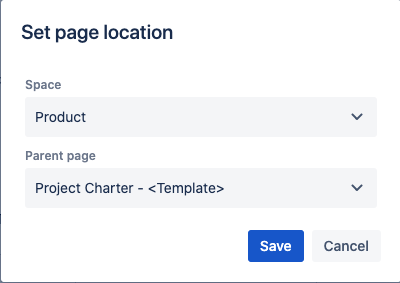
When users create a copy that isn't published and then try to move the page, they get this dialog. While the space field there is a pull-down it does not show any spaces other than the current one, and does not let you type in any other spaces. The only way to allow users to be able to move their copied pages is to have them publish the copy in space A and then do a separate move operation after publishing, which means everyone needs the delete own permission in space A. We've replicated this issue across a variety of accounts with a variety of permissions.
All the documentation online shows the ability to move while unpublished using the full move dialog. Is this a bug? Certainly the Set Page Location dialog was intended to have the space be selectable to more than one option?