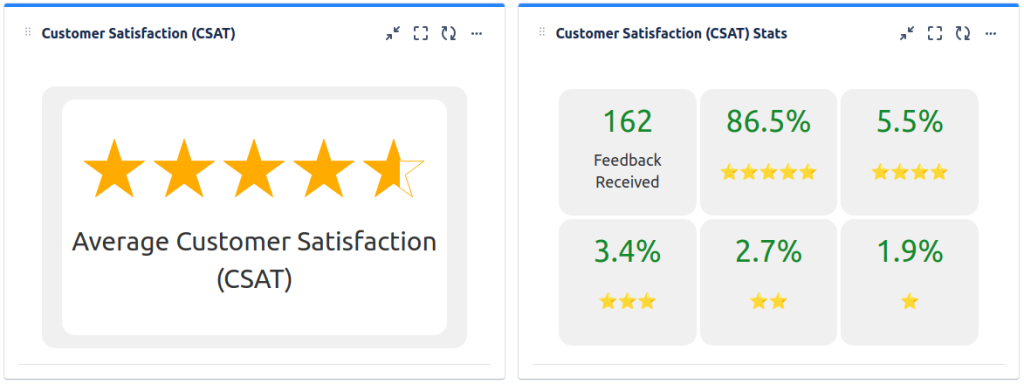
Is it possible to display the results of the Customer Satisfaction Survey in a dashboard?
Hello @Daniel Witcher ,Yes! You can display the results on your dashboard:- Create a custom report project --> reports --> New report --> Customer Feedaback (you can add a JQL in your report: Satisfaction = "5")- Back on dashboard "Add Service desk report" gadget and select the project, and report as "customer feedback" and hit save.Note: You can also use "Filter Counts" gadget to define criteria and see how many issues in a filter meet it to track you and your team's workload.Best,Sachin.
Thanks for the help.
The Filer Count may be close enough to what he's looking for since from it you can quickly view what tickets received what rating.
I'm hoping to hear from him today to see if that solution will work.
Glad to hear that!
Hi @Daniel Witcher,
With the Issue Filter Formula and Advanced Issue Filter Formula gadgets offered by our Great Gadgets app, you can apply various formulas against the Satisfaction field and display the result on your Jira dashboards or Confluence pages, in different ways.
This app offers many other gadgets that you can use in Jira Service Management. See also this blog article.
I hope this helps. If you have questions, please contact us at support@stonikbyte.com.
Thank you,
Danut M.
It looks like you're new here. Sign in or register to get started.