We use the Request Type description to guide users to complete the appropriate request (and land with the correct resolver group), but this isn't always displayed to the user. Here's the scenario:
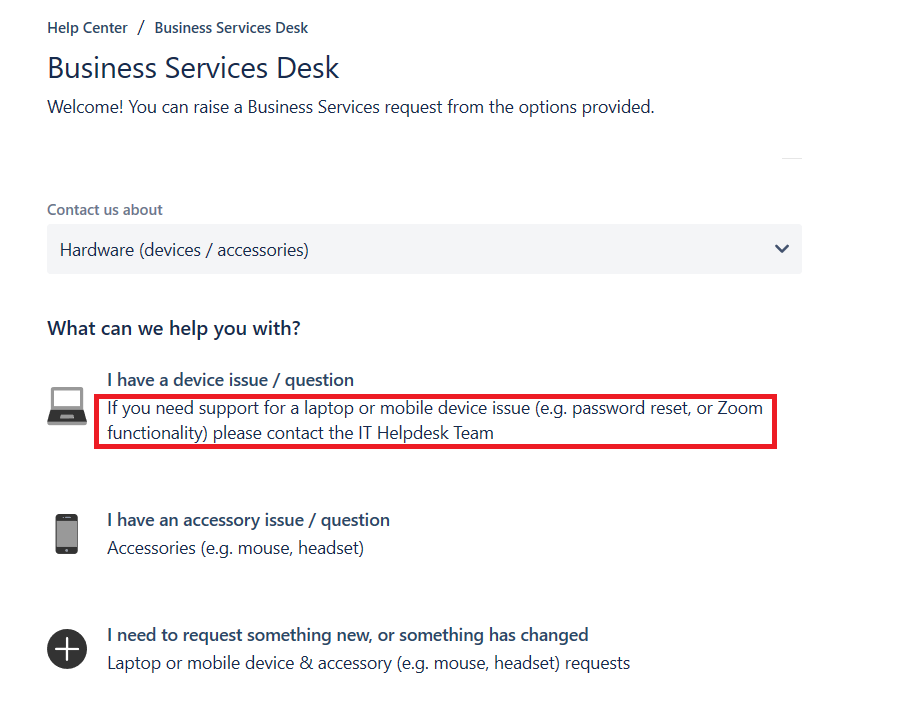
1. Go to portal homepage > select appropriate service desk > select request type > description is displayed
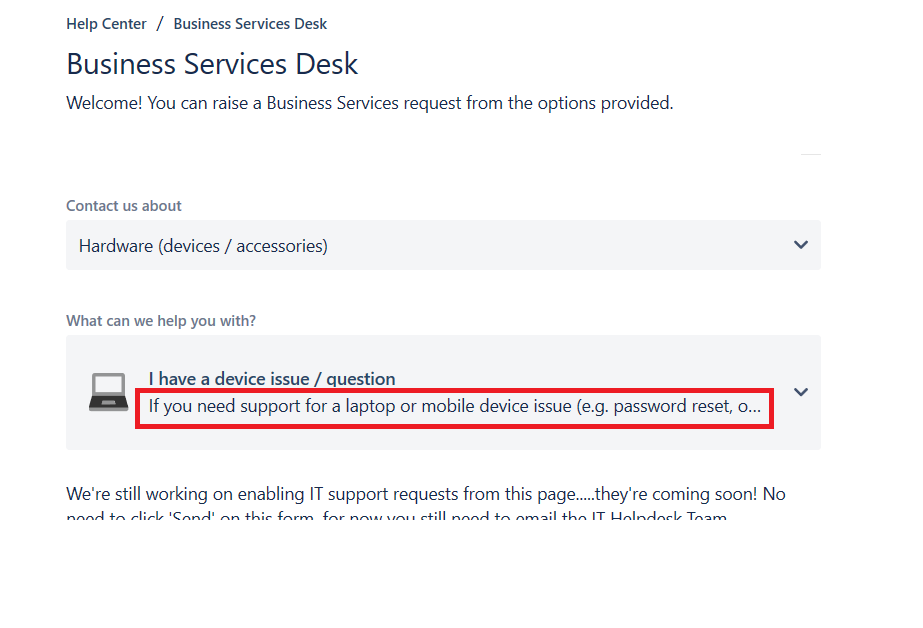
When you select the request type, the description is still partially displayed
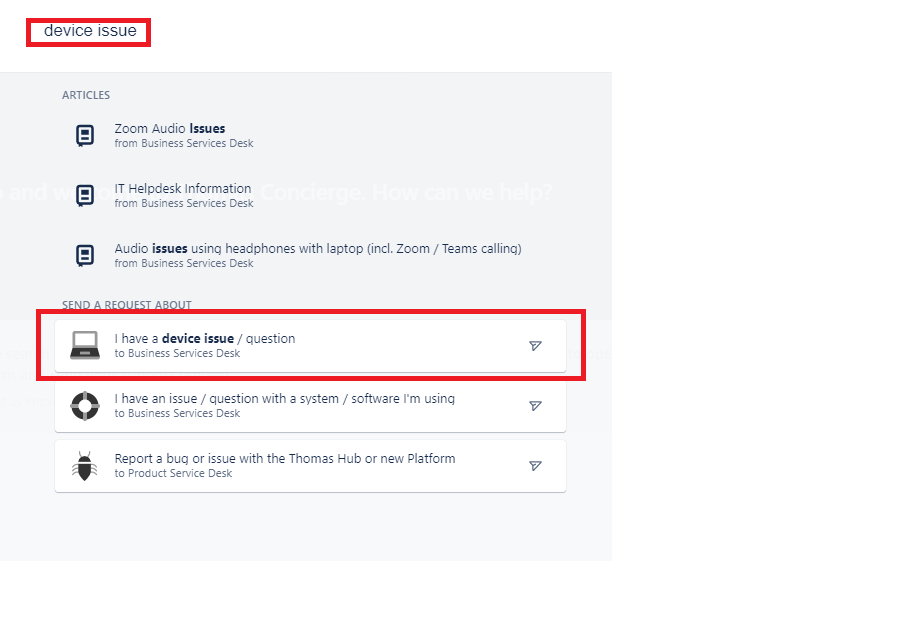
2. But, if from the portal home page I search for the request type using keyword search, when I find the appropriate request type, it doesn't display the description
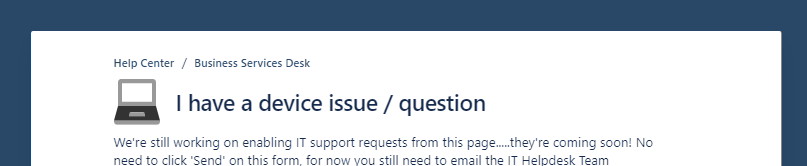
And selecting that option, I still don't see the description
Is this something I can resolve? It's really important that the description is displayed to all users, and those searching by tag or keyword currently won't see this text.


