This article introduces a configuration to let the service desk customers (portal-only users) login with SAML protocol.
(1) Prerequisite
You are:
- an organization admin of the organization with SAML SSO and user provisioning configured, and
- a project admin of the classic project in Jira Service Desk which belongs to the organization
(2) Configuration
If user provisioning is properly configured, the organization admin see the name of synced groups at Atlassian Access like below:
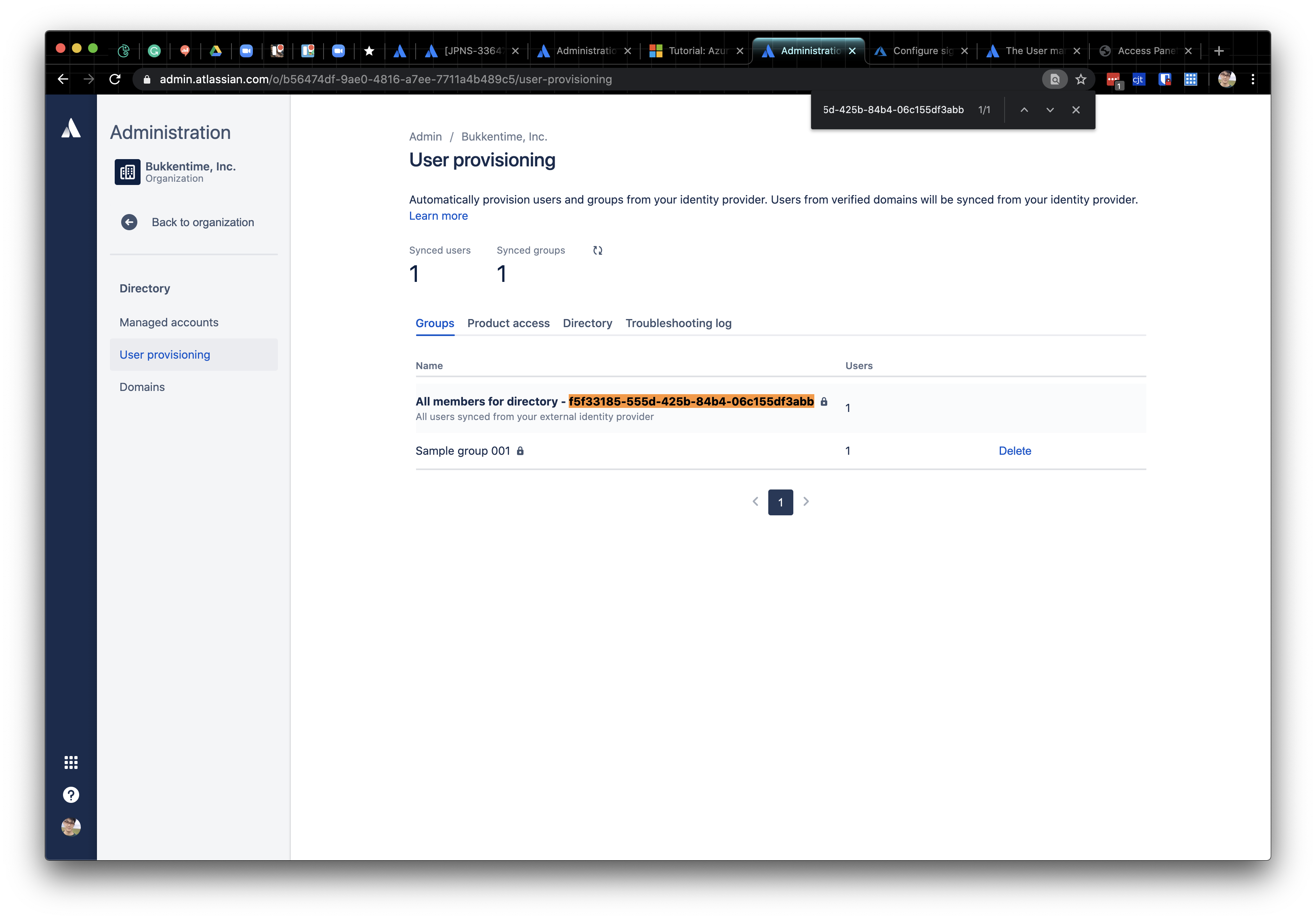
In this example, we are going to configure the settings against "All members for directory - f5f33185-555d-425b-84b4-06c155df3abb".
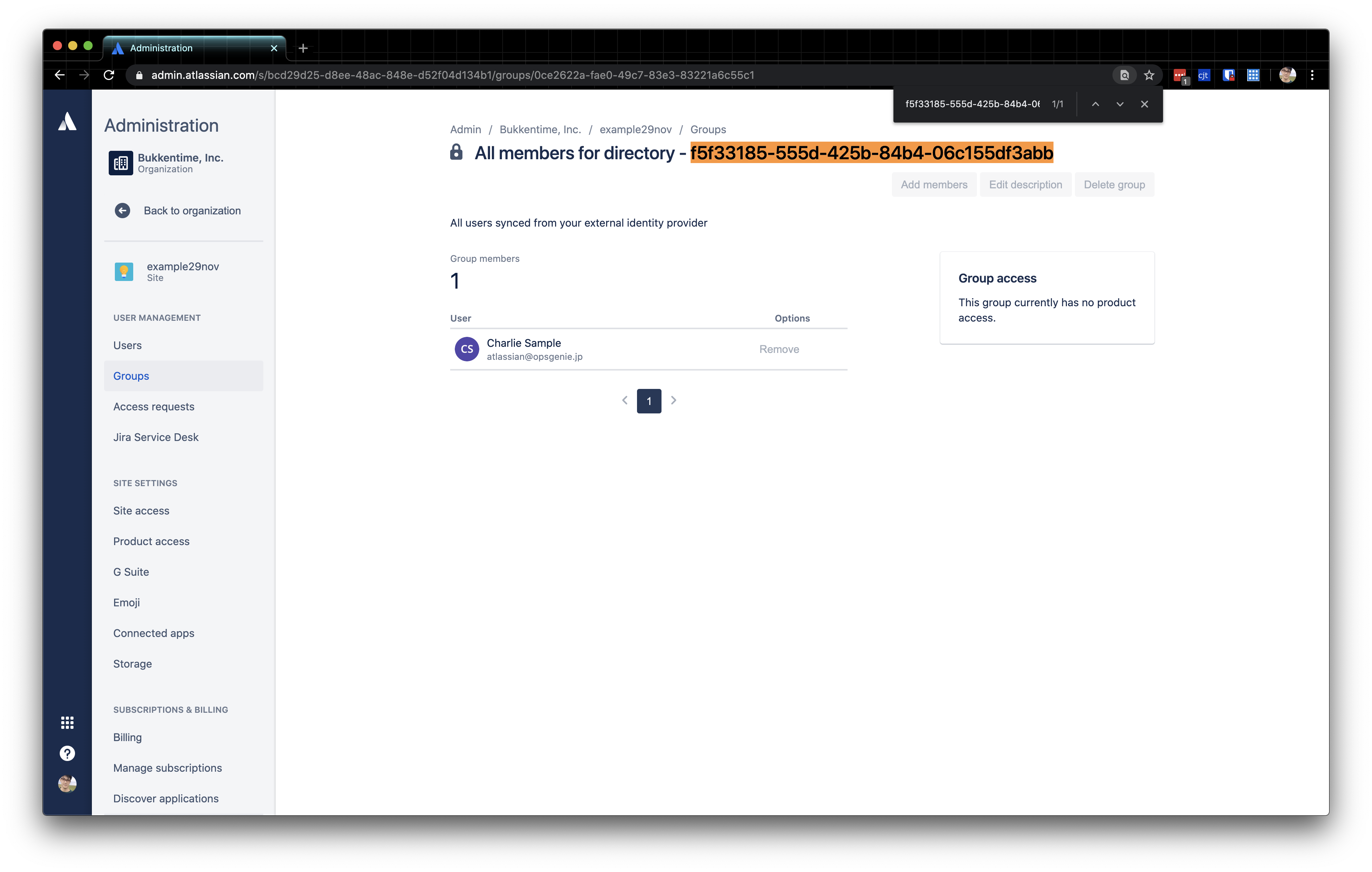
On the site belonging to the organization, the site-admin can see the group and its members in the user management:
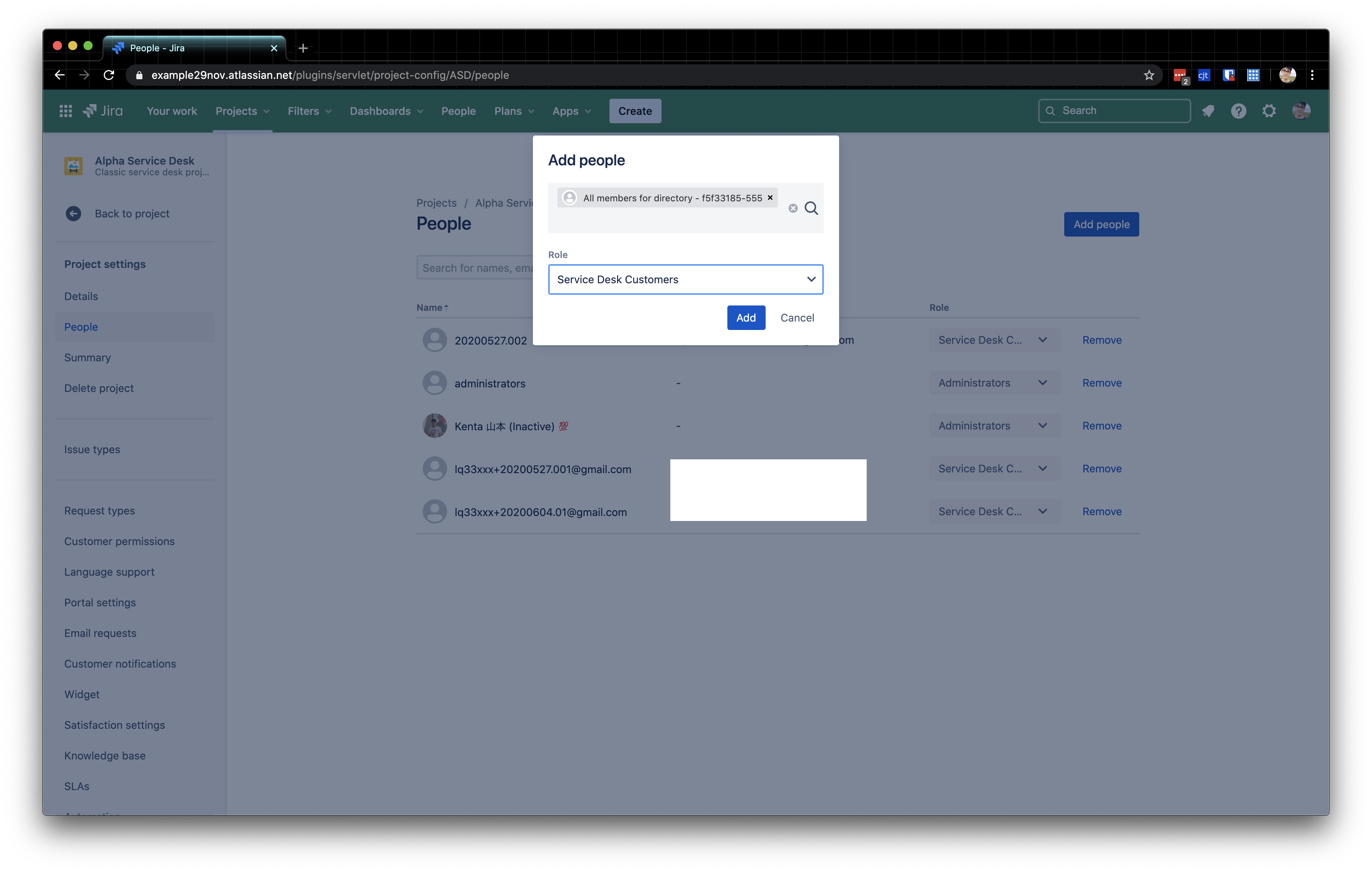
Here's the procedure on Jira Service Desk:
- In a classic service desk project, go to Project settings > People
- Add the group which name is starting with "All members for directory" as the "Service Desk Customer" role
That is it. Now the users belonging to the specified group can login only with SAML SSO:
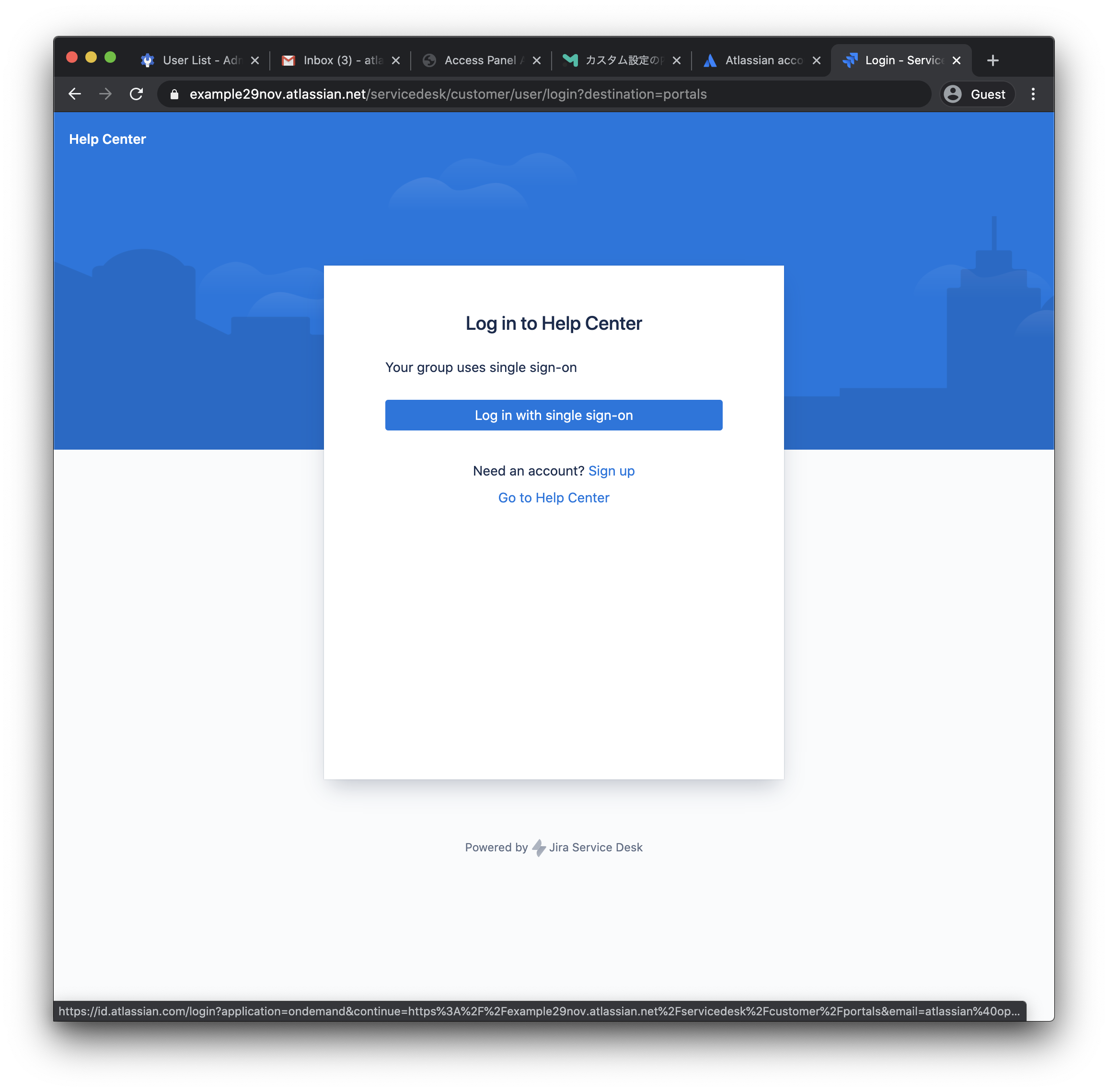
Note that the signup/login endpoint is different between portal-only users and licensed users (such as service desk agents). The portal-only users need to use the login form liked in the customer portal.
(3) Relevant KBs


