This is for a brand new web project I've been working on, I've created a brand-new domain name, a brand-new Office 365 account (with a support mailbox - not shared), and a brand-new Jira Service Desk account.
For the life of me, I cannot get Jira Service Desk to authenticate with the Office 365 support mailbox. I've tried using the "Microsoft" button and the "Other" button (using IMAPS with outlook.office365.com on port 994). I've tried with the username as the email address and primary mailbox password (including a reset) and with a newly created app password (I've also tried with MFA off and with MFA on/app password).
The only response I get when trying to create the integration is:
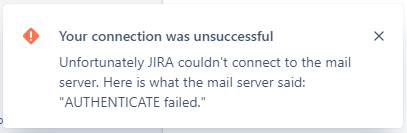
Unfortunately JIRA couldn't connect to the mail server. Here is what the mail server said: "AUTHENTICATE failed."
Screenshot of the error:
This is the only thing I need to get Jira Service Desk to do (monitor a support@ mailbox) and I can't seem to get it to work. Has anyone had experience with this kind of problem before? I'm out of ideas at this point aside from switching to Freshdesk (was trying to move off of that since we use Jira already for software dev/bug tracking and Confluence).


