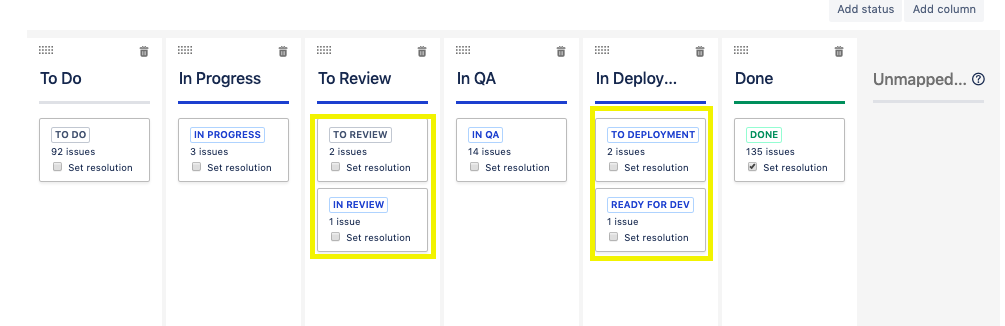
I was playing around with my scrum board, and while adding and removing columns around, some have went from "unmapped," which I don't understand the purpose of that section, to sitting within the columns themselves.
> Please see screenshot 1
Here is the issue:
Case
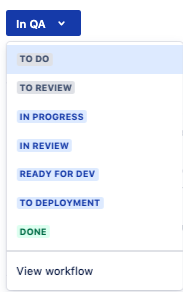
When team members want to move their tasks from the dropdown within the task card itself, it gives you not only the board columns, but all the other labels within it, which is causing confusion.
Q: How can I get rid of all the unnecessary labels under a column from my board settings?
I assume by doing that, it will solve the issue with having those labels available in the status dropdown within the task cards as indicated in the image attached.
> Please see screenshot 2
Q: What do the colors blue, grey and green mean and how can this be changed????