Atlassian has recently made an announcement -- through a blog post -- that the old editor is not going anywhere for the foreseeable future .
Much rejoicing all around the world. However, some users are still in doubt as to how to use the old editor. Here is how, in the Cloud version of Confluence:
When you create a new page, click the entry called "Blank page (old) (going away soon)" -- located at the top right in the "Create" dialog.
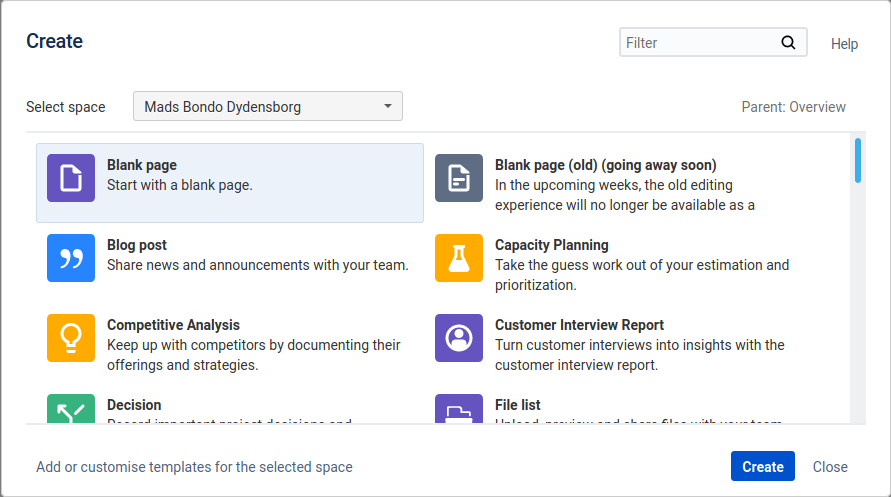
Don't worry about the "going away soon" part -- it has been like this for months, if not a year. And, the blog post tell us not to worry about it actually happening.
If this option should not show, try scrolling to the bottom of the list, and look for a link to "Show more templates" or similar. If you click this, then it should show up.
Another option for using the old editor is to simply copy a page created with the old editor, then deleting all content, and starting over.


