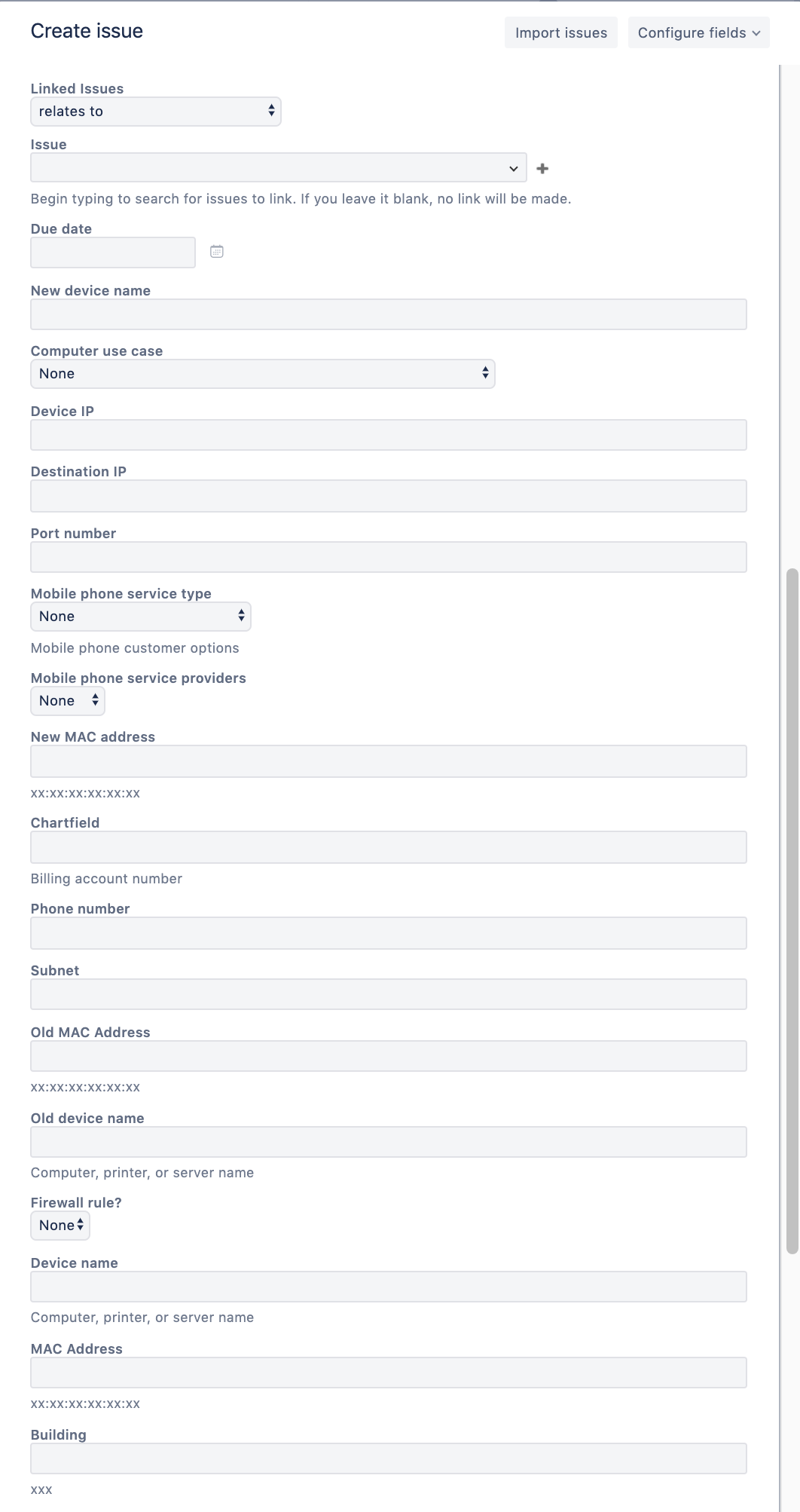
I'm looking for configuration guidance around custom fields and their related request types. They way we have it configured now creates a mess for agents attempting to create a new issue using the + button on the left side navigation.
We currently have a single issue type for "Service Request" and several Customer Request Types that utilize that single issue type. We were trying to keep config simple with a limited list of issue types: "Support" & "Request"
A single Issue type for our help/support requests is fine: Subject and Description is all that is needed for all Support type requests.
Our "Request" issue types have unique custom fields per request; i.e. A request for a new desk phone requires different information that a request to change a pinhole. The customer view for creation is limited to just the relevant fields for the specified request - perfect!
However, as an agent using the + create issue button on the left hand navigation attempting to create a specific request using that shared "Request" issue type, your create screen shows all custom fields used by any customer request type that uses the "Request" issue type.
As an agent, you don't know what fields are related to the specific request type so you don't know what to populate.
The only way we can see to remedy this situation is to create "Issue Types" for every service request we have so that unique screen schemes can be configured for each Issue Type, but maintaining that many schemes sounds impractical. Should we be creating top level "Issue Types" for each specific service request?