Hey there,
A new look isn’t all we have coming for you in 2020. Here at the integrations team, we’ve made it 5x easier for you to create reports using the Jira Cloud for Google Sheets add-on with 5 new changes! Ready to see what they are?
…Drumroll please!
1. Your JQL queries are now saved! It's now possible to see and make any changes to past queries.
No more losing queries or copying and pasting from Jira or your notepad!
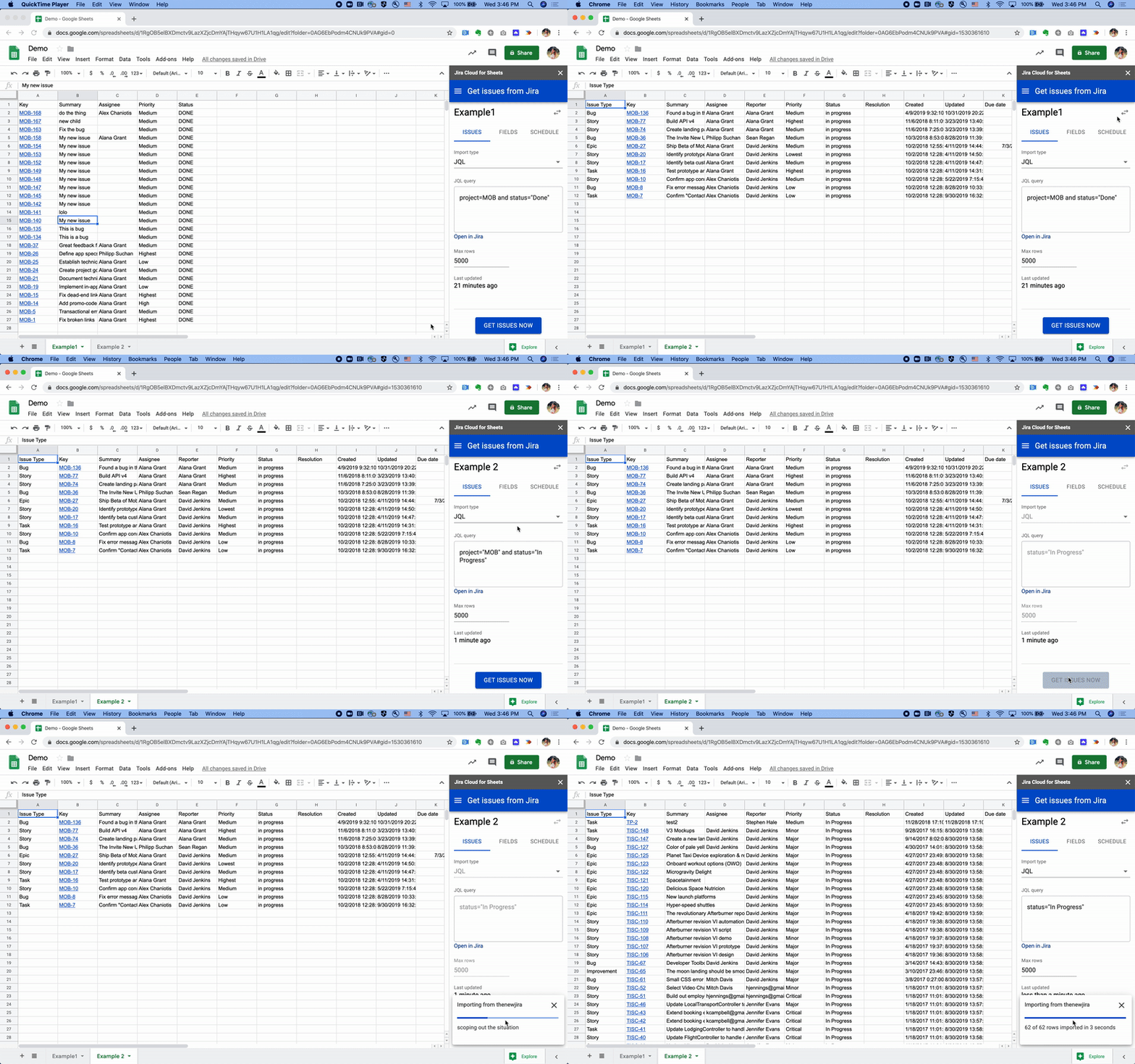
2. We tell you which field will go into which column when you import Jira issues.
Did you know that you could reorder the fields via drag and drop?
3. Your columns will now stay where they are even after Jira issues get re-imported
Rest assured, your sheet will not get completely wiped out when Jira issues are reloaded/refreshed.
4. It’s now easier to tell see when your next refresh is.
Just click on the "Schedule" tab to see when the next update is, or when the Jira query was last run. You can also hover “Schedule” and “Last Updated” to see more exact timestamps of the previous and next updates.
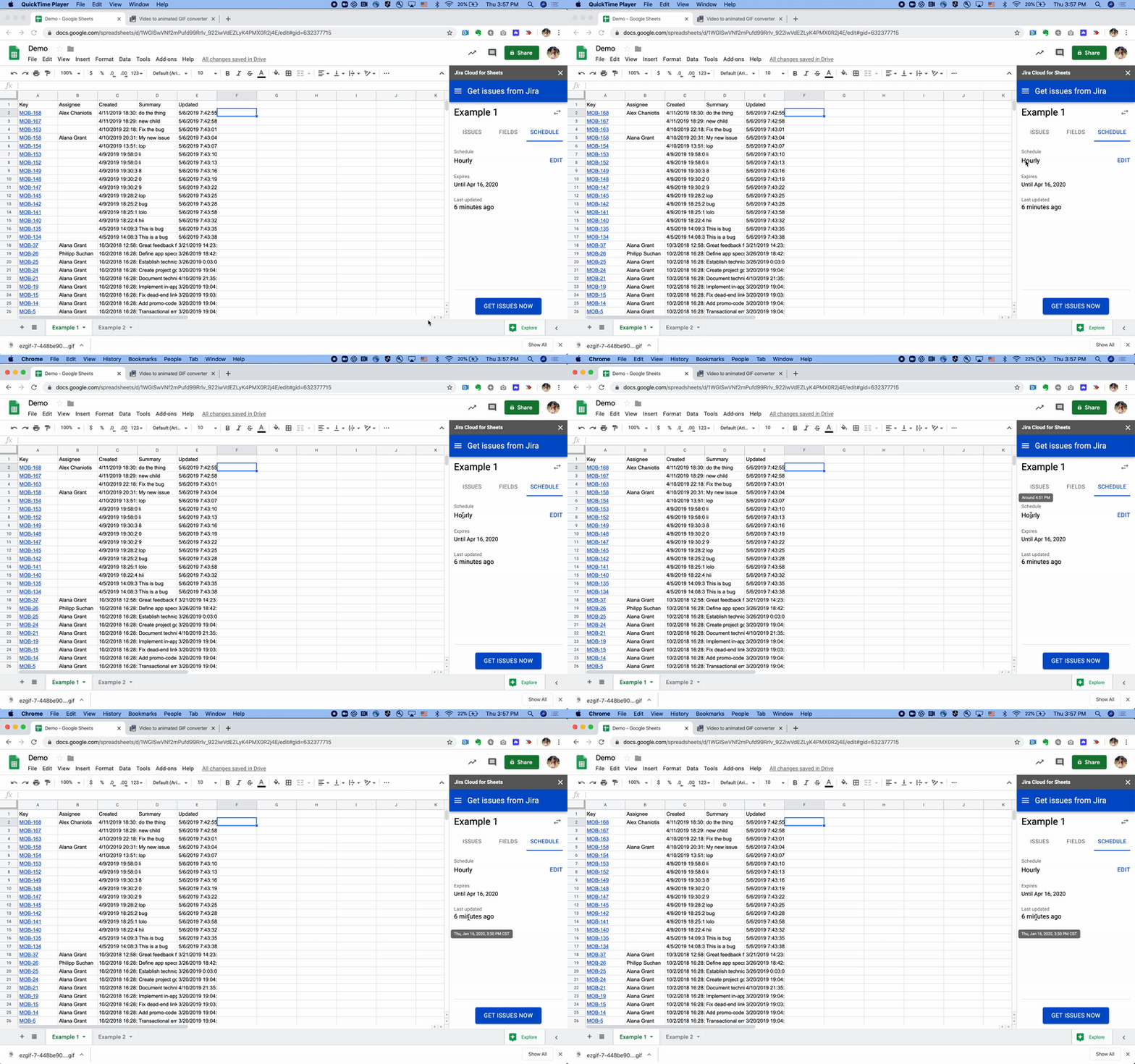
5. You can now set up auto-refreshes so that they run for 12 months!
Instead of three 
If you don’t currently see this experience, you’ll begin to start seeing it in the coming weeks. We hope these changes are helpful, and are keen to hear any feedback you might have! To give us feedback, please feel free to email pi-jira-sheets-feedback@atlassian.com. Happy new year! 🥳