Hi Atlassian Community!
Happy New Year!
I'm Rachel, a Product Manager for Jira Service Desk Cloud at Atlassian. Today, to kick 2020 off with a bang, I’m ecstatic to bring you the news that Approvals in Jira Service Desk next-gen has been launched to all customers. You can now add approvals in your workflows, assign approvers and transition workflows automatically when the request is approved or rejected.
As previously mentioned in our What’s New in Jira Service Desk: November post, our team has been working hard on bringing approvals in next-gen to customers. We’re really excited about this because it has been one of the most highly-requested features surfacing from feedback over the past year.
As a refresher into what is next-gen, make sure to have a look at our help documentation here. Next-gen Jira Service Desk projects were created to be faster to set up, simpler to use, and give project admins a lot of control over configuration without having to involve a site admin as often as with Classic projects.
To enable approvals on your instance, head to Project settings > Request types, and click the Edit workflow button at the top. Select a status, and in the sidebar on the right-hand side, you should see an Approvals section, where you can add a new approval to that status.
Benefits of Approvals
Like in our Classic version, approvals are enabled on a status in the workflow, used to block the progress of a ticket until the right people have either approved or declined it. Let's take a look at what the new approval capability can do:
-
Easier setup and configuration compared to Classic - Approvals can be set-up and configured smoothly in the workflow without needing any pre-requisite fields in place
-
ITIL compliance - Approvals are a must-have feature for organisations that require SOC 2 compliance
-
Advanced use cases - Supports ITSM practices such as change management
-
Seamless flow of work - Integrates key stakeholders into an easy, seamless approval journey without having to go outside the product
-
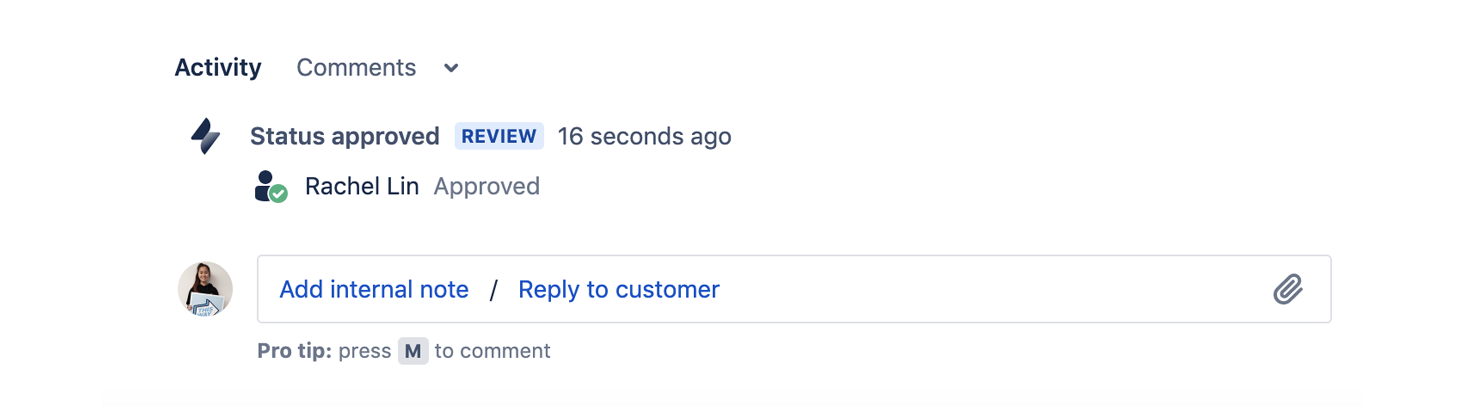
Greater transparency & accountability - Auditing of historic decisions are tracked in-product through the updated approval status in an issue’s activity stream
How you can start using next-gen approvals
Approvals has two main capabilities that help you get tickets approved at speed. Let's take a look below:
For approvals configuration found in Project Settings > Request Types > Edit Workflow, admin users can:
When using approvals in your workflow:
Approve on the go! ✨
Approvals in next-gen are also available on the Jira mobile application, so you can have an even more streamlined and accessible approval experience! To start using approvals on the Jira mobile application, download here: https://www.atlassian.com/software/jira/mobile-app
For more detailed documentation around how approvals work in next-gen, check out our support documentation here:


