Hello,
I have a fully set up Jira Service Desk on the cloud for my company. It all works great.
Recently I installed a new plugin that does automation and it created a new Jira Service Desk Project with CODE = AUTO, which is great, as I have been able to test it fully without messing up existing automation rules on my default JSD project.
I set up some rules on the CODE project based around tickets with priorities = Critical. Everything is good. I've created a Critical priority ticket via the customer portal and I can see it in the queue.
I logged another ticket through my default Jira Service Desk / Customer Portal (CODE = SESD).
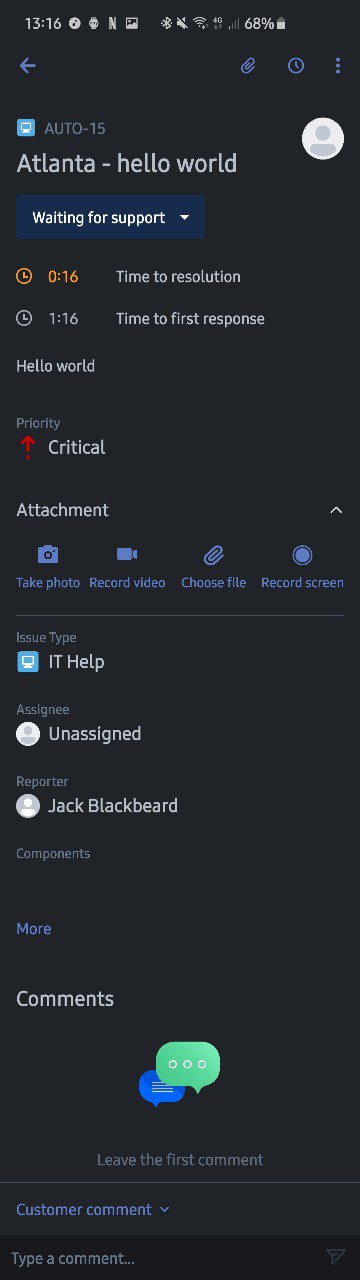
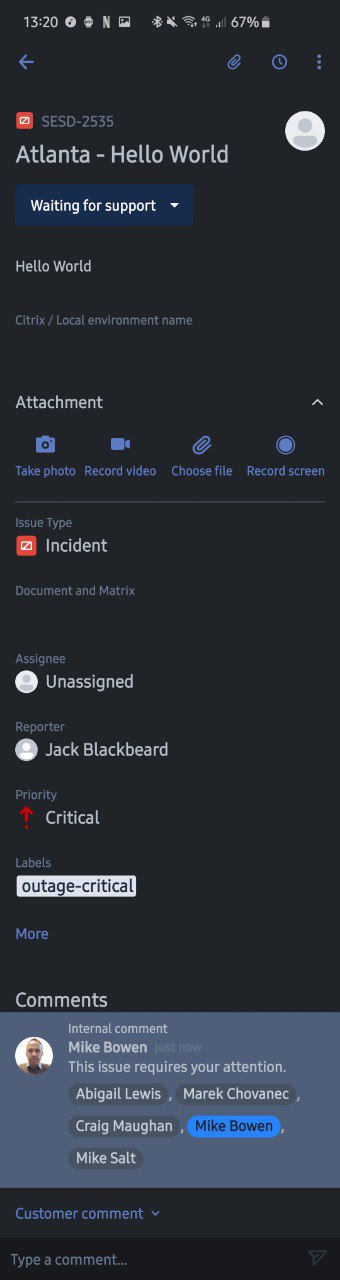
Below are the Jira mobile app screenshots of the AUTO request on the left and the SESD request on the right.
Why do they show different information or fields in different locations? How can I get the SESD project to show the following:
- SLA Time to resolution and time to first response at the top underneath the status.
- The Priority underneath the SLA.
- How do I set up the screens or fields to show in the Mobile app?
Any help or pointers on this matter will be much appreciated.
- Mike


