We’ve recently released templates for your Human Resources (HR), facilities and legal teams.
These teams can now leverage Jira Service Desk to more easily manage tasks like employee onboarding, tracking, and maintenance requests. Legal teams can shift from manually chasing down signatures to working collaboratively with an automated digital workflow.
The templates are designed to give you (the IT team) a starting point to get these teams up and running. They are simple to use and can easily be modified to suit your team’s needs. Currently, the templates are only available in next-gen but are coming to classic projects soon.
If you can't see the templates, visit this page to enable next-gen templates, or this page to configure the templates for classic.
Let’s explore ways your business teams can use the HR, facilities and legal templates.
HR teams
Traditionally HR teams’ work process is driven by paper. By setting up your HR team with a service desk, they can work more efficiently with a digital workflow. The new HR templates provide request types for employee onboarding and offboarding, terminations and tracking changes to employee details.
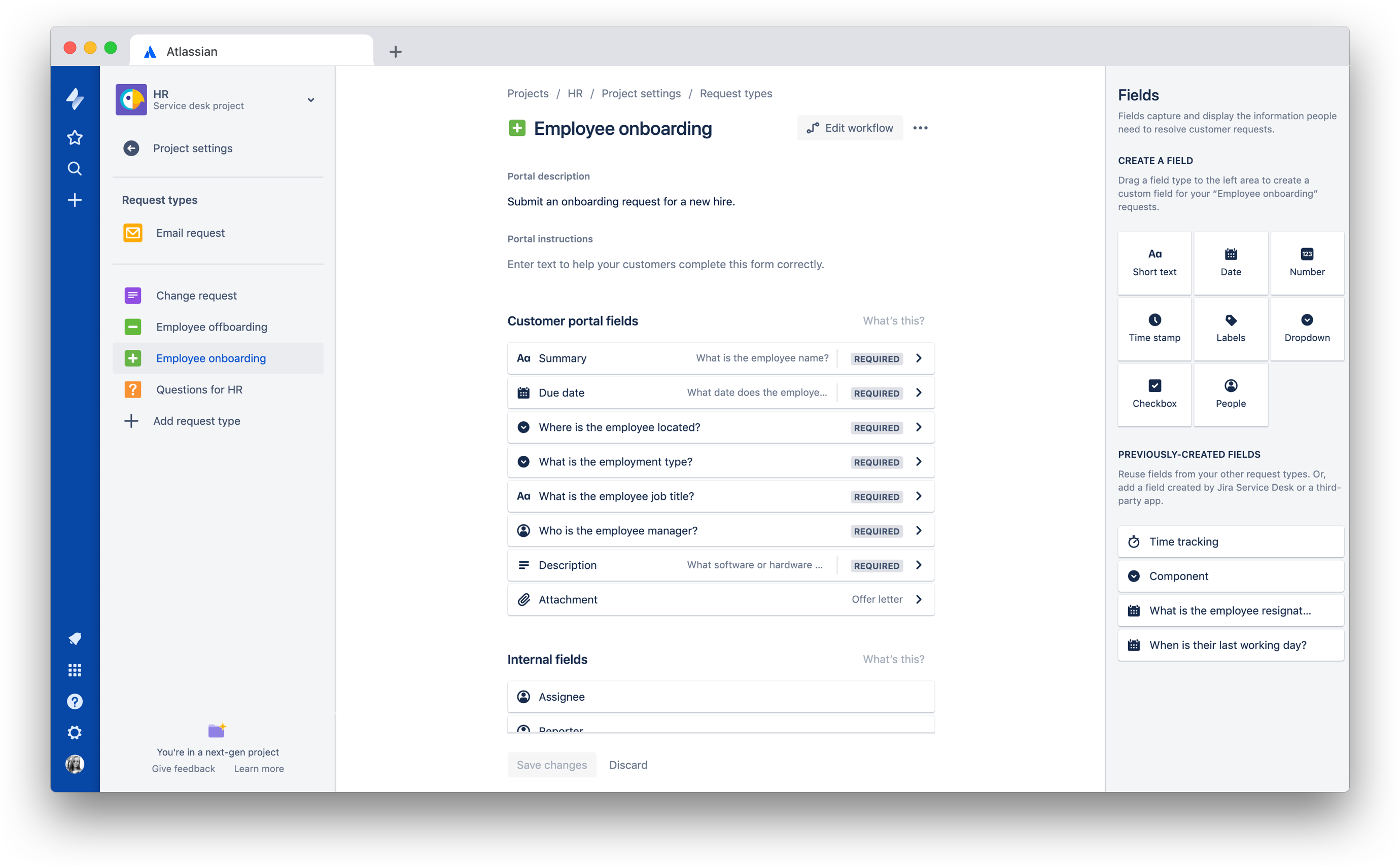
Teams can set up these common use cases and modify workflows to suit their needs. Each template comes with a request type and associated workflow that can easily be customized. With next-gen, these teams can make their own changes by updating fields and controlling what information their end-user sees, without needing to funnel every change through the IT team.
How you can customize:
- Add dynamic fields by using one of our marketplace apps like Proforma to customize the information your templates display for the end-user.
- Avoid double-handling employee information by using automation for Jira to connect HR systems like Bamboo HR and Jira Service Desk.
- Customize the approvals request workflow so internal teams (IT, facilities, security, etc) are notified of new starters and can begin their onboarding processes.
Facilities teams
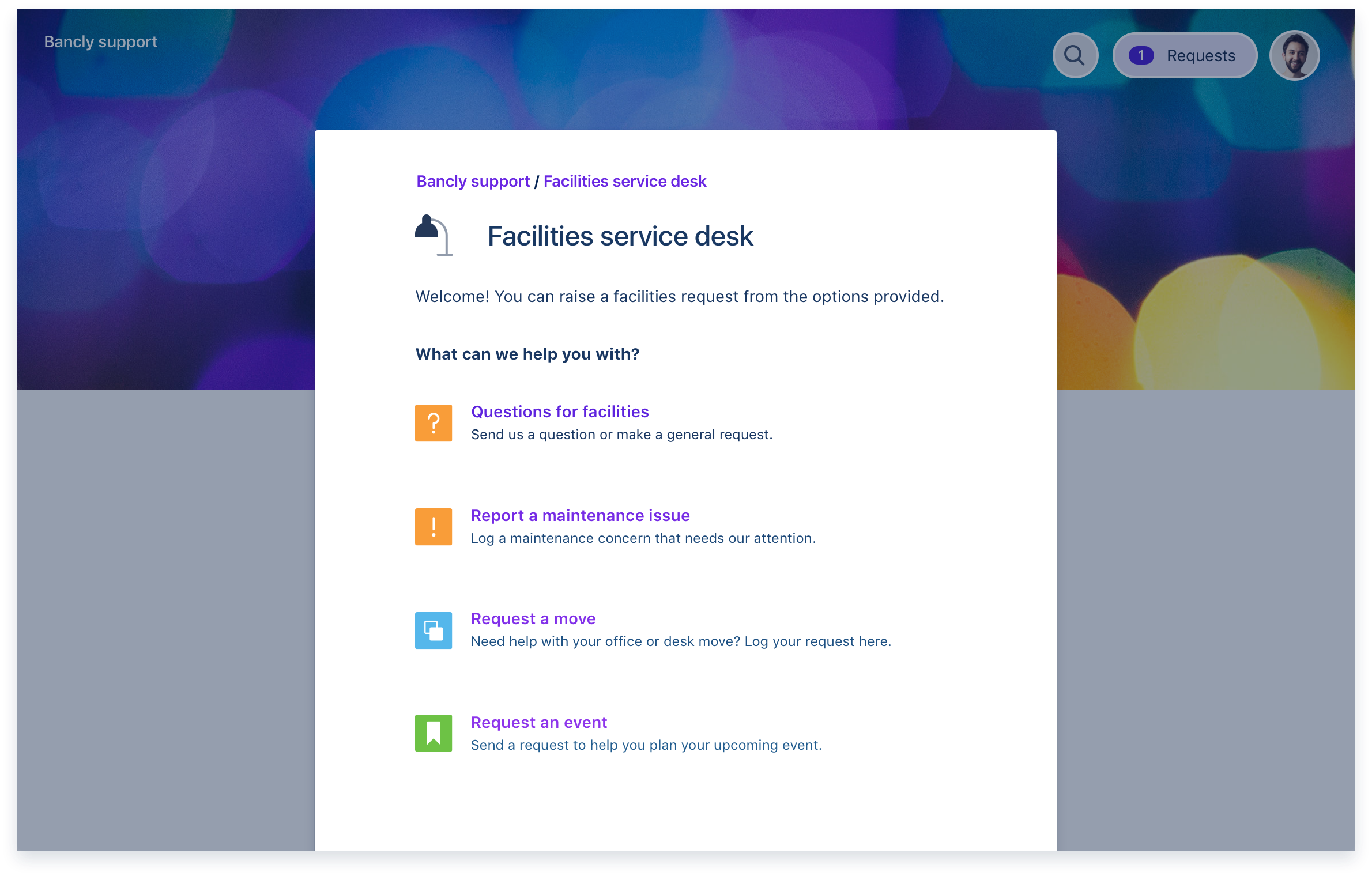
Facilities teams can provide employees with a central place to capture maintenance requests, request room bookings or organize furniture moves.
How you can customize:
Legal teams
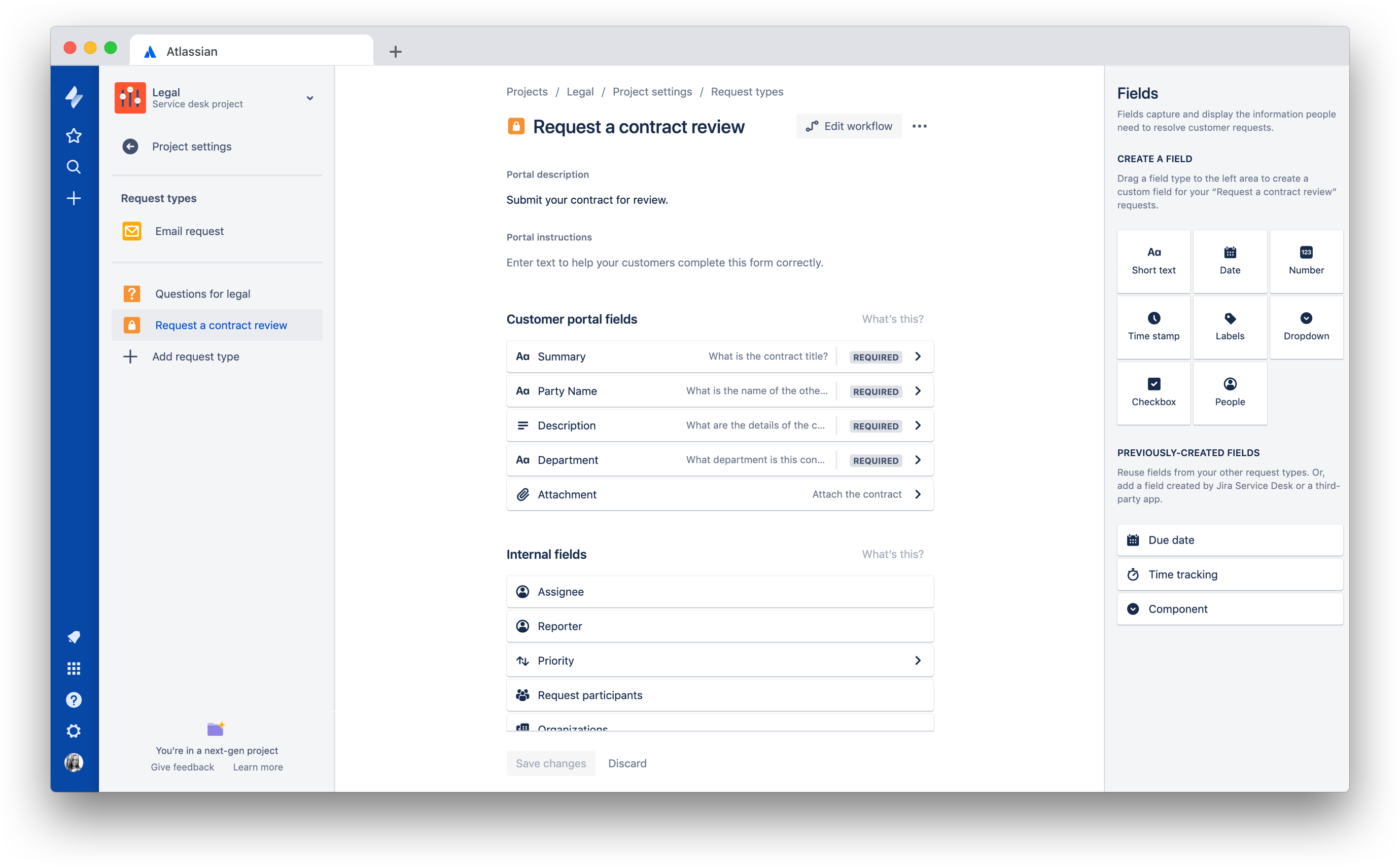
Streamline stakeholder management by managing all your contracts through a service desk. Easily transition through stages of the contract cycle by using the legal templates to get you started.
How you can customize:
- Modify your workflow to suit how your internal legal team processes. Learn how to modify workflows in next-gen.
- Create automated approvals for easy tasks to streamline your team’s workload. Atlassian’s own legal team has a legal express lane for simple tasks that don’t require human intervention.
- Create a new template for another legal process by customizing the request types in Jira Service Desk project settings.
Let’s get started!
Learn how to create an HR, facilities or legal project template in a classic or next-gen service desk.
Note: These templates are coming to classic projects soon. We’ll keep you updated on their progress.
Feedback
We'd love your feedback! Please comment on this article or reach out to our team.
Need more information on how to tell if you’re in a classic or next-gen project or what are the differences between a classic and next-gen project?


