I've checked around other answers here and nothing seems to quite be working. I've fiddled with overflow-wrap, white-space, and word-wrap to no avail.
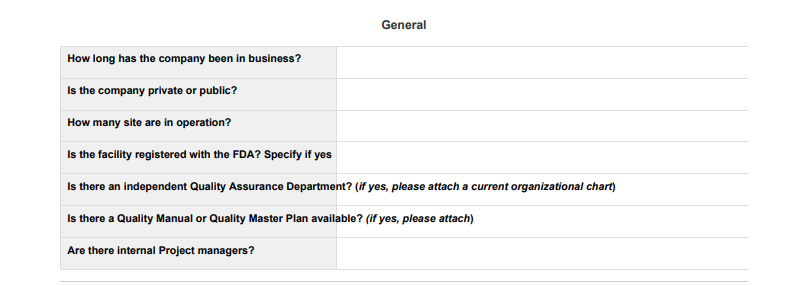
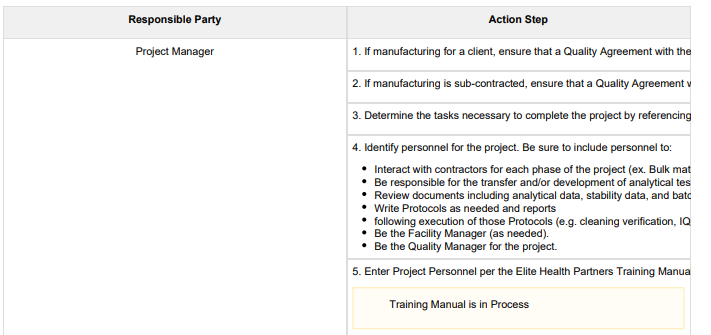
Our documents have table cells containing a fair amount of text. When viewing the table in Confluence, the text wraps and a new line begins upon hitting the edge of a cell. When exported to PDF however, no line break is added. The text either overflows into the next cell, or is clipped if it overflows the table.
Here is the PDF stylesheet rules I'm currently using:
table {
    page-break-inside: auto !important;
    width: 100% !important;
    table-layout: fixed !important;
}
tr {
    page-break-inside: avoid!important;
    page-break-after: auto!important;
    min-height: 3em;
}
p {
    white-space: pre;
}The width and page-break rules are there because if a table ran over the end of a page it was shrinking the entire table to a minuscule size to fit. The table-layout rule keeps the user adjusted column widths respected.
Examples of the problem:
Any help here would be greatly appreciated!


