I just started using Confluence Cloud, and it is only 2 person team at the moment using the product, so only 2 accounts are active. I created the organization, as well as spaces. I want to delete one of the spaces, but I have no options to do so.
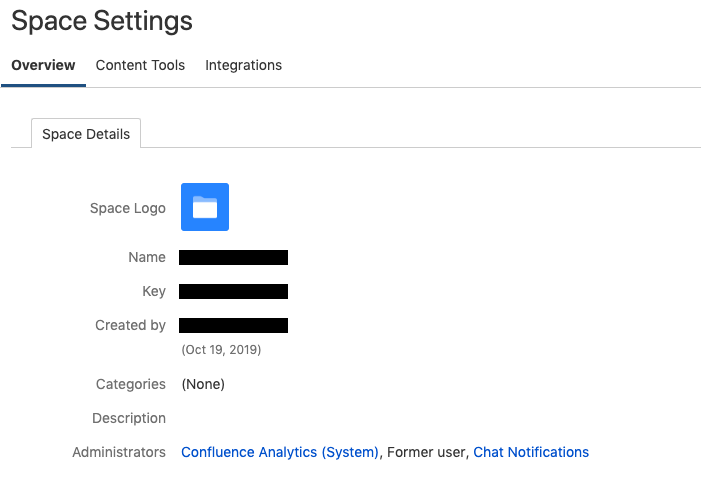
When I go to Space Settings, I only have Space Details tab available. The details state that I created the space, but in Administrators, I have following:
- Confluence Analytics (System)
- Former user (this is strange as I did not register other users nor did I remove any)
- Chat Notifications
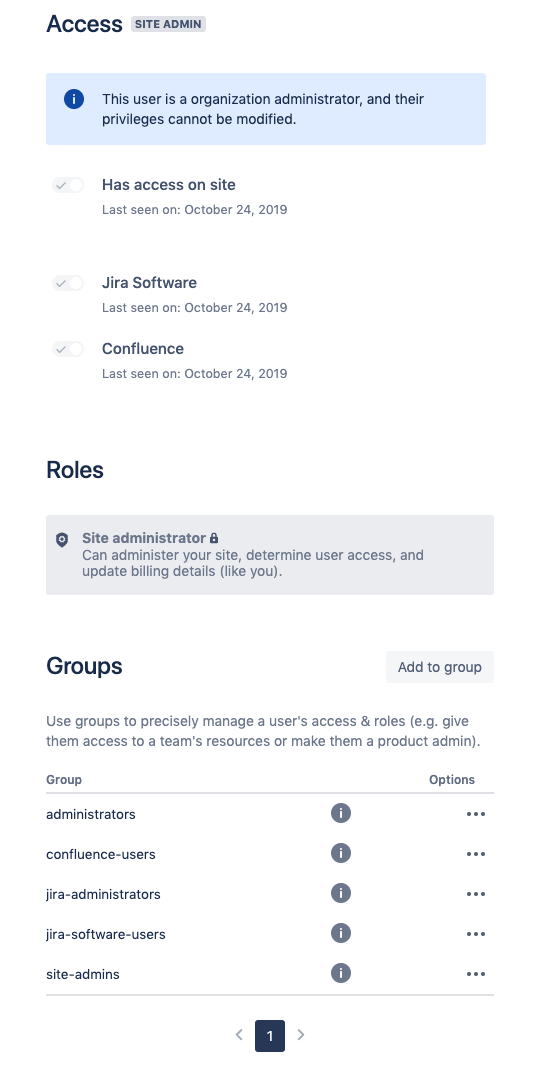
When I go to Administration > Users I see 2 users, me being one and stated in a label next to my name that I am Org & Site Admin. In details view, it states that I am Organization administrator and Site administrator and it cannot be modified. Only thing I did is add myself to various groups, in attempt to get the rights to remove the space.
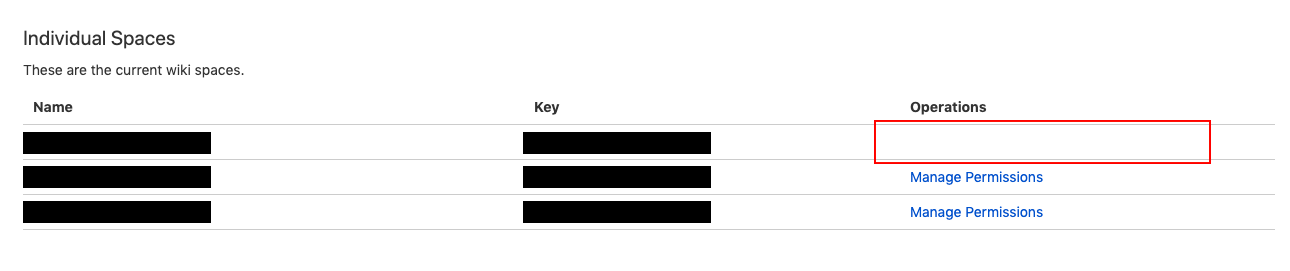
In Space Settings, I see the spaces that I created, currently only 3. 2 spaces have Manage Permissions link available in Operations column, but this space has none, it is just empty.
Uploading images of User Details and Space Permissions and Space Settings.
Is there anyone who can help me with this issue?
I appreciate it in advance!


