Hi,
I want to print several cards from my Scrum-board in my Jira Cloud environment.
I have followed the instructions from this Jira Confluence page: https://confluence.atlassian.com/jirasoftwarecloud/printing-issue-cards-785332012.html
This page states that the printed issue cards include several issue details, like summary, issue type, etc.
But for some reason, my current (out of the box) example card only shows a small set of fields (see attached screenshot).
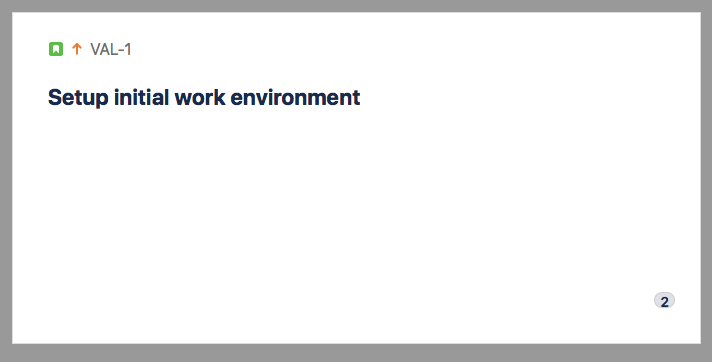
I would like to add fields like description, epic name, labels, etc. but I can't find a way to change the layout of printable card (template). Any thoughts on this ?
With regards,
Rutger

