Hi, I please need some help.
We have created a customer account and shared a ticket with the customer.
When they click on the ticket email link they get a screen which allows them to enter their email and then create a password (as they are accessing Jira SD for the first time).
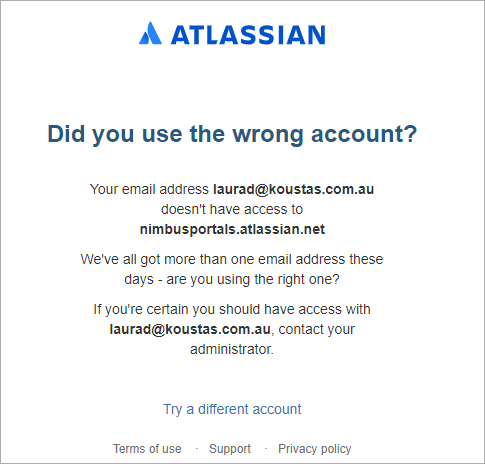
However, after entering a password, the page then returns a message: "Did you use the wrong account?"
"Your email address xxx doesn't have access to xxx. If you are certain you should have access with xxx, contact your administrator".
The email address they use is definitely in the system, and I cannot see any settings that are blocking their permissions.
Settings are:
1. Customers can create their own accounts
2. Anyone can send a request via the portal
3. Customers can share requests with other customers in the same organisation.
There are 3 customers linked to this organisation
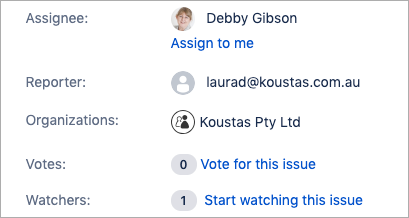
The ticket was created manually, and this specific customer was linked as a reporter in the ticket.
Please also see the screenshot attached of the validation message that comes up.
Any help will be greatly appreciated on how to resolve this.
Thanks!
Marleze