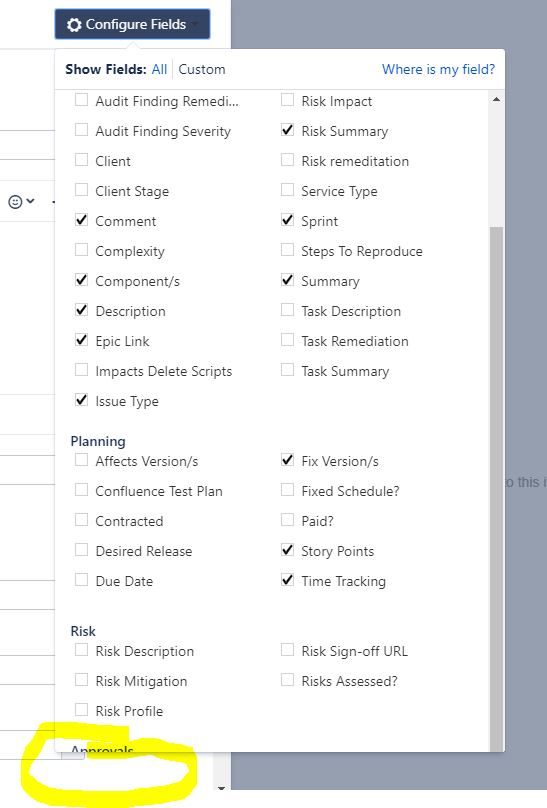
I have added a custom field to a screen. When I now create a new Jira item or edit it, it does not appear by default, but I have to add it using the Configure Fields button.
Problem with this is that:
- I want to make the field appear by default for all users, without them having to click the Configure Fields button.
- The dropdown that appears when you click Configure Fields is limited in height. We have a great many fields. As a result, the dropdown doesn't show all our fields. So I can't add the field even for only my own account.
- I also noticed that if I select "All" on the Configure Fields dropdown, my fields are organized into tabs. But if I select "Custom" than the selected fields appear in a long list, without tabbing.
What I'm trying to find out is:
- How do I make my new custom field appear by default for all users on the Create and Edit screens of Jira items in my project?
- How do ensure that the fields are always organized in tabs for all users, instead of arranged in a long list?
Any help would be greatly appreciated.