What's changing
We're introducing a new inline hierarchy toggle to the Jira Software Timeline. This gives you more control over how work items are displayed, especially when timeline view level filters are active.
After this update, filtered results will display in a flyout hierarchy modal OR inline hierarchy showing Epics and their immediate children and you can switch between them using the new toggle.
 Inline Hierarchy Inline Hierarchy |
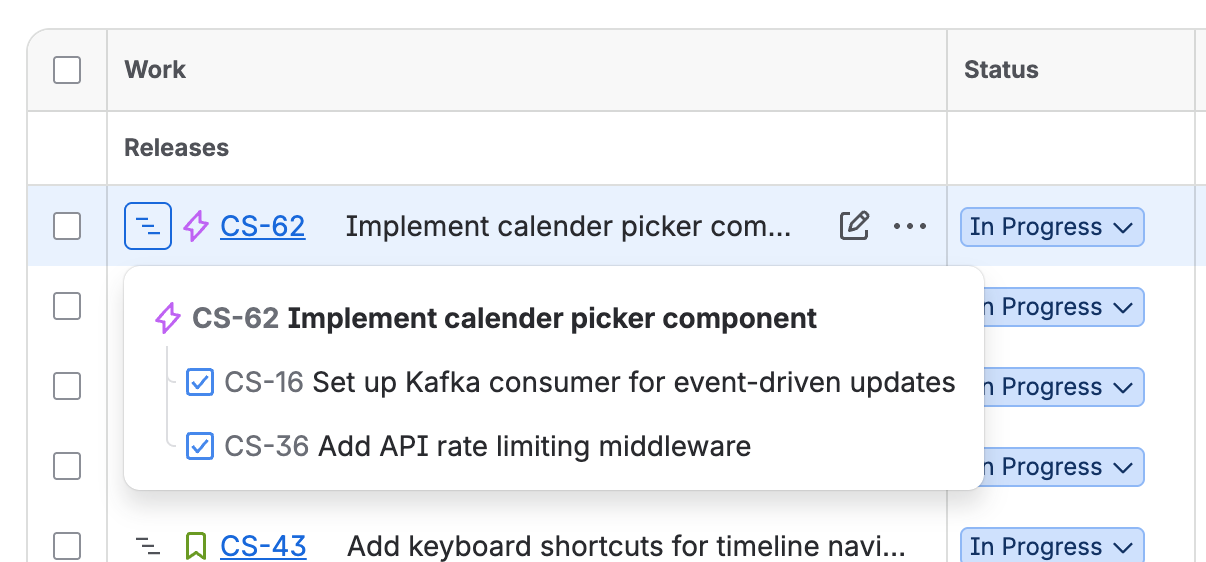
Flyout Hierarchy
|
When we will introduce this
We are actively working on this and looking to deliver this in a couple of months this year.
Things to know in Inline Hierarchy
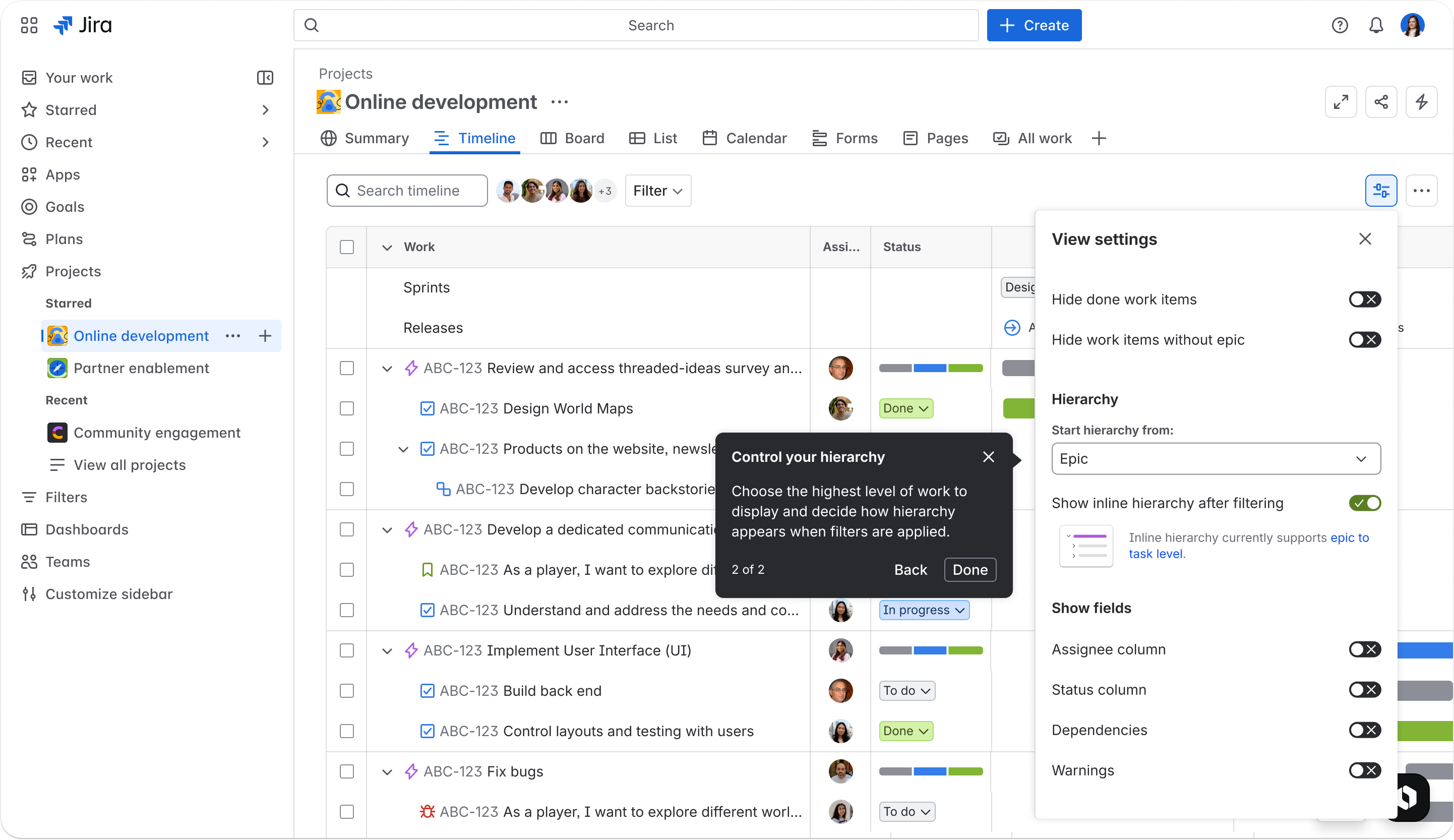
Why we made this change
This update is part of the Timeline Harmonisation initiative, which aligns the Software Space and Business Space Timeline experience with how teams actually structure their work in Jira.
We heard from teams that the flyout mode could be hard to navigate when filters were applied. This change gives those teams another way to view work items with full hierarchy context.
Tell us what you think
If your planning is being impacted right now due to this feature, grab some time with me or comment below.


