Hi everyone,
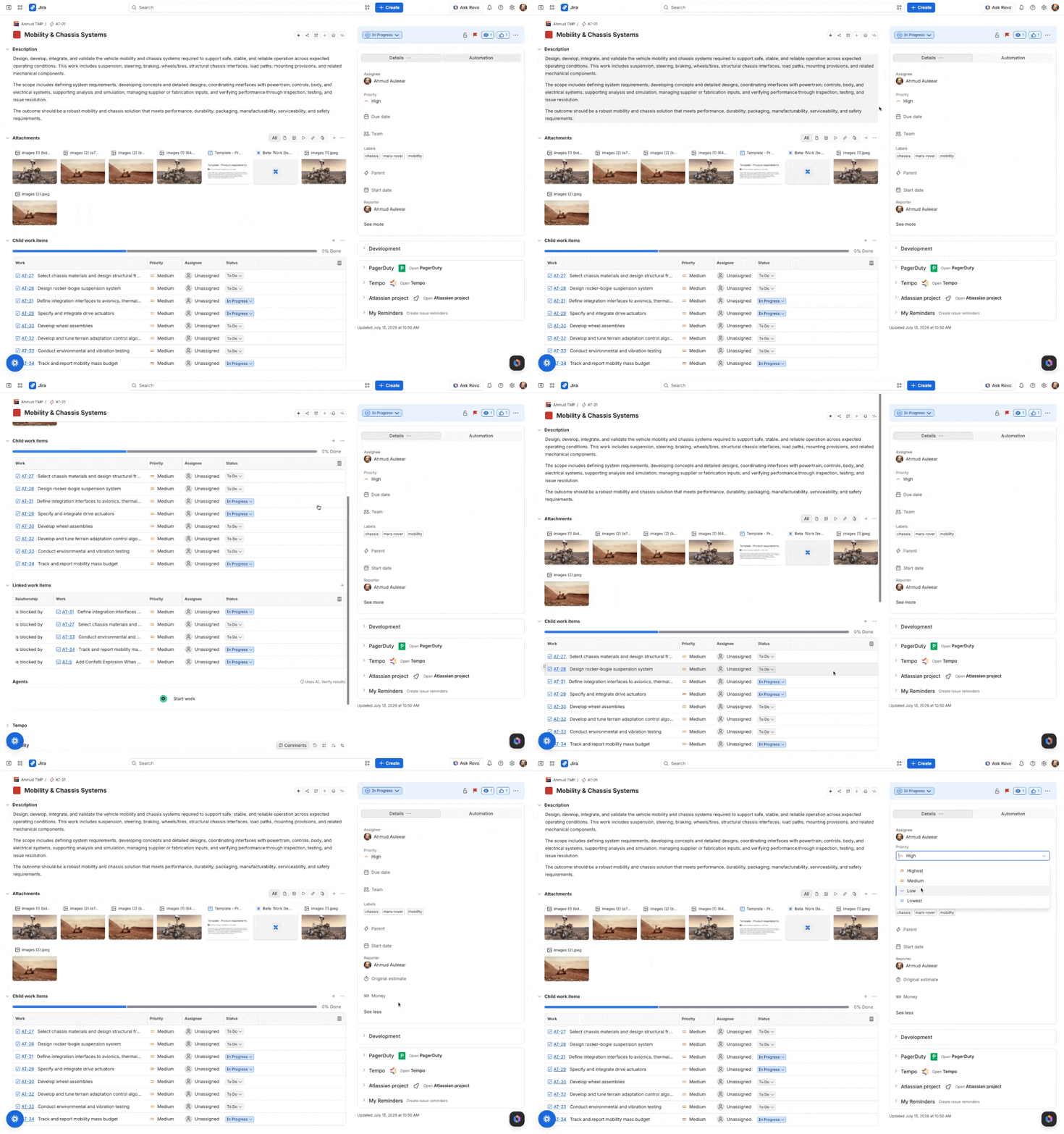
Starting 10th August, we’re opening a Beta of the redesigned Jira work item view: the screen your teams use every day to view and update work.
The redesign brings your most important actions and information front and center, reduces the steps to get common tasks done, and makes the overall experience clearer and more focused for every team, whether technical or not.
This is a UI and experience uplift, not a change to how Jira works. Your automations, extension points, field IDs, reporting, and integrations all continue to work exactly as they do today. The data and configuration behind your work items are unchanged.
What’s new
Key actions and information front and center. The layout surfaces what matters most and reduces clicks to get things done.
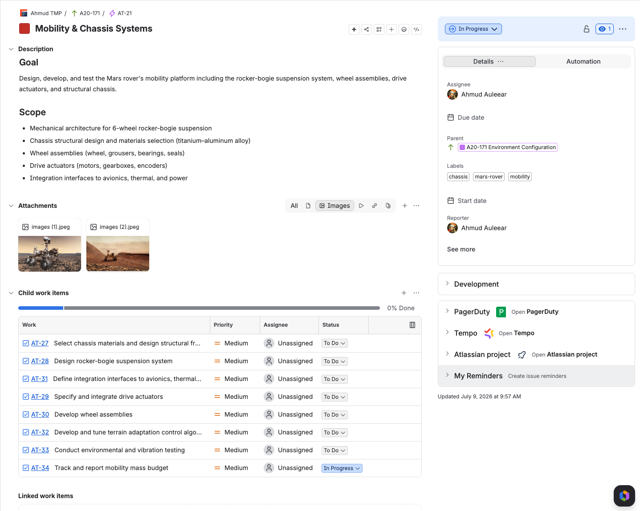
Inline control over related work: Add, edit, and manage child and linked work items in their own consistent sections without leaving the work item.
A cleaner, more usable activity feed: A unified history view with better-formatted updates and comments that are easier to write, sort, and act on.
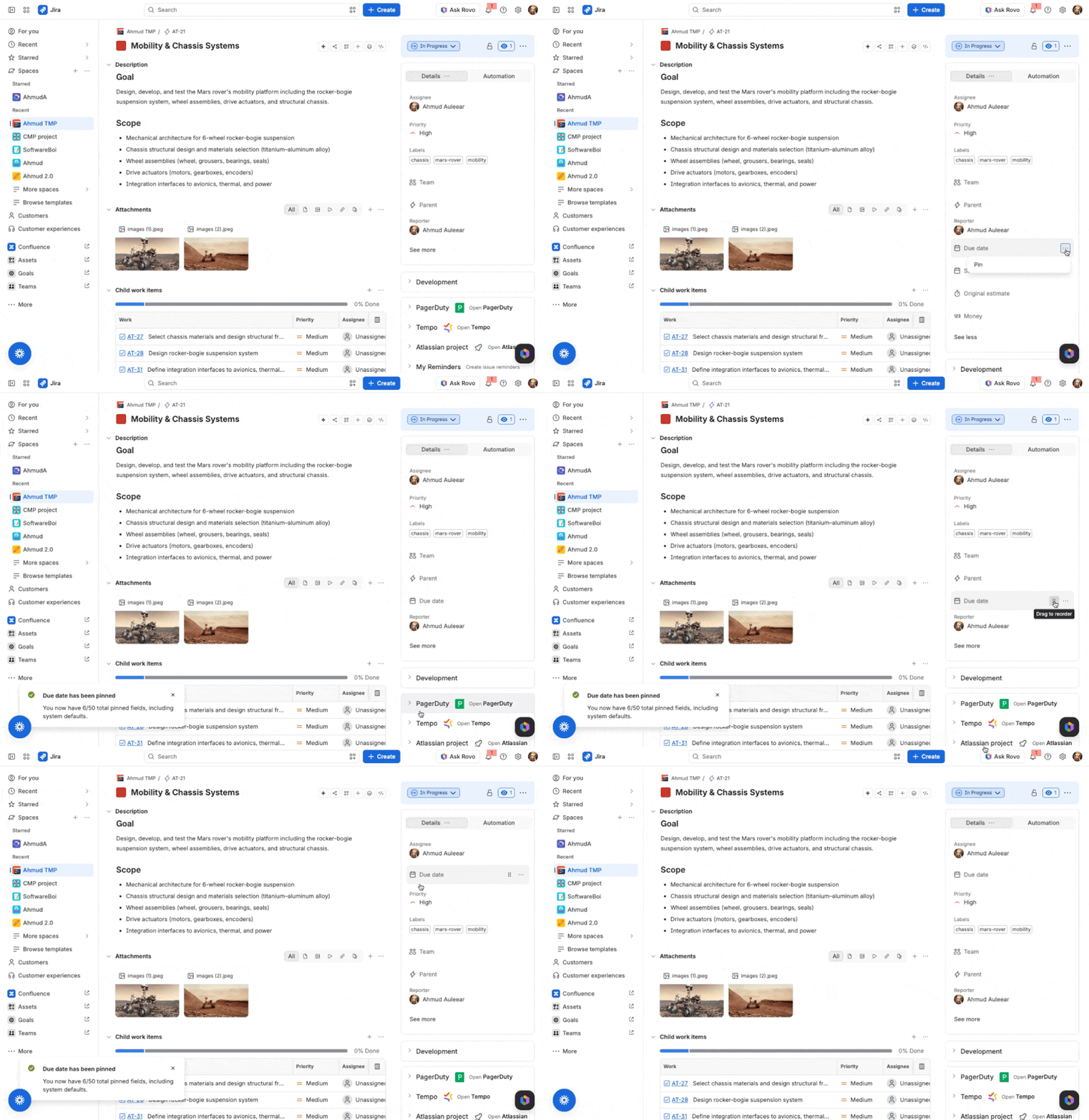
Field personalization: Pin, reorder, and hide fields to match how you work, without affecting your teammates.
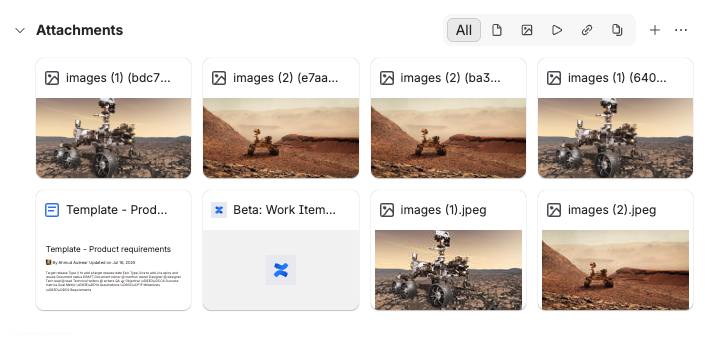
Unified attachments: Uploads, Confluence pages, Loom recordings, and web links all in one place.
Voice-to-text: Now you can capture your thoughts without typing. Speak and your words appear directly in the description and comment fields of any Jira work item.

How to join
No sign-up is required. From 3 August, admins can enable the Beta from Open Beta Features in Jira admin settings.
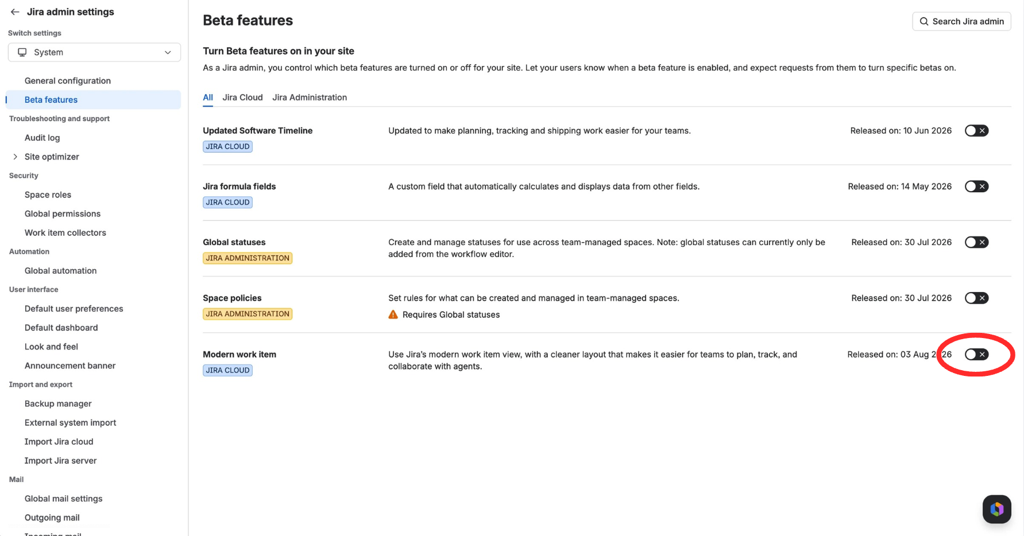
Once enabled, users on that site will see the new work item view by default.
Individual users can switch back to the classic experience at any time from the three-dot menu in the top-right corner.
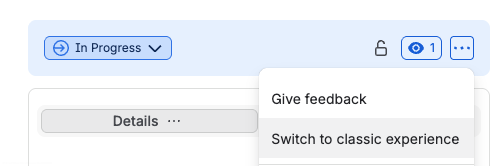
We’d love your feedback
This Beta is an important opportunity for us to learn from customers before the experience becomes more widely available.
As you try the new work item view, let us know what’s working well, what feels harder than before, and what your team needs to feel confident using it every day.
Please share your feedback by replying to this post or using the feedback option in Jira.
Thanks for helping us shape a clearer, more focused Jira experience.
The Jira Cloud team
Update 30th July 2026
We've moved the start of the Beta to 10th August to give us a little more time to to ensure the experience is as polished as possible before we roll it out more broadly. Thanks for your continued feedback and enthusiasm, we can't wait to hear what you think.
Update 17th August 2026
A quick clarification: this Beta is for Jira only and does not apply to Jira Service Management.
If you’re using JSM, you won’t see this redesigned work item view there as part of this Beta.


