📢 Update — July 31, 2026
The rollout dates mentioned in this article for existing customers have changed.
Due to some unforeseen issues and bug resolutions, the phased rollout will now begin on August 15, 2026 and proceed incrementally over the following 2–3 weeks.
We apologize for the delay and will continue to update this article as the rollout progresses. Thank you for your patience. 🙏
Hi everyone 👋
A month ago we announced our update to unify our Services experience between Assets and Jira Service Management. To connect those requests to the real-world things behind them devices, software, users, vendors, and the services they support. Agents can triage faster, resolve incidents with more confidence, and prevent repeat issues. By providing a single source of truth, direct editing of Services, permissions, custom attributes, and a refreshed experience across Jira Service Management and Assets.
Services schemas are now native to Assets
We’re excited to announce that since making Services native to Assets, your old Services schema is being split into two new Assets schemas: Software Registry and Business Portfolio. To help support this shift, Atlassian will align your data automatically, including your Affected services mappings on work items.
A guided "Complete your move" experience appears in‑product to walk you through any remaining setup. Customers have from now until January 31, 2027 to complete their move from the old schema to the two new schemas to ensure no workflows break. Customers will gain access during a phased rollout from July 20 to August 5.
Two new Services schemas in Assets
Today, Services live in their own place, separate from the rest of your Assets data, which means no single source of truth. We’ve moving the older Jira Service Management Service Registry into Assets so Services behave like any other Assets object.
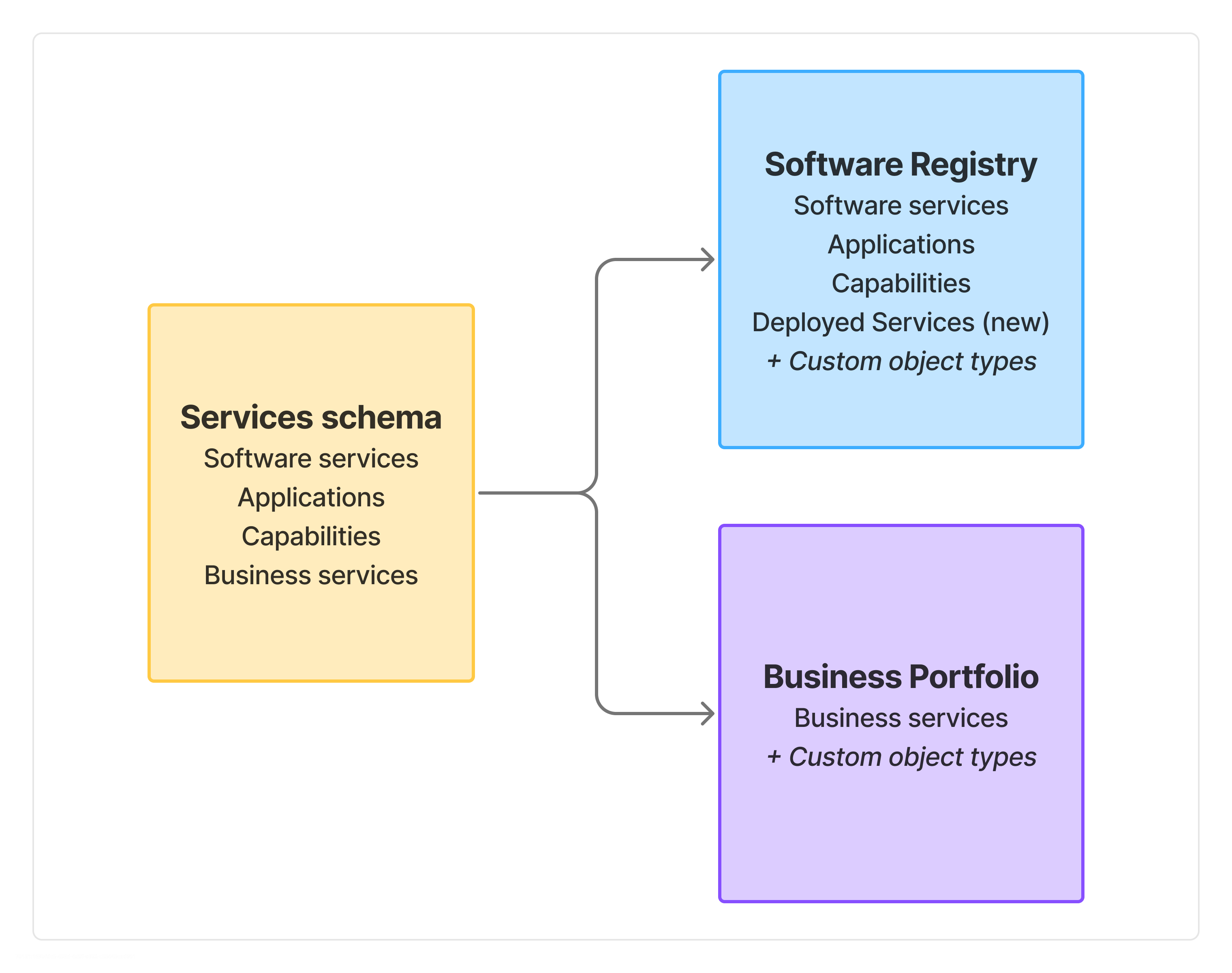
The current Services schema (with object types Applications, Business Services, Capabilities, and Software Services) is being split into two purpose-built schemas:
|
New schema
|
Pre-configured object types
|
|---|
|
Software Registry
|
Software Services, Applications, Capabilities, Deployed Services (new). Plus the ability to add your own custom object types
|
|
Business Portfolio
|
Business Services. Plus the ability to add your own custom object types
|
These schemas, the object types within them and the attributes within the object types have been pre-configured to help you get started with your Services experience as quickly as possible. Both schemas are powered by the Common Data Model (CDM) which sits on our Teamwork graph and behaves like any other schema in Assets.
Benefits of the new Services Schemas
-
One source of truth for Services across Jira Service Management and Assets.
-
Extensibility to add your own custom object types and custom attributes, just like any Assets object.
-
Permissions to assign permissions to schemas and object types.
-
Editability to create and edit Service objects directly in Assets.
-
Import from CSV and other sources which already exist in Assets.
-
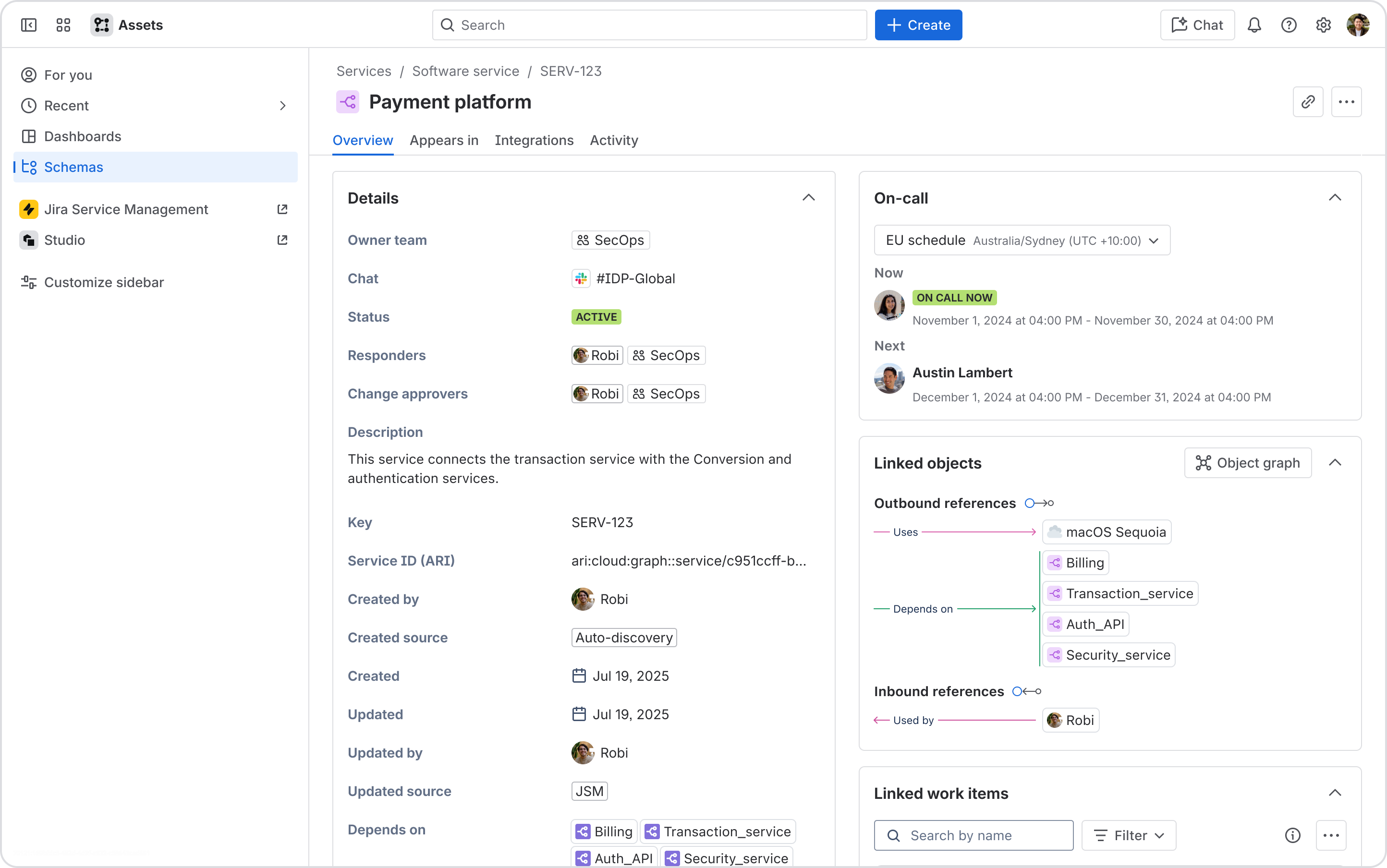
Richer attributes out of the box with Owner team, Responders, Stakeholders, On-call schedules, Repositories, Chat channels, Status, Change approvers, and more.
-
Team attribute support add Atlassian Teams to attributes like Owner team (custom-attribute support coming soon).
-
Complex attributes for Repositories and Chat channels you can set both a display name and a URL, extending support to GitHub, GitLab, Azure DevOps, MS Teams, Google Chat, and more.
-
On-call visibility to see a team's on-call schedule shows right in the Service object detail view.
-
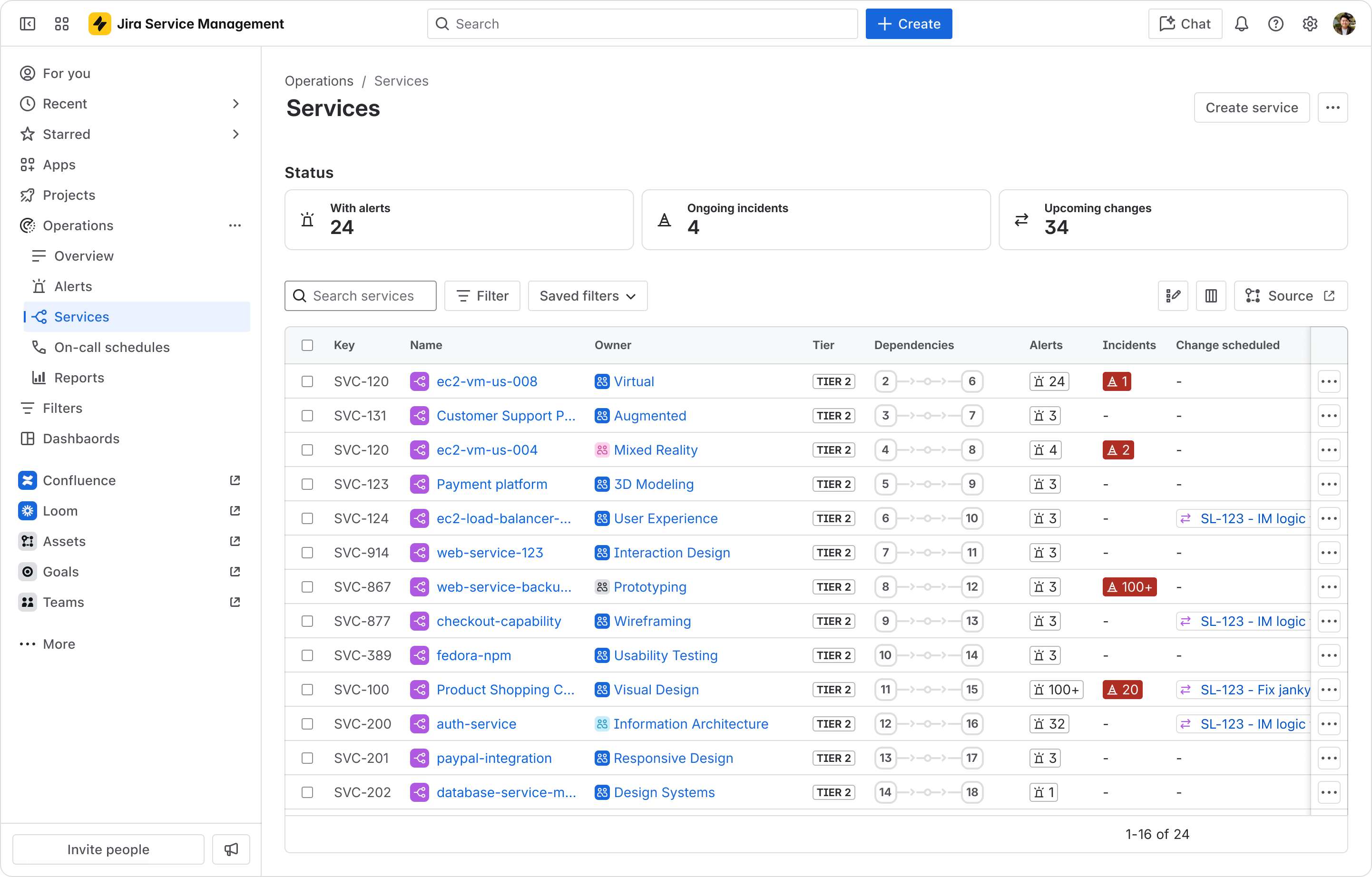
UI uplift refreshes Services list page in Jira Service Management with a table, customizable columns, search, and filters; plus a more intuitive, scalable object graph.
The new Services home page in Jira Service Management:
The new Service detail page in Assets:
Atlassian does most of the migration for you
We handle the heavy lifting
- Atlassian will perform the entire data migration from the old Services schema to the new Software Registry and Business Portfolio schemas.
- This will include migration of
- The service objects themselves
- All the attributes
- All service to service references
- All service references in the Affected Services fields of work items like Incidents, Changes etc
- All service references in the Affected Services fields of alerts and alert integrations
- All references between Services and Stakeholder groups
- All integrations made with Services for deployment gating and deployment tracking
If you only ever used the Affected services field on work items, you don't need to do anything, we migrate your data automatically.
What you may need to do to complete your move
The best way to act is the guided "Complete your move" experience that appears in‑product. Look for the "Complete your move" button in the bottom‑right corner of the Services page:
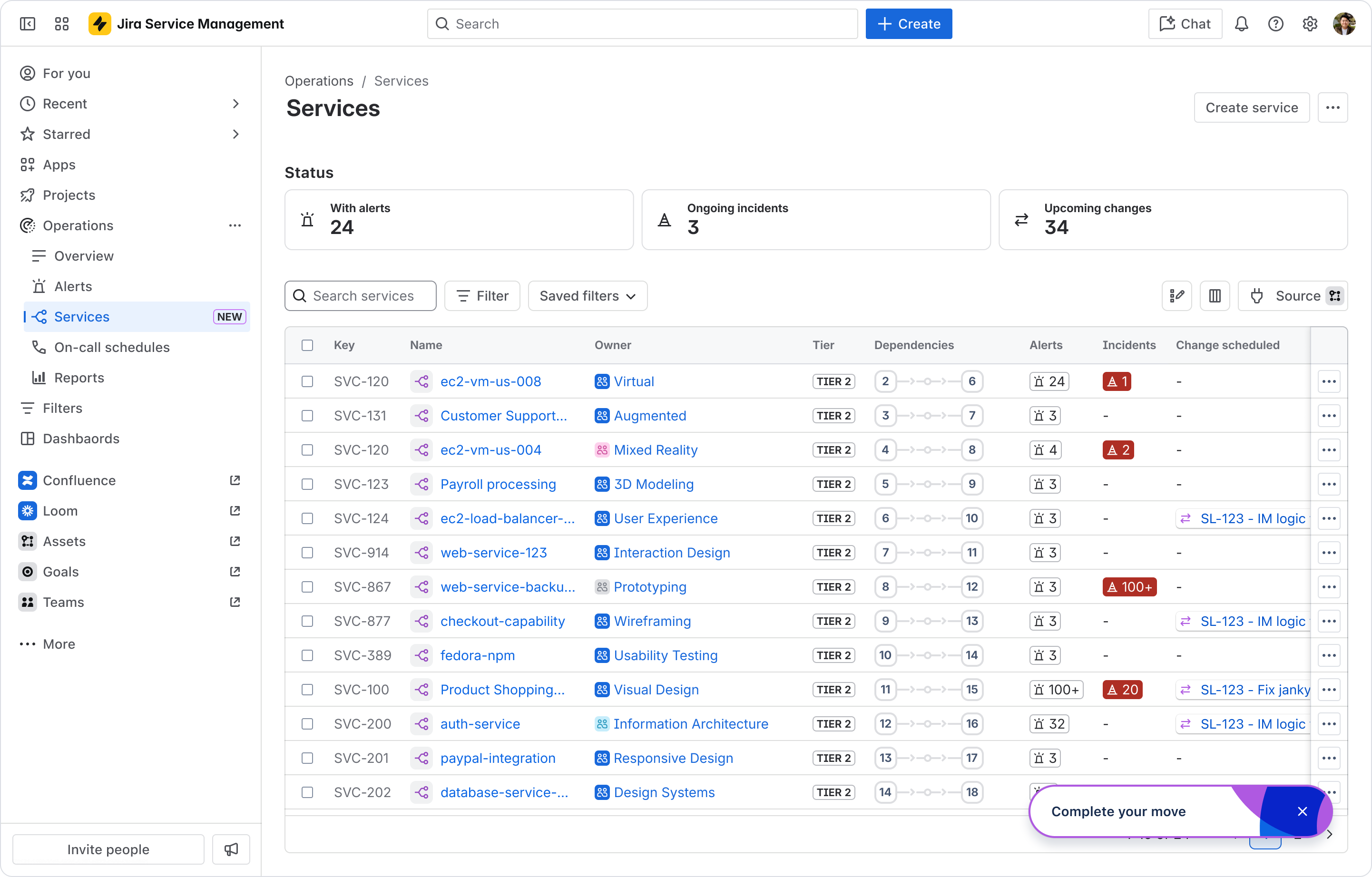
It will open up a step‑by‑step panel that walks you through anything that needs your attention. Sections that don't apply to you will simply appear empty.
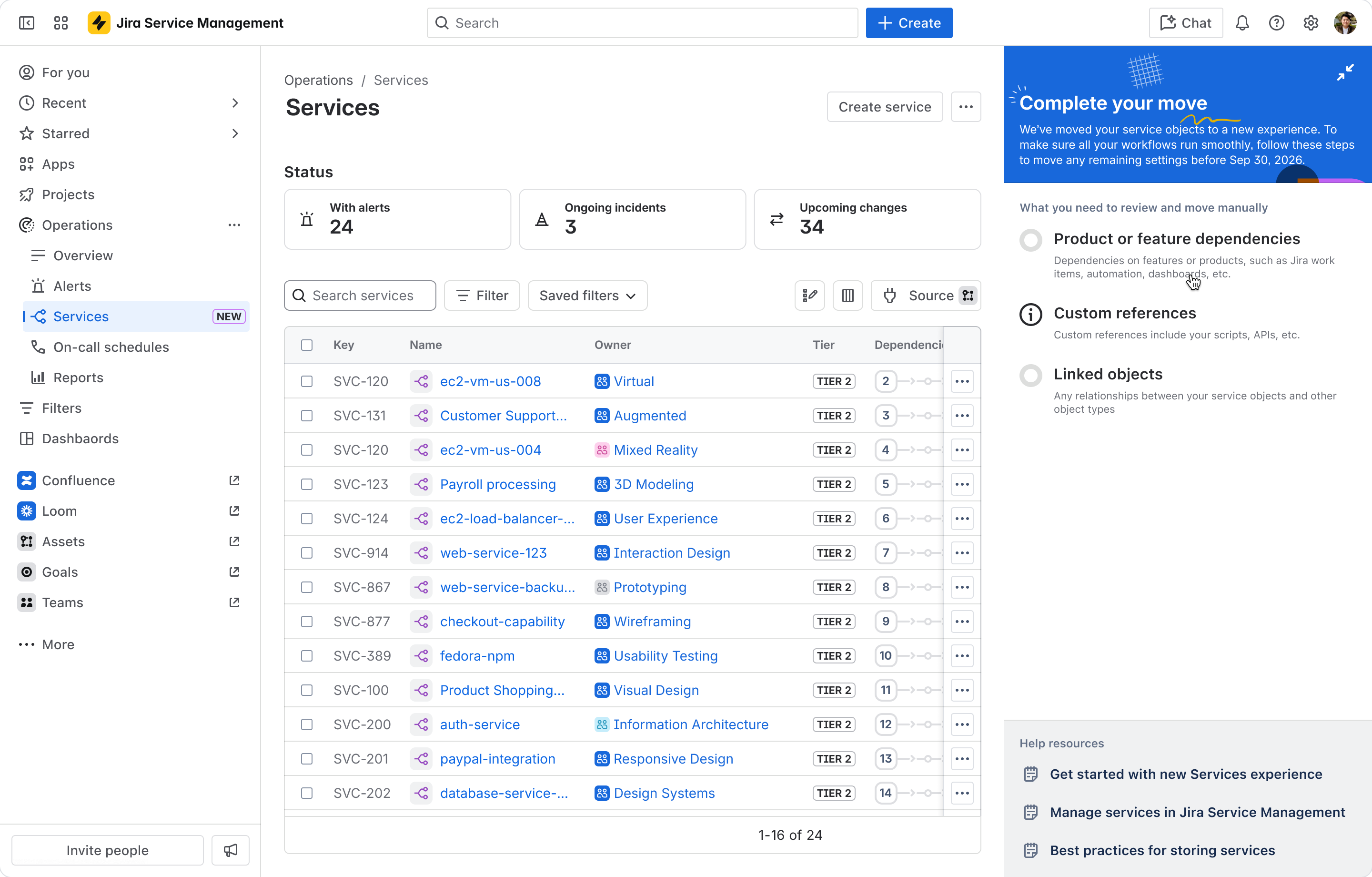
Here's what the guided flow may ask you to review and move, depending on how you use Services today:
|
If you have…
|
What to do
|
|---|
|
Relationships/references between Service objects and other Assets objects
|
Use the one‑click "move references" option to point them at the new objects. We'll ask you to verify the move before you confirm.
|
|
Service objects in custom Assets fields on work items
|
Update the field configuration to reference the new schemas instead of the old Services schema.
|
|
Service objects used in Assets Dashboards
|
Move the references from the old schema to the new schemas.
|
|
Service objects used in automations
|
Move the references from the old schema to the new schemas.
|
|
Service objects used in external scripts (APIs, AQL, etc.)
|
Update the scripts to reference the new schemas.
|
An example of the one‑click reference move
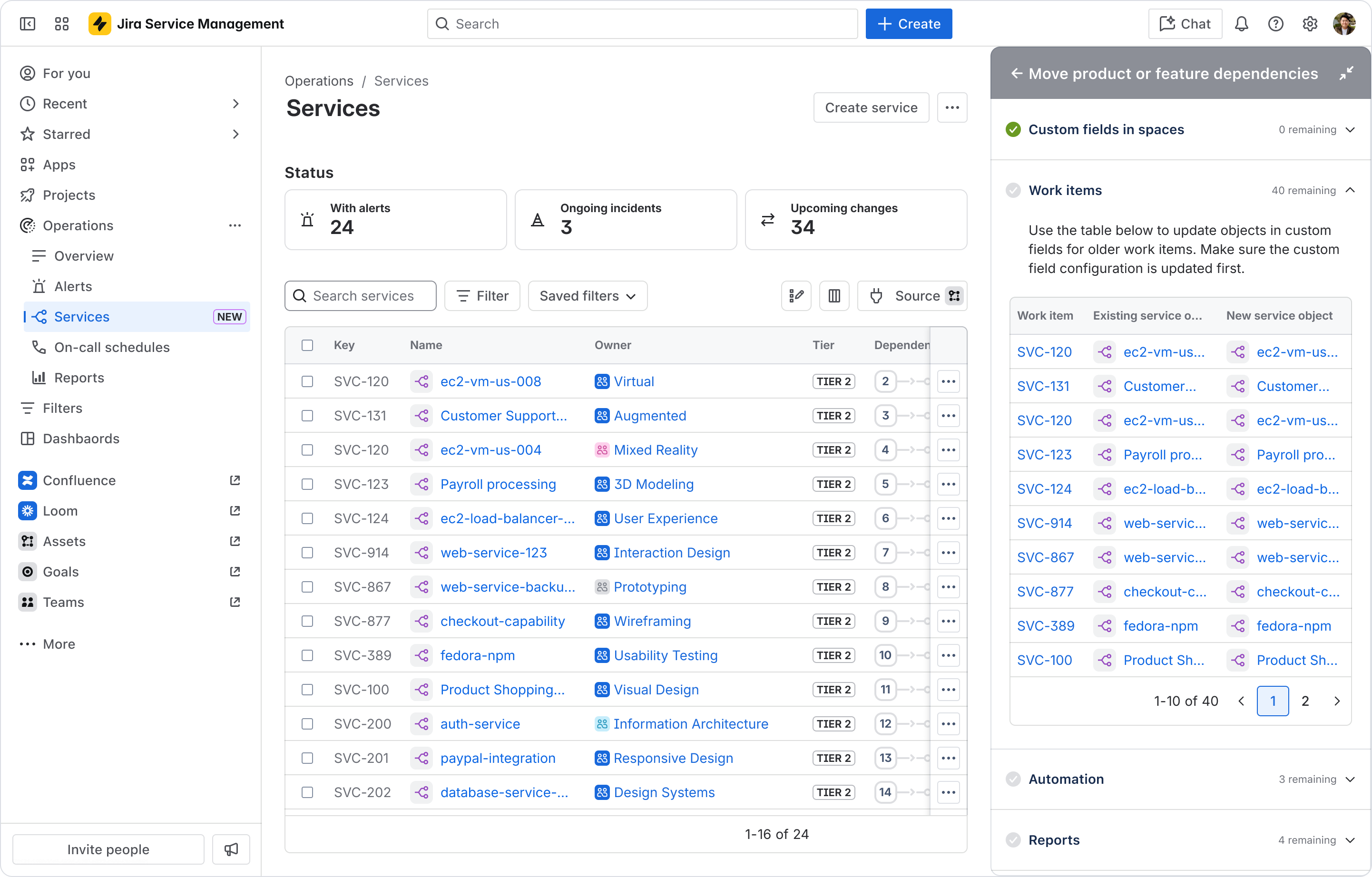
Say you have a payment-service in the old Services schema, and an aws-ec2-us-east-1 VM in a separate Hardware schema, with a reference linking the two. With the one‑click button, we delete the old reference and create a new one between aws-ec2-us-east-1 and payment-service in the Software Registry schema — no manual rebuilding needed.
Here is an example of a guided flow for moving custom field references in work items
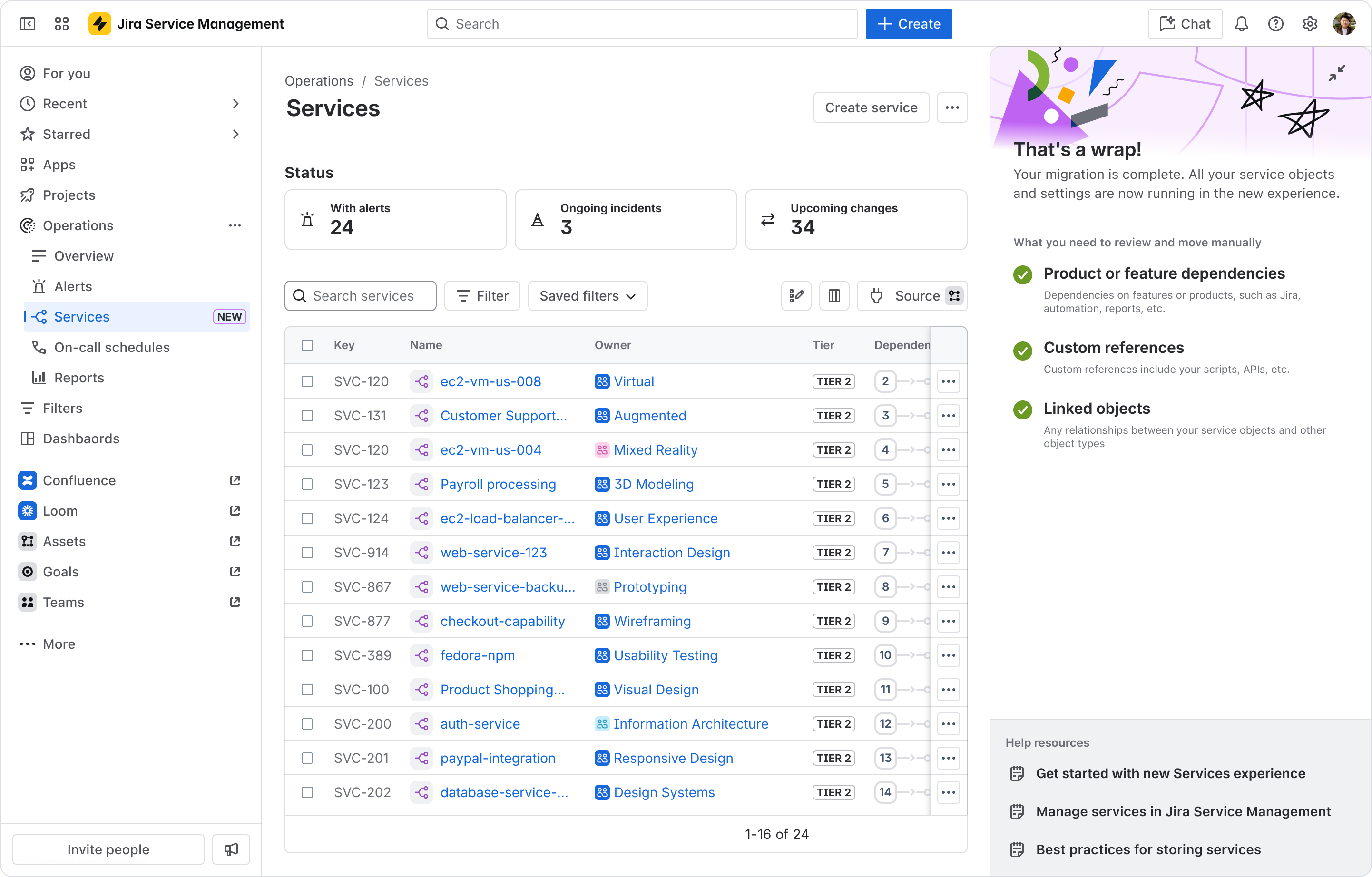
Once you've completed the steps shown, you'll see a confirmation screen. 🎉
The 6‑month transition period
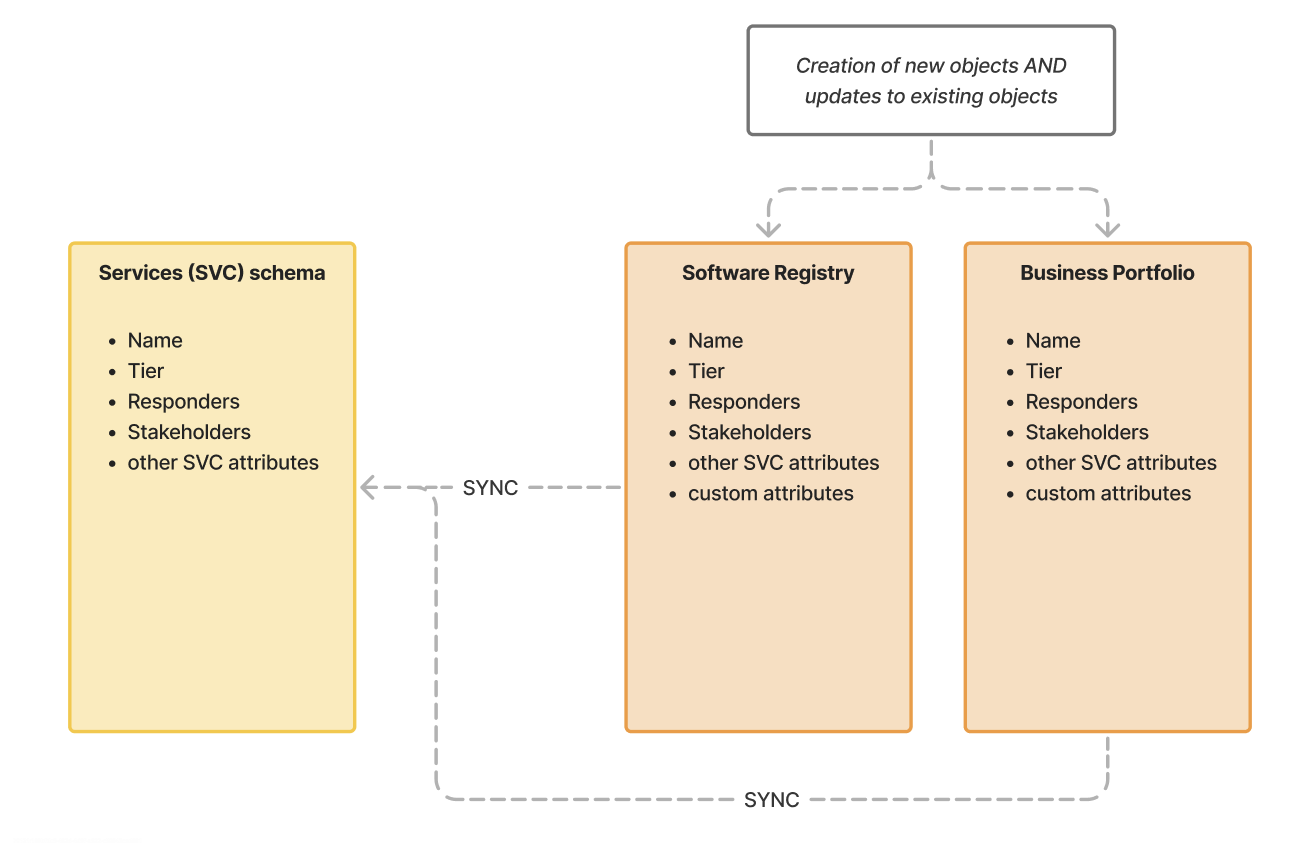
Over the next 6 months (until January 31, 2027) we ask all of our current customers to make sure they move all their references from their old Services schema to the new Software Registry and Business Portfolio schemas. In the 6 month transition period, Atlassian will ensure no break in workflows by:
⚠️ What if you don't take action?
If you don't complete the in-product relevant steps before January 31, 2027, workflows that depend on those references may break once the transition ends (only if you actually have those dependencies). Completing the guided flow well before then keeps everything running smoothly.
Are any features going away?
No. This release only adds capabilities, everything you rely on today continues to work, and you gain the new features described above.
Questions?
Drop your questions in the comments below and we'll help out. We can't wait for you to experience the new, native Services in Assets! 🚀