Hey everyone,
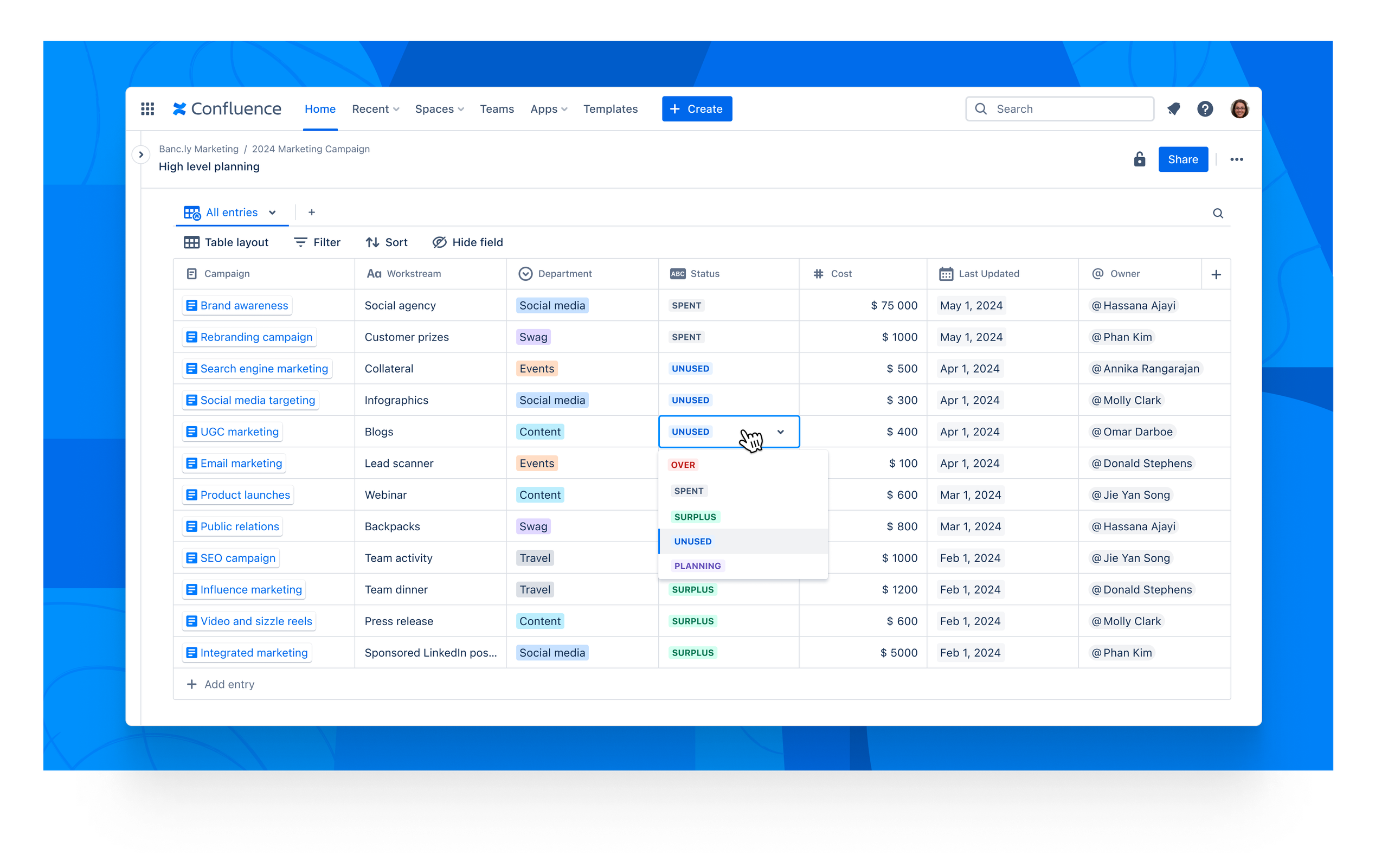
We are so excited to announce that we’ve started rolling out Confluence databases to all Confluence customers! Databases are your team’s central source of information that can be easily structured and referenced across Confluence, driving consistency and visibility across teams.
Confluence databases will be progressively rolled out to customers in the coming weeks. Customers requiring import/export functionality will receive Confluence databases at a later date as we build out functionality to support these requirements.
Why use databases?
Centrally organize knowledge
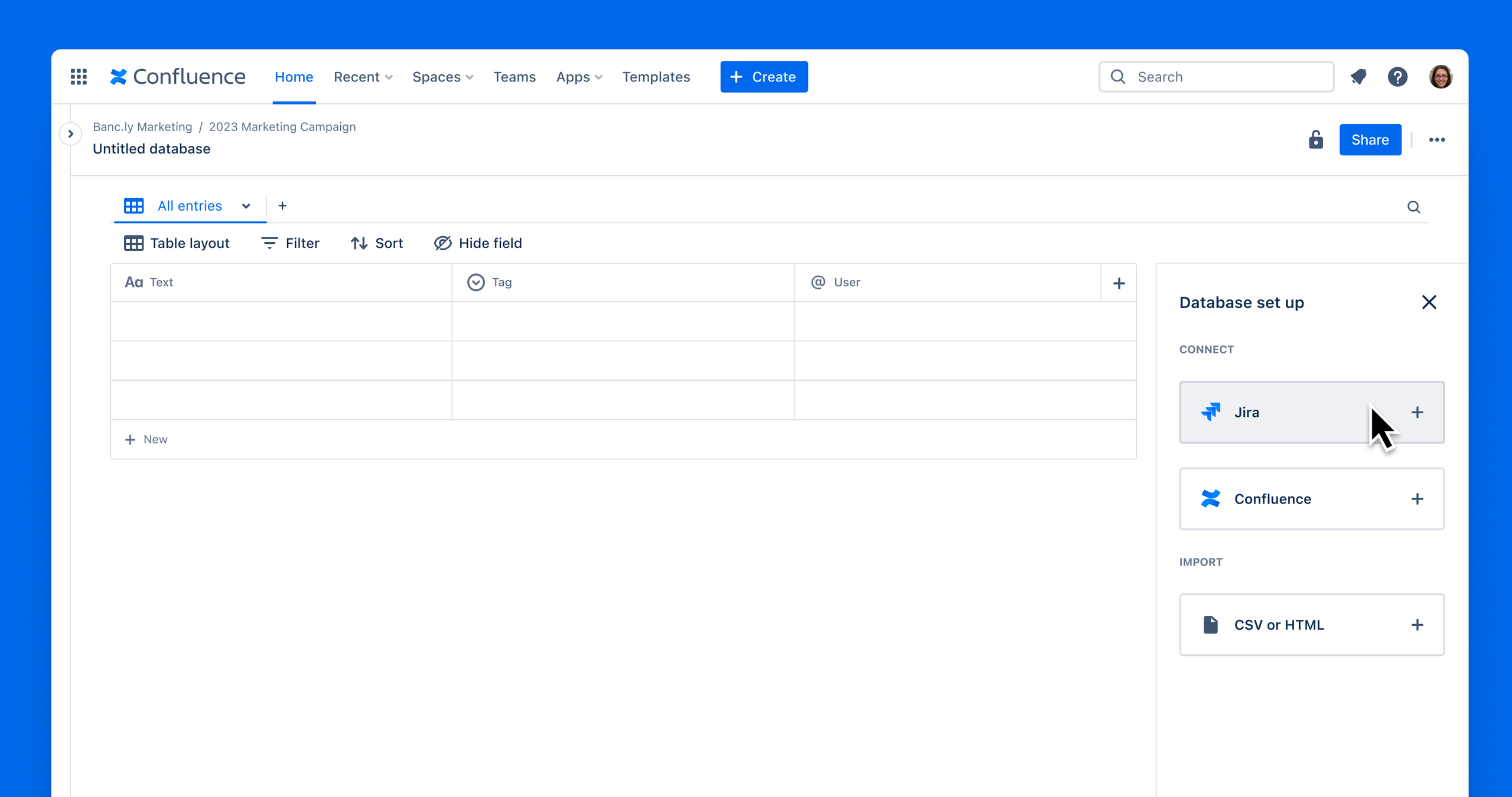
Aggregate and organize information in the tools you use most, including Jira, Confluence, and third-party apps within databases.
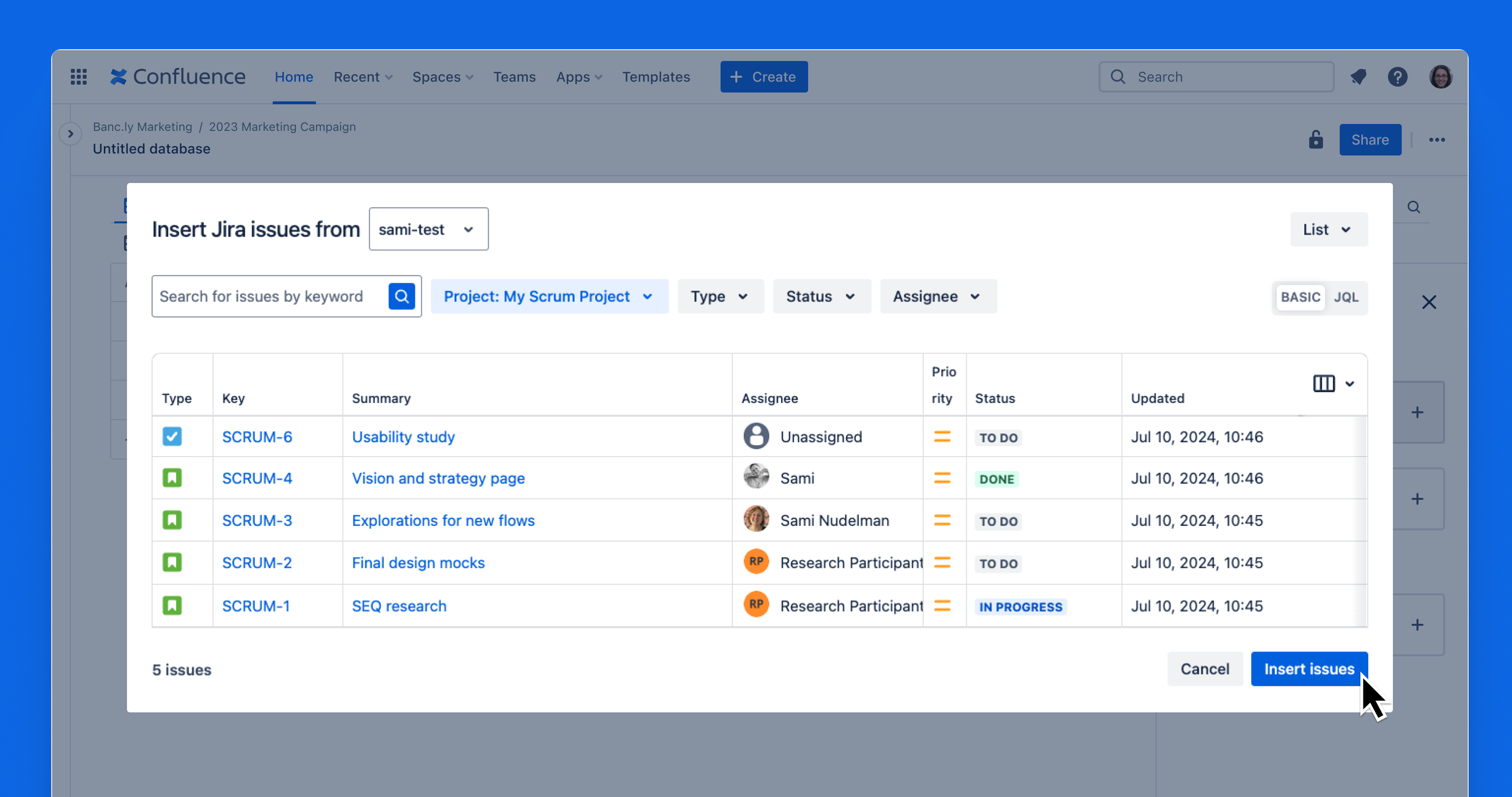
Get started quickly by importing data directly from Jira, Confluence, CSV or HTML into your database.
Set field types
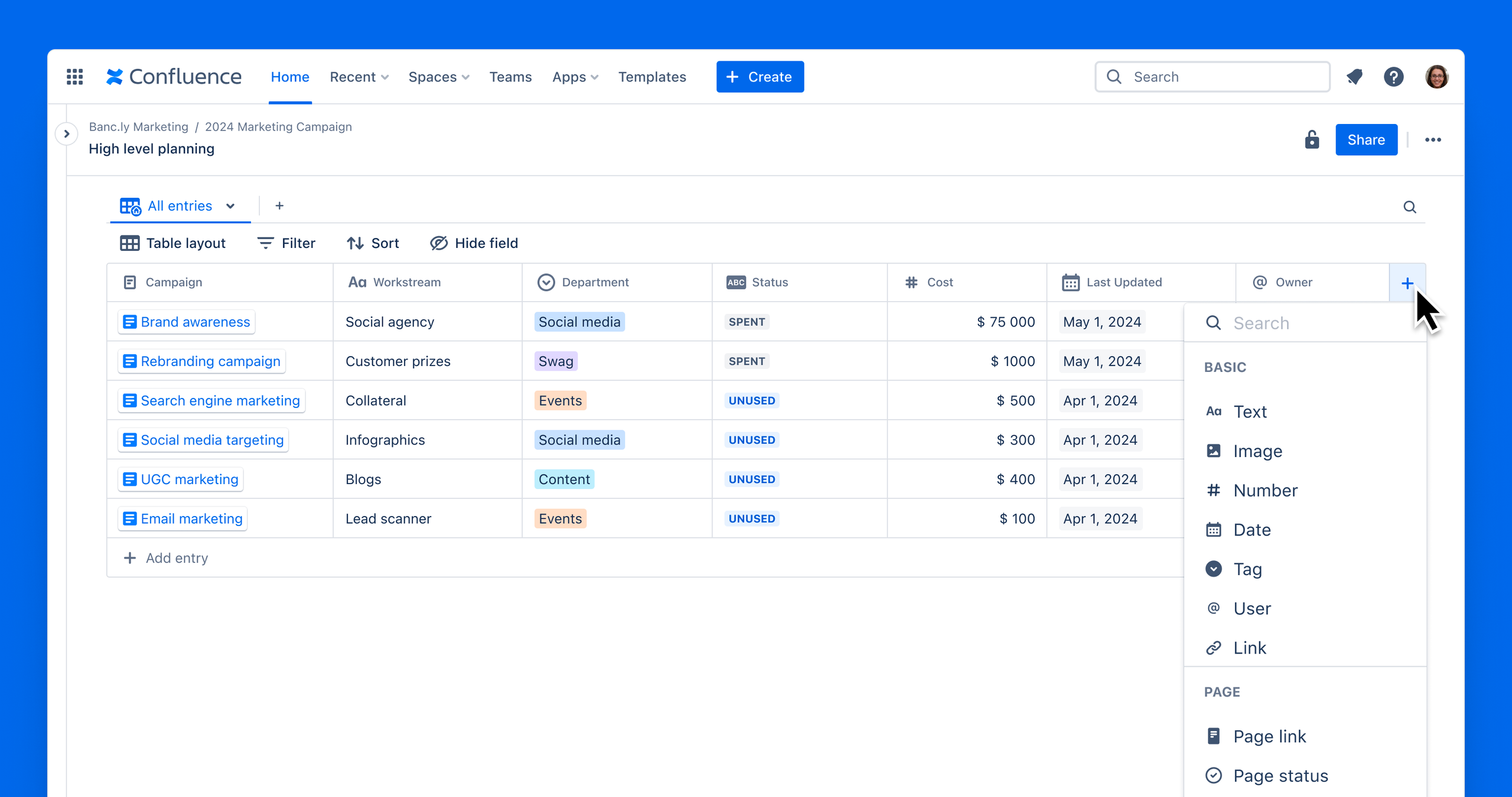
Every column in a database has a specific field type assigned to maintain consistency across all data within that column.
Create pages without leaving your databases
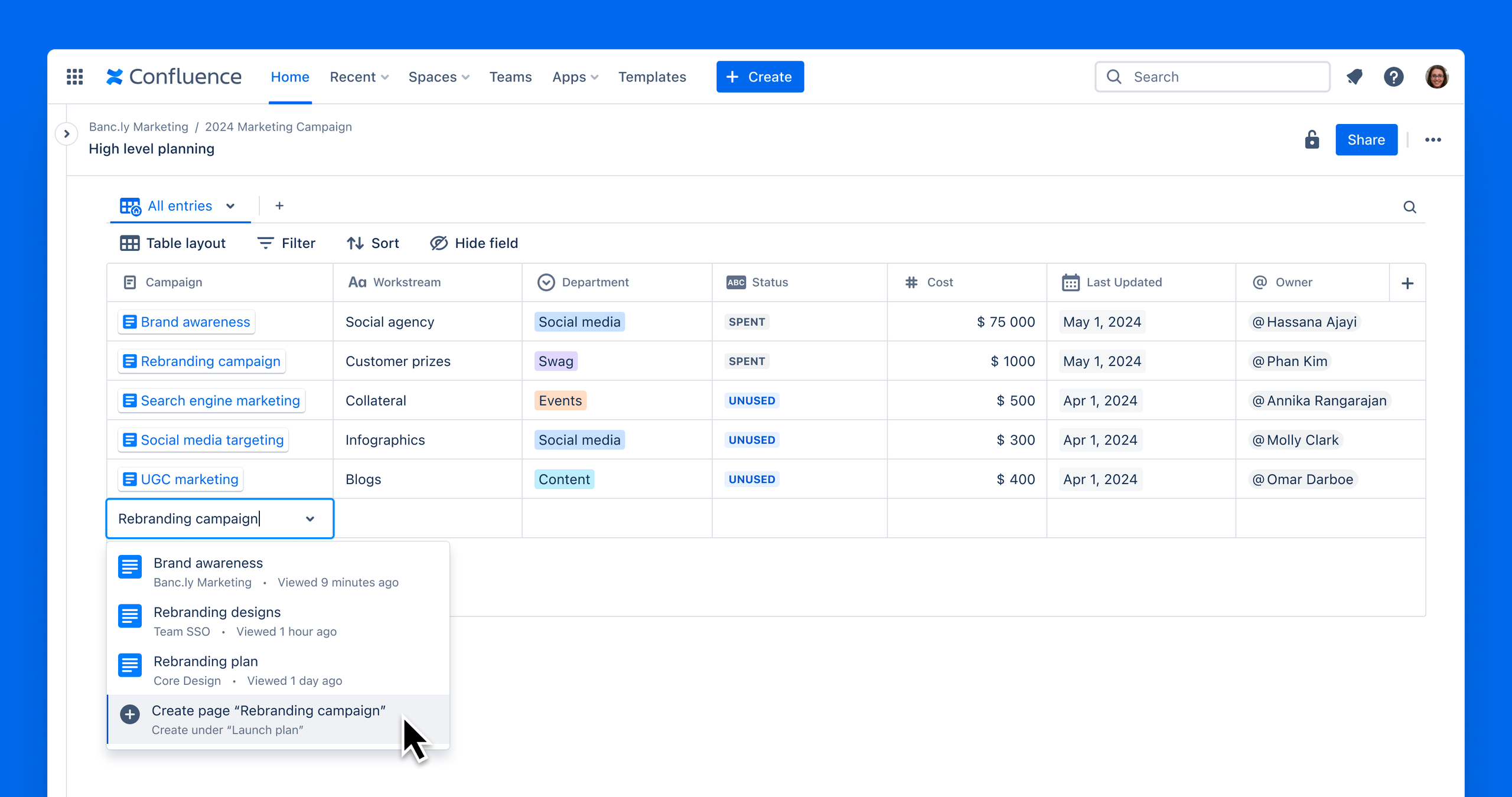
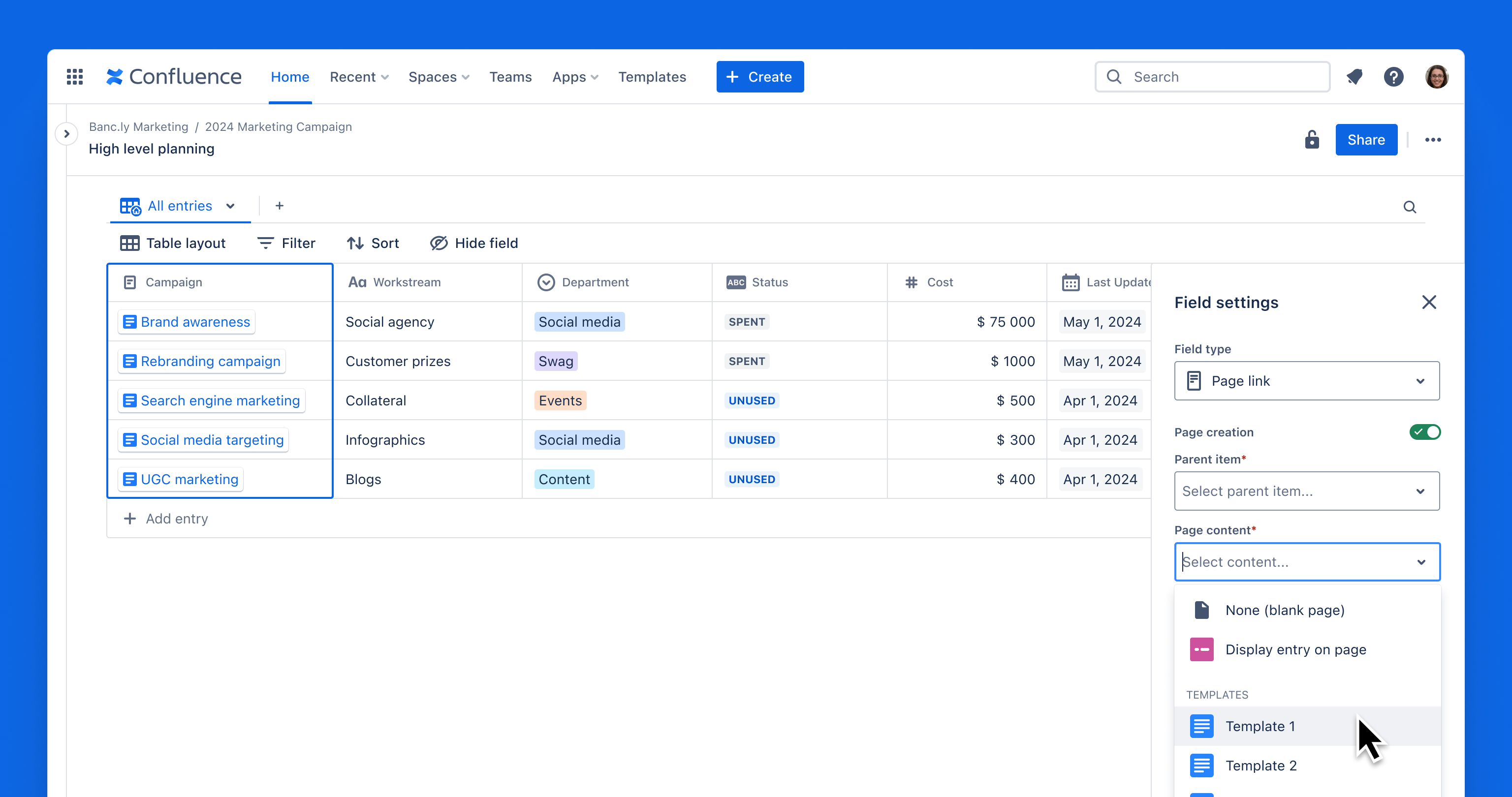
With the page link field type, users can seamlessly create and edit Confluence pages directly from databases. Pages generated from a database entry showcase the database fields as a page header, ensuring uniformity in content.
Keep knowledge in sync
Increase team alignment with real-time syncing and automatic updates across databases in Confluence, ensuring your team always sees the most up-to-date information.
Confluence & Jira syncing
Confluence page metadata entries can be manipulated straight from the database. Meanwhile, Jira entries will sync and display the selected metadata straight from the source.
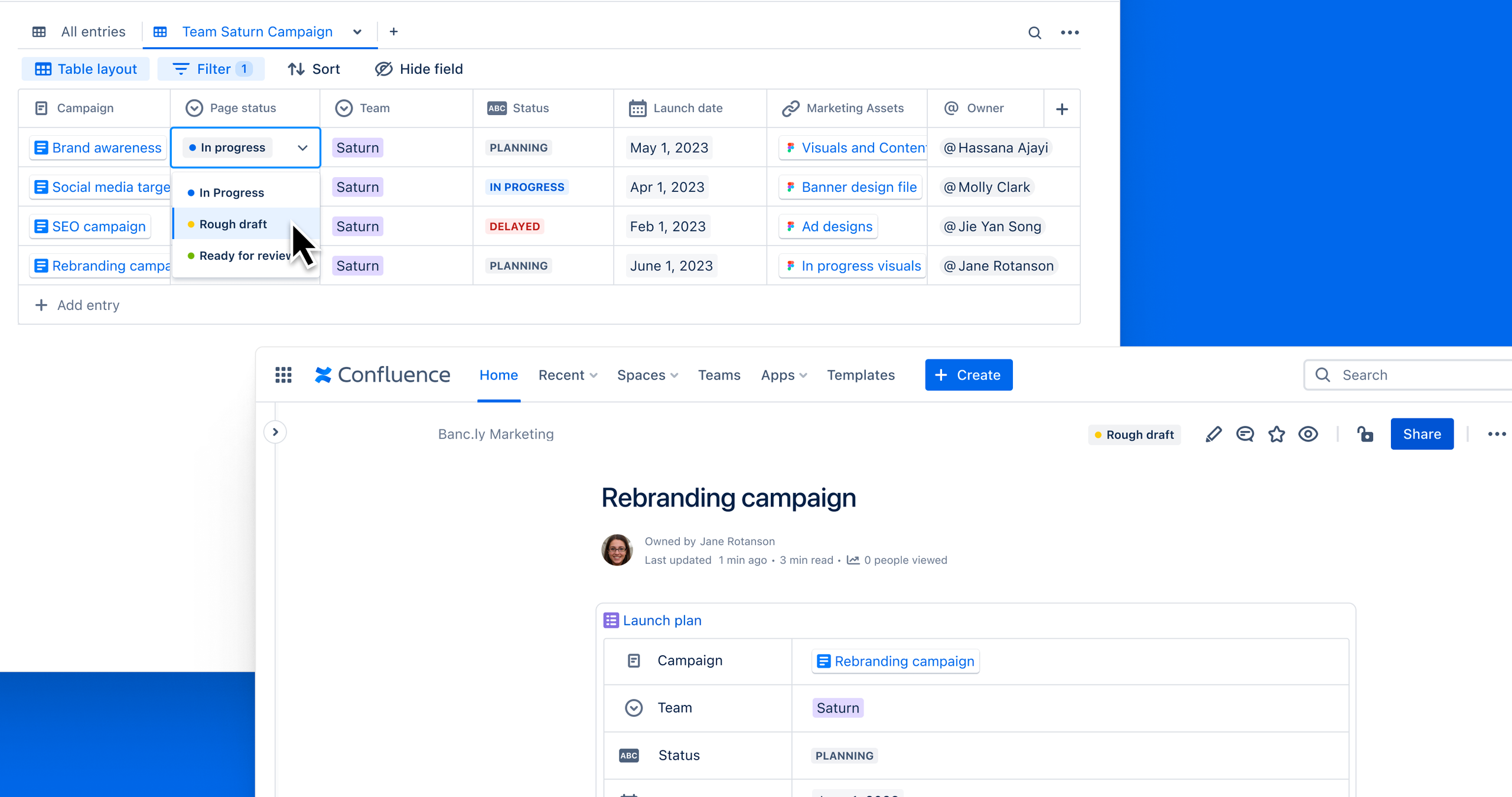
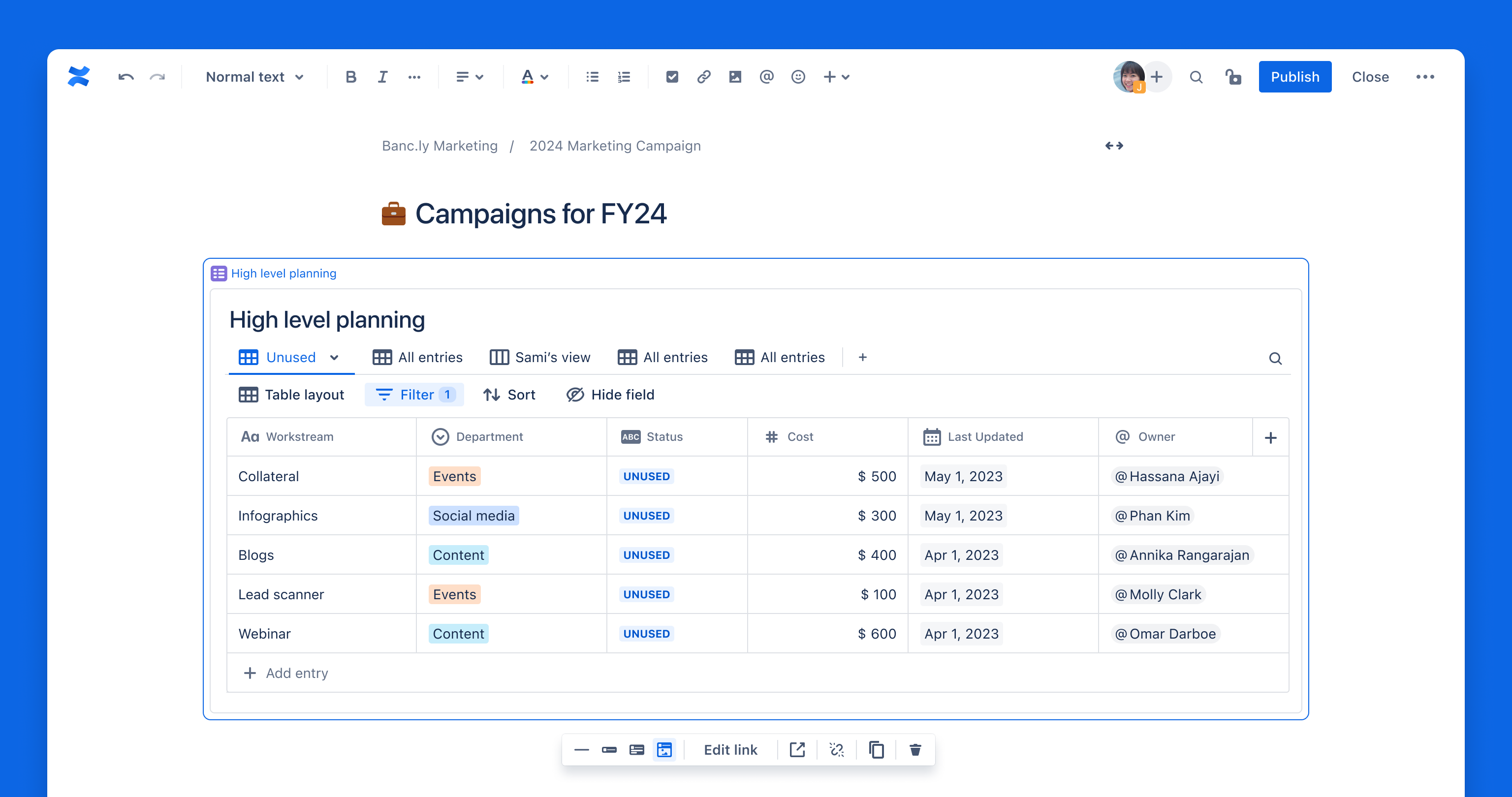
Embed databases anywhere in Confluence to reduce duplicate work and ensure your team always references the latest information. Use /embed to embed Confluence databases as Smart Links.
Pages created from a database entry are automatically populated with the database fields on the page, resulting in more consistent content creation.
Visualize your work, your way
Tailor information to your audience with personalized views for different teams, stakeholders, or leadership.
Configure how information is displayed by converting your database into tables, cards, or boards.
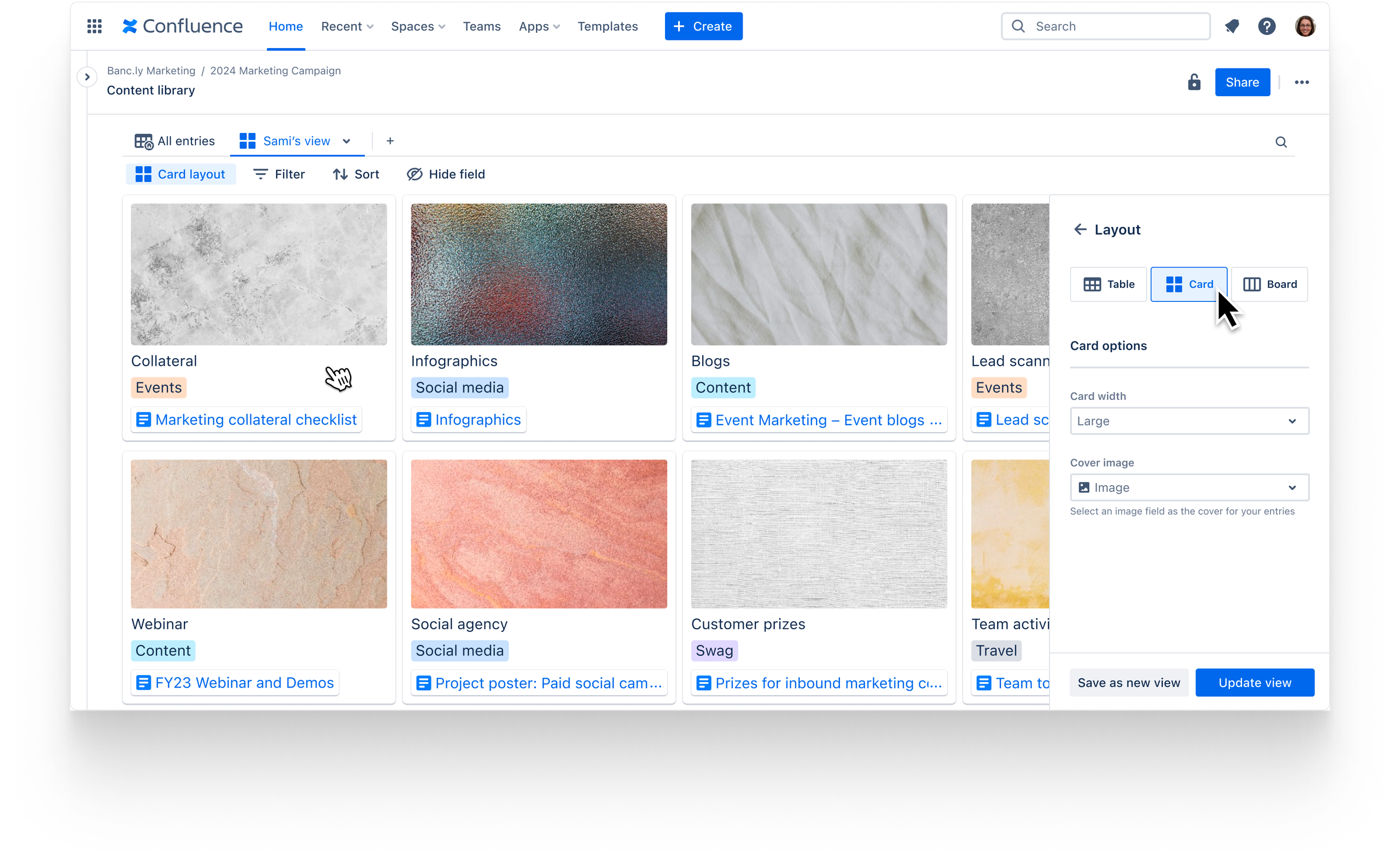
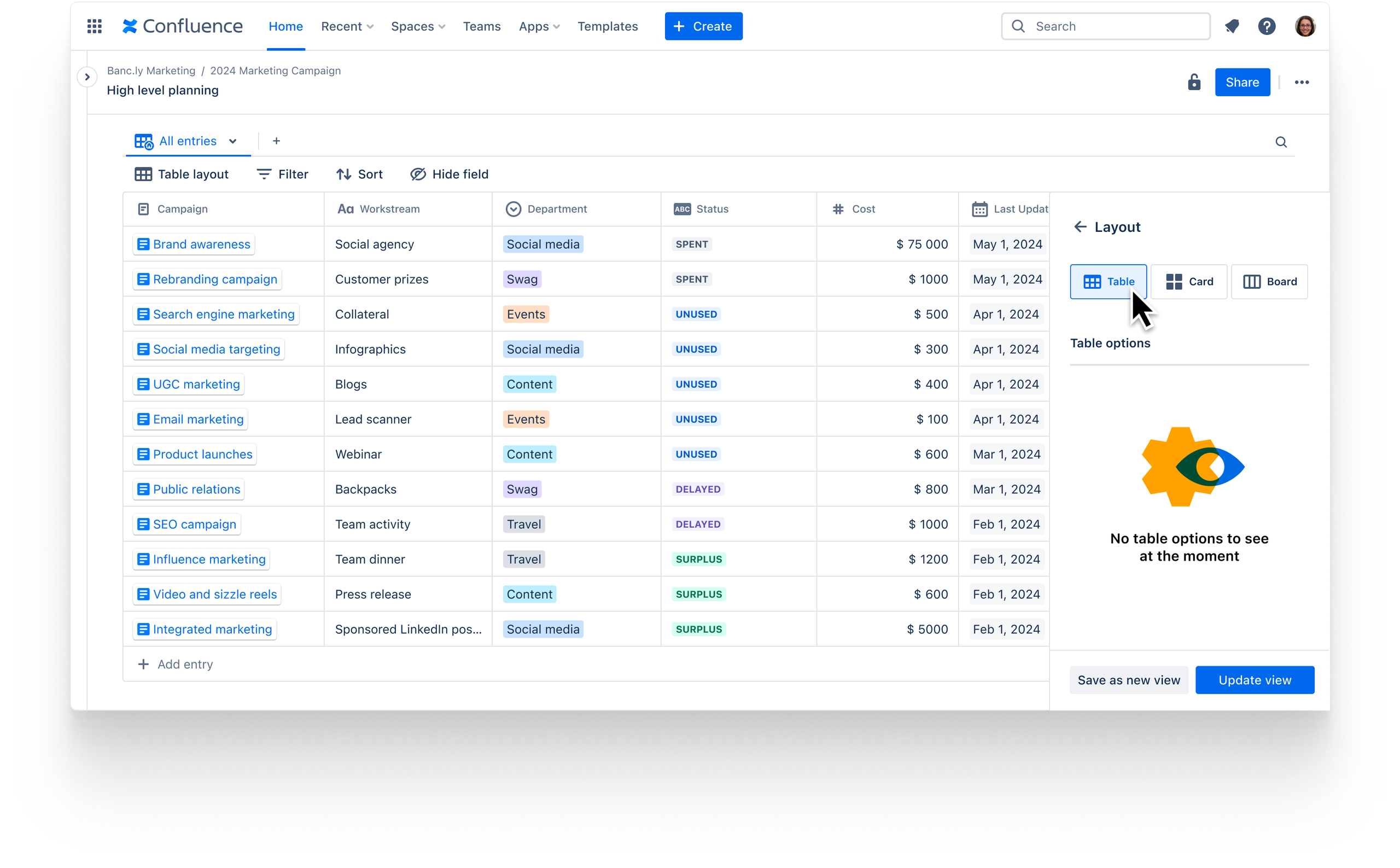
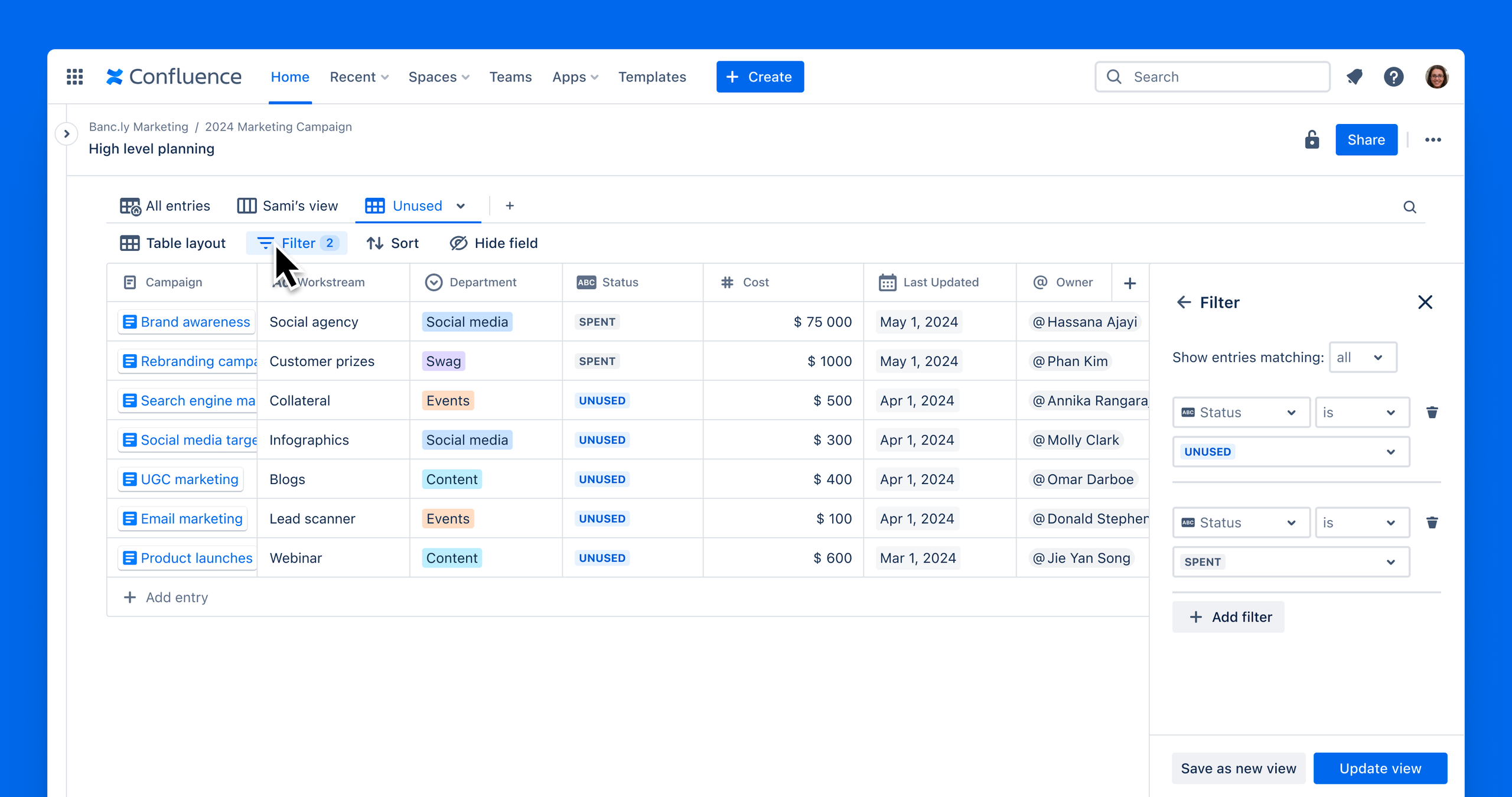
You can easily sift through information using filters, sorting, and searching to highlight the information you want to see.
What’s new since our Beta?
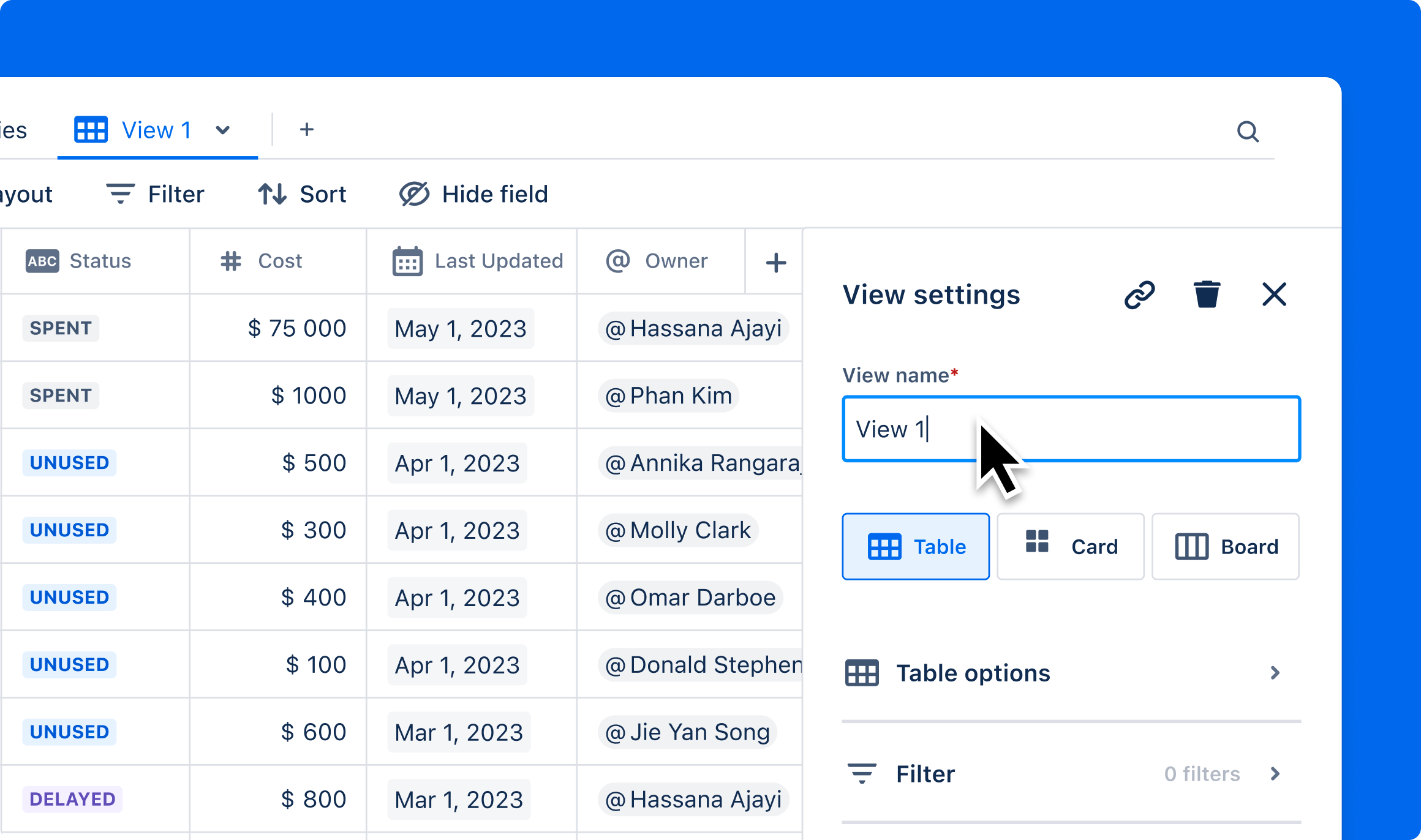
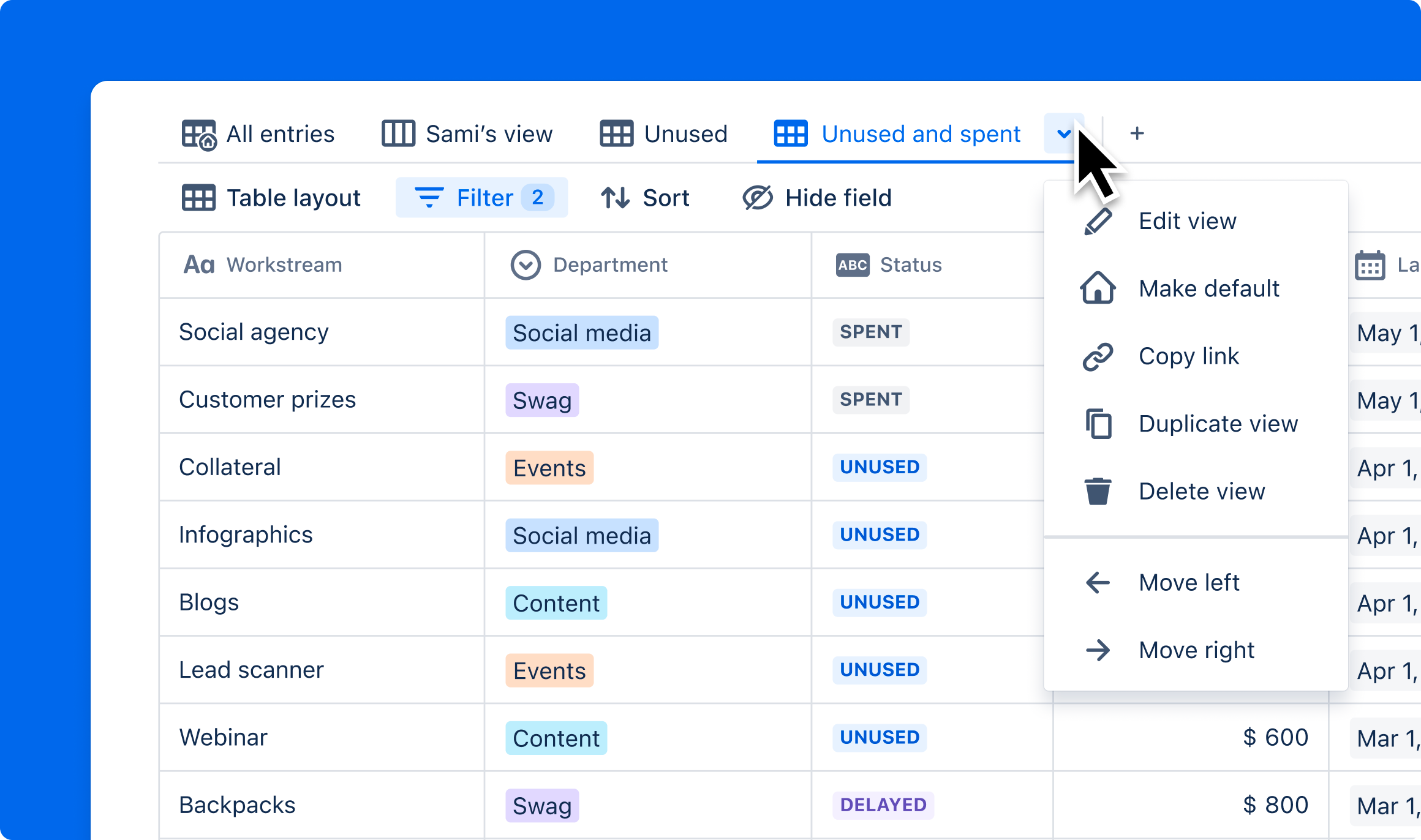
Based on your feedback, we’ve introduced a new UI and made it easier to create and save views with specific filters and sorting.
-
Configure a new view in the right rail
-
See all your database views in tabs
-
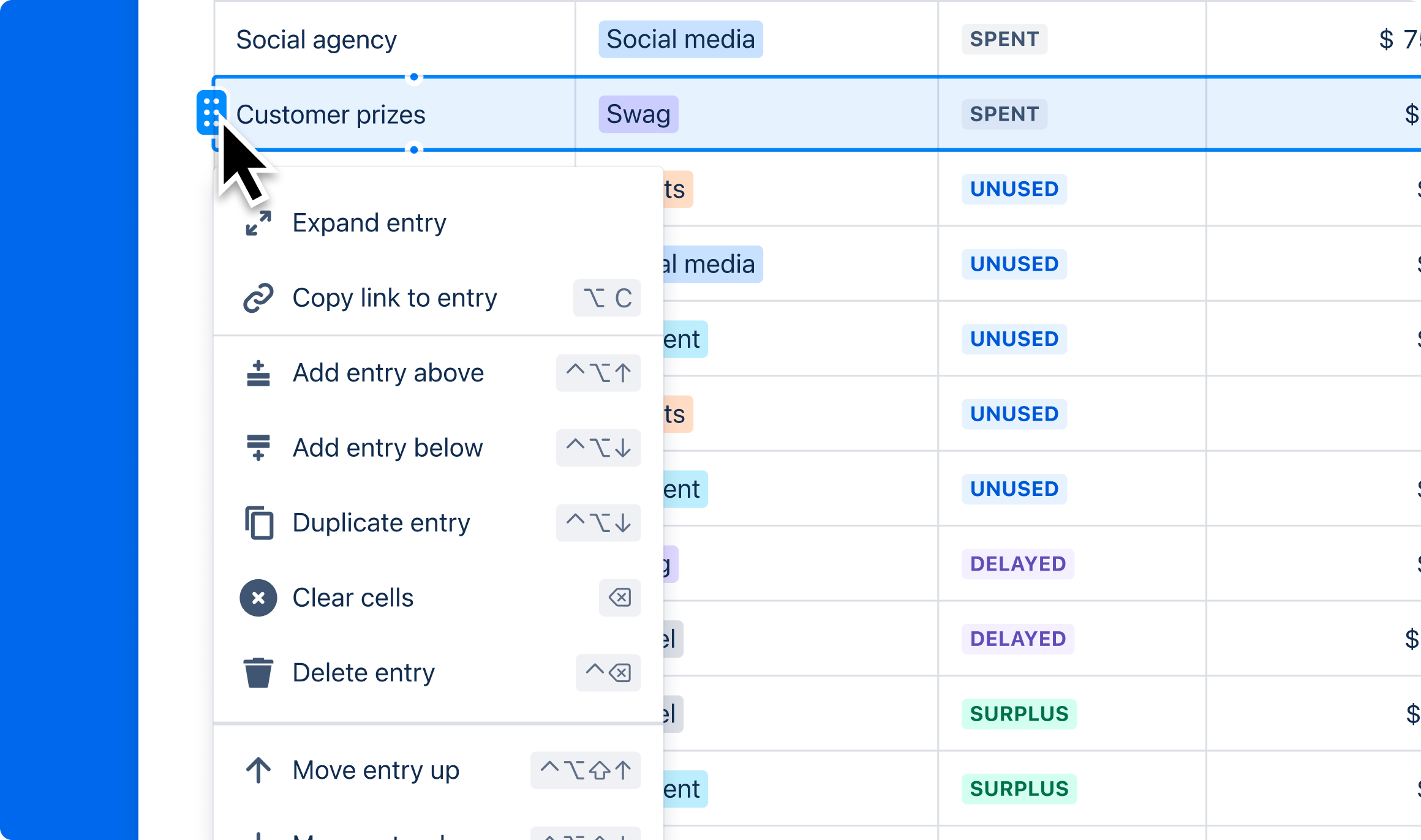
Update cells using the new contextual menu
We’ve also introduced changes with Jira and Confluence data importing
Level up your productivity with Confluence databases today!
Let us know what you think in the comments.
Thanks,
Christina | Confluence databases Product Manager