Let’s cut to the chase here.
If you’re a Confluence admin and try to change space settings here, Confluence settings there, specific app’s settings are who knows where… You may end up clicking your way into the oblivion of pages, subpages, menus and so on.
So here’s a little hack.
Simply use the iframe macro to embed those specific pages on a single Confluence page.
Here’s a couple of examples:
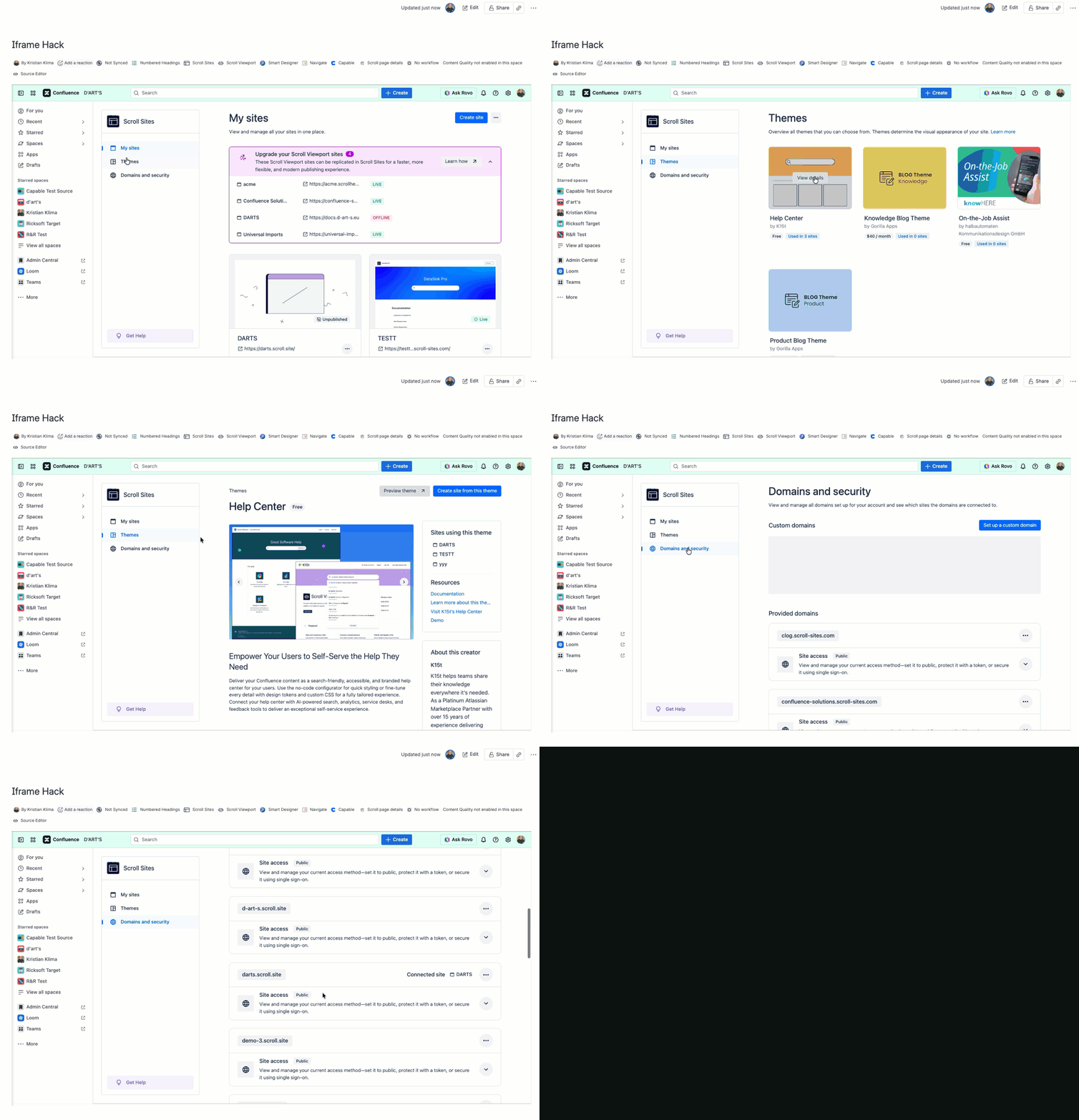
Marketplace apps' settings
As you can see in the embedded Scroll Sites’s setting page, everything works. Yes, it's a Confluence page titled Iframe Hack.
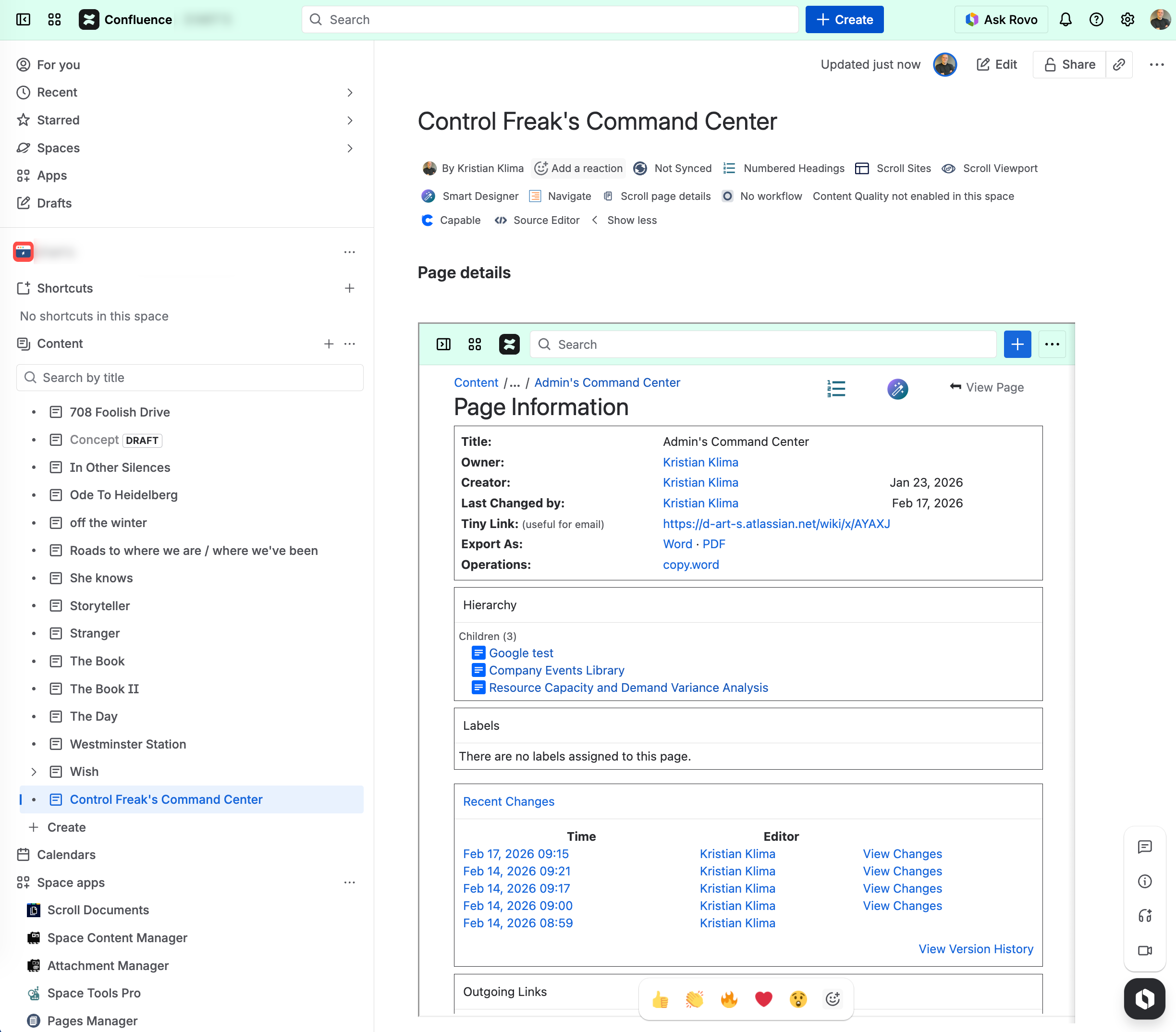
Page Information
This is an extremely useful hack to be used on pages that host the Excerpt macro content. Why? Because the Page Info page shows incoming and outgoing links making it easier to find where the corresponding Insert Excerpt is used.
To make it less in-your-face, hide it inside the Expand box.
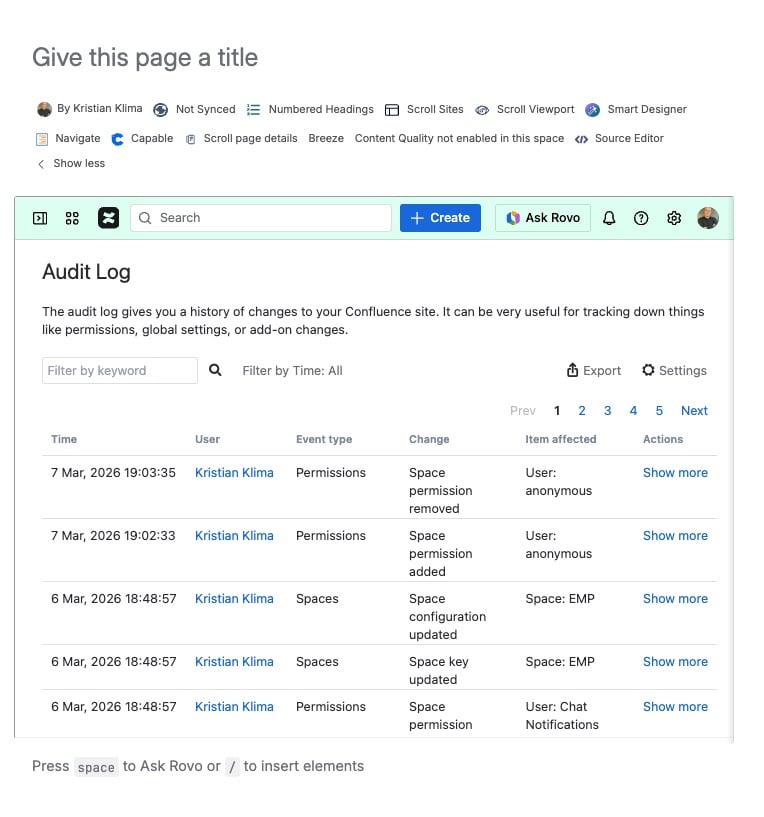
Audit Log and Restricted Pages
Yes, you can embed the Audit Log…
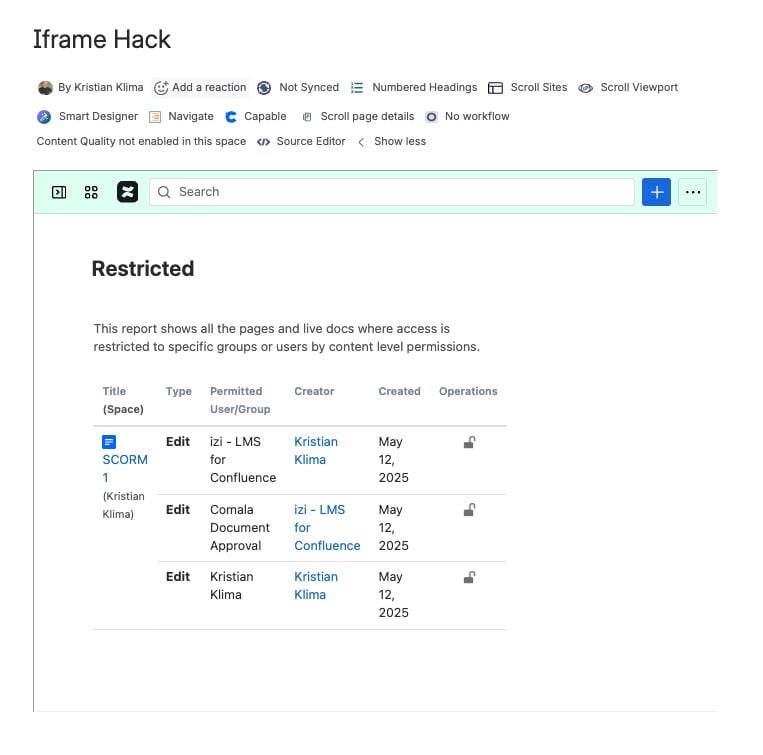
and the overview of restricted pages.
What else?
The world is your oyster
-
Analytics
-
Mission control
-
Drafts
-
Content manager
-
Spaces overview
-
Automation page
You can experiment with the page width - with some settings, you only get to see the actual main section, without the Confluence side bar.
Need more hacks?
You can read about how to use the Cards and Recently updated macros to create your own content management center on a single Confluence page here.

