Sprint planning is one of the most critical practices for agile software development teams. However many teams struggle with the same recurring challenges: over-committing to workloads, ignoring actual team availability and relying on disconnected spreadsheets to calculate capacity.
Without real-time visibility into your team's capacity, team members face burnout, sprint goals are missed—leading to less predictable delivery.
As a solution for this exact need, we as Bloompeak team developed Sprint Capacity Planner for Jira app for Jira cloud. This app helps teams transition to visual and capacity-driven planning with the following key benefits:
Prevent Burnout: Protect team members from over-allocation
Increase Predictability: Commit confidently and keep active sprints On Track.
Save Time: Reduce long sprint planning meetings with clear, visual drag-and-drop planning instead of spreadsheets.
Improve Transparency: Give Product Owners, Scrum Masters and developers a unified, real-time view of team capacity.
For more details, please have a look at the highlights below.
Plan Sprints Based on True Capacity
A successful sprint starts with accurate estimation. Estimating based on static team size often leads to failure because it ignores real-world availability.
With Sprint Capacity Planner for Jira, you can;
-
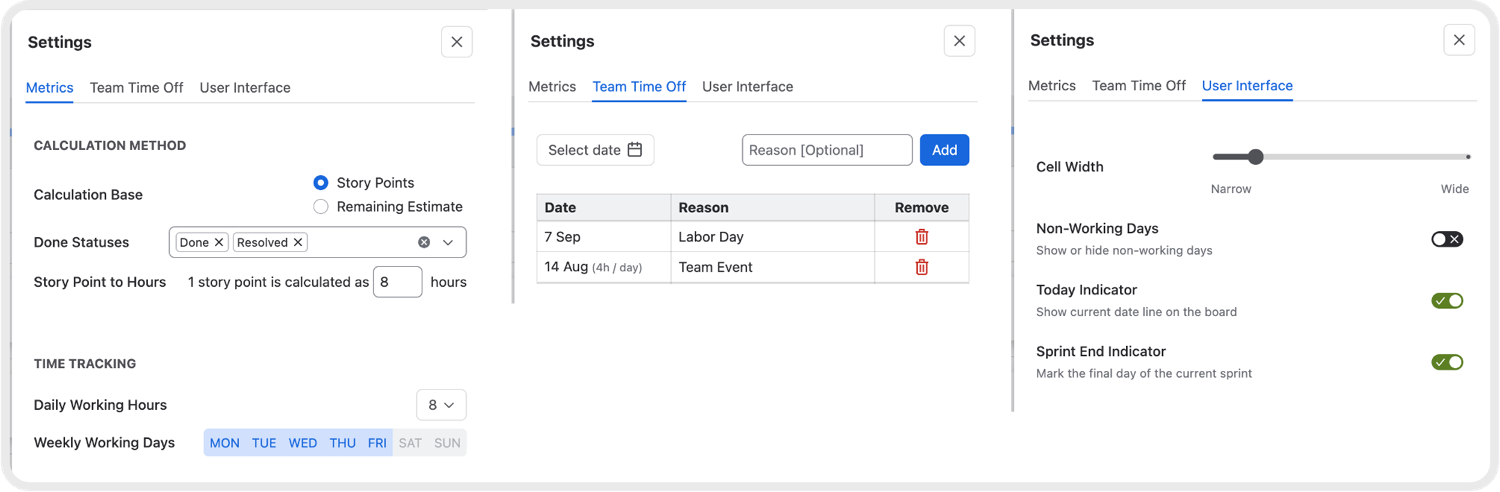
Choose between Story Points or Remaining Estimate depending on your team's workflow
-
Set working days and hours with story point-to-hour conversions
-
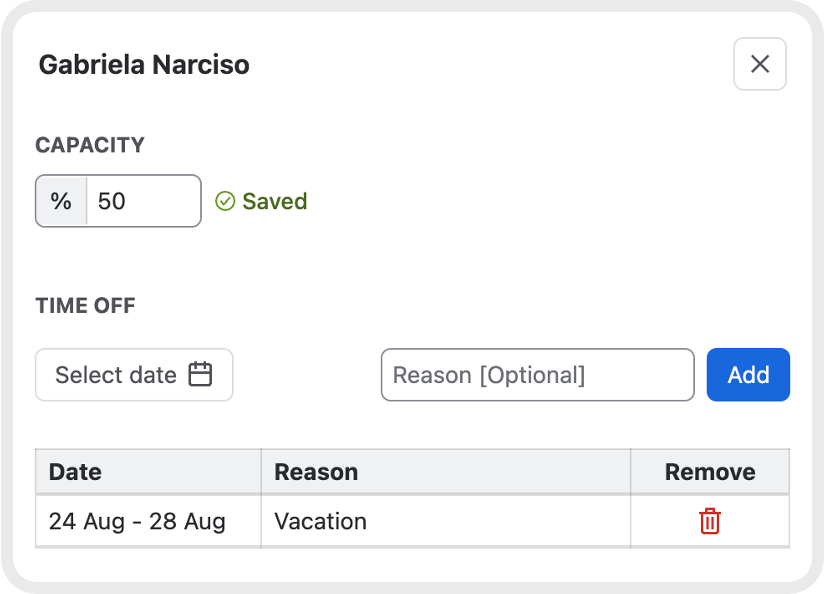
Manage time off (team-level and user-level)
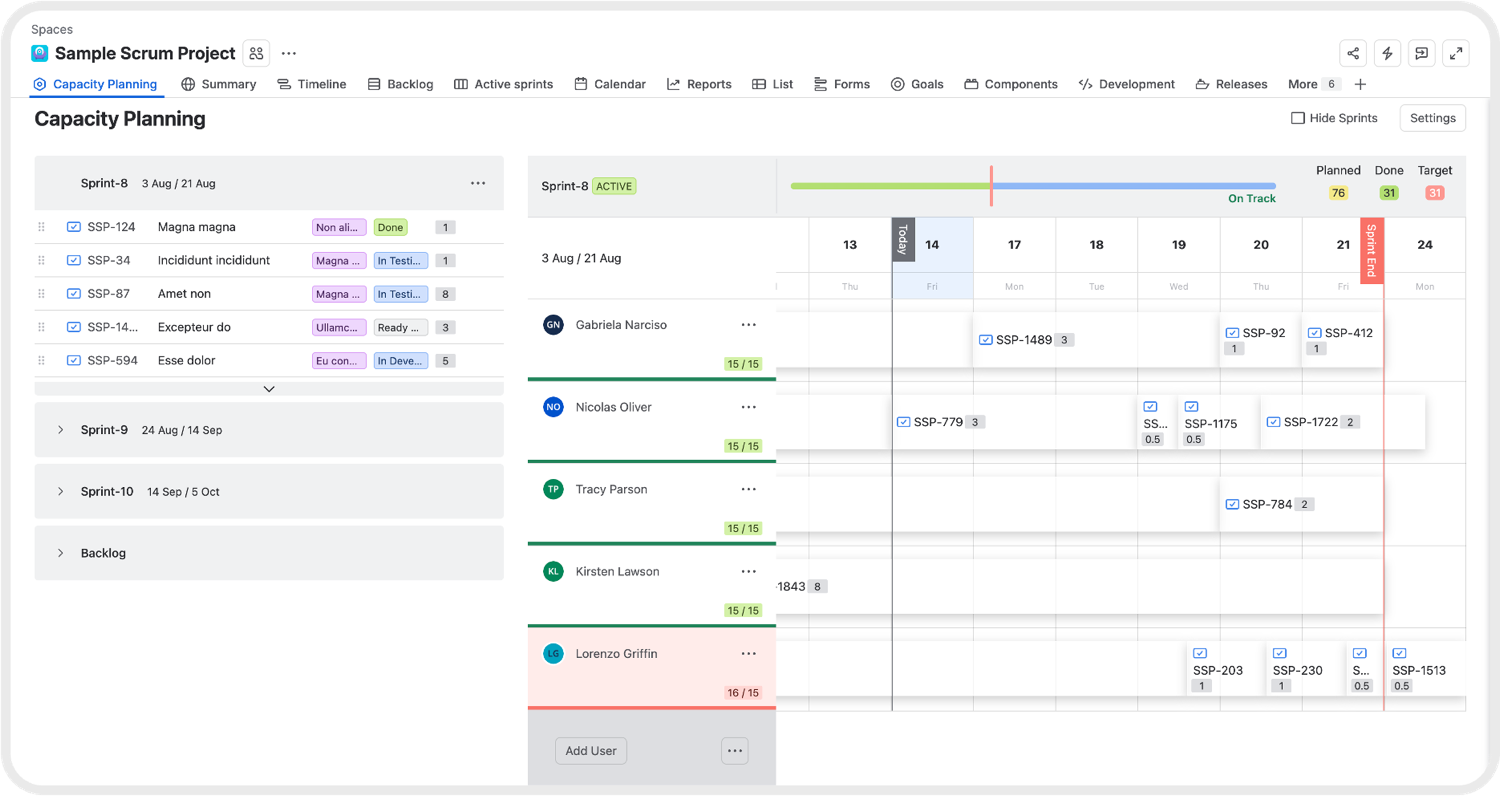
- View individual capacity per team member rather than relying on average team metrics
-
Easily drag work items across the Backlog, Active Sprint and Future Sprints.
Place and reorder work items anywhere on the timeline calendar to define their precise execution sequence
-
Spot over-allocation instantly with color-coded capacity indicators (Green: Fully utilizing available capacity, Blue: Has remaining available capacity and Red: Over-allocated)
Fast and Flexible Team Setup
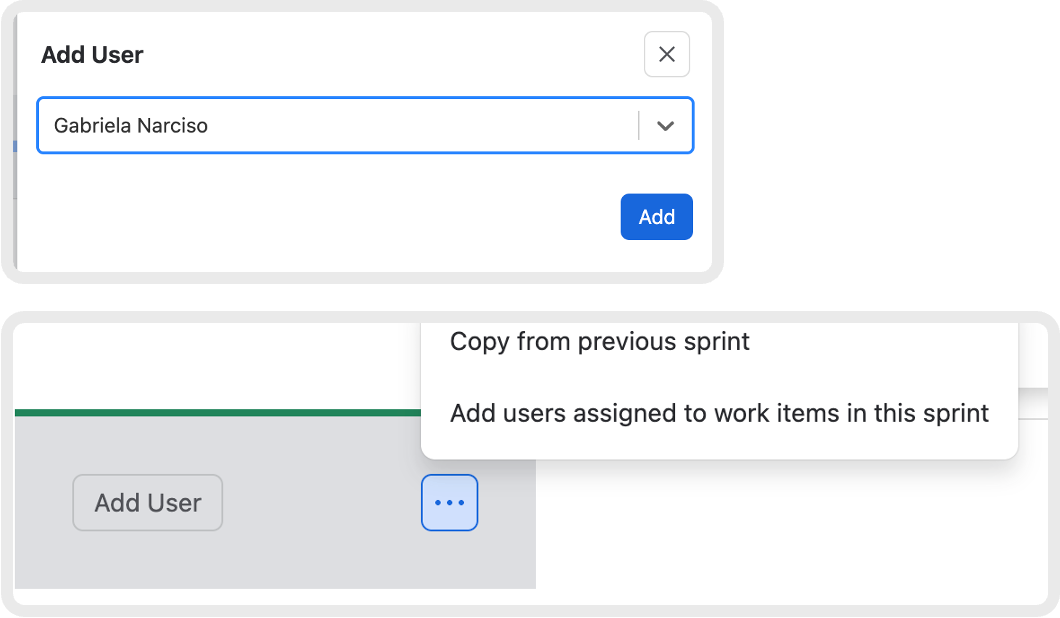
Building your sprint team shouldn't take time away from actual planning. This app offers three effortless options to set up your team structure in seconds:
Manual Selection: Search for and add team members individually from your Jira instance.
Copy Previous Sprint: Instantly copy over the full team structure and setup from the previous sprint with a single click.
Auto-Fetch Assignees: Automatically populate all users who already have work items assigned to them in the planned sprint.
Real-Time Active Sprint Progress and Health Tracking
Knowing whether your active sprint is on track shouldn't require waiting for retrospectives or digging through complex reports.
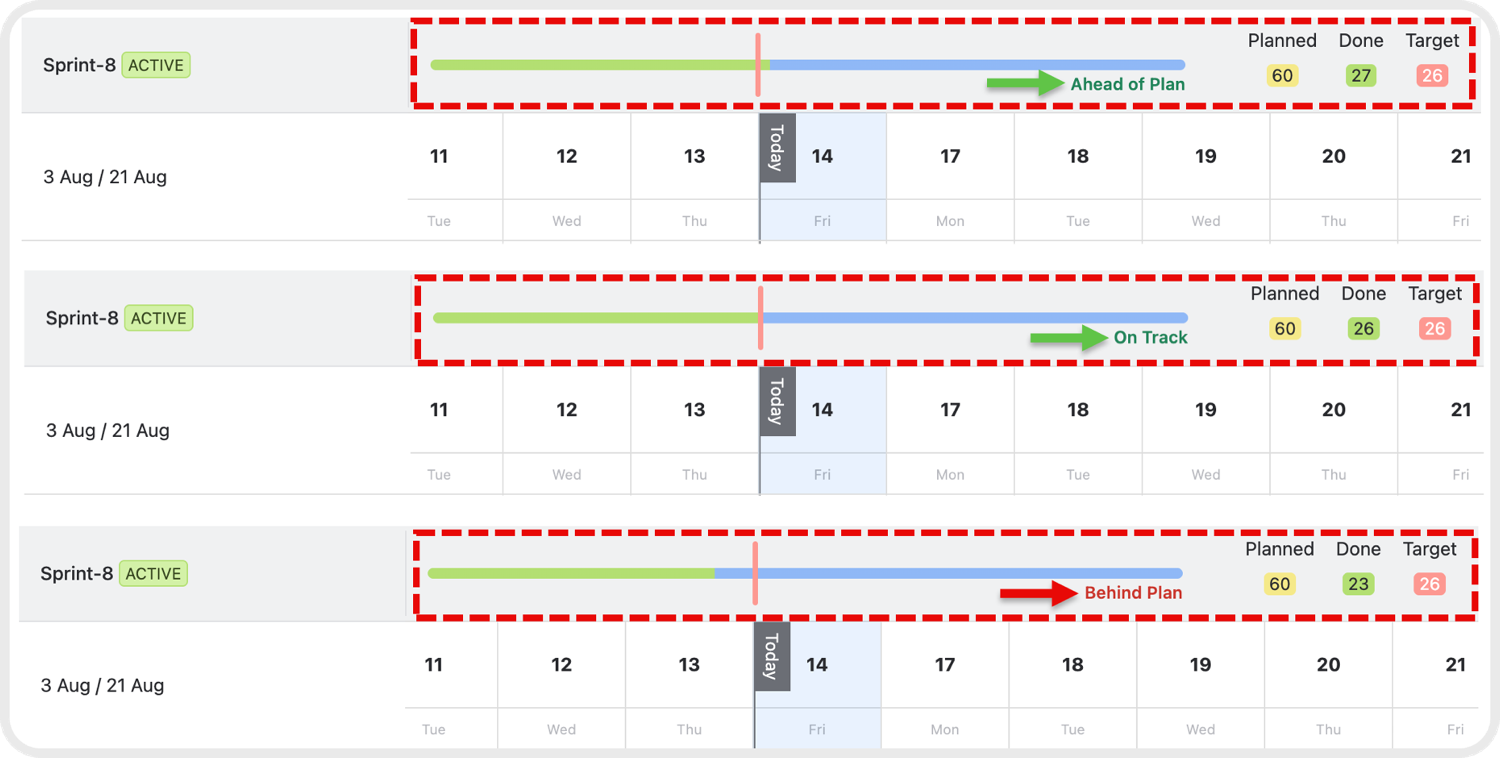
Once a sprint is active, the top header bar provides real-time visibility into overall progress:
Live Health Status: Automatically indicates whether your sprint is On Track, Behind Plan or Ahead of Plan relative to the current date.
Core Metrics at a Glance: Monitor live updates for Planned (total committed scope), Done (completed work items) and Target (expected progress based on elapsed time) in Story Points or time units.
We hope you find this article helpful.
