The Confluence Cloud Migration Assistant (CCMA) is Atlassian's recommended solution for Confluence Cloud migration. It helps organizations migrate spaces, users, groups, and Marketplace app data from Confluence Data Center to Confluence Cloud, while providing pre-migration assessments and validation.
However, many organizations don't complete their Confluence Cloud migration in a single weekend. Enterprise migrations often require a phased approach, with days or even months of testing and validation before the final cutover.
That's where Space Sync for Confluence Data Center comes in.
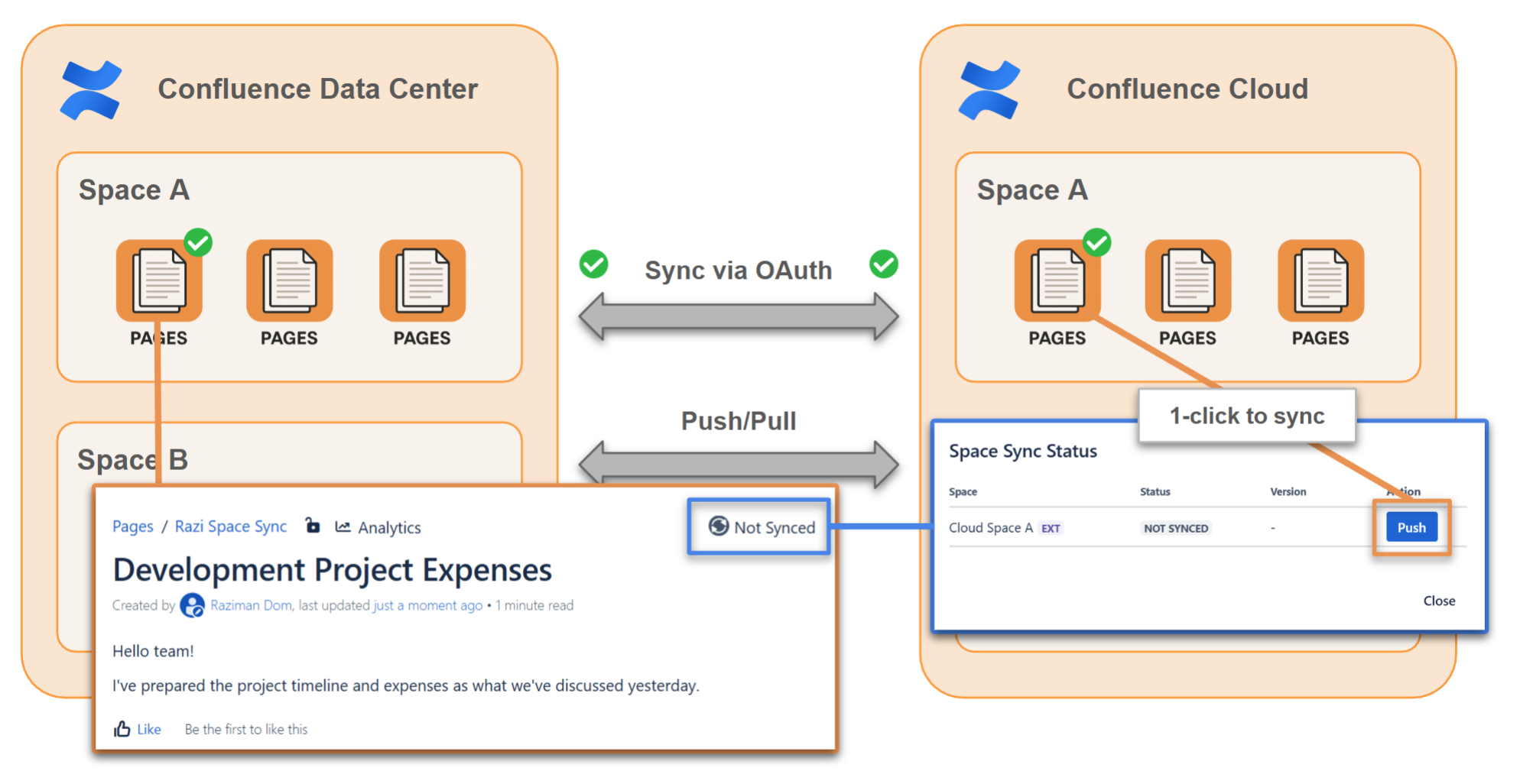
Space Sync complements CCMA by keeping your Confluence Data Center and Confluence Cloud sites synchronized after the initial migration. With automatic two-way synchronization, teams can continue collaborating in either environment while content stays up to date. This reduces migration downtime and makes phased migrations significantly easier.
💡 Why use Space Sync alongside CCMA?
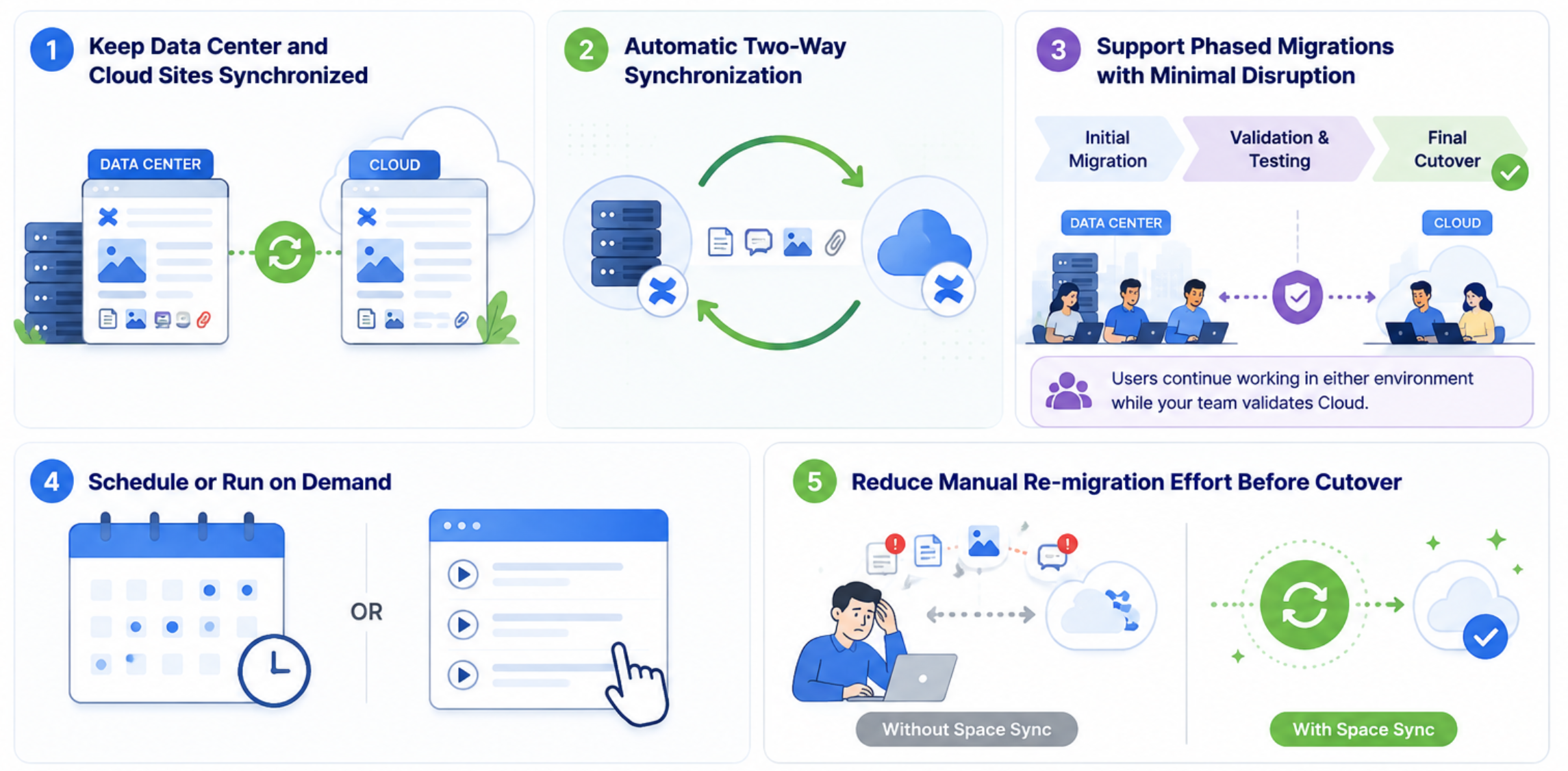
✅ Keep your Data Center and Cloud sites synchronized after the initial migration
✅ Automatically synchronize changes in both directions between Data Center and Cloud
✅ Support phased Confluence Cloud migrations with minimal business disruption
✅ Schedule synchronization or run it on demand whenever needed
✅ Reduce the effort of manually re-migrating updated content before the final cutover
Whether you're migrating a single space or hundreds of spaces, Space Sync helps keep both environments aligned until you're ready to fully transition to Confluence Cloud.
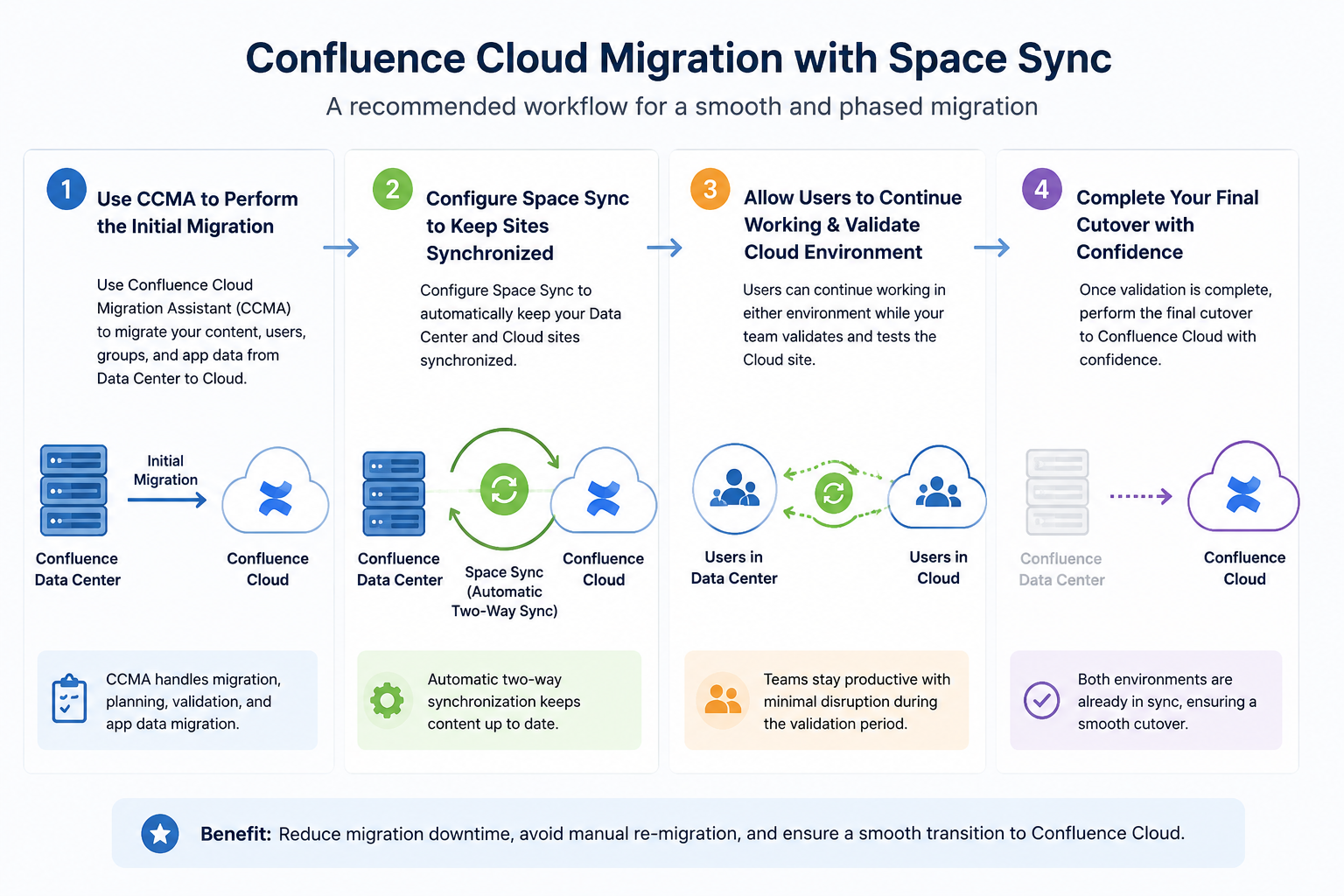
➡️ A Typical Confluence Cloud Migration Workflow
🎥 Step-by-Step Video Tutorials
We've created four short videos to help you get started with Space Sync for Confluence:
Learn to securely connect your Confluence Data Center instance to your Confluence Cloud.
Configure synchronization between a Data Center space and its Cloud destination.
Perform the first bulk synchronization to migrate your existing content.
Enable automatic two-way synchronization to keep your Data Center and Cloud sites synchronized throughout your migration until the final cutover.
If you're planning a Confluence Cloud migration, we hope these tutorials help you get started quickly and make your migration journey smoother with Space Sync for Confluence
🤝Dual Licensing: Good news for those migrating to Cloud! Space Sync for Confluence participates in Atlassian's Dual Licensing program. Eligible customers who purchase Space Sync for Confluence Cloud can also use Space Sync for Confluence Data Center at no additional cost during their approved migration period.
💬 Have questions? Leave a comment below or contact our team. We're happy to help make your migration a success!
