If you own a Confluence Cloud storage budget, you have probably wondered where the space is actually going. Attachments pile up silently: an inline image gets removed from a page but the file stays in storage, pages get archived or trashed and their files linger for years, and every so often someone uploads a 300 MB recording nobody remembers. Ask "how much of my storage is attachment waste, and where?" and Confluence has no answer. This post explains why, how to build the picture with native tooling, and where that runs out.
📦 Why there is no attachment-waste view natively
Confluence surfaces attachments per page (and per space), never in aggregate. There is no built-in report that lists every attachment across the site, no signal for whether a file is still referenced by its page, and no total of what you could reclaim. So waste gets discovered one space at a time, usually at a storage limit.
Detecting unused attachments is one of the longest-standing storage-hygiene asks on the Confluence Cloud issue tracker: CONFCLOUD-16577 ("Detect unused attachments") is still open with about 291 votes as of this writing, and sibling tickets asking for attachment and storage reports keep collecting votes alongside it.
🧰 What you can do with native tooling
You can build a real inventory yourself, and the shape of the work is worth understanding even if you later automate it:
- Per-page and per-space review. Open a page's attachments view to see its files and sizes. It works for a handful of suspect pages, not a site.
- Walk the site with the v2 REST API. List spaces (`GET /wiki/api/v2/spaces`), list pages per space across statuses (current, archived, trashed), list each page's attachments with size and media type, then fetch each page's storage-format body and check whether each attachment's filename or file id appears in it. Files on archived or trashed pages are dead weight regardless of references.
- Tally in a spreadsheet. Sum sizes per space, mark unreferenced and orphaned files, sort by size, and total the reclaimable bytes.
The honest limits: the per-page view tells you nothing about whether a file is still referenced, and the API route is a genuine project, cursor pagination across every space and page, body parsing, rate-limit politeness, and a spreadsheet that is stale the week after you finish it. Reference matching is also inherently textual: a file surfaced only through an attachments, gallery, or include macro will not show up in the page body, so any inventory should be treated as a review shortlist, not a delete list.
🧹 One option that fills the gap: Attachment Cleanup for Confluence
Disclosure: I work for Katabarwa Labs, and we build a small app for exactly this gap, so treat this as one option among whatever you evaluate.
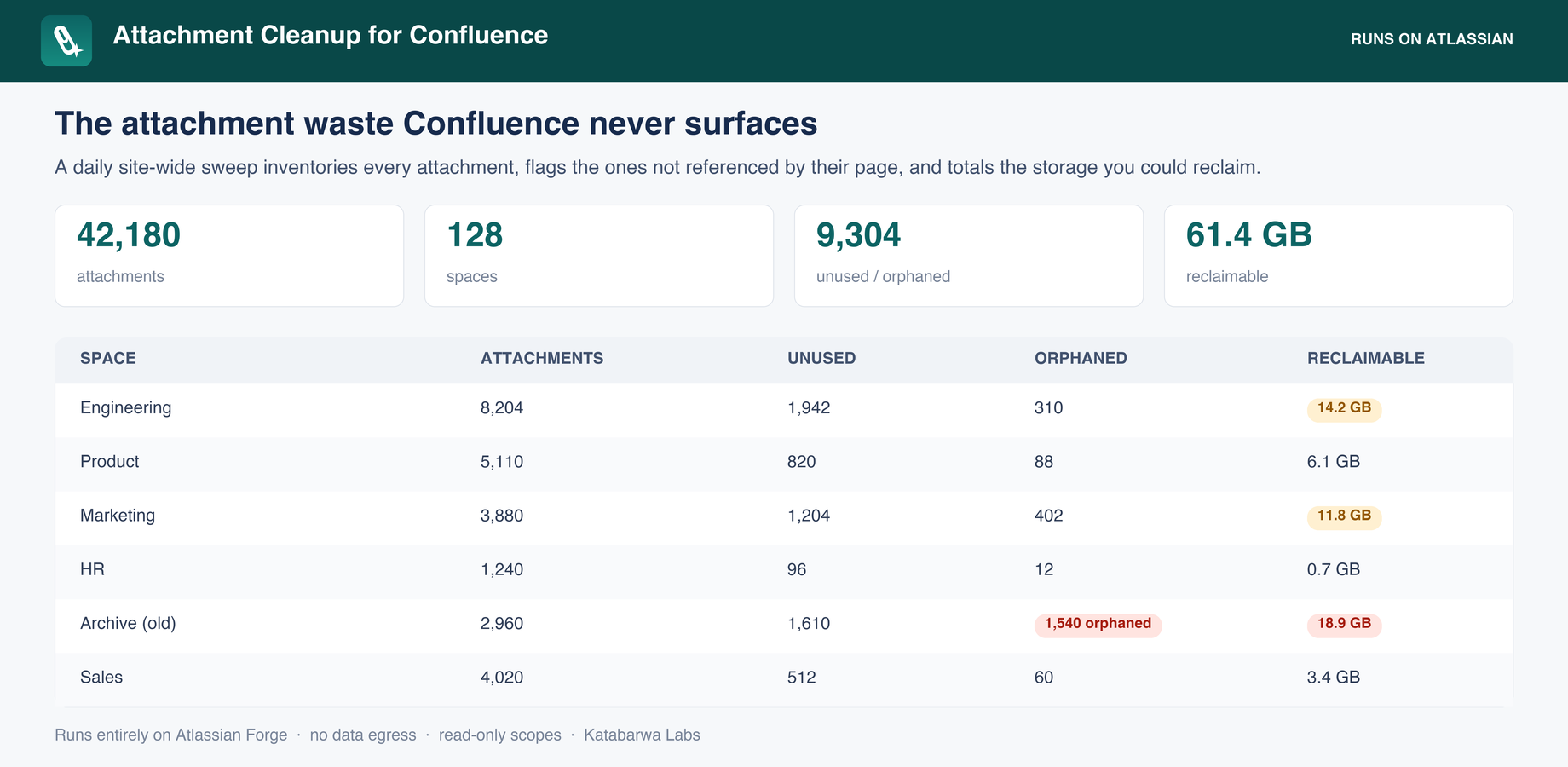
Attachment Cleanup for Confluence runs that whole sweep for you, daily and on demand. It inventories every attachment in every space, flags each one as unused (not referenced in its page's current body), orphaned (on an archived or trashed page), or large (over a size threshold), and totals storage and reclaimable bytes per space and site-wide, biggest opportunities first.
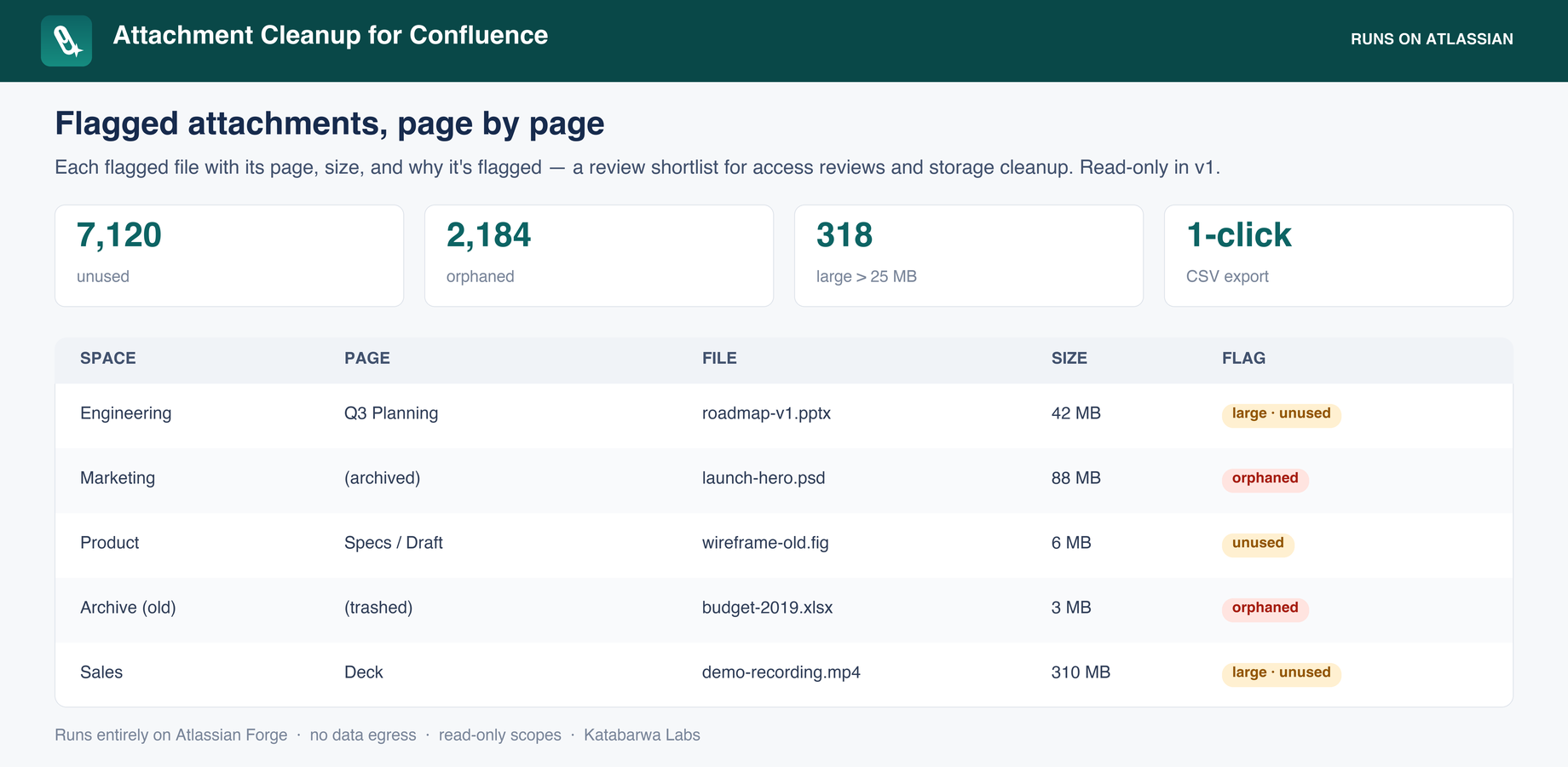
Drill in and every flagged file is listed page by page with its size and the reason it was flagged, so a cleanup pass is a review of named files, not a hunt.
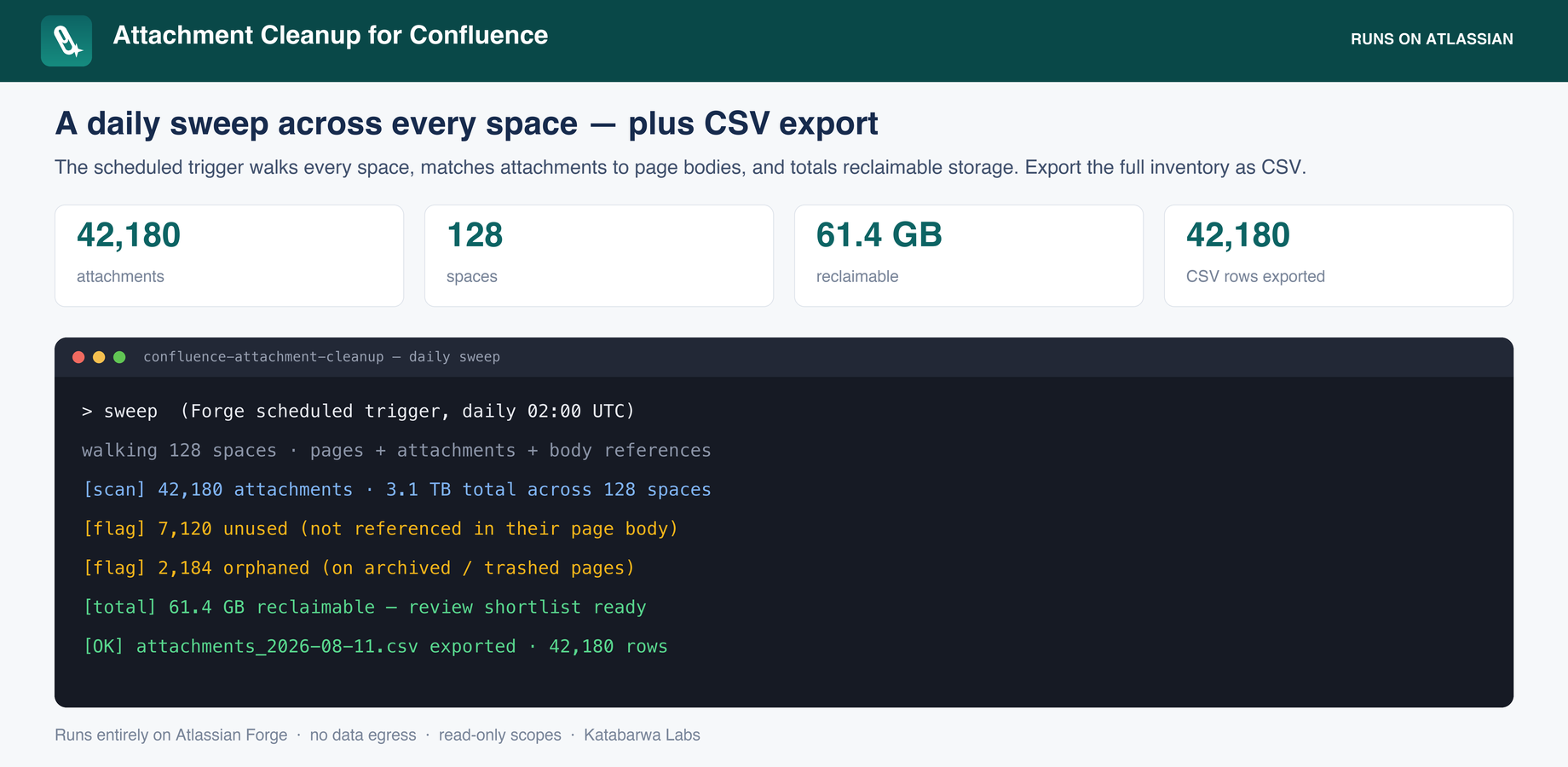
The full inventory exports as audit-ready CSV, one row per attachment with space, page, size, media type, status, and flags, and the daily scheduled sweep keeps it current without anyone re-running a script.
Here is a short walkthrough of the app in action:
https://youtu.be/CxC3Zkko6X0
It runs entirely on Atlassian Forge (Forge functions, a daily scheduled sweep, and Forge storage) inside your own Confluence Cloud tenant, so nothing leaves your instance, and the sweep is bounded per run so large sites are scanned politely. The inventory is read-only. There is an opt-in bulk cleanup: an admin ticks flagged attachments, previews the exact set (a dry run that changes nothing), then confirms, and the confirmed delete is a soft delete to the space Trash, always recoverable, never a purge, never a used file. Honest limits, stated plainly: "unused" means not directly referenced in the page's current body, so macro-surfaced files can read as unused; blog-post and whiteboard attachments are out of scope in v1; and spaces that cannot be scanned completely are marked partial rather than having numbers invented for them.
If a scripted inventory or a per-space review covers your site, use those. If you want the standing, totaled view, the listing is here: Attachment Cleanup for Confluence
If the app is close but missing a report your cleanup needs, tell us what that is and we will build it.


