A ticket's single duration rarely tells you what you need to know. A report showing 20 hours total for a field value doesn't prove whether that number is improving or worsening; all you have to go on is your gut.
Two new report types in Timepiece – Time in Status for Jira close that gap: Any Field Duration Per Time-Period and Time-Period Duration per Any Field. Both add a time dimension to the existing Any Field Duration report, splitting one total duration into Years, Quarters, Months, Weeks, or Days.
Two Reports, Two Methods for Dividing the Same Data
Same underlying data, different order. Each field value is listed first in Any Field Duration Per Time-Period, with time periods grouped beneath it. By listing periods first and field values nested beneath them, Time-Period Duration per Any Field reverses that order.
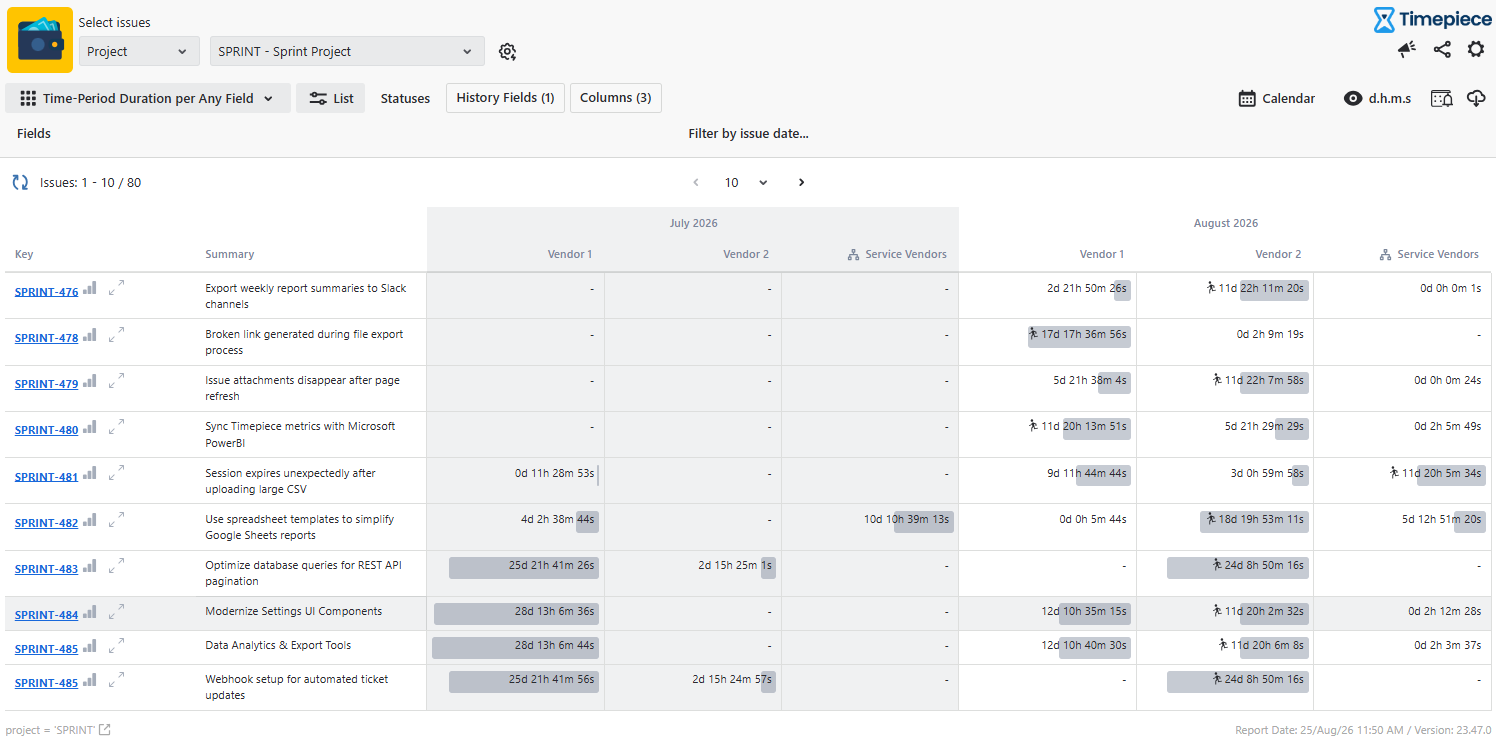
Comparing the Two Report Types
| |
Any Field Duration Per Time-Period |
Time-Period Duration per Any Field |
| Column order |
Value first, periods nested under it |
Period first, values nested under it |
| Best suited for |
Tracking one value's trend over time |
Comparing values within one period |
| Answers the question |
Is this value improving or worsening? |
How was work split across values here? |
Choose Year, Quarter, Month, Week, or Day based on how the data is utilized. Week works well for sprint-level reviews, while month or quarter works well for a trend line created for stakeholders.
Also, supported are the same fields as the standard Any Field Duration report: single and multi-select, single and multi-user pickers, text and long text, Epic Link, Affected/Fix Version, Sprint, Project, Issue Type, Status, and Assignee, among others.
Product Managers Get a Trend Instead of a Guess
No more single-lifetime number for the tracked Sprint field. By breaking down that Sprint’s duration month by month or quarter by quarter, Any Field Duration Per Time-Period transforms "stuck with the Implementation again" into a real report on velocity and direction.
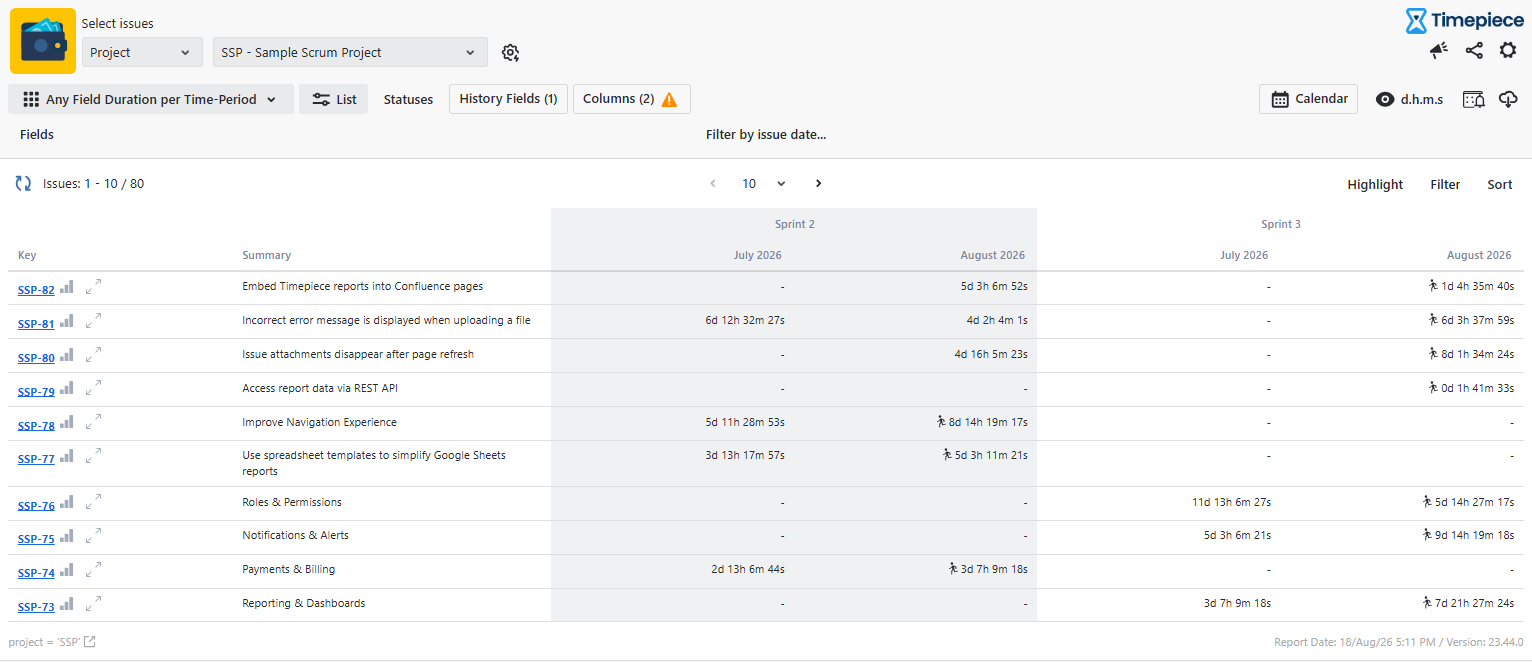
Scrum Masters Can Track Status Trends Over Time Within Sprints
By adding the time-period layer, Scrum Masters can see how much time work items spend in a status like Code Review during different periods of a sprint. This makes it easier to spot whether review time is increasing instead of relying on the feeling that “it’s been slower lately.”
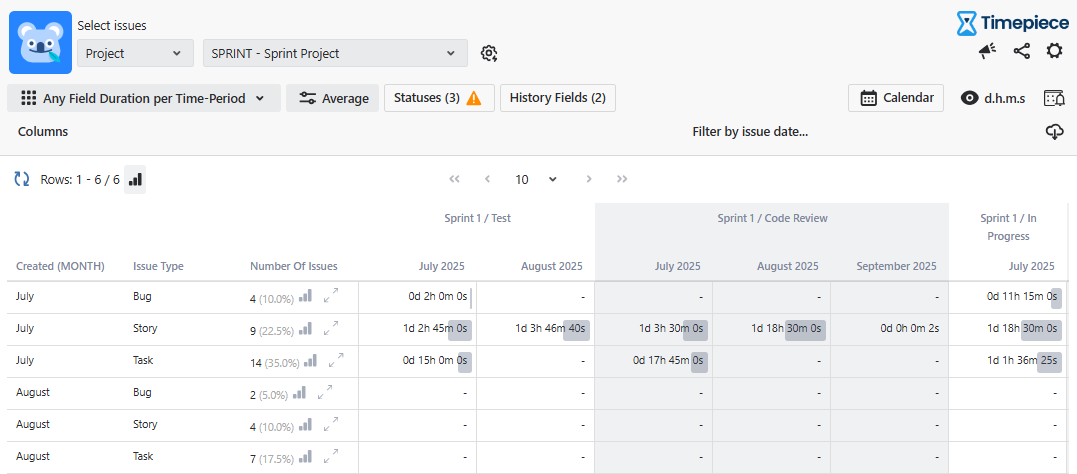
Engineering Leads Track the Process, Not the Person
Both reports have an emphasis on field values rather than assignees, so the output focuses on the workflow rather than who completed what. Compared to a per-person log, tracking Sprint or Status over several months creates a trend line for the process itself, providing more stable ground for team discussions.
To learn more about Timepiece - Time in Status for Jira, visit its Atlassian Marketplace listing page.
