Disclosure up front: I build one of the options below. It's the last one, and it's flagged where it comes up. The other three work without it.
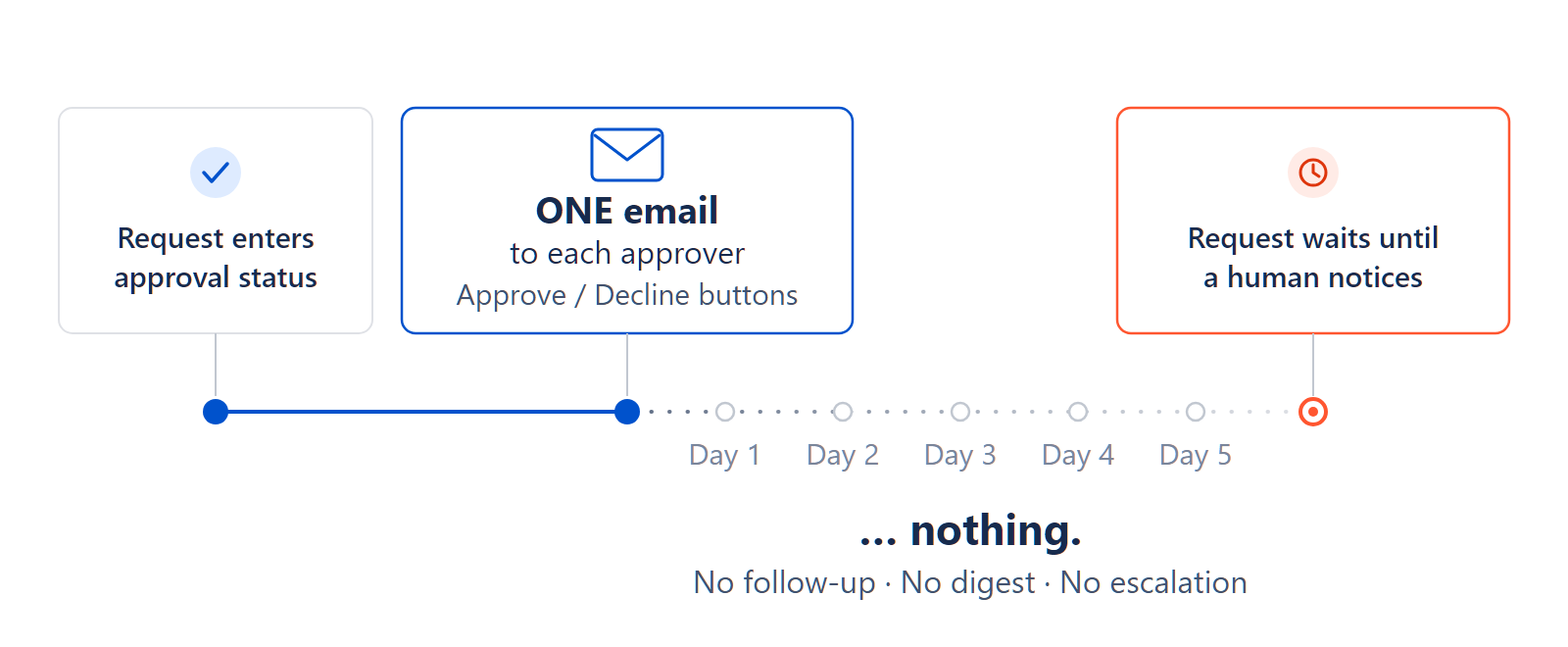
Jira Service Management emails each approver once. That's it — one email, sent when the request lands in the approval status. No reminder the next day, no weekly digest, nothing that escalates when a week goes by. If that email arrives while someone's on holiday, or it lands under a mail rule they set up two years ago, the request sits there until a human happens to notice.
That single fact is behind most of the "our approvals sit for days" threads on this forum. So here are the four ways teams actually deal with it, what each costs you to set up, and where each one stops working.
Option 1 — Somebody checks, twice a week
A saved filter for requests sitting in the approval status longer than two days. The service desk lead opens it Monday and Thursday, and chases the approvers in chat.
No setup risk, works this afternoon, and for a small team it genuinely is enough. It's also the first thing that quietly stops happening when that person is on leave or having a bad week. If you're seeing more than a handful of approvals a week, keep reading.
Option 2 — The Automation reminder rule
This is the one most teams land on. About half an hour to build:
- Trigger: Scheduled, daily at 09:00, with this JQL:
status = "Waiting for approval" AND updated <= -2d
- Action: Add comment, @mentioning the approvers so they're notified:
Waiting on approval from {{#issue.Approvers}}[~accountid:{{accountId}}] {{/}} — this request has been pending for 2+ days.
- Then a second rule on a longer threshold, say
-5d, that comments to your service desk lead instead. That's your escalation.
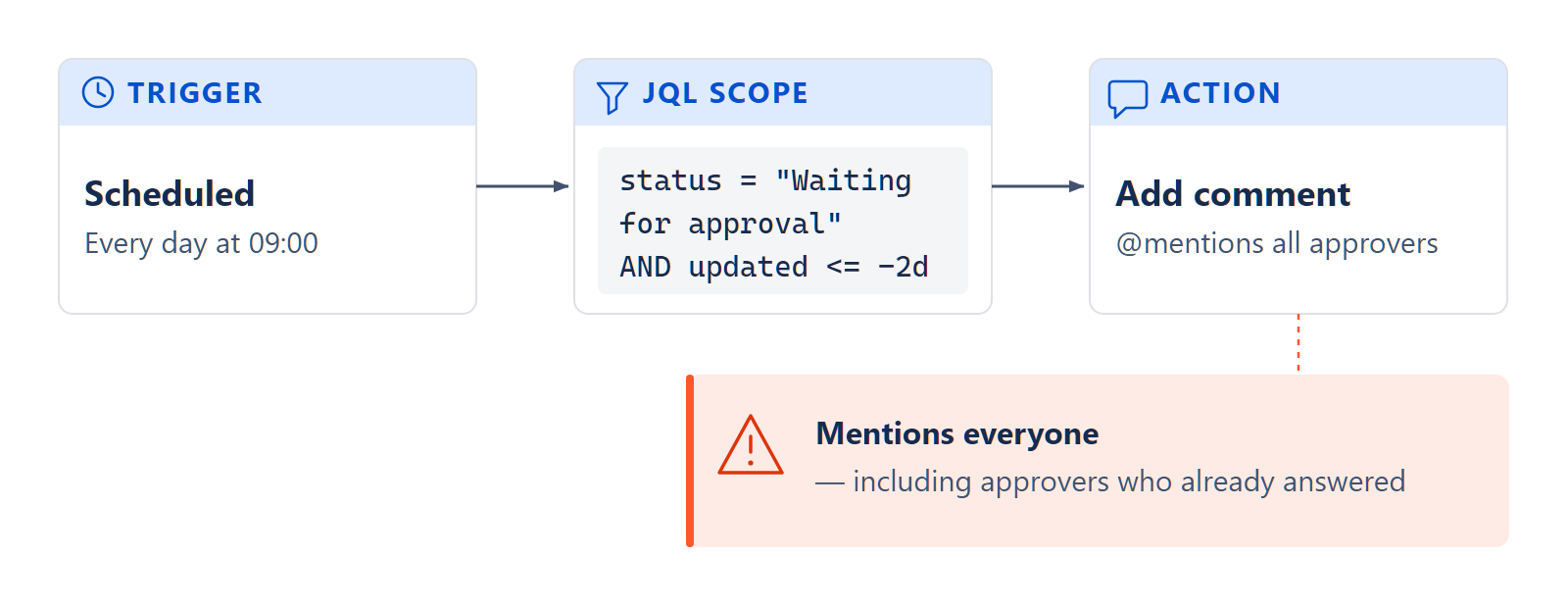
One thing trips people up here: why updated rather than time in status? Automation has no clean "has been in this status for N days" condition, so updated is the usual stand-in. It has a flaw worth knowing about. Any edit or comment resets it, including the reminder comment your own rule just posted. You can guard against that, or accept that the rule effectively nudges every two quiet days, which for most teams is fine.
Where this approach runs out:
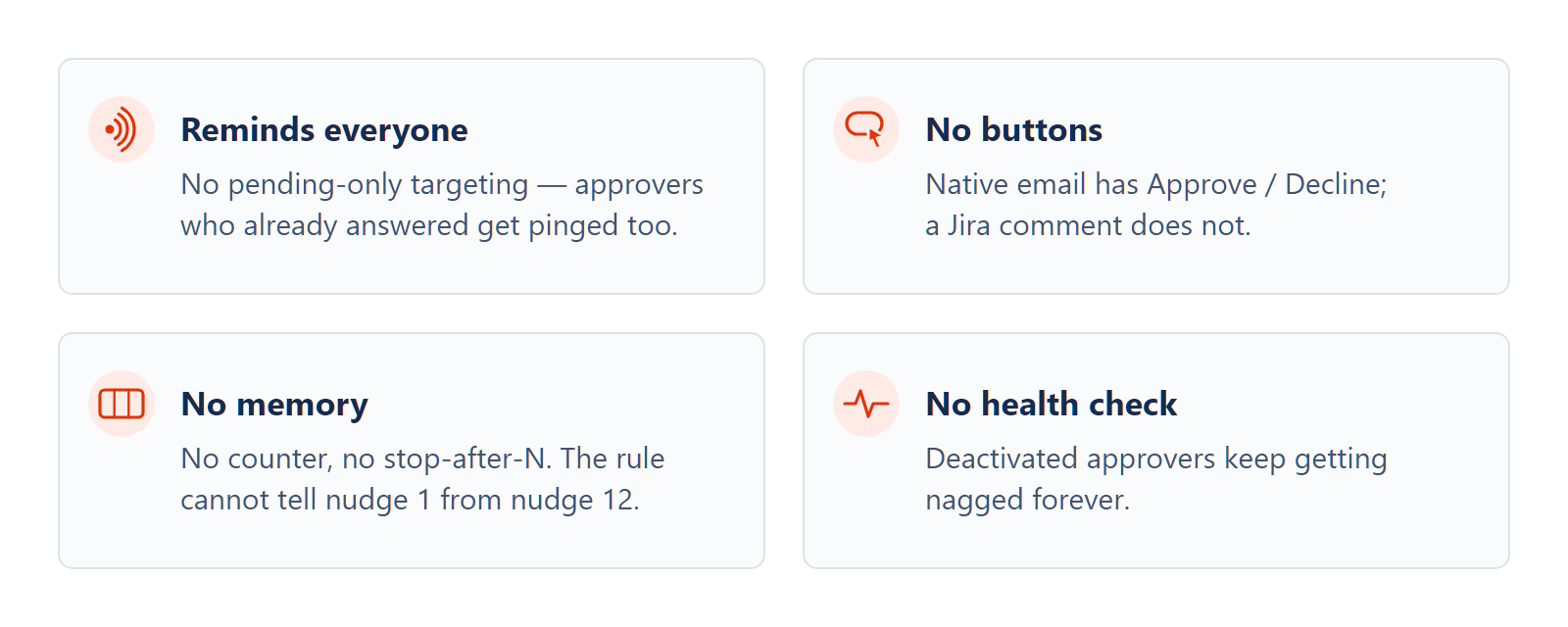
- It reminds everyone. Automation can't tell which approvers have already answered, because the pending-approver smart values don't exist. Atlassian tracked that request as JSDCLOUD-14352 and moved it to the Automation backlog in 2023, where it still sits. On a request with three approvers, the two who did their job get nagged alongside the one who didn't.
- No buttons. Jira's own approval email carries Approve and Decline, one click each. Your comment doesn't. The approver has to stop what they're doing and navigate in.
- No memory. No reminder counter, no stop-after-five, no record that this one already escalated — not unless you build a small state machine out of custom fields.
- Nothing checks the approver still exists. If their account was deactivated last quarter, the rule @mentions a ghost every two days, forever, and nothing flags it.
Option 3 — Fix the approver's habits instead
Sometimes the request isn't the problem, the approver's routine is. The My approvals view in the portal, bookmarked, plus a recurring reminder in their own calendar. Costs an admin nothing. Works fine when your approval bench is two people who like you. It isn't a system, and it won't survive them changing jobs.
Option 4 — A purpose-built app (this one's ours)
When the ceilings above are your actual daily pain — several approvers on a request, an audit somebody will read, approvers who leave — that's where teams either build something custom or buy it. Ours is Approval Nudge. It reminds only the approvers who haven't answered, and re-sends Jira's own approval email with the buttons intact. It caps how many times it nudges before escalating to a name you choose, and it notices when an approver's account has been deactivated, so requests stop waiting on someone who left. It runs entirely on Atlassian's Forge platform, so nothing leaves your site.
Other approval apps on the Marketplace fold reminders into broader approval-flow products. If you also need multi-step approval paths, compare those first — reminders are a small slice of what they do.
So which one
If you handle a handful of approvals a month, the saved filter is honestly fine. Don't build machinery for a problem you can watch by eye. Once you're past that, and most requests have one approver, the Automation rule earns its half hour. It's when several people have to approve the same request, or somebody will eventually audit the trail, or you've already been burned by an approver who left, that those ceilings start to bite — and that's the point worth paying to fix, with our app or anyone else's.
The reminder problem is only the second-biggest approval question, though. The biggest is who's allowed to approve at all: restricting the field, mapping approvers by department, stopping requesters picking whoever says yes fastest. That guide's next, and the complete guide links each one as it lands.
