Last week, I shared how my team started using JXL to flag work and bring live prioritization directly into Jira. With a basic “Needs attention” flag in place, it became much easier to spot potential issues during our standups. But once those items surfaced, we needed more context to understand what was actually going wrong.
A 5-point story approaching its due date might need attention. But what if it’s also been stuck in “In Review” for four days without an update? Or what if key fields, like Due Date, are missing altogether?
We were getting better at managing capacity and identifying high-effort tasks, but we still needed a way to uncover the data gaps and delivery bottlenecks hiding in plain sight.
This week, we’ll show you how we combined multiple Jira fields using JFL to build a live Team Health & Bottleneck Matrix that makes potential delivery issues easier to spot.
Step 1: Map your team's bottleneck signals
We started by looking at where our team typically runs into friction during a sprint, then mapped those issues to standard Jira fields.
- Incomplete data: We kept finding work items without an Assignee, Status, or Due Date, which meant wasting time tracking down details during standup.
- Unassigned high-effort work: Bigger tasks without an owner were easy to miss, so we wanted to flag anything over 5 story points that was still unassigned.
- Imminent deadline risks: We also wanted to catch larger tasks getting too close to their due date, like an 8-point work item due in the next two days.
Step 2: Write a formula
We went back to the formula column in our team’s JXL sheet to build on what we’d already created. One thing that’s really helpful here is autocomplete—it surfaces field names, functions, and operators as you type, so you can focus on what you want the formula to do rather than looking up IDs or syntax.
Here is the exact formula we used:
IF(OR(!ISSET(this.status), !ISSET(this.dueDate)), "Missing Info", IF(AND(!ISSET(this.assignee), this.storyPoints >= 5), "Unassigned High Effort", IF(AND(this.storyPoints >= 8, DATEDIF(NOW(), this.dueDate, "D") <= 2), "Critical Risk")))
How this helps our team:
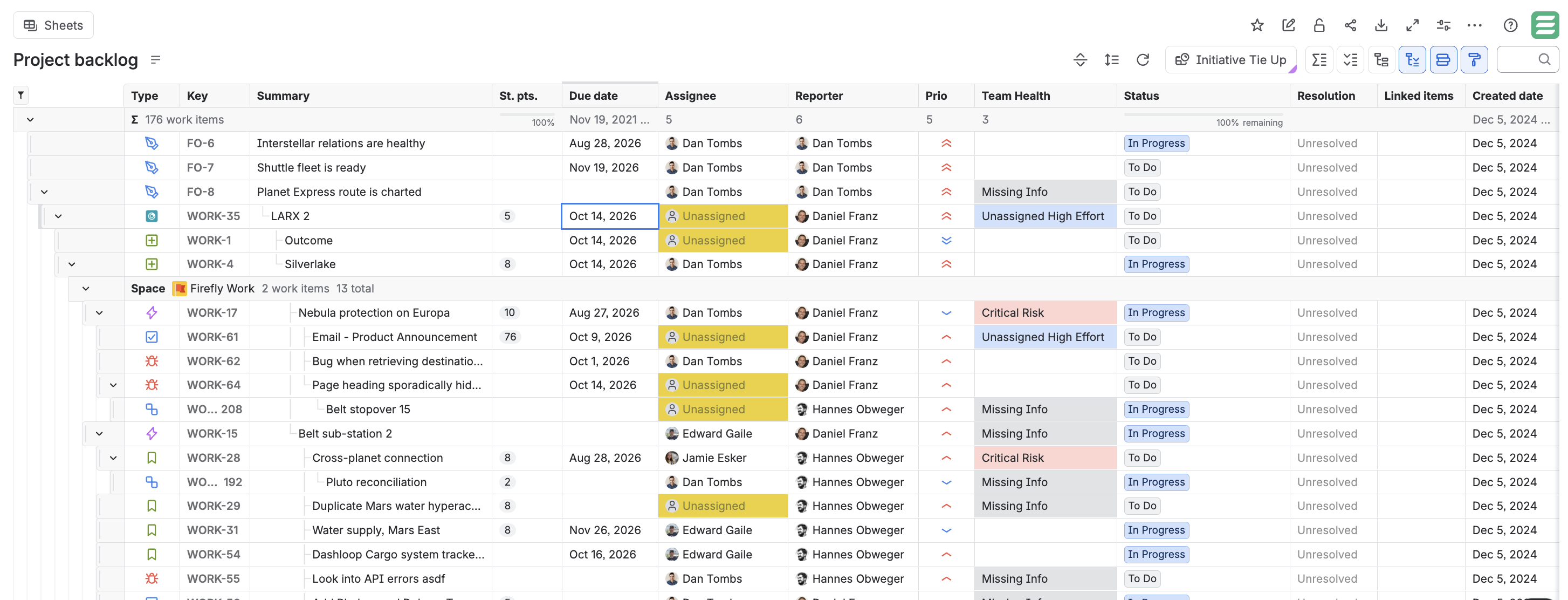
- Catches missing data first: Instantly flags work items missing an Assignee, Status, or Due Date as "Missing Info" so we don't plan around incomplete data.
- Highlights unassigned high effort: Flags high-effort tasks (≥ 5 points) missing an owner.
- Surfaces deadline risk: Flags 8-pointers due within 48 hours as "Critical Risk".
As team members update their work, the matrix updates in real time.
Step 3: Make bottlenecks stand out instantly
Now that we had more identifiers, we wanted to make it easier to scan.
JXL's conditional formatting can evaluate formula results directly, so we applied color rules based on our calculated output:
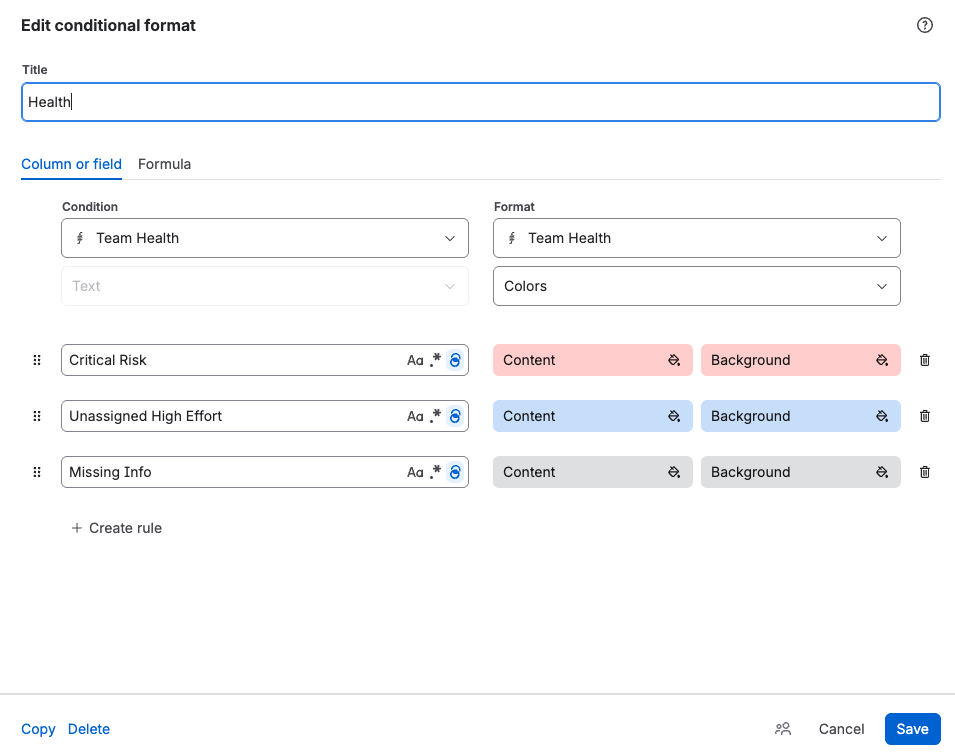
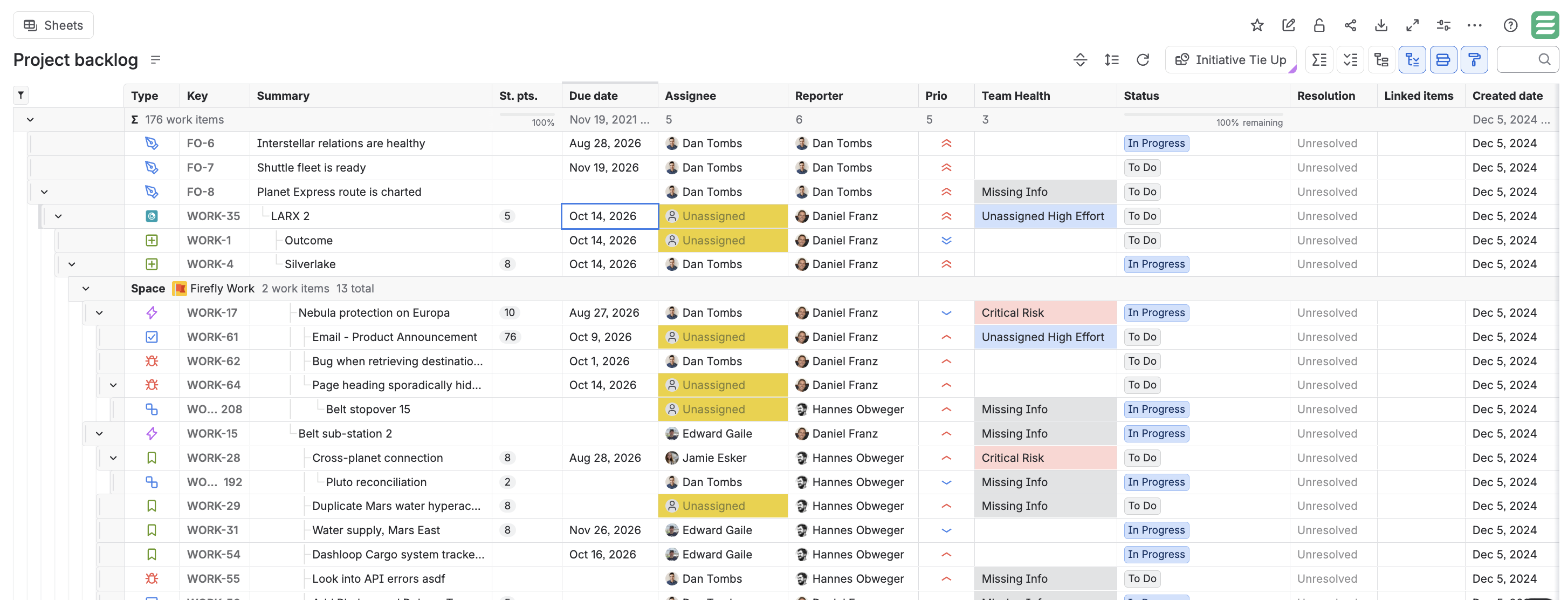
Now, we start our standups by looking at the highlighted rows. Instead of asking generic status questions, we ask actionable ones: "Who has capacity to grab this unassigned 5-pointer?" or "Is this work item at risk?"
What's next?
Combining multiple fields with JXL formulas gave our team a more complete view of our work. Instead of looking at one signal at a time, we could consider several factors together and make more proactive planning decisions.
Even with our health matrix, we were still manually opening work items to check on child work items and dependencies. Single-row formulas only tell part of the story when work spans multiple projects and hierarchies. To fix this, we needed programmatic logic capable of iterating through child work items, evaluating epic progress, and flagging hidden delivery risks automatically.
In our next post, we’ll take that final step with JFL Script to show how we built a dynamic children progress rollup that goes far beyond what standard formulas can handle.
Until then, how could you see your team using formulas to improve prioritization?
