Property inventory reports are an essential part of property management as they help document the condition of a property at the start and end of a tenancy. This way, real estate agents, landlords, and tenants can avoid disputes and maintain transparency.
Many agencies manage inventories with spreadsheets, PDFs, or disconnected documents. However, if your team already uses Confluence as a knowledge base, you can manage property inventories directly inside your workspace using QC Status for Confluence Cloud.
By combining structured Confluence pages with status tracking, real estate teams can build a simple yet powerful property inventory system.
What Is QC Status for Confluence Cloud?
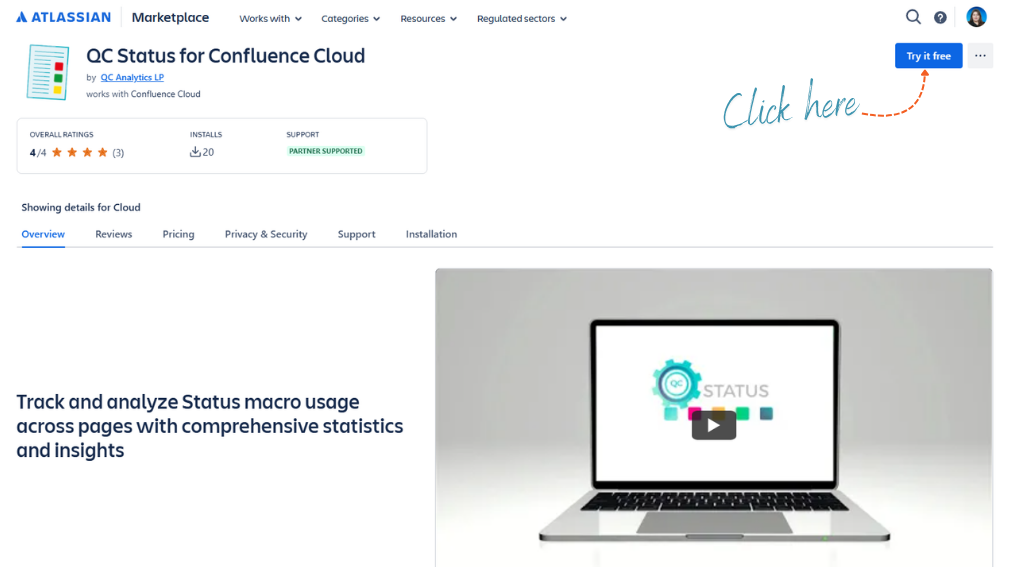
QC Status for Confluence Cloud is an app that analyzes and summarizes Status macros across Confluence pages.
It allows teams to:
Instead of manually reviewing multiple inspection documents, agents can quickly see an overview of property conditions and outstanding issues.
Why Use Confluence for Property Inventory?
Real estate agencies often manage dozens or even hundreds of properties. Each property requires regular inspections and condition reports.
Using Confluence for property inventories provides several benefits:
-
Centralized documentation: All inspection reports, photos, and notes live in one place.
-
Team collaboration: Agents, property managers, and maintenance teams can contribute to the same documentation.
-
Version history: Every change to an inventory report is tracked automatically.
-
Portfolio overview: QC Status can summarize conditions across multiple properties.
Example Property Inventory Workflow in Confluence
Below is a simple workflow that real estate teams can implement.
Step 1: Create a Property Inventory Template
Start by creating a reusable Confluence template for inspections. The suggested sections can include Property Details, Utilities and Access, Exterior, and Room-by-room Inspection.
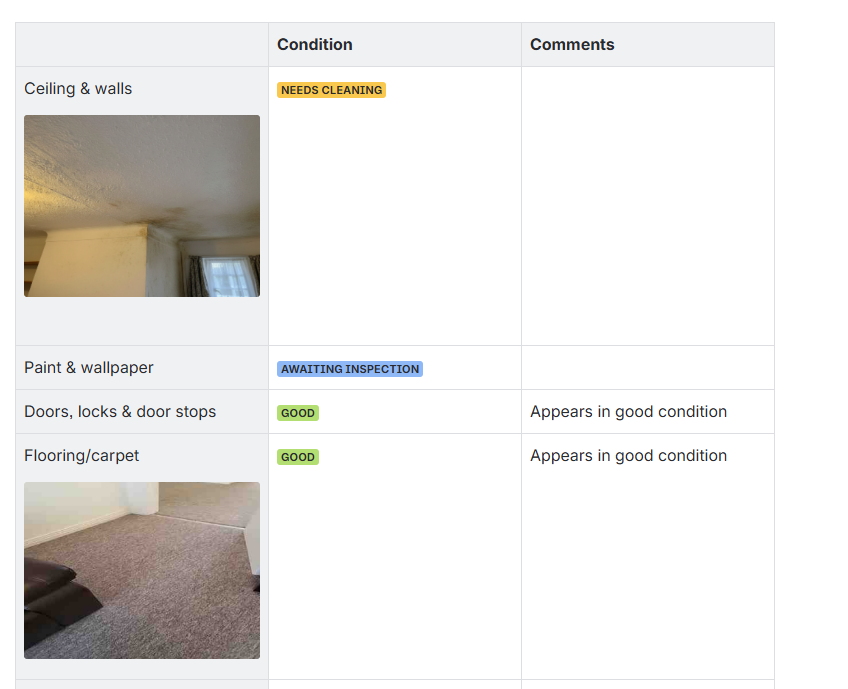
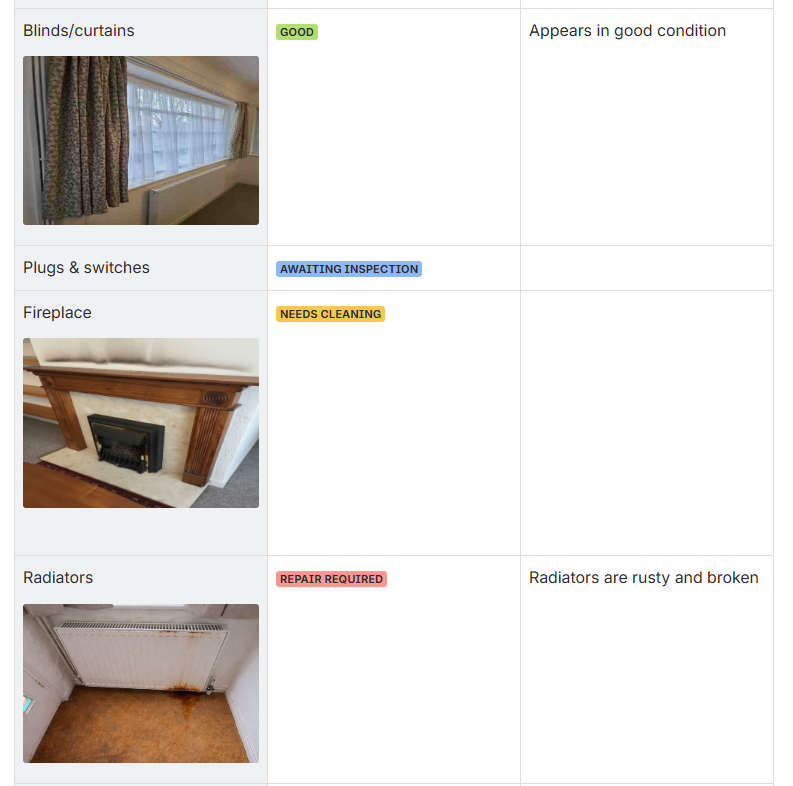
For each property in your inventory, use the Status macro to visually indicate its condition or the inspection results.
Step 2: Use Status Macros to Track Conditions
Standardize status labels to make inventory reports easier to analyze.
Some example statuses that you can use are: Good, Needs Cleaning, Repair Required, Awaiting Inspection
These statuses make the condition of each property element easy to understand at a glance.
Step 3: Create an Inventory Overview Dashboard
Once multiple inventory pages exist, QC Status can automatically summarize the status indicators across them.
A dashboard page might display something like:
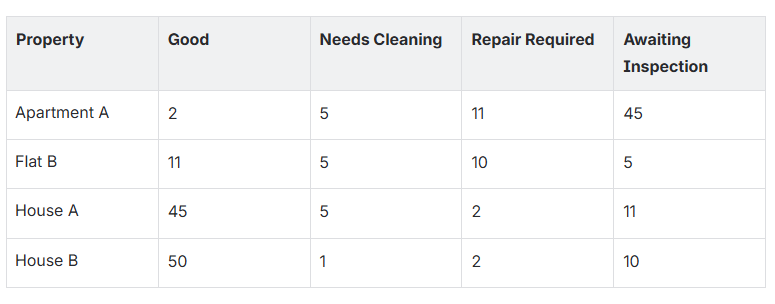
This provides managers with a quick overview of:
Step 4: Track Repairs and Maintenance
During an inspection, agents can mark any issues with Repair Required.
Maintenance teams can then:
QC Status updates the dashboard automatically, giving property managers real-time visibility of unresolved issues.
Step 5: Reuse Inventory Pages for Future Inspections
When performing periodic inspections or move-out inspections, agents can simply duplicate the existing property page and update the details.
Benefits include:
-
Faster inspection documentation
-
Consistent reporting format
-
Easy comparison between inspections over time
Benefits for Real Estate Agencies
Using QC Status for Confluence Cloud for property inventories helps agencies:
-
Standardize inspection reports: Every property uses the same structure.
-
Track property condition across portfolios: Managers can monitor issues across all properties.
-
Improve collaboration: Agents, maintenance teams, and managers work in one system.
-
Save time on reporting: Status dashboards provide instant summaries.
Conclusion
Property inventories are essential for protecting both landlords and tenants, but managing them across multiple properties can become complex.
By combining structured Confluence pages with QC Status for Confluence Cloud, real estate teams can transform simple inspection reports into a powerful property inventory system with real-time status tracking and portfolio-level visibility.
For agencies already using Confluence, this approach provides a flexible and collaborative alternative to traditional inventory management methods.
Try It in Your Confluence Workspace
Ready to streamline your property inventory process and gain full visibility across your portfolio?
Start using QC Status for Confluence Cloud today and turn your Confluence workspace into a powerful property inventory management system.
👉 Install the app, create your first inventory template, and see how quickly you can track inspections, monitor property conditions, and manage maintenance across all your properties, directly inside Confluence Cloud.


