The new process to renew certifications is now available. This approach encourages ongoing learning and Atlassian Community engagement.
Certification holders (candidates) can now start using continuing education (CE) units to renew their certifications. CE units can be earned by completing courses on Atlassian University, and/or attending a webinar from Atlassian’s Live Learning Program, or watching the recording if you are unable to attend. CE units can also be earned by attending Atlassian events - either a local ACE or a global Atlassian event, either in person or virtually.
As a reminder, all Atlassian courses are now completely free. The same is true for Atlassian’s Live Learning Program and attending local ACEs. This means renewing a certification can be completed at no cost!
How does it work? After completing an activity, by either finishing a course or attending an event, candidates will enter information about the activity in the CertMetrics portal.
Each type of certification will require different totals of CE units for renewal.
ACA - Atlassian Certified Associate. These are entry level exams that cover usage of the Atlassian solutions. ACAs require 50 CE units to renew.
ACP - Atlassian Certified Professional. These are exams that are explicitly for admins. ACPs require 100 CE units to renew.
The options for activities are:
-
Completing coursework, 10 CE units - This includes completing a course on Atlassian University or attending/watching a Live Learning event. There is no limit on how many of these activities can be used for each renewal cycle.
-
Attending an Atlassian global event, 30 CE units - This is attending an event such as Team, Unleash, High Velocity…etc. There is a limit of one use of this type of activity per renewal cycle.
-
Attending an Atlassian local event, 10 CE units - This is attending a local Atlassian Community event (ACE), either in person or virtually. There is a limit of four uses of this type of activity per renewal cycle.
-
Presenting at an Atlassian event, 20 CE units - This is presenting at an event, including a local ACE. There is a limit of one use of this type of activity per renewal cycle.
To enter an activity:
-
After logging in, navigate to CREDENTIALS/Upload Items.
-
Select “Renewal Activity” for the Item Group.
-
Select the appropriate option for the Item Name.
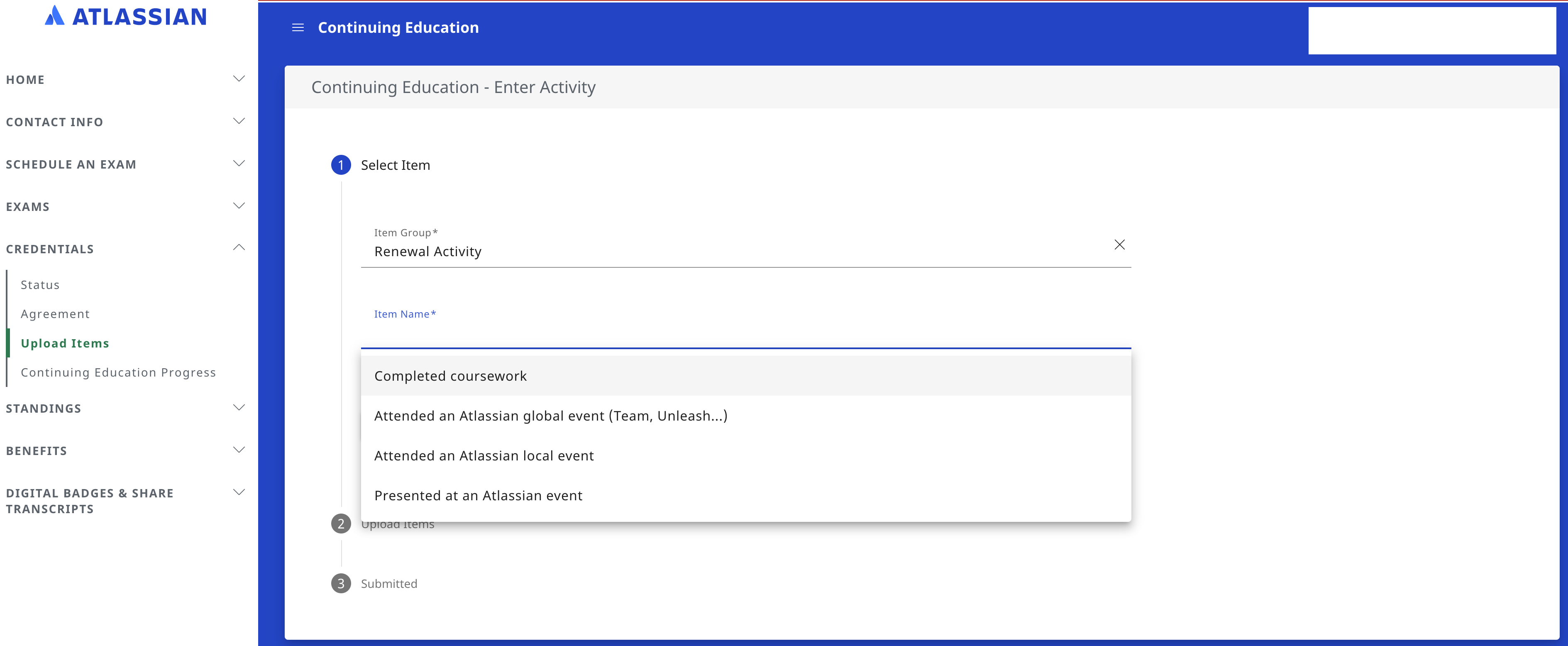
-
Click next.
-
Select the date of the activity.
-
Enter the name of the activity (the course or event name.)
-
Select the language of the documentation; the default is English.
-
Upload an image that shows you completed the course or attended the event; see below for examples.*
-
Add notes for reference if you like.
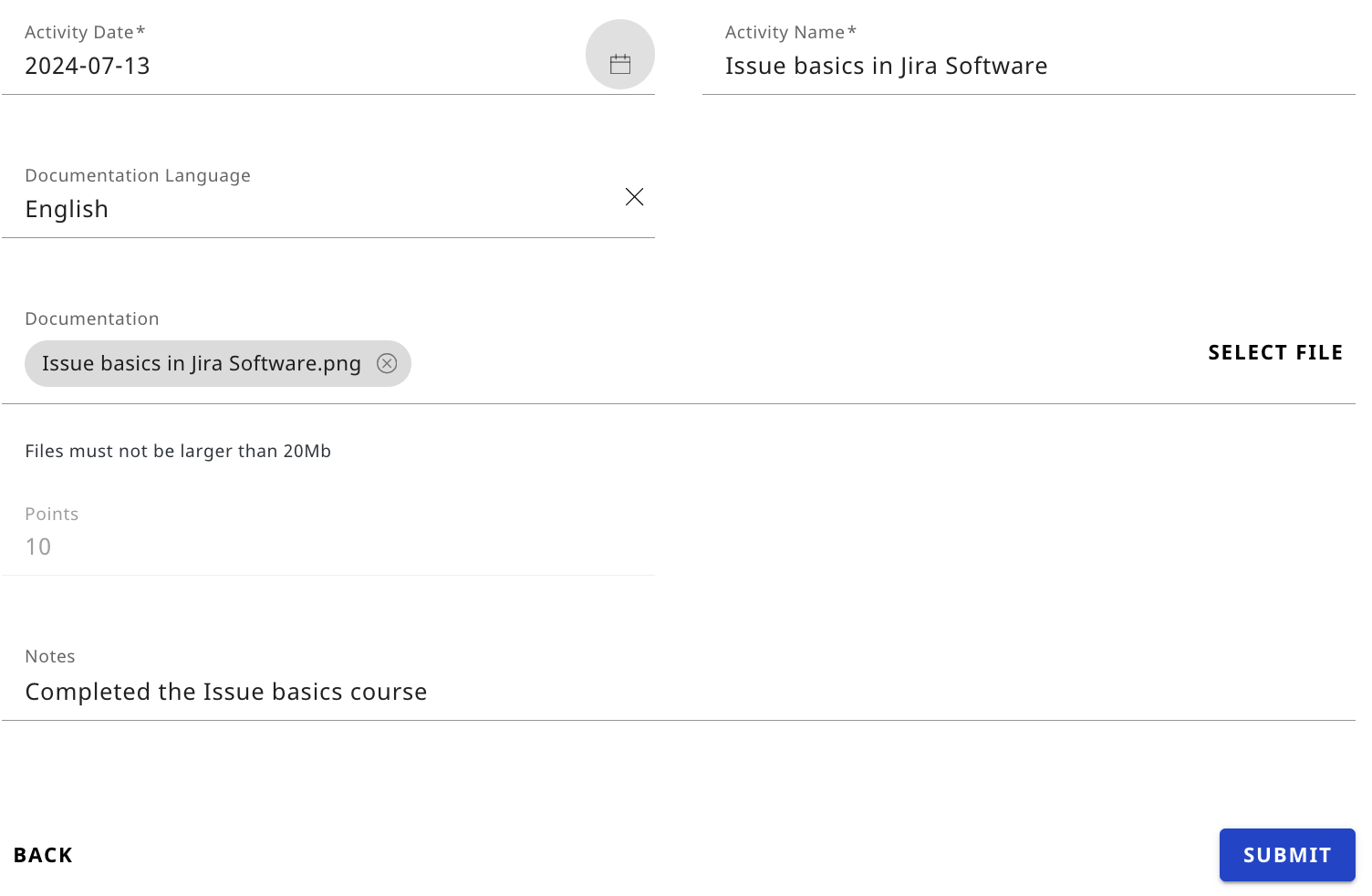
*Some examples of documentation:
Atlassian University Courses
You can create a screenshot of your course completion:
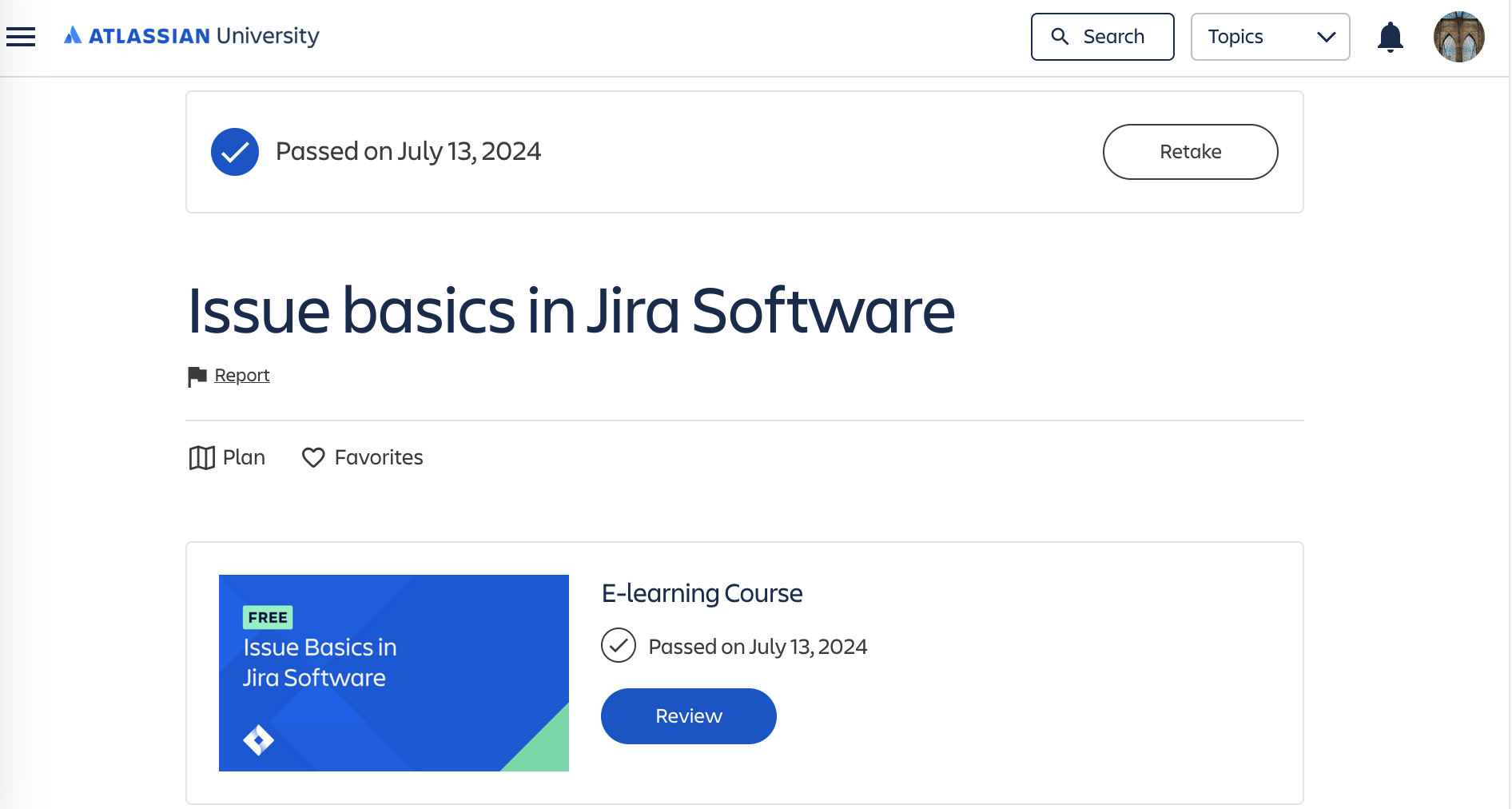
You can also use an image of a completed course, found under Profile/History:

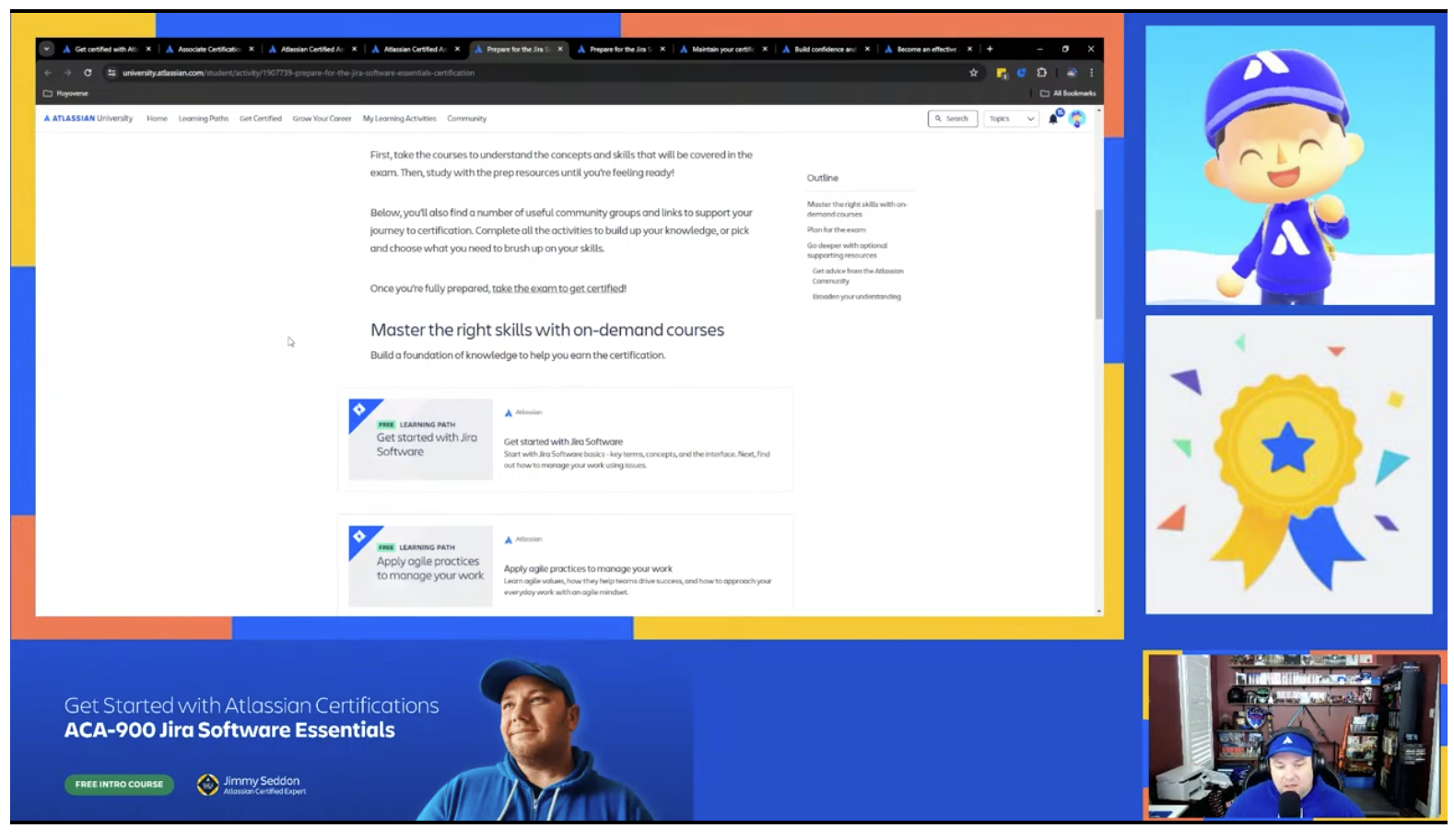
Live Learning
You can use an image of your reservation for a Live Learning event:
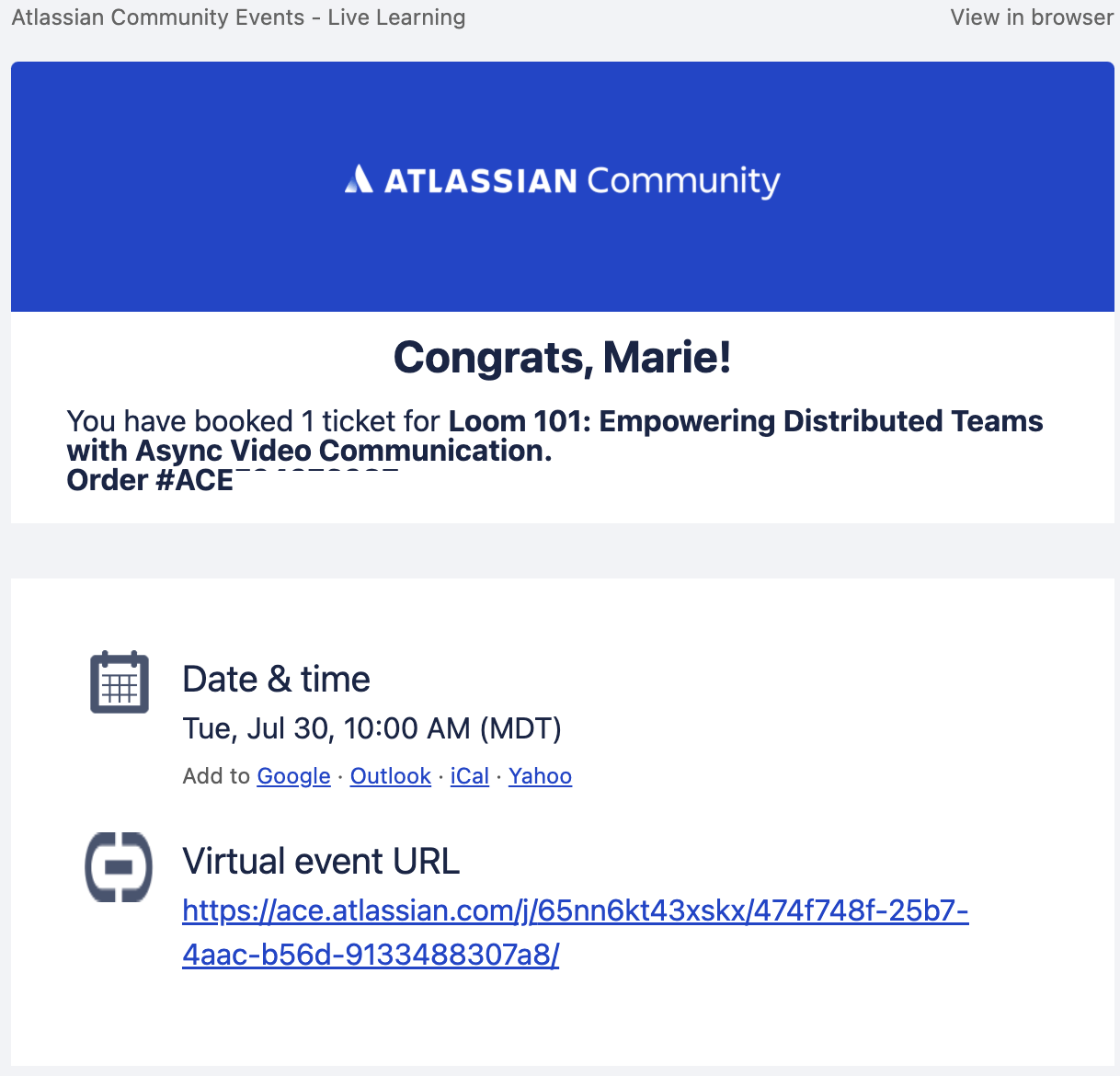
Or, you can use an image that shows the event in progress:
ACE event
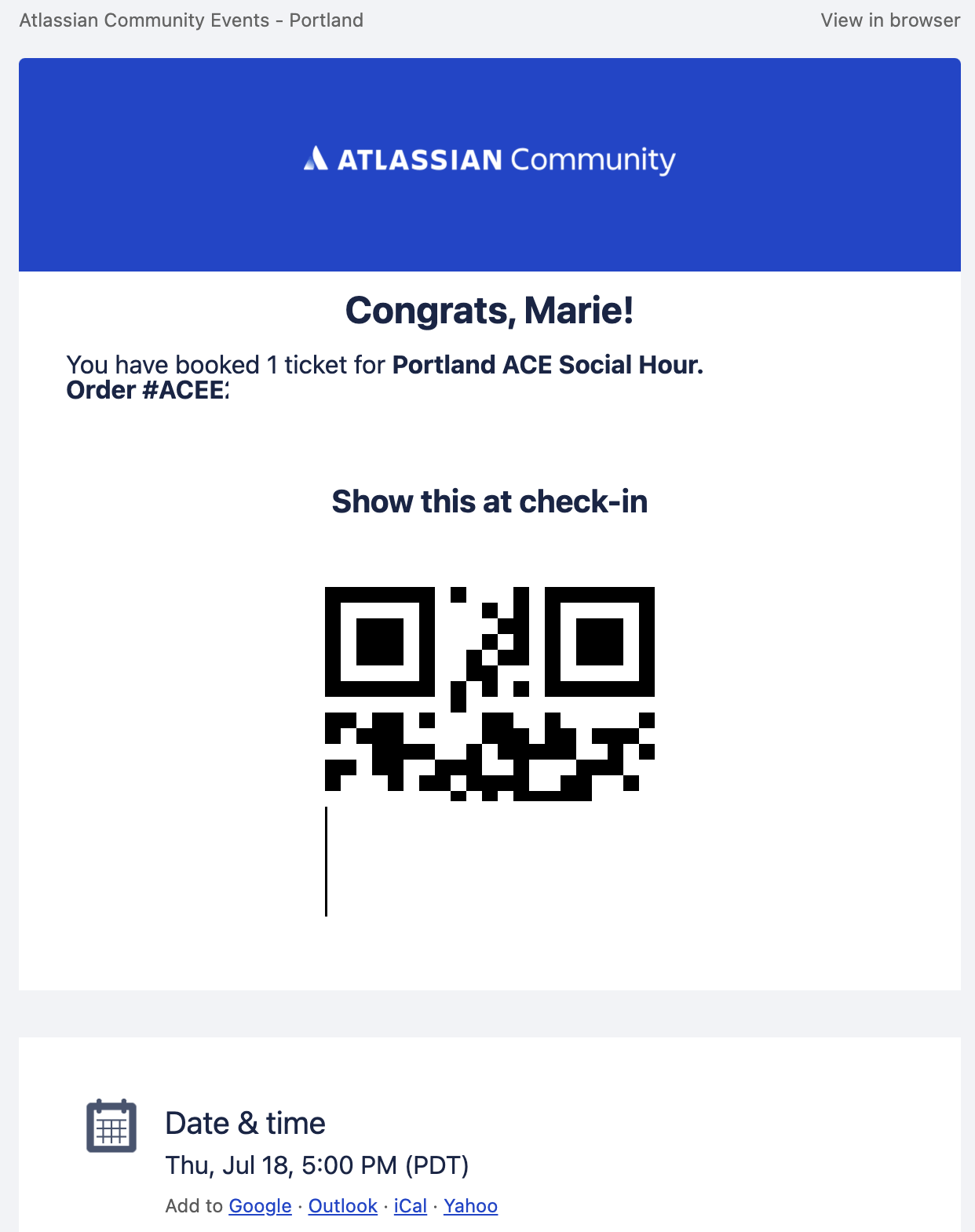
You can use an image of your registration for an ACE:
Atlassian global event
You can use an image of your registration for a Team event:

To view your progress:
-
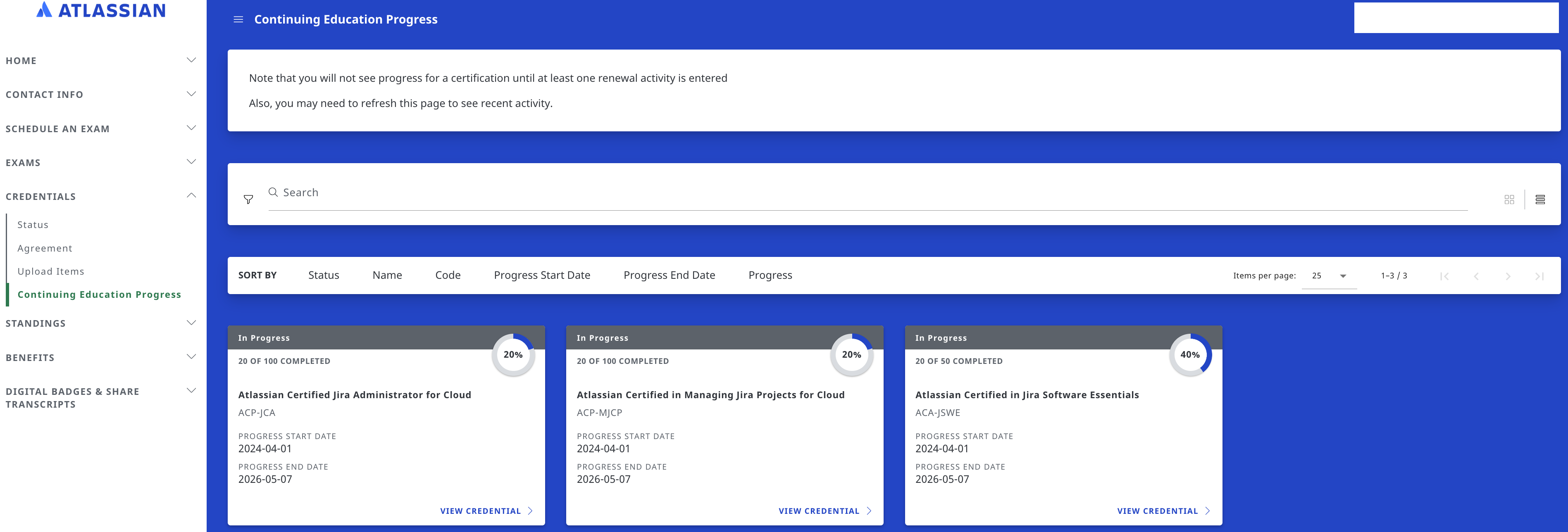
Navigate to CREDENTIALS/Continuing Education Progress. You may need to refresh the page to see recent activity.
-
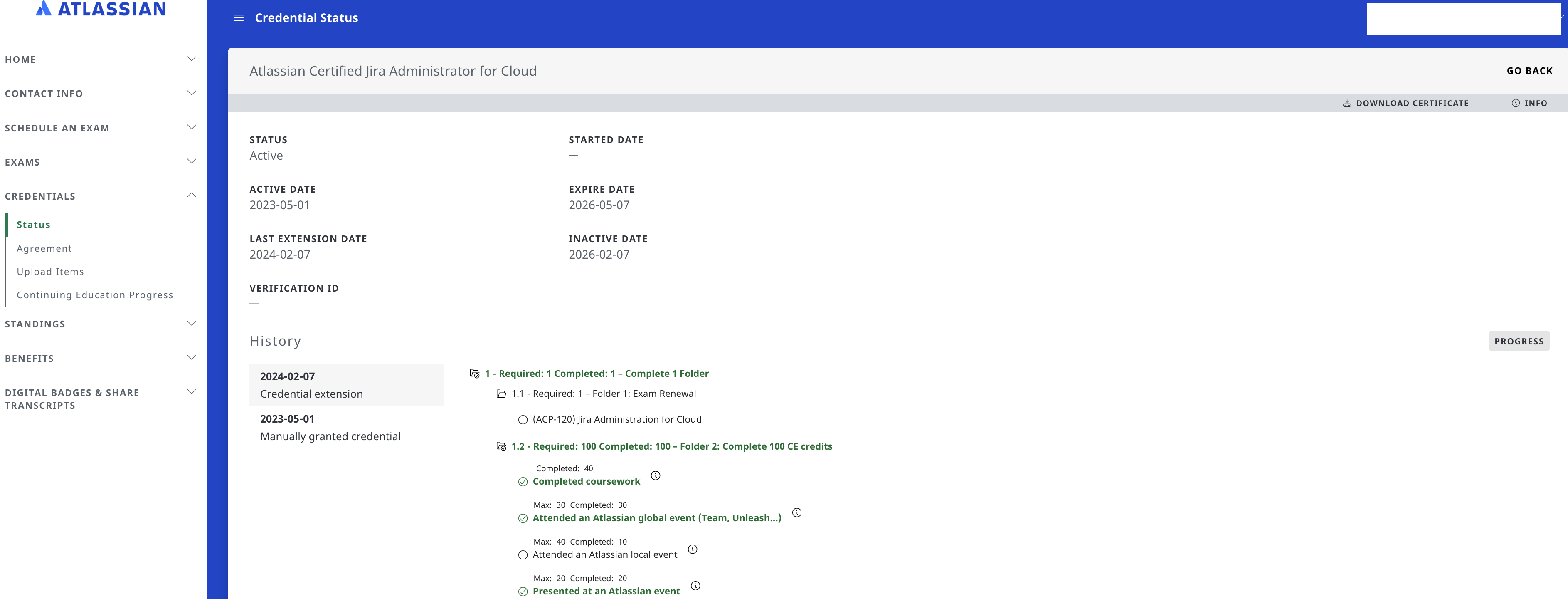
To see details of your progress, click on VIEW CREDENTIAL.
-
To see prior renewal cycles, click on HISTORY.
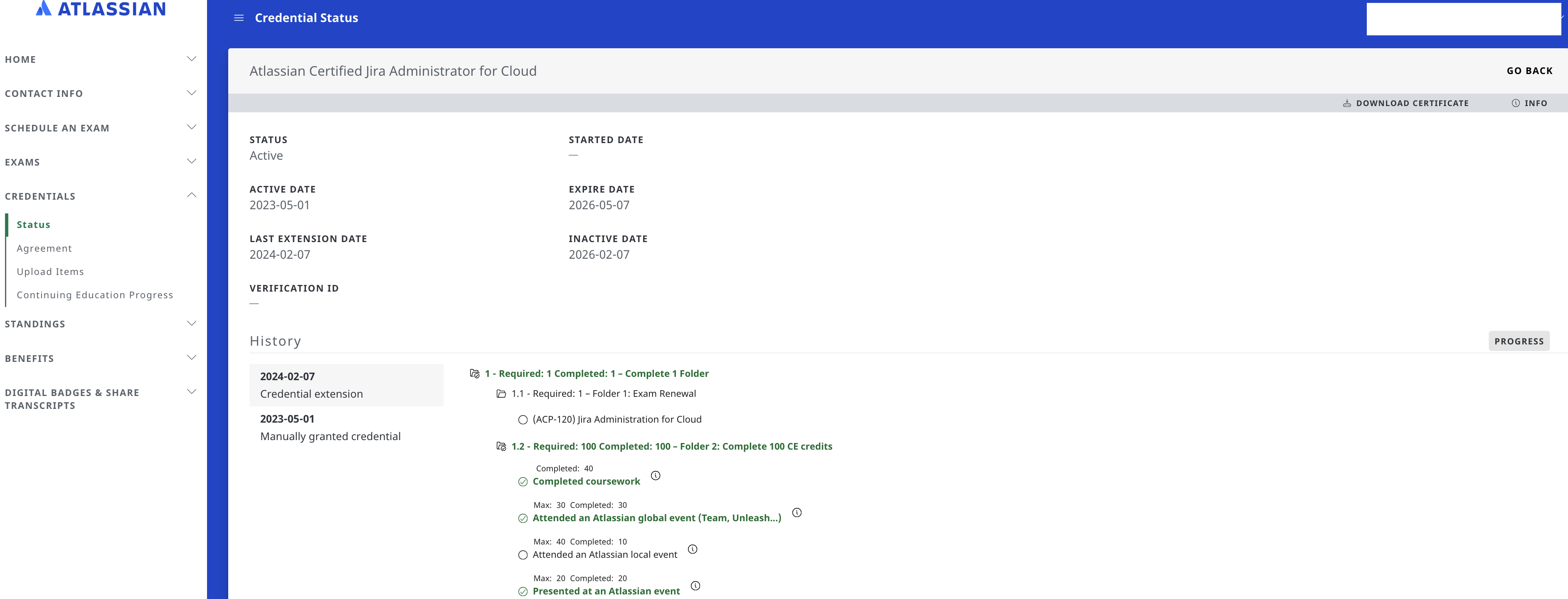
To View the activities you have entered:
-
Navigate to EXAMS/Continuing Education - View Activities.
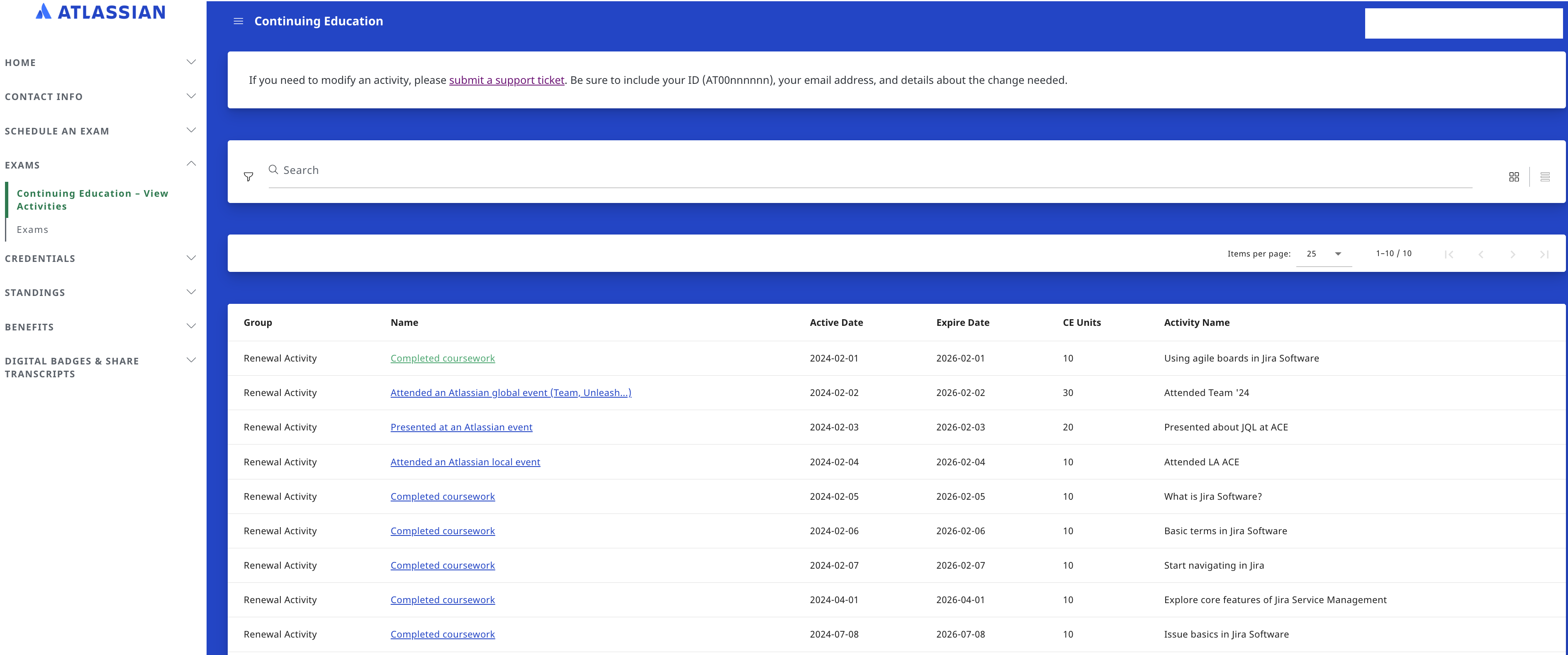
-
Click on an activity to view the details.
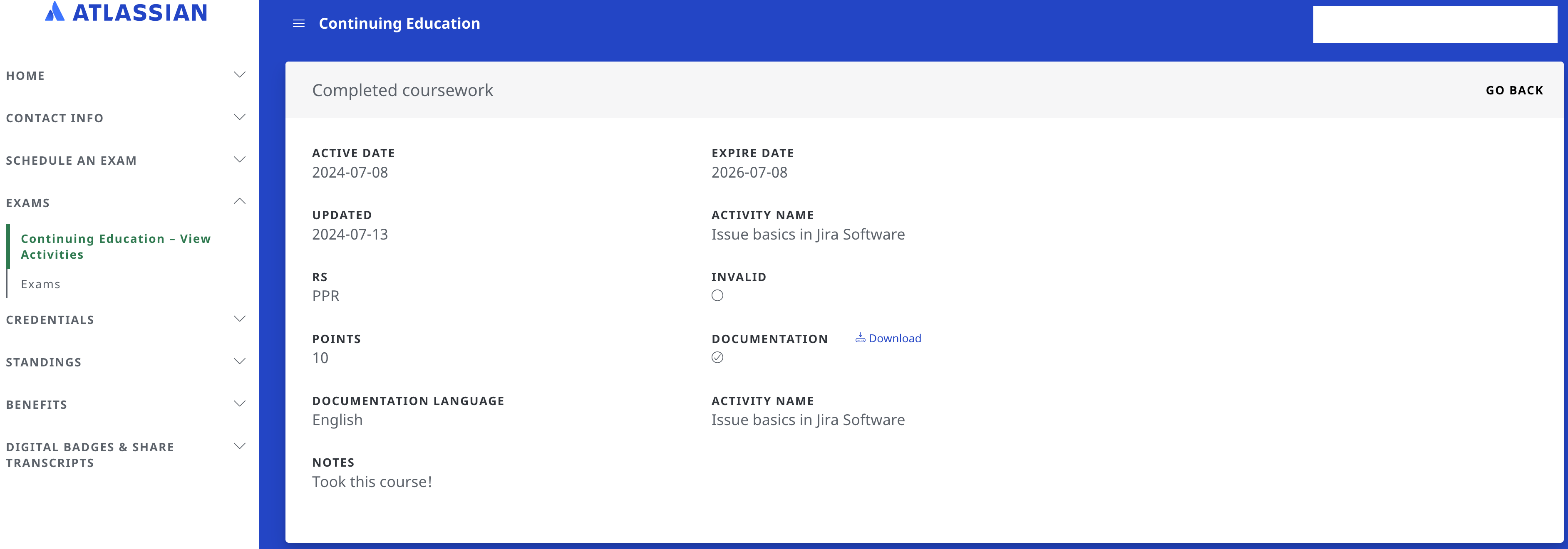
Some key features:
-
An activity can be used to renew more than one certification. For example, if you have two or more certifications, completing a course can be used to renew all of them.
-
Any activity since the February 2024 retirements can be used.
-
Candidates may also opt to retake the exam to renew their certification, in place of using CE units.
Want to learn more? Please see Maintain your Certification for additional details, examples, and FAQs.
The Atlassian certification team is excited about this simplified approach to help candidates maintain their certifications. We’re grateful for our community’s patience as we build out new programs and navigate changes to improve Atlassian certifications.

As a reminder here is a list of the current certification catalog:
ACP-JCA Jira Administration for Cloud (ACP-120)
ACP-MJSPC Managing Jira Service Projects for Cloud (ACP-420)
ACP-OA Atlassian Cloud Organization Admin (ACP-520)
ACP-MJCP Managing Jira Projects for Cloud (ACP-620)
ACA-JSWE Jira Software Essentials Certification (ACA-900)
ACA-JSWBC Jira Software Board Configuration (ACA-905)
ACA-ITSMF ITSM with Jira Service Management Foundations (ACA-910)
ACA-ACF Atlassian Cloud Foundations (ACA-915)
ACA-CONFE Confluence Essentials (ACA-920)
Here is a list of retired certifications, which can no longer be renewed:
ACP-JA Jira Administration for Data Center (ACP-100)
ACP-CA Atlassian Certified Confluence Administrator for Data Center and Server (ACP-200)
ACP-JSW Atlassian Certified in Agile Development with Jira Software (ACP-300)
ACP-JSD Atlassian Certified Jira Service Desk Administrator (ACP-400)
ACP-SA Atlassian Certified System Administrator (ACP-500)
ACP-JPA Atlassian Certified Jira Project Administrator for Data Center and Server (ACP-600)
ACP-MJDP Managing Jira Projects for Data Center (ACP-610)


![Photo of Christian Czaia [Decadis AG]](https://avatar-management--avatars.us-west-2.prod.public.atl-paas.net/initials/CC-6.png)


